


City Calendar Scraper - US Local Events
DeprecatedPricing
from $0.00005 / actor start
City Calendar Scraper - US Local Events
DeprecatedExtract events from US city .gov and community calendars. Auto-detects Drupal, CivicPlus, FullCalendar and generic layouts. Outputs clean JSON or CSV with event name, date, time, venue, description. Residential proxy recommended.
Pricing
from $0.00005 / actor start
Rating
0.0
(0)
Developer
Anh Nguyen
Maintained by CommunityActor stats
0
Bookmarked
1
Total users
0
Monthly active users
a month ago
Last modified
Categories
Share
City Calendar Scraper — US Local Events
Extract events from US city .gov and community calendars automatically. One actor, unified output, no custom coding needed.
What it does
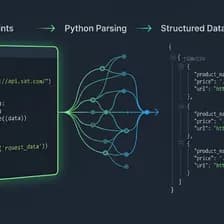
This actor scrapes event listings from city and community calendar websites. It automatically detects the calendar type and extracts event data into a clean, normalized format.
Supported calendar types:
- Drupal Views Calendar (monthly grid with event items)
- CivicPlus / VisionInternet event widgets
- FullCalendar JS-rendered calendars (Revize CMS)
- Generic event listings (any page with event-like structure)
Who is this for
- Newsletter publishers — pull local events for weekly roundups
- Real estate agents — show community events near listings
- Local SEO agencies — generate content from city calendars
- Event aggregators — build databases of community events
- Researchers — track municipal activities across cities
Input
| Field | Type | Default | Description |
|---|---|---|---|
| urls | string[] | required | List of city/community calendar page URLs |
| maxEventsPerSite | integer | 50 | Maximum events to extract per URL (1-200) |
| includeDescription | boolean | true | Fetch full event description from detail pages |
| outputFormat | string | csv | Output format: "json" or "csv" |
Example input
Output
Each event contains:
| Field | Description |
|---|---|
| eventName | Event title |
| date | Event date |
| time | Event time (if available) |
| city | City name extracted from URL |
| venue | Venue or location (if available) |
| description | Full event description (if includeDescription is enabled) |
| price | Free/Paid info (if detected) |
| eventUrl | Direct link to event detail page |
| imageUrl | Event image URL (if available) |
| sourceUrl | Calendar page that was scraped |
| scrapedAt | Timestamp of extraction |
Example output
How it works
- The actor visits each URL you provide
- It detects the calendar/CMS type automatically
- Events are extracted using the matching strategy
- If
includeDescriptionis enabled, it visits detail pages for full descriptions - Data is normalized and deduplicated
- Results are saved to the dataset (JSON) and optionally as CSV
Proxy
Recommended: Residential proxies for best results. Many .gov sites block datacenter IPs.
Performance
- ~10 events per site takes 5-15 seconds
- Memory usage: under 1024 MB
- Each URL is processed sequentially for stability
Cost estimate
- ~0.3 compute units per 10 sites with 50 events each
- Using
includeDescription: trueincreases compute time (detail page visits)
Limitations
- Event data accuracy depends on source site structure
- Some fields may not be available on all sites (venue, price, image)
- FullCalendar (JS-rendered) sites may have limited extraction
- If a site changes its layout, extraction may need updating
- Sites with heavy bot protection may return fewer results
Tips
- Start with
maxEventsPerSite: 10andincludeDescription: falsefor quick testing - Use
includeDescription: truefor production runs to get full event details - Check the logs to see which calendar type was detected for each URL
- CSV output opens directly in Excel and Google Sheets (UTF-8 with BOM)
Disclaimer
Data accuracy depends on source sites. This actor extracts publicly available information. User is responsible for compliance with source site Terms of Service. This actor does not store or cache data between runs.
Changelog
- 1.0 — Initial release: Drupal Calendar, CivicPlus Widget, FullCalendar, Generic fallback strategies


