
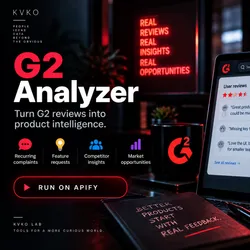
G2 Review Gap Analyzer — Find Competitor Weaknesses
Pricing
$490.00 / 1,000 results
G2 Review Gap Analyzer — Find Competitor Weaknesses
Find competitor weaknesses from G2 reviews. Input: G2 product URL. Output: complaint clusters with frequency and evidence. For B2B founders and PMs who want competitor intelligence without manual review analysis.
Pricing
$490.00 / 1,000 results
Rating
0.0
(0)
Developer

KVKO
Maintained by CommunityActor stats
1
Bookmarked
2
Total users
1
Monthly active users
2 months ago
Last modified
Categories
Security
Limited permissionsShare
G2 Review Gap Analyzer
Find what competitors get wrong — straight from G2 reviews.
G2 Review Gap Analyzer collects low-rated G2 reviews of a competitor product and tags each review with the complaint it maps to (missing feature, pricing, performance, integration, etc.), so you can surface what the market dislikes about competing tools — to sharpen your positioning, roadmap, or pain-first sales copy.
Who uses this
- B2B SaaS founders building against established competitors
- Product managers tracking what the market hates in competitor tools
- Marketers writing competitive positioning and comparison pages
- Sales teams building battle cards
How it works
- Point it at a competitor's G2 reviews page (
/products/<slug>/reviews). - It gathers reviews within your chosen rating band (default: low-rated, 1–3 stars).
- Each review is tagged with an
extracted_pain_pointkeyword when the text matches a common complaint theme, so recurring pain stands out without manual reading.
Input
| Field | Type | Description |
|---|---|---|
competitorUrl | string · required | G2 product reviews URL, e.g. https://www.g2.com/products/<slug>/reviews |
minRating | integer | Lower rating bound to include (default 1) |
maxRating | integer | Upper rating bound to include (default 3 — low-rated reviews) |
maxReviews | integer | Max reviews to analyze (default 10, range 1–1000) |
Example:
Output
The Actor writes one item to its default dataset containing the filtered, tagged reviews (each review keeps its source URL so you can jump back to the original):
extracted_pain_point is the first complaint keyword matched in the review text (e.g.
missing, lack, slow, expensive, integration, feature, bug) or null when
no keyword matches — a lightweight first-pass signal, not a full NLP taxonomy.
Cost
Charged per Apify usage as shown in the pricing box on this page (pay-per-event — no flat subscription). Collection is delegated to a G2 reviews scraper, so a run's real cost depends on review volume and the scraper's own pricing; confirm the cost box before a large run rather than relying on a fixed per-run estimate.


