
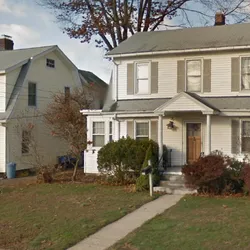
Google Maps Street View Scraper - High-Res Panorama Photos
Pricing
from $20.00 / 1,000 results
Google Maps Street View Scraper - High-Res Panorama Photos
Converts a list of addresses into high-resolution satellite images.
Pricing
from $20.00 / 1,000 results
Rating
0.0
(0)
Developer

Made In Germany
Maintained by CommunityActor stats
0
Bookmarked
106
Total users
3
Monthly active users
10 days ago
Last modified
Categories
Share
🏡 Google Maps Street View Scraper
Extract crystal-clear, high-resolution Google Maps Street View images for any list of addresses at scale. This Actor completely removes all Google Maps UI overlays (search bars, compress, text blocks) guaranteeing an absolute, pristine snapshot of the primary property or location from street-level context.
🚀 Key Use Cases
Designed to bring automated visual validation to your pipelines, this tool is profoundly valuable for:
- Realtors & Real Estate Agencies: Bulk capture curb-appeal images of your MLS listings or property management portfolios without driving by or manually screenshotting every property.
- Logistics & Delivery Operations: Visually verify delivery entry points, storefronts, and loading docks ahead of time.
- Insurance Adjusters & Underwriting: Pull rapid front-facing visuals for underwriting verification and lead generation.
- Urban Planners & Market Research: Accumulate on-the-ground visual datasets of storefronts, streets, and competitive retail areas.
✨ Features
- Pristine Image Output: Dynamically purges the WebGL scene of all distracting
Google Maps UIelements before taking the snapshot. The final image is 100% clean and free of menus! - Zero API Key Required: Bypasses the expensive
Google Maps Static APIcosts. The Actor natively leverages Playwright browser automation to scrape the literal user interface without incurring $40 per 1,000 images in backend API charges. - Smart Zoom Engine: Configure your preferred visual depth! Link the zoom distance seamlessly from
0 (Default Panorama)to4 (Close up)to perfectly frame the property.
🎛 Input Configuration
The actor accepts the following parameters via JSON or the Apify UI block:
| Field | Type | Description |
|---|---|---|
addresses | String (textarea) | Paste a vertical list of target addresses. One line = One address. |
zoom | Integer | Setting for depth. Accepts values strictly between 0 and 4. |
Example Input JSON:
📥 Output Format
The resulting data seamlessly pairs the submitted address with the direct visual outcome in your Dataset layer, outputting the exact structural mapping below:
Note: The actual HD .png file representing the generated imageUrl will be saved concurrently in your Default Key-Value Store.


