

Naver Shopping Catalog Sellers & Prices (Beta)
Pricing
$0.50 / 1,000 catalog seller offers
Naver Shopping Catalog Sellers & Prices (Beta)
Enter Naver Shopping catalog links or IDs to get seller offers, listing prices, collection status and observed minimum-price history.
Pricing
$0.50 / 1,000 catalog seller offers
Rating
0.0
(0)
Developer

SUNGHWAN CHO
Maintained by CommunityActor stats
0
Bookmarked
3
Total users
2
Monthly active users
8 days ago
Last modified
Categories
Features
Share
Naver Shopping Catalog Sellers & Prices Scraper (네이버 쇼핑 가격비교) | Seller Offers, Lowest Price & Observed Price History (2026)
Languages: English · 한국어 · 中文 · 日本語
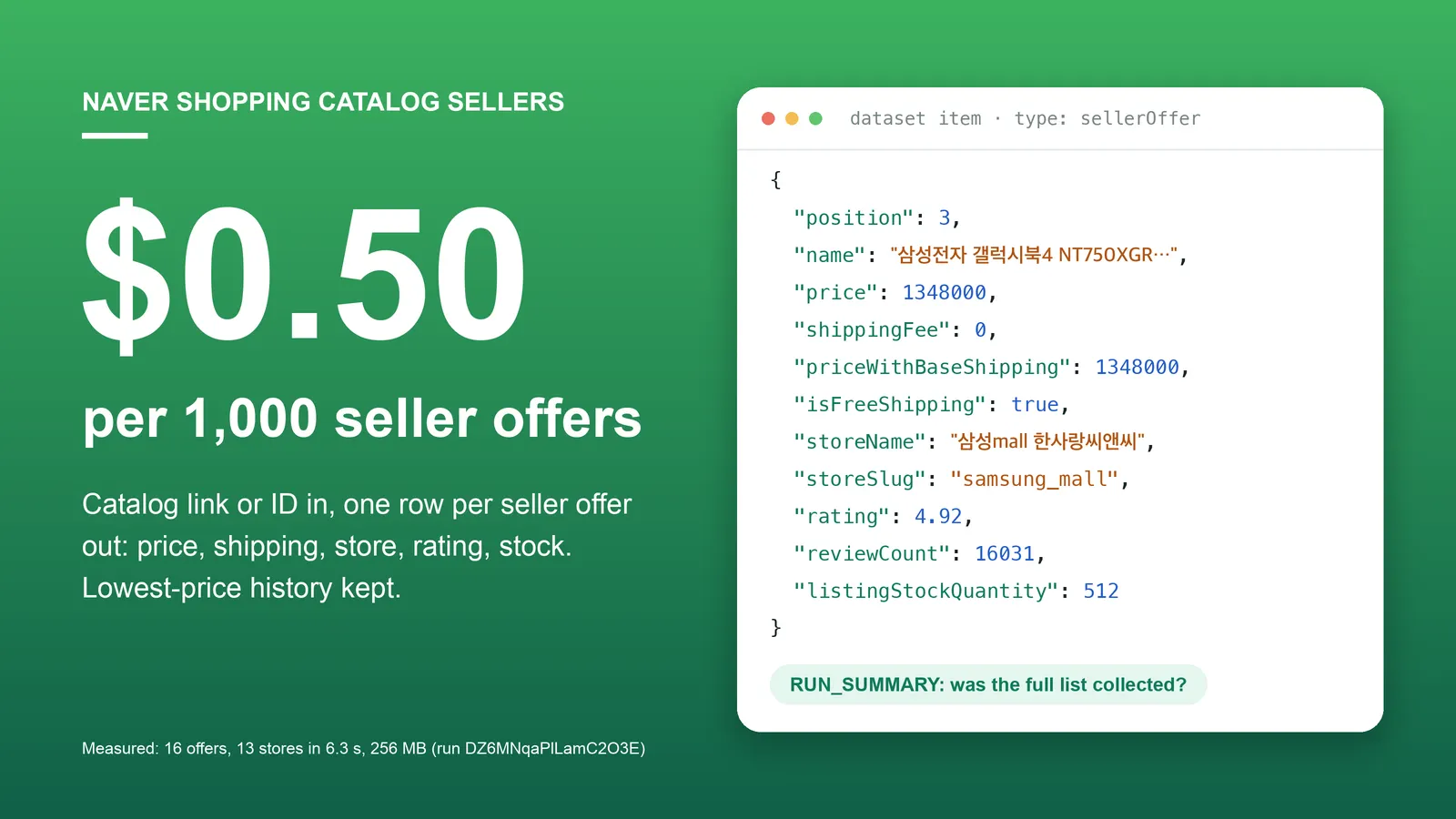
Enter Naver Shopping catalog links or catalog IDs (the price-comparison pages, 가격비교) and get one row per seller offer as flat JSON: listing price and original price in KRW, discount rate, base shipping fee, store name, store ID and store URL, listing rating, review count and listing stock. Each run also saves a per-catalog status report (was the whole list collected?) and an observed lowest-price history. No Naver login, no API key, no browser.
Part of a small set of Korean data Actors from one maintainer: Naver Shopping ranks, Naver Brand product details, Naver Map places and Naver Map reviews. This Actor is in beta: it has been validated on one catalog with a single page of offers (see Notes).
Why choose this Actor?
$0.50 per 1,000 seller offers, and nothing else.
You pay $0.0005 per offer row saved. There is no start fee. The status report, the price-history record and runs that collect nothing are not charged.
It tells you whether the list is complete.
RUN_SUMMARY marks a catalog complete: true only when Naver's response explicitly ends the list (hasMore: false) or a consistent total matches every saved offer. A row cap, a block page, a duplicate page or a contradictory total leaves it partial with a stopReason, so you never mistake a cut-off list for the full market.
No neighbouring products.
Before saving a page the Actor checks that every item on it belongs to the catalog you asked for. One mismatch rejects the whole page (stopReason: "catalogMismatch") instead of mixing in other products.
A price history you build yourself.
Each fully collected catalog adds one observation, the lowest listed price, to a key-value store in your Apify account. Later runs return the previous price, the change, and the observed minimum and maximum. It contains only prices this Actor saw on your runs; nothing earlier is reconstructed.
Measured, not estimated. 16 offers from 13 stores for one catalog took 6.3 seconds at 256 MB in run DZ6MNqaPlLamC2O3E (build 0.2.5, 2026-11-13, Korean residential proxy, 1 request).
Quick start
All seller offers of one catalog, up to 100. This is the prefilled input; the catalog below had 16 offers, which costs $0.008.
Open the Actor input, paste catalog links or IDs, and click Start. Export the dataset as JSON, CSV or Excel, and open the key-value store record RUN_SUMMARY to see whether each catalog was collected completely.
Don't have catalog IDs yet? On Naver Shopping, a product with a price-comparison page has a URL like https://search.shopping.naver.com/catalog/52631236642; the number is the catalog ID. Or run Naver Shopping Scraper & Keyword Rank Tracker with a keyword and pass its catalogId field into catalogUrls.
Copy to your AI assistant
Paste this into ChatGPT, Claude, Cursor or another assistant so it can call the Actor for you:
Use it over MCP
Add this server to Claude Desktop, Cursor or any MCP client, authenticated with your Apify token:
The agent only has to fill catalogUrls; everything else has a default.
Key features
- Catalog link or ID input.
search.shopping.naver.com/catalog/<id>,/ns/catalog/<id>, the same paths onmsearch.shopping.naver.com, or a bare numeric ID. Up to 50 per run; duplicates run once. Query strings are ignored. - One row per offer. Each row is one listing (
nvMid) on the catalog. A store with several listings has several rows. - Price fields as numbers in KRW.
price(discounted listing price when Naver gives one, otherwise the sale price),originalPrice,discountRate,shippingFee, andpriceWithBaseShipping(price plus base shipping when both exist). - Store identity.
storeName,storeId(Naver channel number),mallId,mallSeq,storeUrlandstoreSlugfor Smart Store and Brand Store URLs. - Listing signals.
rating,reviewCount,listingStockQuantityandlistingIsSoldOut. - Naver's low-price order. The Actor asks Naver for the low-price sort with shipping included and keeps the order it receives in
position. - Per-catalog status report in
RUN_SUMMARY: status, stop reason, completeness evidence, offers saved, distinct stores, lowest and highest saved price. - Observed lowest-price history in
PRICE_HISTORY, kept across runs in a named store in your account. - Hard run budgets. Maximum offers per catalog, maximum requests for the run, maximum minutes, and your maximum cost per run. Offers saved before a limit stay in the dataset.
- Paced and unforced. Requests run one at a time, at least 3 seconds apart, with no automatic retries. A blocked request is reported as
blocked, not worked around.
How to scrape Naver Shopping catalog sellers and prices
All sellers of one catalog
Several catalogs in one run
maxRequests is shared by the whole run and every catalog needs at least one request (20 offers per request). With the default of 10, later catalogs are marked skipped once the budget is used, so raise it to at least the number of catalogs.
Daily lowest-price tracking
Schedule this input once a day. Each fully collected catalog adds one observation to the store named in historyStoreName; from the second run on, PRICE_HISTORY has previousPrice, priceChange and priceChangePercent. Keep the store name the same between runs.
Only the first offers in Naver's low-price order
A row cap ends the catalog before the end of the list is verified, so the catalog is reported as partial with stopReason: "offerLimit" and no price-history observation is written for it.
A catalog with many sellers
300 offers need 15 requests, at least 3 seconds apart (about 45 seconds of pacing). Multi-page catalogs are covered by offline tests but have not been validated in a live run yet; check complete in RUN_SUMMARY.
Offers only, no price history
Input parameters
| Field | Type | Default | Description |
|---|---|---|---|
catalogUrls | array of strings | — | Required. 1 to 50 Naver Shopping catalog links or numeric catalog IDs. Smart Store, Brand Store, keyword and product-detail URLs fail input validation before any request is made. |
maxOffersPerCatalog | integer | 100 | 1 to 1,000. Unique offer rows to save per catalog. Reaching the cap before a verified end gives a partial catalog. |
maxRequests | integer | 10 | 1 to 100. Hard limit across all catalogs. One request returns up to 20 offers. |
maxRunMinutes | number | 2 | 0.1 to 15. Collection time budget. It is also bounded by the run timeout (default 180 seconds); raise the timeout in Run options when you choose more than about 2.5 minutes. |
proxyConfiguration | object | Apify Proxy, RESIDENTIAL, country KR | Keep the default Korean residential proxy; it is the configuration used in our runs. |
recordPriceHistory | boolean | true | Save the lowest listed price of each fully collected catalog as an observation. |
historyStoreName | string | naver-catalog-observed-price-history-v1 | Named key-value store in your account that keeps the observations. Lowercase letters, digits and hyphens, starting with a letter. Changing it starts a separate history. |
historyDays | integer | 30 | 1 to 365. How far back PRICE_HISTORY reads, up to 1,000 stored keys per catalog. Older records are kept, not deleted. |
The Actor's default maximum cost per run is $0.10, which is 200 offer rows. Raise Maximum cost per run in Run options for larger runs.
How completeness is decided
A short page alone is not treated as the end of the list. A catalog is complete only when Naver's response says hasMore: false (completionEvidence: "hasMoreFalse") or when a total that stayed the same across pages equals the number of unique offers saved ("verifiedTotalReached"). The table lists every per-catalog status:
| Status | Meaning |
|---|---|
completed | Offers saved and the end of the list verified. |
empty | Naver explicitly returned no offers. This does not prove the catalog exists. |
partial | Some offers saved, but the full list was not verified. See stopReason. |
blocked | Naver restricted access before any offer was saved. |
unsupported | Catalog mismatch, missing offer IDs, or a response the Actor does not recognise. |
failed | Network, storage or HTTP failure, or an empty response that could not be verified. |
limited | A request, time, row or cost limit ended the catalog before any offer was saved. |
skipped | Not requested because an earlier catalog used up the run budget. |
stopReason values include endOfResults, noResults, offerLimit, requestLimit, timeLimit, chargeLimit, blocked, networkError, catalogMismatch, missingOfferId, paginationStalled, paginationDuplicates, sourceMetadataConflict, unverifiedPageBoundary, unverifiedEmpty, storageError, notJson, responseSchema and http<code>.
A run that could not verify every catalog and saved no offers at all ends as failed, so a schedule alerts you. A run that saves some offers but not every catalog completely ends as succeeded with the status message "Incomplete: … Inspect RUN_SUMMARY".
What data can you extract from a Naver Shopping catalog?
Every dataset row is one seller offer. IDs are strings, numbers are numbers, missing values are null; keys are never left out.
Offer rows ("type": "sellerOffer"), in the order Naver returned them:
| Field | Type | Description |
|---|---|---|
catalogId, catalogUrl | string | The catalog you asked for and its canonical URL. |
position | number | Position in Naver's pages, starting at 1. Gaps can remain after duplicates are removed. |
nvMid | string | Naver Shopping ID of this offer (unique per row). |
channelProductId, originalMallProductId | string | The store's product number on Naver and the seller's own product ID. |
name | string | The seller's listing title. |
price | number | Discounted listing price when Naver gives one, otherwise the sale price. KRW. |
originalPrice, discountRate | number | Sale price before the listing discount, and Naver's discount percentage. |
currency | string | Always KRW. |
shippingFee | number | Published base delivery fee. 0 when free. |
priceWithBaseShipping | number | price plus shippingFee when both exist. Plain arithmetic, not a checkout quote. |
isFreeShipping | boolean | Naver's free-shipping flag for the listing; null when Naver sends no delivery flags. |
storeName | string | Public storefront name. |
storeId, mallId, mallSeq | string | Naver channel number and the two mall identifiers Naver uses. |
storeUrl, storeSlug | string | Storefront URL, and its slug for smartstore.naver.com and brand.naver.com stores. |
rating, reviewCount | number | The listing's average review score and review count. Both were 0 for listings without reviews in our sample. |
listingStockQuantity, listingIsSoldOut | number / boolean | Listing-level stock and a sold-out flag derived from it (null when the quantity is missing). Not option stock. |
imageUrl, url | string | First listing thumbnail and the public product URL of the offer. |
scrapedAt, source, schemaVersion | string / number | UTC timestamp, naver-shopping, 1. |
RUN_SUMMARY (key-value store, free): run status, allCatalogsComplete, requestedCatalogs, returnedOffers, requests, the limits used, and a catalogs list with catalogId, status, stopReason, complete, completionEvidence, returnedOffers, distinctStores, offersWithoutStoreIdentity, validPriceOffers, priceCoverageComplete, minPrice, maxPrice, sourceTotal, sourceTotalVerified, pages, requests, duplicatesSkipped. minPrice and maxPrice describe the saved offers only and exclude shipping. distinctStores counts storefronts by channel number, mall sequence, mall ID or store URL; names alone never merge two stores.
PRICE_HISTORY (key-value store, free): status, historyStoreName, lookbackDays, and one item per fully collected catalog with currentPrice, previousPrice, previousObservedAt, priceChange, priceChangePercent, minimumObservedPrice, maximumObservedPrice, observationCount, priceHistory (every observation in the window) and dailyPriceHistory (the last observation of each UTC day).
Not returned: product specifications, description images, option names and per-option stock, review text, Naver's own past-price chart, coupon, membership and card discounts, and the final checkout price. Seller phone numbers, e-mail addresses and business registration details are not collected. Smart Store or Brand Store product URLs are not accepted as input; for product-page details use Naver Brand Product Details, Reviews & Q&A.
Output example: seller offer
From run DZ6MNqaPlLamC2O3E (2026-11-13, build 0.2.5), a Samsung Galaxy Book4 laptop catalog, third of 16 offers. Unedited.
Output example: RUN_SUMMARY
Same run. Unedited. (actorVersion is the source package version, not the build number.)
Output example: PRICE_HISTORY with a price change
From run j8Jb4edNchwQnvT2r (2026-11-13, build 0.2.3), the third observation of the same catalog in the default history store. Shortened: the diagnostic counters, snapshotKey and the priceHistory list of raw observations are left out; the values shown are unedited.
Advanced usage
Check completeness before using the rows
Alert when the lowest price moves
After a scheduled run, read PRICE_HISTORY and compare. previousPrice is null on the first observation and whenever the history could not be read completely (historyStatus other than completed).
A change in the lowest price can mean a different seller became the cheapest, not that one seller changed its price. Compare nvMid and price in the offer rows of the two runs to tell which.
How the observed price history works
- The observation is the lowest
priceamong all saved offers, excluding shipping, and is written only when the catalog iscompleteand every saved offer has a valid price. Partial, blocked or row-capped catalogs add nothing. - It is written after the offer rows are stored. A missing or blocked price is never turned into zero.
- Observations are immutable records in the named store in your account.
historySource: "observed"andhistoryBackfilled: falsemark the data as collected by this Actor, not Naver's own chart. - One run records one observation per catalog. Recurring collection needs a schedule; the input does not create one.
- History reading has an 8-second budget and reads at most 1,000 keys per catalog. If reading is cut short, or observations conflict, the item gets
historyStatus: "partial"or"error"with ahistoryStopReason, and comparisons arenull. A history failure never removes dataset rows. - This Actor and Naver Brand Product Details, Reviews & Q&A use separate default stores. Keep this Actor's default or use a name of your own.
One call from the command line
How much does it cost to scrape Naver Shopping catalog sellers?
Pay per event, no subscription. The price below has been in effect since 2026-11-13 and is the same on every Apify plan. No price change is scheduled.
| Event | Price | When |
|---|---|---|
offer | $0.0005 per seller offer row | Every offer row saved to the dataset. |
Not charged: starting the Actor, RUN_SUMMARY, PRICE_HISTORY, catalogs that are blocked, empty, unsupported, failed or skipped, and duplicate offers that are not saved.
Worked examples:
| Job | Events | Cost |
|---|---|---|
| The catalog in the output example (16 offers) | 16 offers | $0.008 |
| One catalog at the default cap | up to 100 offers | up to $0.05 |
| 10 catalogs with 20 offers each | 200 offers | $0.10 |
| The same 10 catalogs every day for 30 days | 6,000 offers | $3.00 per month |
| 1,000 offer rows | 1,000 offers | $0.50 |
Set Maximum cost per run in Run options to cap a run (the default is $0.10). When the limit is reached the catalog being read is marked partial or limited with stopReason: "chargeLimit", the remaining catalogs are skipped, and the rows stored equal the rows charged.
Scheduling and integrations
- Schedules. In Apify Console, create a daily schedule with the same
catalogUrlsand the samehistoryStoreName. Each run adds one price observation per fully collected catalog. - Webhooks and automation. Send the dataset to Slack, Google Sheets, Make, Zapier or n8n with Apify integrations, or call your own endpoint with a webhook when a run finishes. Because a blocked or failed run with zero offers ends as failed, a "run failed" webhook catches blocked days.
- API clients. Any HTTP client works; official clients exist for Python (
apify-client) and JavaScript (apify-client).
FAQ
Do I need a Naver account? No. The Actor reads the public offer list of a catalog without logging in. It does not accept cookies or accounts.
What is a Naver Shopping catalog?
Naver groups identical products from different sellers on one price-comparison page (가격비교) with the URL search.shopping.naver.com/catalog/<id>. Products that Naver has not matched to a catalog have no such page and cannot be used here.
Does it list every seller, including Coupang or 11st? It saves the offers Naver's catalog offer list returns for the catalog. In our validation run all 16 offers were Naver Smart Store listings. Whether offers from external malls appear for other catalogs has not been verified.
Are the rows sorted by price?
The Actor requests Naver's low-price order with shipping included and keeps the order it receives. In the validation run the 16 prices were in ascending order. The Actor does not re-sort and does not promise a strict ranking; sort by price or priceWithBaseShipping yourself if you need one.
Is priceWithBaseShipping what a buyer pays?
Not necessarily. It is price plus the published base shipping fee. Free-shipping thresholds, remote-area surcharges, coupons, membership and card discounts and option surcharges are not included.
How fast is it?
One request returns up to 20 offers and requests start at least 3 seconds apart, one catalog at a time. Measured: 1 catalog with 16 offers in 6.3 seconds including start-up (run DZ6MNqaPlLamC2O3E).
What happens when Naver blocks a request?
There are no automatic retries. The catalog is marked blocked (or failed with networkError for a connection failure) and offers already saved are kept. One of our own check runs on 2026-11-14 ended as failed with networkError on its single request and charged nothing. Run again later.
Why was my catalog unsupported with catalogMismatch?
Naver sometimes groups a catalog ID under a different parent and returns that parent's offers. The Actor rejects such a page rather than return offers of a neighbouring product.
Why is there no price-history item for my catalog?
An observation is written only for a catalog that was collected completely with a valid price on every offer. Check the catalog's status and stopReason in RUN_SUMMARY, and make sure maxOffersPerCatalog is higher than the number of offers.
Is it legal to scrape Naver Shopping prices? The Actor collects only publicly visible listing data of businesses and no personal data. It is unofficial and not affiliated with Naver. Whether your use is allowed depends on Naver's terms of service, your purpose and your local law; checking that is your responsibility.
네이버 쇼핑 가격비교 판매처 목록을 엑셀로 받을 수 있나요?
네. 실행이 끝나면 데이터셋을 JSON·CSV·Excel로 내려받을 수 있습니다. 판매처 한 곳의 상품 하나가 한 행이며, 목록을 끝까지 받았는지는 키-값 저장소의 RUN_SUMMARY에서 확인합니다.
More Korean data Actors
| Actor | What you put in → what you get |
|---|---|
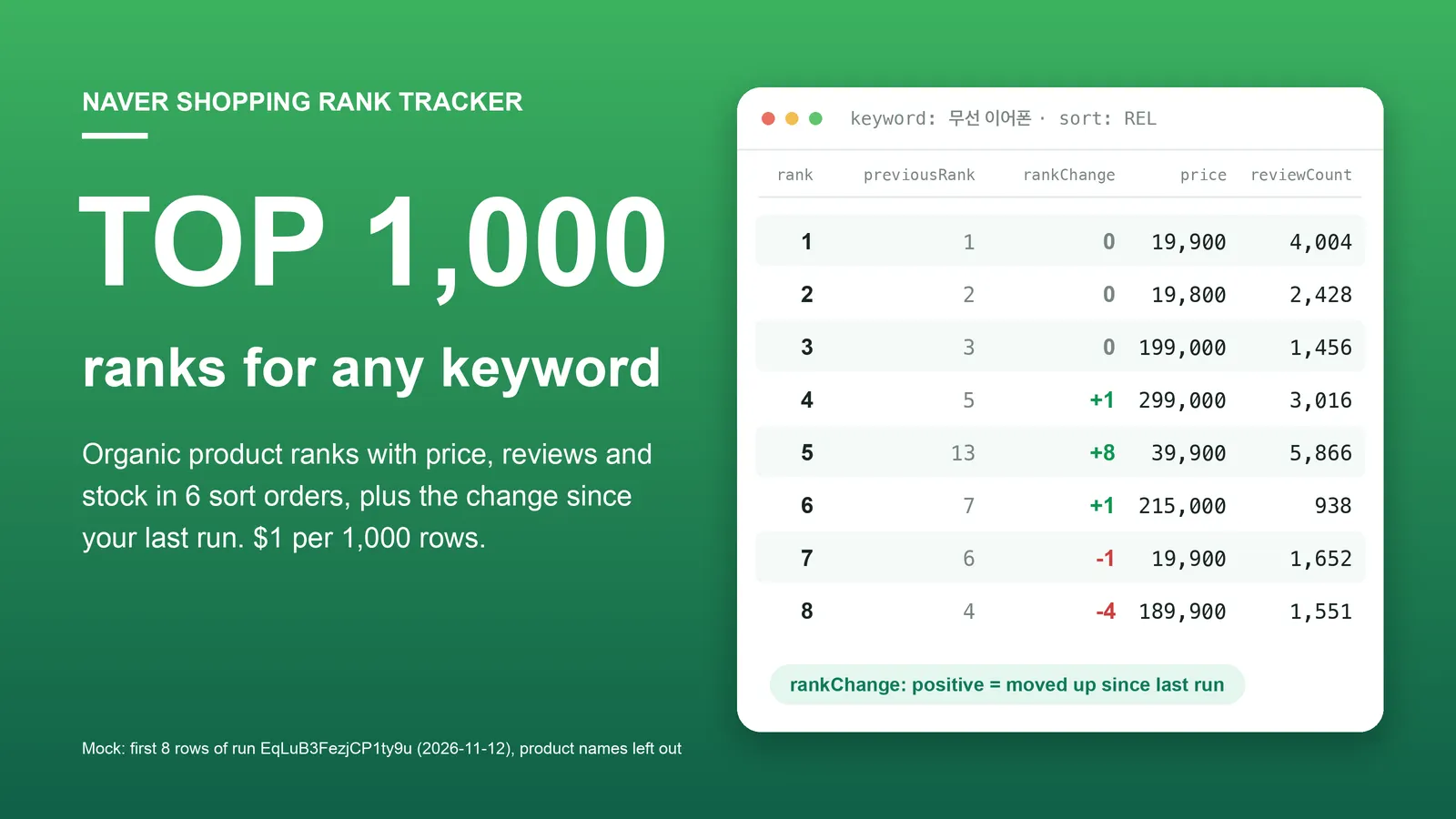
| Naver Shopping Scraper & Keyword Rank Tracker | Shopping keywords → ranked products with price, store, rating, reviews and stock. Use its catalogId as catalogUrls here. |
| Naver Brand Product Details, Reviews & Q&A | Naver Brand product URLs → product details, options, images, optional reviews and public Q&A. |
| Naver Map Scraper | Keyword → businesses with address, phone, coordinates, rating, review counts. |
| Naver Map Reviews Scraper | Naver Place IDs → visitor reviews with rating, text, dates, keyword codes and owner reply. |
| Naver Place Multi-Location Review Monitor | Your locations → new reviews, owner replies added or edited, unanswered counts per location. |
| Naver Place Rank Tracker | Keywords + your place IDs → your rank in Naver Map search, with change since the last run. |
| Kakao Map Reviews Scraper | Kakao Map place IDs → visitor reviews, same row style, no reviewer personal data. |
| Kakao Map Scraper | Keyword → Kakao Map businesses, same field names as the Naver Map Actor. |
| Naver Blog, Cafe & News Search Scraper | Keywords → blog, cafe and news search results with title, URL, snippet and publish time. |
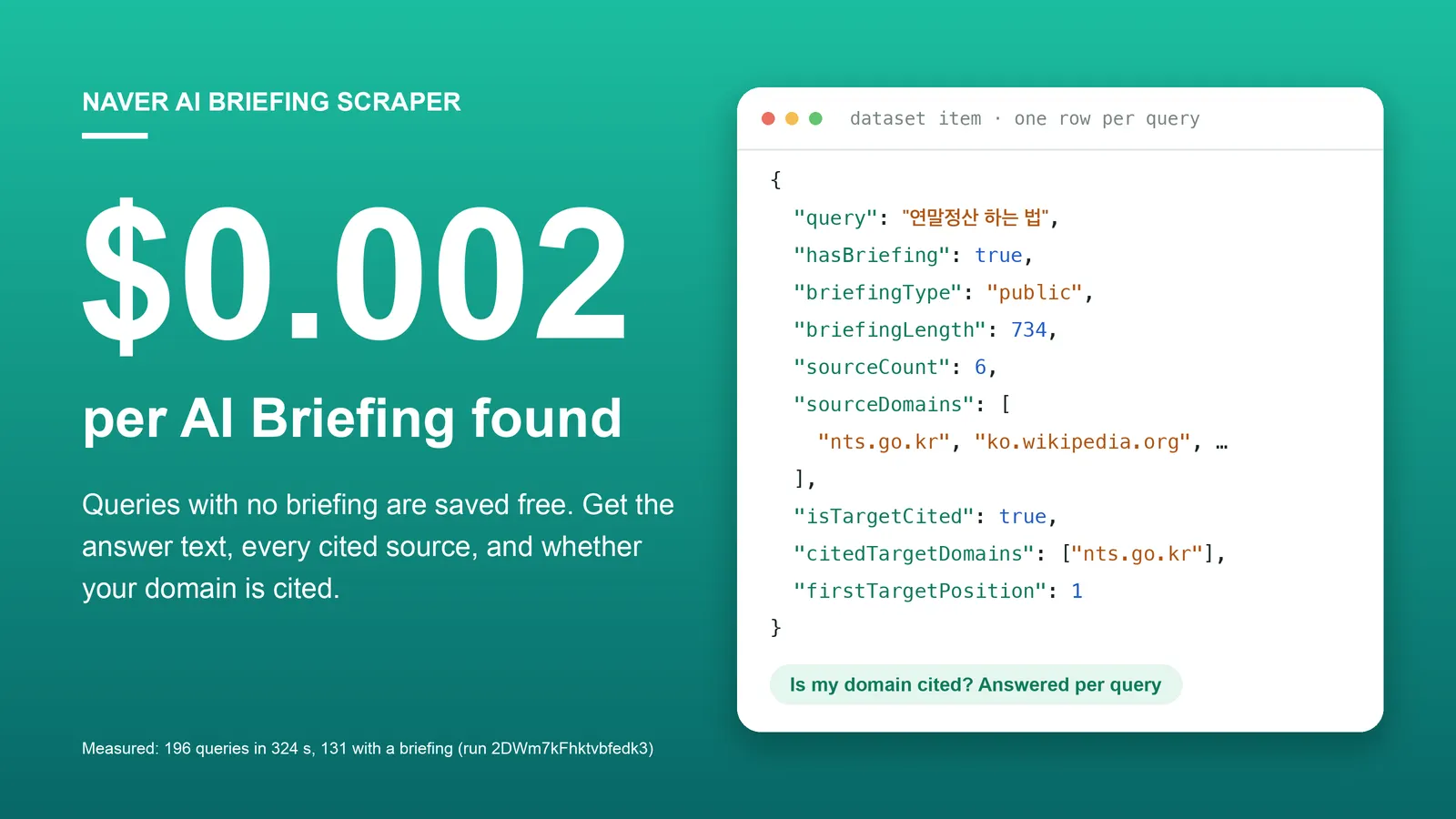
| Naver AI Briefing Scraper | Search queries → Naver's AI answer, its cited sources, and whether your domain is cited. |
| Korea MCP Server: Naver, Kakao Map | An MCP server with Naver Map search, Naver Place reviews and Kakao Map search as tools. |
Code examples for these Actors: github.com/experimory-crypto/naver-map-scraper-examples.
한국어 안내 (Korean)
네이버 쇼핑 가격비교(카탈로그) 링크나 카탈로그 ID를 넣으면 그 카탈로그에 올라온 판매처 상품이 한 건당 한 행으로 나옵니다. 판매가와 할인 전 가격(원), 할인율, 기본 배송비, 가격과 기본 배송비를 더한 값, 무료배송 여부, 스토어 이름·ID·주소, 상품 평점과 리뷰 수, 상품 단위 재고가 들어 있습니다. 실행마다 키-값 저장소에 카탈로그별 수집 상태(RUN_SUMMARY: 목록을 끝까지 받았는지, 멈춘 이유, 판매처 수, 최저·최고가)와 직접 관측한 최저가 이력(PRICE_HISTORY: 이전 가격, 변동액, 관측 최저·최고가)이 무료로 저장됩니다. 요금은 판매처 행 1건당 $0.0005(1,000건 약 $0.50)이며 시작 요금은 없고 모든 요금제에서 같습니다. 가격 이력은 이 Actor가 실행된 시점부터 쌓이며 네이버의 과거 가격 그래프를 가져오지 않습니다. 상품 사양, 상세 이미지, 옵션별 재고, 리뷰 본문, 쿠폰·멤버십 할인가와 최종 결제 금액은 제공하지 않고, 스마트스토어·브랜드스토어 상품 URL은 입력으로 받지 않습니다. 현재 베타이며 판매처 16개가 한 페이지에 나오는 카탈로그 한 건으로 검증했고, 여러 페이지 카탈로그는 실제 실행으로 아직 확인하지 못했습니다. 요청은 3초 이상 간격으로 하나씩 보내고 자동 재시도는 없습니다. 판매자 전화번호·이메일 등 개인정보는 수집하지 않고, 로그인 없이 공개 데이터만 읽습니다.
中文说明 (Chinese)
输入 Naver 购物比价页(目录,가격비교)的链接或目录 ID,即可获得该目录下各卖家的报价,每个报价一行。包含售价和折扣前价格(韩元)、折扣率、基础运费、售价加基础运费、是否包邮、店铺名称、店铺 ID 和店铺网址、商品评分和评价数,以及商品级库存。每次运行还会在键值存储中免费保存各目录的采集状态(RUN_SUMMARY:列表是否完整采集、停止原因、店铺数、最低价和最高价)和自行观测的最低价历史(PRICE_HISTORY:上次价格、变动金额、观测到的最低价和最高价)。费用为每行报价 $0.0005(1,000 行约 $0.50),没有启动费,所有套餐价格相同。价格历史从本 Actor 运行之时开始累积,不会获取 Naver 自己的历史价格图表。不提供商品规格、详情图片、各选项库存、评价正文、优惠券或会员折扣价以及最终结算金额,也不接受 Smart Store 或 Brand Store 的商品 URL 作为输入。目前为测试版,仅在一个单页 16 个报价的目录上做过实际验证,多页目录尚未通过实际运行确认。请求逐个发送,间隔至少 3 秒,不自动重试。不采集卖家电话、邮箱等个人信息,无需登录,只读取公开数据。
日本語ガイド (Japanese)
Naver ショッピングの価格比較ページ(カタログ、가격비교)のリンクまたはカタログ ID を入力すると、そのカタログに掲載されている販売店のオファーが 1 件 1 行で出力されます。販売価格と割引前価格(ウォン)、割引率、基本送料、価格と基本送料の合計、送料無料フラグ、ストア名・ストア ID・ストア URL、商品の評価とレビュー数、商品単位の在庫が含まれます。実行ごとに、カタログ別の取得状況(RUN_SUMMARY:一覧を最後まで取得できたか、停止理由、ストア数、最安値と最高値)と、自分で観測した最安値の履歴(PRICE_HISTORY:前回価格、変動額、観測された最安値と最高値)がキー・バリューストアに無料で保存されます。料金はオファー 1 行あたり $0.0005(1,000 行で約 $0.50)で、開始料金はなく、すべてのプランで同じ価格です。価格履歴はこの Actor を実行した時点から蓄積されるもので、Naver 独自の過去価格グラフは取得しません。商品仕様、詳細画像、オプション別在庫、レビュー本文、クーポンや会員割引後の価格、最終的な決済金額は提供せず、スマートストアやブランドストアの商品 URL は入力として受け付けません。現在はベータ版で、1 ページに 16 件のオファーがあるカタログ 1 件で実地検証しており、複数ページのカタログは実際の実行ではまだ確認できていません。リクエストは 3 秒以上の間隔で 1 件ずつ送信し、自動リトライは行いません。販売者の電話番号やメールアドレスなどの個人情報は収集せず、ログインなしで公開データのみを読み取ります。
Notes
- Beta scope. Live validation so far: catalog
52631236642(16 offers, 13 stores, one page), collected completely in runs on 2026-11-11 and 2026-11-13. Offset paging over several pages, deduplication, budgets, blocked and empty responses are covered by offline tests with synthetic fixtures, not yet by a live multi-page run. - Prices are listing prices in KRW at scrape time. A completed result describes the pages returned during that run; Naver's list can change between pages, so it is not a transactional snapshot.
positioncounts items in Naver's pages before deduplication, so gaps are possible.listingStockQuantityis the number Naver publishes for the listing. It is not a per-option stock check.emptymeans Naver explicitly returned no offers for the ID. It does not tell you whether the catalog exists.- If a dataset write fails, the catalog stops with
stopReason: "storageError", no further requests are made, and its summary should not be read as a reconciled count. scrapedAtand all history timestamps are UTC.dailyPriceHistorygroups by UTC day; when two observations share a timestamp, the tie is broken by run ID.- This Actor is unofficial and is not affiliated with Naver.
Support
Missing a field, another input mode, a different output format? Tell us in the Issues tab with the run ID. We answer every issue.


