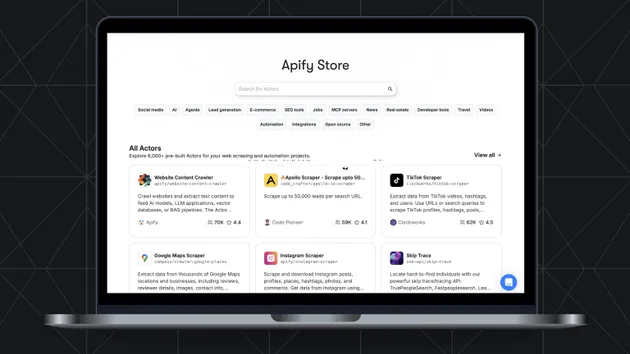
Apify Portfolio Showcase
Pricing
from $0.02 / profile scraped
Apify Portfolio Showcase
Turn your Apify profile into stunning portfolio widgets. Extract all your actors with reviews, ratings, and stats - ready to embed anywhere in seconds.
Pricing
from $0.02 / profile scraped
Rating
0.0
(0)
Developer

Marielise
Maintained by CommunityActor stats
1
Bookmarked
5
Total users
1
Monthly active users
a month ago
Last modified
Categories
Share
Apify Creator Profile Scraper
Extract comprehensive portfolio data from any Apify developer profile
Get all published actors with usage statistics, ratings, reviews, pricing, and success rates. Perfect for building developer portfolio widgets, showcase pages, competitor analysis dashboards, and AI/MCP integrations.




Overview
The Apify Creator Profile Scraper extracts structured data about all published actors from any Apify developer profile. Whether you need to showcase your own actors on your website, analyze competitor offerings, or build analytics dashboards, this Actor provides clean, well-structured data in seconds.
What Data Can You Extract?
For Each Actor
| Field | Type | Description |
|---|---|---|
id | string | Unique actor identifier |
title | string | Display name of the actor |
name | string | URL-friendly slug |
description | string | Actor description text |
url | string | Direct link to actor page |
pictureUrl | string | Thumbnail/icon URL |
categories | array | Category tags (e.g., ECOMMERCE, DATA_EXTRACTION) |
stats.totalUsers | number | Total unique users |
stats.totalRuns | number | Total executions |
stats.totalUsers7Days | number | Users in last 7 days |
stats.totalUsers30Days | number | Users in last 30 days |
stats.totalUsers90Days | number | Users in last 90 days |
stats.rating | number | Average review rating (0-5 scale) |
stats.reviewCount | number | Number of reviews |
stats.successRate30Days | number | Success percentage (last 30 days) |
pricing.model | string | PAY_PER_EVENT, FREE, FLAT_PRICE_PER_MONTH |
pricing.events | object | Event-based pricing details (if PPE) |
Profile Summary
When generateSummary is enabled (default), you also get aggregate statistics:
| Field | Description |
|---|---|
totalActors | Total published actors |
totalUsers | Combined users across all actors |
totalRuns | Combined runs across all actors |
averageRating | Average rating (reviewed actors only) |
totalReviews | Total review count |
categories | All unique categories |
categoryBreakdown | Count per category |
pricingModelBreakdown | Count per pricing model |
topActorByUsers | Most popular actor details |
topActorByRating | Highest rated actor details |
averageSuccessRate30Days | Portfolio-wide success rate |
How to Use
Quick Start
The simplest way to use this Actor - just provide a username:
Or use a full profile URL:
Input Parameters
| Parameter | Type | Default | Description |
|---|---|---|---|
username | string | "apify" | Apify username to scrape (e.g., "apify", "equipinico") |
profileUrl | string | - | Alternative: full profile URL (username extracted automatically) |
includeStats | boolean | true | Include detailed usage statistics |
includePricing | boolean | true | Include pricing information |
includeRunStats | boolean | true | Include 30-day run success/failure breakdown |
sortBy | enum | "totalUsers" | Sort order: totalUsers, totalRuns, rating, newest, alphabetical |
filterCategories | array | [] | Filter by categories (e.g., ["ECOMMERCE", "DATA_EXTRACTION"]) |
filterMinUsers | integer | 0 | Minimum user threshold |
filterMinRating | number | 0 | Minimum rating threshold (0-5) |
outputFormat | enum | "full" | Output detail: full, widget, minimal |
generateSummary | boolean | true | Generate aggregate profile summary |
maxRetries | integer | 3 | API retry attempts (0-10) |
requestTimeoutSecs | integer | 30 | Request timeout in seconds (5-120) |
Output Formats
Choose the right format for your use case:
| Format | Description | Best For |
|---|---|---|
full | All available data including stats, pricing, run history | Analytics dashboards, detailed analysis |
widget | Essential fields optimized for display | Website widgets, portfolio pages |
minimal | Basic info only (id, title, name, url, users, rating) | Quick lookups, simple integrations |
Output Example
Full Output Structure
The Actor produces two outputs:
- Dataset: Individual actor records (one per row) - great for table views
- Key-Value Store: Complete output with summary and metadata (as
OUTPUTkey)
Use Cases
1. Developer Portfolio Widget
Display your Apify actors on your personal website or portfolio. Use the widget output format for a clean, embeddable data structure.
2. Competitor Analysis Dashboard
Monitor competitor portfolios to understand their offerings, pricing strategies, and user adoption. Schedule regular scrapes to track changes over time.
3. Actor Discovery & Research
Find all actors by a specific developer to understand their expertise and evaluate quality through ratings and success rates.
4. Category-Specific Analysis
Get only actors from specific categories for focused analysis.
5. MCP/AI Agent Integration
Use this Actor as a data source for AI agents. The structured output is ideal for Model Context Protocol integrations.
Integration Examples
JavaScript/Node.js
Python
cURL (Direct API Call)
Pricing
This Actor uses transparent Pay Per Event (PPE) pricing:
| Event | Price | Description |
|---|---|---|
| Profile Scraped | $0.01 | Charged once per successful run |
| Actor Extracted | $0.002 | Charged per actor in output |
Cost Examples
| Profile Size | Actors | Total Cost |
|---|---|---|
| Small | 5 | $0.02 |
| Medium | 20 | $0.05 |
| Large | 50 | $0.11 |
| Very Large | 100 | $0.21 |
Note: Costs are predictable and scale linearly. No hidden fees or surprise charges.
Technical Specifications
| Specification | Value |
|---|---|
| Memory | 128-512 MB |
| Typical Runtime | 2-10 seconds |
| Data Source | Apify Store API |
| Rate Limits | None (public API) |
| Browser Required | No |
| Proxy Required | No |
| Node.js Version | 24 |
Frequently Asked Questions
Changelog
v1.1.0 (January 2025)
- Added PPE (Pay Per Event) pricing model
- Added retry logic with exponential backoff
- Added configurable request timeouts
- Improved error handling with clear messages
- Added dataset output schema for better table views
- Optimized memory usage (128MB minimum)
- Enhanced input validation
- Updated to Node.js 24
v1.0.0 (January 2025)
- Initial release
- Full, widget, and minimal output formats
- Filtering by categories, users, and rating
- Profile summary generation
- Multiple sorting options
Support
If you encounter any issues or have feature requests:
- Check the FAQ section above
- Review the input parameters documentation
- Contact the developer through Apify
- Leave a review with your feedback
License
MIT License - Free to use for any purpose.
Built with care for the Apify developer community.
If this Actor helps you, please consider leaving a review!