

TikTok Shop Category Trends: Daily Revenue & Units
Pricing
from $1.60 / 1,000 days
TikTok Shop Category Trends: Daily Revenue & Units
TikTok Shop Category Trends: daily units sold and revenue for a category in 15 markets. One row per day, in US dollars, with the change from the day before. A name such as Skincare, or any category id. Compare up to five categories in one run, across as many as 31 days.
Pricing
from $1.60 / 1,000 days
Rating
0.0
(0)
Developer

Muhamed Didovic
Maintained by CommunityActor stats
0
Bookmarked
2
Total users
1
Monthly active users
5 days ago
Last modified
Categories
Features
Share
See whether a TikTok Shop category is growing. One row per day: units sold and revenue in US dollars, and the change from the day before.
Pick a market and a category. Beauty & Personal Care, Skincare, Makeup, or a numeric category id. Last 7, 14 or 30 days, or your own dates.
Category research before you open the product list.
Why Use This Scraper?
- A day, not a catalogue. Units and revenue for the category itself, so you can see the week move before you pull products.
- The change is on the row.
unitsChangeandrevenueChangeare against the previous day in the same series. - The level you mean. "Skincare" is Skincare. "Beauty & Personal Care" is the whole department. A numeric id reaches the level under that.
- 15 markets, one currency. United States, United Kingdom, Germany, France, Italy, Spain, Brazil, Japan, Mexico, Indonesia, Thailand, Vietnam, Philippines, Malaysia and Singapore, all in USD.
- The level below, when you want it. One extra row per day for each category directly underneath.
- Pay for days, not attempts. $2.50 per 1,000 day rows on the Apify Free plan, $2.00 on Bronze, $1.80 on Silver and $1.60 on Gold and above, plus $0.005 when the run starts.
Overview
This actor is for people deciding which TikTok Shop category to enter, stock or watch: brands, agencies and analysts.
You choose a market and up to five categories. Each category comes back as one row per day in the window. A category found by two different names is still one series.
The dataset exports as JSON, CSV, Excel or through the API. A RUN_SUMMARY record in the run's key-value store lists what each category delivered.
Supported Inputs
| Input | Example | What you get |
|---|---|---|
| A second-level name | Skincare | That category's days. This is the default when the list is empty |
| A top-level name | Beauty & Personal Care | The whole department, summed from the categories under it |
| A category id | 601615 | That exact category, including levels that have no short name here |
| A window | last7Days, or startDate + endDate | Up to 31 days, ending yesterday when you use the preset |
A name that belongs to two categories is rejected. Pass the numeric id. This actor does not return products, shops or creators.
Use Cases
| Who | What they do with a day row |
|---|---|
| Brands choosing a category | Compare Skincare and Makeup over the same 30 days before commissioning products |
| Agencies reporting a niche | Drop the seven days into a weekly deck, with the day-over-day change already on the row |
| Analysts watching a market | Schedule last-7-days for one category and alert when revenue steps down |
| Sellers entering a country | Read the same category in US and DE and see which market is moving |
How It Works
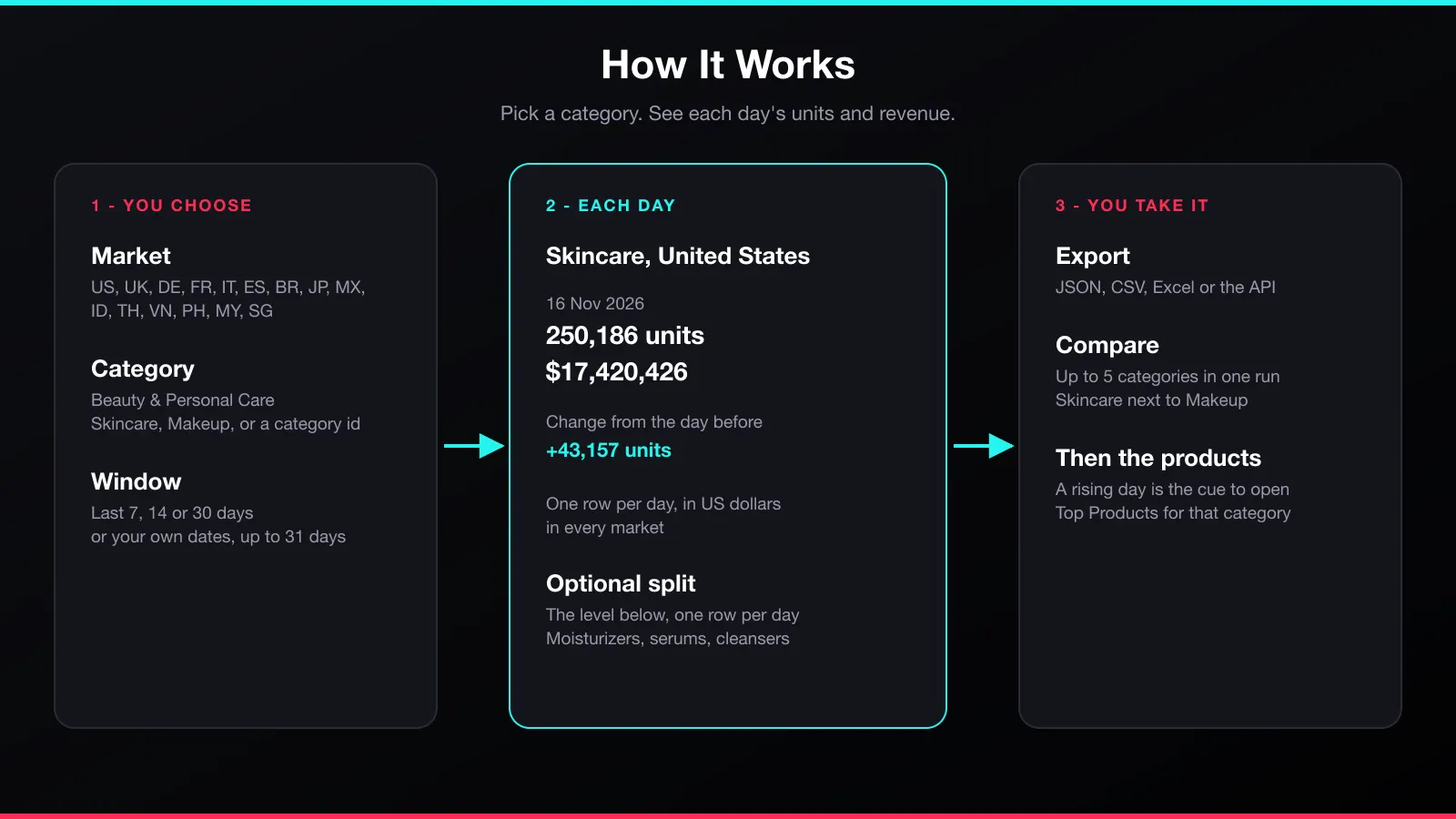
- Choose a market and up to five categories. A top-level name, a second-level name, or a numeric id.
- Each day of the window comes back with units sold and revenue in USD.
- The change from the previous day in that series is on the same row.
- Optionally split the category into the level directly below it, one row per day.
- Export the dataset as JSON, CSV or Excel, or read it through the API.
Input Configuration
| Field | Default | What it does |
|---|---|---|
market | US | One of the 15 country codes. UK is accepted and read as GB |
period | last7Days | last7Days, last14Days or last30Days, ending yesterday |
startDate | empty | YYYY-MM-DD. Requires endDate. At most 31 days |
endDate | empty | YYYY-MM-DD. The newest day with figures is usually yesterday |
categories | Skincare | Up to 5 names or ids. An empty list reads Skincare |
includeSubcategories | false | Also deliver the level directly below, one row per day |
Last 7 days of Skincare in the US
Beauty against Makeup, with the split
Your own dates, one deeper category
Output Overview
Each row is one day of one category. rowType is category for the category you asked for, and subcategory for the level below it when that option is on. unitsChange and revenueChange are null on the first day of a series. subcategories counts how many categories underneath were summed into a category row, and is null on a subcategory row. Amounts are US dollars, rounded to the cent.
Output Samples
Skincare in the United States, from a run on 20 Nov 2026 covering 13–19 Nov. Two of the seven days:
Key Output Fields
The day
| Field | Meaning |
|---|---|
date | The day, YYYY-MM-DD |
market | Country code |
unitsSold | Units sold that day |
revenue | Revenue that day, USD |
unitsChange | Units versus the previous day in this series |
revenueChange | Revenue versus the previous day in this series, USD |
The category
| Field | Meaning |
|---|---|
categoryId | Category id |
categoryName | Category name, when this actor knows it |
categoryLevel | 1, 2 or 3 |
parentCategoryId | The category above, when there is one |
parentCategoryName | That parent's name |
rowType | category or subcategory |
subcategories | How many categories underneath were summed. Null on a subcategory row |
FAQ
Does an empty category list rank the whole market? No. An empty list reads Skincare in the market you set. A whole department is a top-level name such as Beauty & Personal Care.
Why does "Skincare" not return all of Beauty? Skincare is a category inside Beauty & Personal Care. The full department is the top-level name. A word that is both a nickname and a real category uses the real category.
A name was rejected as ambiguous. What do I pass? The numeric category id. Some short names exist under two parents.
Are the figures for today?
The preset windows end yesterday. A custom endDate can be any day, and a day that has not been published yet simply does not appear.
The same day showed two different totals somewhere. Which one is this? When one day of one category arrives twice, the row keeps the larger units figure and the revenue that came with it.
A top-level category says the totals can be short.
A whole department is every category under it. A very wide window can hit the read cap. The run log and RUN_SUMMARY say so, and capped on that category is true. Narrow the window or name the second-level category you actually want.
Does this return the products in the category? No. For the products, use TikTok Shop Top Products.
Support
Found a bug or missing a field? Open an issue on the actor's Issues tab with your run link and input.
Additional Services
Need a scheduled category report or a market this actor does not cover? Ask on the Issues tab.
Explore More Scrapers
- TikTok Shop Top Products: products ranked by revenue, with the video, LIVE and shop-window split.
- TikTok Shop Sellers: shops ranked by revenue, units and rating.
- TikTok Shop Creator Finder: affiliate creators with units sold and contact emails.
- TikTok Shop LIVE Sales: the livestreams that sell the most, with revenue, viewers and top products.
- TikTok Shop Reviews Scraper: reviews for a product, with ratings and the summary row.
🤖 For AI agents & LLM apps
Daily units and revenue for one TikTok Shop category. One row per day, money in USD.
- Output fields:
date,market,rowType,categoryId,categoryName,categoryLevel,parentCategoryId,parentCategoryName,unitsSold,revenue,unitsChange,revenueChange,subcategories. - Billing: $0.0025 per day row on the Apify Free plan, $0.002 on Bronze, $0.0018 on Silver, $0.0016 on Gold and above. $0.005 when the run starts. A subcategory row is a day row too. A category the run could not resolve is not charged.
- Behaviour: empty
categoriesreads Skincare. Preset windows end yesterday. At most 31 days and 5 categories.UKis read asGB. A run that cannot read the category ends FAILED with the reason.
⚠️ Disclaimer
This actor collects only publicly available category sales information displayed for TikTok Shop. It does not log in, does not bypass any paywall, and does not access private or personal data.
TikTok and TikTok Shop are trademarks of their owners. This actor is not affiliated with, endorsed by, or sponsored by TikTok. Category names, sales figures and related content remain the property of their respective owners.
You are responsible for ensuring your use of the data complies with TikTok's Terms of Service and all applicable laws in your jurisdiction, including GDPR, CCPA and equivalent data-protection regulations where relevant. This tool is provided for legitimate research, competitor analysis and market-analysis purposes.
SEO Keywords
tiktok shop category trends, tiktok shop category sales, tiktok shop category revenue, tiktok shop category gmv, tiktok shop daily sales, tiktok shop skincare sales, tiktok shop beauty category, tiktok shop category growth, tiktok shop market size, tiktok shop niche research, tiktok shop units sold by category, tiktok shop category data, tiktok shop us category sales, tiktok shop uk category trends, tiktok shop product research, tiktok shop category report, tiktok shop department sales, tiktok shop category scraper, tiktok shop weekly category, tiktok shop category comparison, tiktok shop rising category, tiktok shop category analytics


