

Websites by Technology — Tech Stack Lookup
Pricing
from $10.00 / 1,000 scraped items
Websites by Technology — Tech Stack Lookup
Detect the technology stack of any website — CMS, framework, analytics, CDN, JS library, and more. Paste URLs, get a full tech stack report. JSON or CSV out.
Pricing
from $10.00 / 1,000 scraped items
Rating
0.0
(0)
Developer

Muhamed Didovic
Maintained by CommunityActor stats
0
Bookmarked
2
Total users
1
Monthly active users
3 hours ago
Last modified
Categories
Share

Detect the technology stack of any website — CMS, framework, analytics, CDN, JS library, hosting provider, and more. Paste URLs, get a full tech stack report for each. One row per URL, clean JSON out.
Why use this scraper
- Full tech stack. Detects CMS (WordPress, Shopify), frameworks (React, Astro), CDNs (Cloudflare), hosting (Vercel, Netlify), analytics (Google Tag Manager), security (HSTS), and hundreds more.
- Batch processing. Analyze one URL or thousands — parallel fetching with configurable concurrency.
- No login, no API key. Fetches the public HTML and headers, then runs Wappalyzer-based detection rules. No credentials needed.
- Structured output. Each URL gets a clean tech stack report — technology names, categories, versions, and confidence scores.
Overview
This actor takes a list of website URLs, fetches each one's HTML and HTTP headers, and detects the technologies powering each site using Wappalyzer-based pattern matching. It identifies the CMS, JavaScript framework, CDN, analytics tools, hosting provider, and other technologies in the stack.
Each output row is a single website with its detected technologies (name, slug, categories, version, confidence) and a unique list of technology categories.
Supported inputs
- Any HTTP/HTTPS URLs:
https://shopify.comhttps://netlify.comshopify.com(https:// added automatically)
Use cases
- Lead generation — find sites using a specific technology (e.g. all Shopify stores, all WordPress sites).
- Competitor analysis — see what stack your competitors use.
- Market research — analyze technology adoption across a list of sites.
- Sales intelligence — identify prospects by their tech stack.
- Security research — detect outdated or vulnerable technologies.
How it works
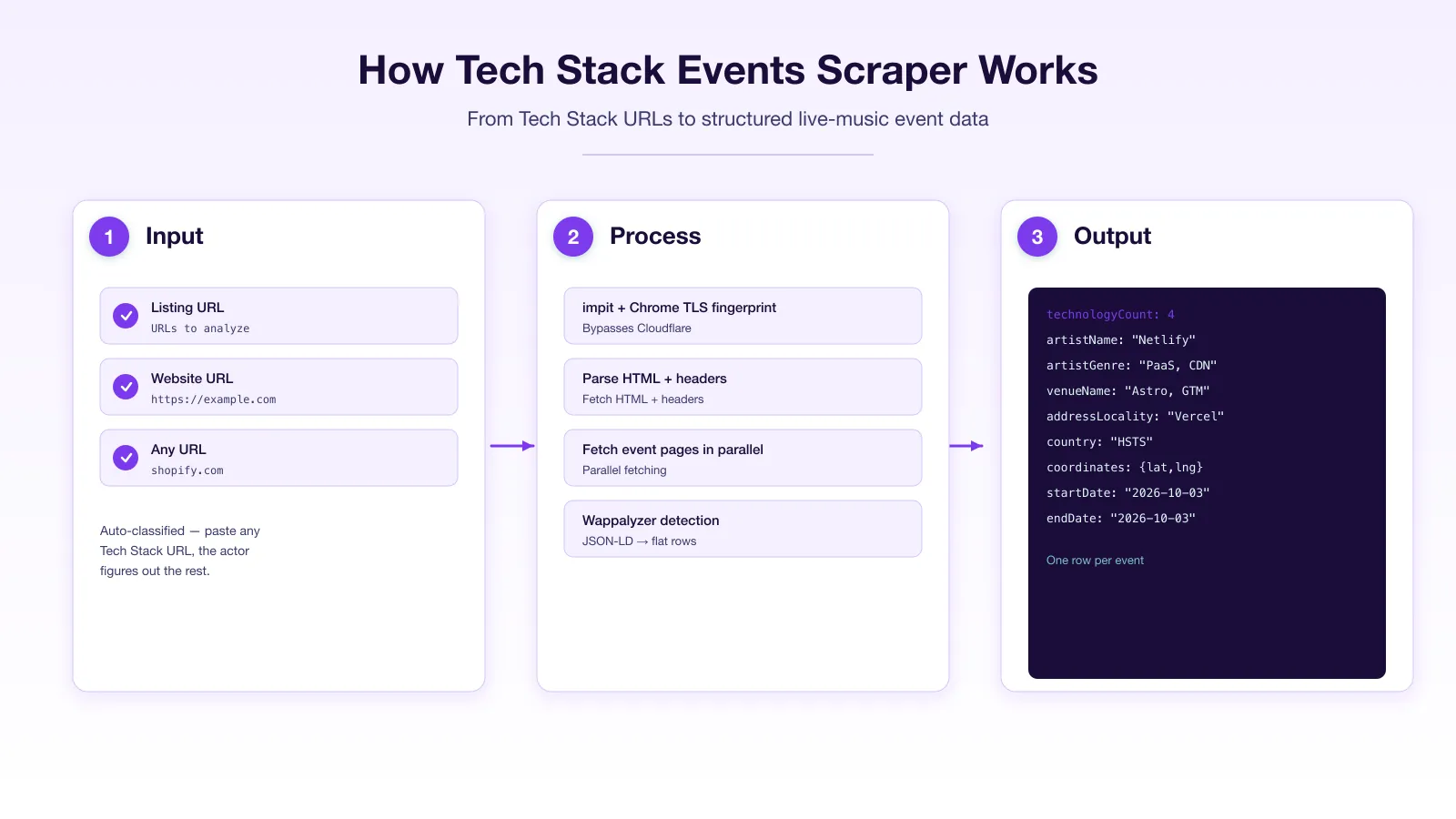
- You provide a list of URLs.
- The actor fetches each URL's HTML and HTTP headers with impit (real Chrome TLS fingerprint).
- It runs Wappalyzer-based detection rules against the HTML and headers.
- Each URL becomes one row with its full detected technology stack.
Input
| Field | Type | Default | Notes |
|---|---|---|---|
startUrls | array | — | Website URLs to analyze. https:// added automatically. |
maxItems | integer | 1000 | Maximum URLs to analyze. |
maxConcurrency | integer | 10 | How many URLs to fetch in parallel. |
proxy | object | Apify proxy | Proxy configuration. |
Output
One row per URL:
Key output fields
url— the analyzed URL.statusCode— HTTP status code of the response.technologyCount— number of technologies detected.technologies— array of{ name, slug, categories, version, confidence }for each detected technology.categories— unique list of technology categories detected.
FAQ
How does the detection work? The actor fetches the website's HTML and HTTP headers, then matches them against Wappalyzer's database of technology fingerprints — patterns in HTML, headers, scripts, and meta tags that identify specific technologies.
Can it detect technologies that require JavaScript execution? No — this actor analyzes static HTML and headers only. Technologies that only manifest after JS execution (e.g. some SPA frameworks) may not be detected. For full browser-based detection, use a Playwright-based actor.
How many URLs can I analyze? Thousands. The actor fetches URLs in parallel (configurable concurrency) with a polite delay between requests.
Does it follow redirects? Yes — the actor follows redirects and analyzes the final destination page.
⚠️ Disclaimer
This Actor analyzes publicly available website data (HTML and HTTP headers). It does not access authenticated or private content. You are responsible for using the output in line with the target websites' terms and any applicable law in your jurisdiction.
SEO Keywords
technology lookup, tech stack detector, builtwith alternative, wappalyzer alternative, website technology checker, cms detector, framework detector, what cms is this site, website stack analysis, technology fingerprinting, web technology detection, site tech stack, website platform detector, cdn detector, analytics detector, website profiling, tech stack scraper, website technology api, detect website technologies, site stack lookup


