

YouTube Scraper with Transcripts & Comments
Pricing
from $2.00 / 1,000 video results
YouTube Scraper with Transcripts & Comments
YouTube crawler and video scraper. Alternative YouTube API with no limits or API key. Scrape search results, channels, and playlists. Extract views, likes, subscriber counts, and comments, and download transcripts and subtitles as text, SRT, or WebVTT.
Pricing
from $2.00 / 1,000 video results
Rating
0.0
(0)
Developer

Muhammad Zaid
Maintained by CommunityActor stats
0
Bookmarked
2
Total users
1
Monthly active users
3 days ago
Last modified
Categories
Share
YouTube Scraper
YouTube Scraper extracts public data from YouTube without the official API's quotas or keys. Scrape search results, channel videos, playlists, full video details, transcripts, and comments, and export everything as JSON, CSV, or Excel.
It runs on plain HTTP requests with no headless browser, which makes runs fast, stable, and cheap.
What does YouTube Scraper do?
- Scrape YouTube search results with the same filters YouTube offers: sort order, upload date, duration, type, and features such as HD, subtitles, live, 4K, or Creative Commons
- Scrape all videos of a channel from a URL, @handle, or channel ID
- Break down playlists with full pagination
- Enrich any video with full details: description, like count, comment count, subscriber count, and chapters
- Download transcripts and subtitles in plain text, SRT, WebVTT, or timestamped JSON, including YouTube's machine translation into other languages
- Fetch comments with like counts, creator badges, and optional reply threads
- Mix search terms and direct URLs in one run and get one unified dataset
Use cases for YouTube data
- Brand monitoring: track mentions of your brand or product in video titles, descriptions, and comments
- Competitor analysis: follow competitor channels, upload frequency, and engagement metrics
- AI and NLP pipelines: feed transcripts to language models for summarization, topic mining, or fine-tuning datasets
- Trend research: discover what creators and commenters say about any topic, sorted by recency or popularity
- Lead generation: find active channels in a niche together with subscriber counts and verification status
- Content research: collect playlists and top-performing videos in your field before planning your own content
What data can you scrape?
| 📝 Video title and URL | 👀 View count |
| 📺 Channel name, ID, and URL | 📈 Subscriber count |
| ⏱️ Duration | 📅 Publish date text |
| 🖍 Transcripts and subtitles | 💬 Comments and reply threads |
| 👍 Like count | 🔢 Comment count |
| 📖 Full description and chapters | 🖼️ Thumbnails |
| ✅ Verified and creator badges | 🔴 Live and Shorts flags |
How to scrape YouTube
- Create a free Apify account and open YouTube Scraper.
- Enter one or more search queries, or paste start URLs (videos, channels, playlists).
- Set Max results and any search filters you need.
- Optionally switch on video details, transcripts, or comments.
- Click Start and download your dataset in JSON, CSV, or Excel when the run finishes.
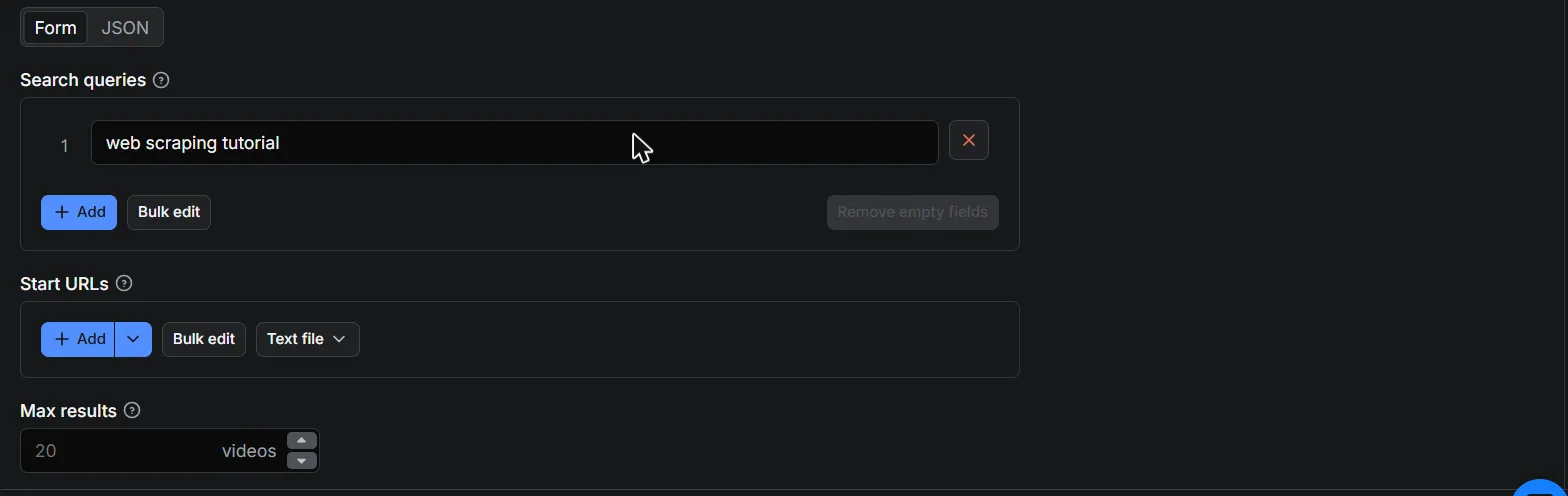
Input example
You can fill in the form in Apify Console or pass JSON directly:
Scraping by URL works with videos, channels (URL, @handle, or ID), and playlists:
How to scrape YouTube transcripts
Switch on Download transcripts and every scraped video gets its transcript attached. Choose the output format: plain text for AI pipelines, SRT or WebVTT for subtitle files, or JSON segments with timestamps. Set Transcript language to pick the source language and Translate transcript to for YouTube's machine translation. Both uploaded and auto-generated subtitles are supported.
How to scrape YouTube comments
Switch on Include comments and set Max comments per video. Each comment includes the author, text, like count, and badges (verified, creator, hearted). Enable Include comment replies to also fetch full reply threads. Replies cost one extra request per thread, so use them on targeted runs.
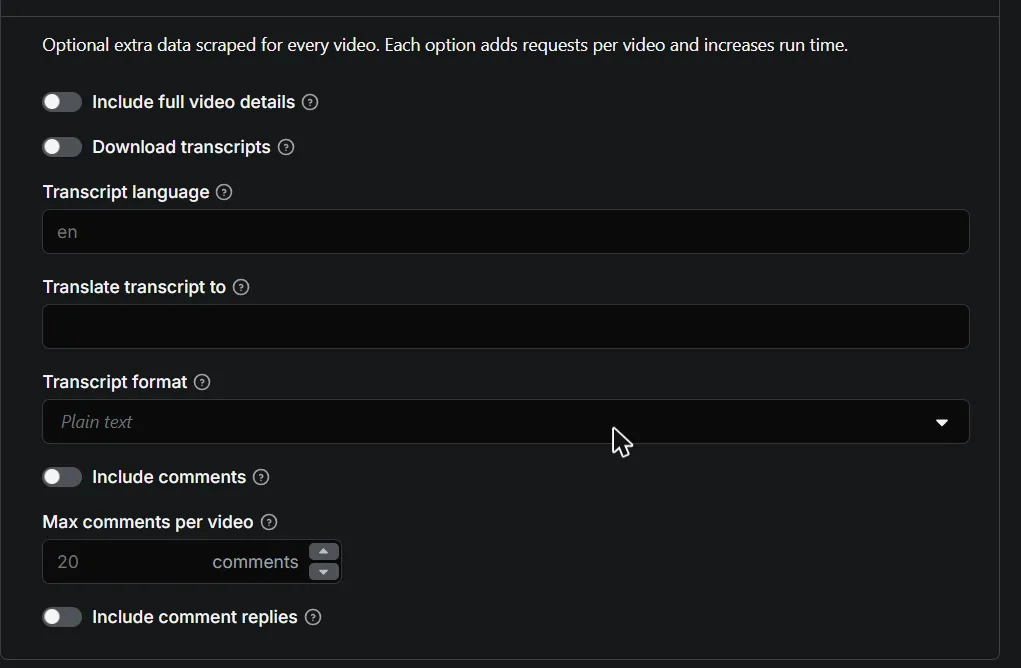
Output example
The scraped results appear as a structured dataset you can browse in the Output tab and export in any format:
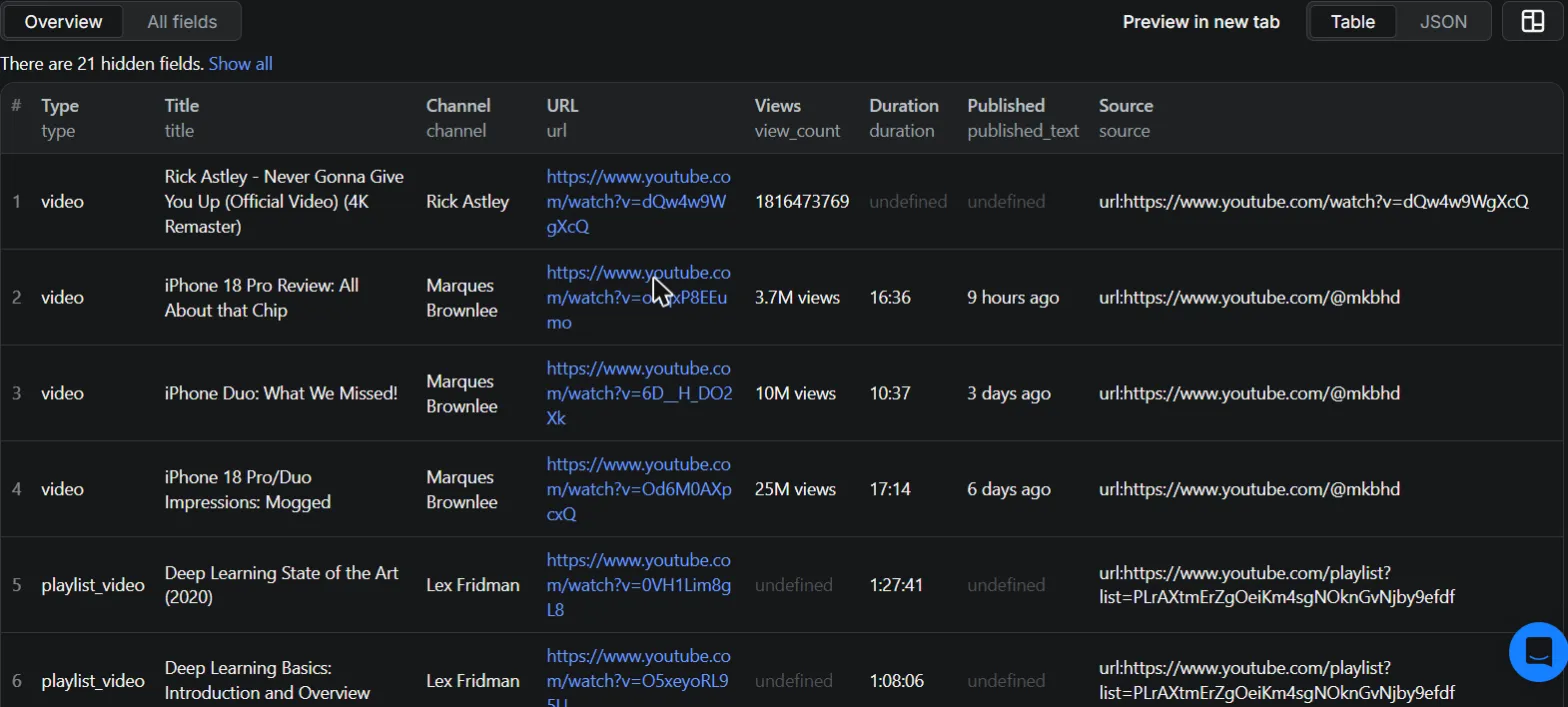
Each video becomes one dataset item:
Playlist entries include playlist_id and playlist_title, and channel results include subscriber counts.
Error items
When a specific input cannot be scraped (deleted video, missing channel, disabled transcripts), the Actor pushes an error item instead of failing the whole run, so one bad URL never costs you the rest of your results. Error items are easy to filter by the presence of the error field:
error | Meaning |
|---|---|
VideoUnavailableError | Video is deleted, private, or region-blocked |
ChannelNotFoundError | Channel does not exist |
PlaylistNotFoundError | Playlist does not exist or is private |
TranscriptsDisabledError | Video owner disabled transcripts |
TranscriptsNotAvailableError | No transcript exists for the video |
AgeRestrictedError | Content requires login due to age restriction |
RateLimitError | YouTube temporarily rate-limited the request |
ValueError | A start URL could not be recognized |
❓ FAQ
How much will scraping YouTube cost?
You pay only for the data you actually receive, per feature:
| What | Price |
|---|---|
| Video, channel, or playlist result | $2.00 per 1,000 |
| Full video details add-on | $2.00 per 1,000 videos |
| Transcript add-on (flat price, any video length) | $5.00 per 1,000 videos |
| Comment (replies included) | $0.50 per 1,000 comments |
Error rows are never charged. Unlike scrapers that bill transcripts per minute of video, transcripts here cost the same whether the video is 2 minutes or 3 hours. Example: 1,000 videos with transcripts costs $7.00 total. See the Pricing tab for current rates.
Should I use a proxy?
Yes, and the default Apify datacenter proxies work well for search, channels, and playlists. For high-volume transcript scraping, residential proxies are more reliable because YouTube's caption endpoints are stricter with datacenter IP addresses.
Can I integrate this scraper with other apps?
Yes. Like any Apify Actor, it works with the Apify API, Python and Node.js clients, webhooks, and integrations such as Make, Zapier, Google Drive, and Slack. Check the API tab for ready-to-copy code examples.
Can I run it on a schedule?
Yes. Create a Task with your input in Apify Console and attach a schedule to it, for example to track a channel's new uploads daily.
Is it legal to scrape YouTube?
This Actor extracts only publicly available data. Scraping public data is generally legal, but you are responsible for complying with copyright rules and personal data regulations such as GDPR in your jurisdiction. If you are unsure whether your use case is compliant, consult a lawyer.
Disclaimer
This Actor is an independent project. It is not affiliated with, endorsed by, or sponsored by YouTube or Google in any way.
Feedback and support
Found a bug or missing a feature? Open an issue on the Issues tab and it will be handled promptly.


