ASX LIC & LIT Discount to NTA Screener
Pricing
from $1.30 / 1,000 results
ASX LIC & LIT Discount to NTA Screener
Australian listed investment companies and trusts (AFI, ARG, BKI, MIR, PIC and more) ranked by discount or premium to net tangible assets, from ASX prices and the latest NTA announcements. Staleness flags included.

What does ASX LIC & LIT Discount to NTA Screener do?
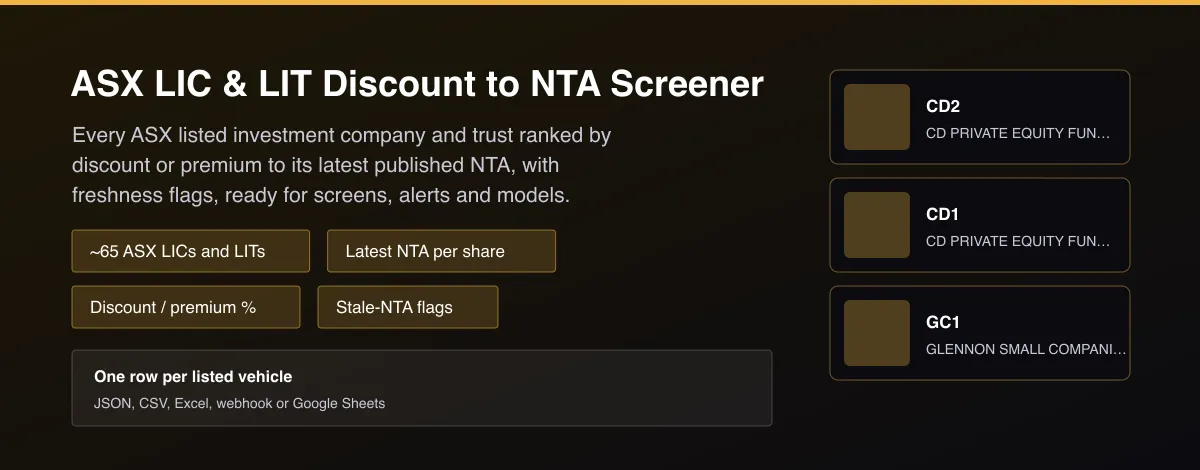
ASX LIC Discount Screener returns, for each Australian listed investment company (LIC) and listed investment trust (LIT), the current ASX share price, the latest net tangible assets (NTA) per share the vehicle announced to the ASX, and the resulting discount or premium in percent. Rows are sorted from the deepest discount, and each carries the date of the NTA, its age in days, whether it is stale, and whether the figure is pre-tax or post-tax. About 65 vehicles are covered, including AFI, ARG, BKI, MIR, PIC, PL8, PGF, DJW, CAM and WQG. Vehicles whose NTA could not be read are listed separately with the reason, never guessed.
Why use ASX LIC & LIT Discount to NTA Screener?
- Answers the question LIC investors ask every week: which vehicles trade below the value of their assets, and by how much.
- Reads the NTA the vehicle itself announced to the ASX, next to the live ASX price, so both sides are official.
- Freshness built in: every row says how old the NTA is and flags it as stale, so a monthly NTA is never mistaken for a live one.
- Honest gaps: vehicles whose figure cannot be read confidently are reported with a reason, not filled with a guess.
- Screen-ready: sorted by discount, with a minimum-discount filter and delta mode that returns only newly published NTAs.
What makes this different
Broker and data terminals hide LIC discount tables behind a subscription, and free sites show a stale figure with no date. This Actor gives you the vehicle's own announced NTA with its date and age, checked against the share price for plausibility, so you can build a discount screen, alerts or a model without a data contract.
Who can use the ASX LIC Discount Screener and how?
- Self-directed investors: screen for LICs trading at a discount to NTA and track how discounts change.
- Financial advisers and research houses: add an LIC discount table to client notes and reports.
- Quant and systematic investors: build discount mean-reversion and NTA-arbitrage signals from a clean, dated dataset.
- Finance newsletters and bloggers: publish a weekly discount league table.
- Fund managers and IR teams: benchmark their vehicle's discount against peers.
- Fintech and portfolio apps: show price versus NTA for listed funds.
- AI agent builders: let an assistant answer which LICs trade below NTA today.
- Researchers: study discount persistence and buy-back effects over time.
How it works
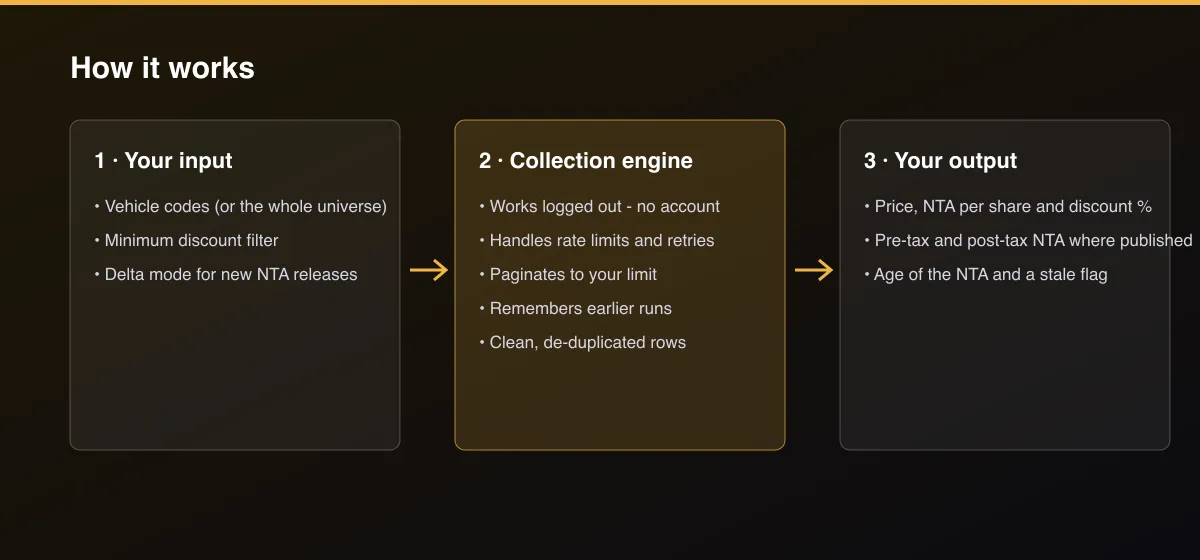
- Your input — choose vehicle codes, or leave empty for the full universe.
- The Actor collects it — the Actor reads each vehicle's ASX price and its latest NTA announcement and works out the discount.
- Your output — you get rows sorted by discount, with dates, freshness flags and a list of vehicles that could not be read.
What data can you extract?
The dataset has 23 fields per row:
| Field | Type | Description |
|---|---|---|
code | string | ASX code. |
name | string | Vehicle name. |
price_aud | number | Last ASX price in dollars. |
market_cap_aud | number | Market capitalisation in dollars. |
nta_per_share_aud | number | Net tangible assets per share in dollars, as announced. |
premium_discount_pct | number | Negative = discount to NTA, positive = premium, in percent. |
valuation | string | discount, near_nta or premium (5% bands). |
nta_basis | string | post_tax, pre_tax or unlabelled. |
pre_tax_nta_aud | number | Pre-tax NTA per share when published. |
post_tax_nta_aud | number | Post-tax NTA per share when published. |
nta_as_at | string | Date the NTA relates to. |
nta_announced | string | Date the NTA was announced to the ASX. |
nta_age_days | integer | Days since the NTA date. |
is_stale | boolean | True when the NTA is older than the stale limit. |
stale_after_days | integer | The stale limit used. |
nta_headline | string | Title of the ASX announcement the NTA was read from. |
status | string | ok, or why the NTA could not be read. |
note | string | Explanation when not ok. |
announcements_url | string | The vehicle's ASX announcements page. |
fetch_path | string | How the data was obtained. |
source | string | Data source. |
scraped_at | string | Timestamp. |
actor_version | string | Actor version. |
How to use ASX LIC & LIT Discount to NTA Screener
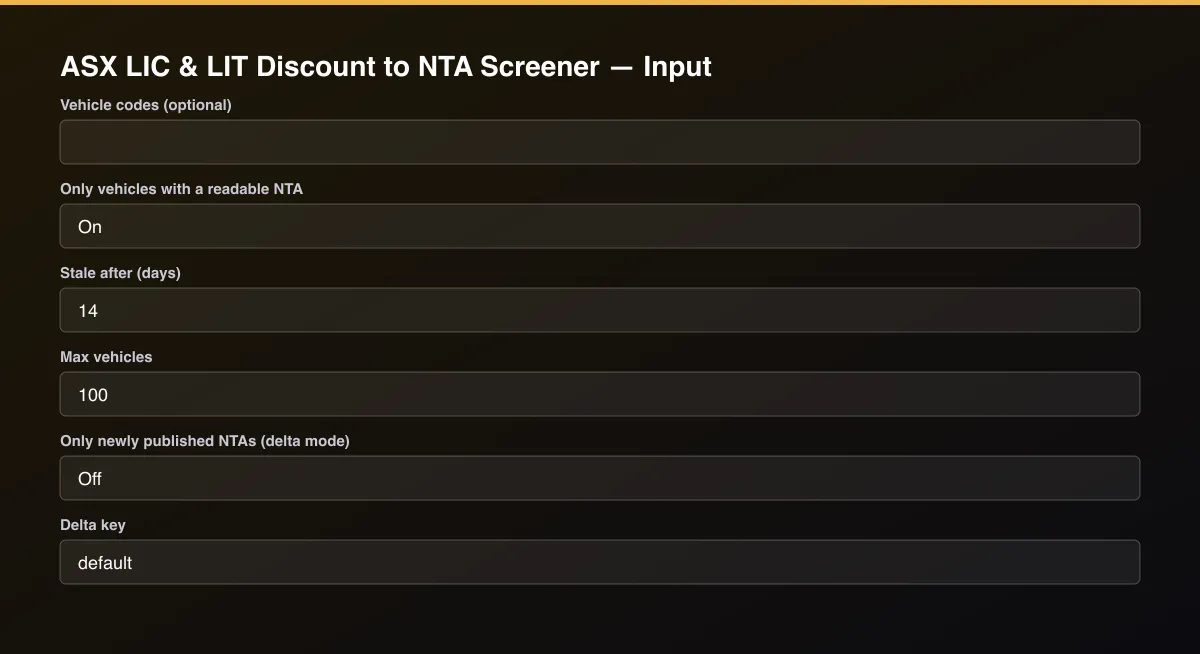
- Open the Actor and go to the Input tab.
- Leave Vehicle codes empty to screen the whole universe, or list codes such as
AFI,ARG,BKI. Set Minimum discount to keep only vehicles trading at least that far below NTA. Turn on Only newly published NTAs with a delta key and schedule the run to get alerts when a vehicle publishes new NTA. - Optionally set filters and a Max results limit.
- Click Start. A default run finishes in under a minute.
- Open the Output tab, then download the dataset or connect it to your tools.
Input Parameters
| Parameter | Type | Required | Default | Description |
|---|---|---|---|---|
codes | array | No | [] | ASX codes of listed investment companies or trusts, for example AFI, ARG, BKI. Leave empty to screen the whole universe (about 65 vehicles). |
minDiscountPct | number | No | — | Keep only vehicles trading at least this many percent below NTA. Leave empty for no filter. |
onlyWithNta | boolean | No | true | When on, vehicles whose NTA could not be read are not returned or billed (they are listed in the NOT_READ record instead). |
staleDays | integer | No | 14 | An NTA older than this many days is flagged stale. |
maxItems | integer | No | 100 | Overall cap on returned vehicles. Set 0 for no limit. |
deltaMode | boolean | No | false | After the first run with a delta key, return and bill only vehicles that published a new NTA. |
deltaStateKey | string | No | "default" | Name of the tracked stream. |
proxyConfiguration | object | No | {"useApifyProxy":false} | Optional proxy. ASX data works without one. |
Output Data
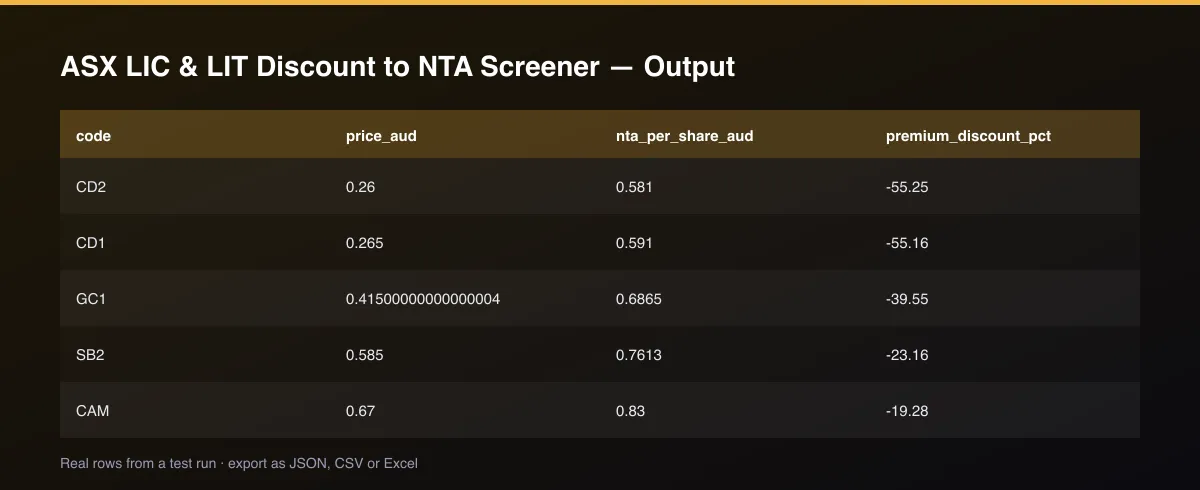
premium_discount_pct is negative for a discount and positive for a premium: (price - NTA) / NTA. valuation is discount, near_nta or premium (5% bands). nta_basis says whether the figure is post_tax, pre_tax or unlabelled; when both are published they are also given as post_tax_nta_aud and pre_tax_nta_aud. nta_as_at, nta_age_days and is_stale describe freshness. Vehicles that could not be read appear only when Only vehicles with a readable NTA is off, with status and note.
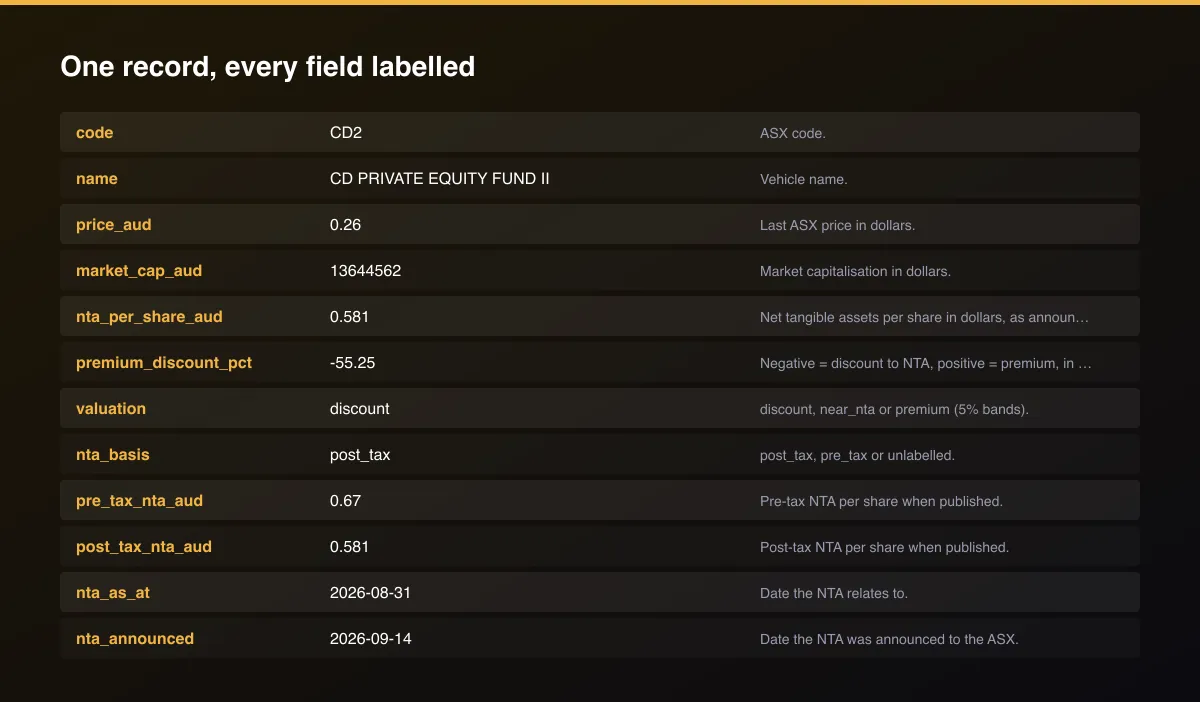
A real dataset item:
How to read and use the results
- Sort by premium_discount_pct to see deepest discounts first.
- Check is_stale and nta_age_days before trusting a discount.
- Compare nta_basis: post-tax is the conservative comparison.
- Use valuation for a quick discount, near_nta, premium split.
- Schedule with delta mode to catch newly published NTAs.
- Review NOT_READ in the key-value store for vehicles that could not be read.
Usage Examples
Whole universe, deepest discounts first
Big domestic LICs
At least 10% below NTA, fresh NTAs only
Tips for Best Results
- Sort or filter on premium_discount_pct; deep discounts on stale NTAs are often a data artefact, so check is_stale first.
- Post-tax NTA is used when published, since it is what most investors compare against; the pre-tax figure is also returned.
- Schedule weekly with delta mode to be told when a vehicle publishes a new NTA.
- Turn off Only vehicles with a readable NTA to audit which vehicles could not be read and why.
- Discounts on trusts investing in credit or infrastructure can persist for structural reasons; the discount alone is not a buy signal.
- Default is 5 results for a fast test. Set the max to 0 to return everything available.
Reliability by mode
| Mode | Status | Needs login or key? | Notes |
|---|---|---|---|
| Large domestic LICs (AFI, ARG, BKI, MIR) | ✅ | No | NTA read from their ASX announcements. |
| Most other LICs and LITs | 🟡 | No | Read when the announcement layout is recognised. |
| Vehicles announcing NTA in image-only PDFs | ❌ | - | Listed as not read. |
| Vehicles with no NTA in the latest five announcements | 🟡 | - | Listed as no_nta_announcement. |
| Live intraday premium | ❌ | - | Uses last trade and the latest announced NTA. |
✅ works as described, 🟡 works with caveats, ❌ not supported.
Only new records (delta mode)
Turn on Only newly published NTAs (delta mode) and set a Delta key. The first run returns every readable vehicle; later runs return, and bill, only vehicles that published a new NTA.
Known Limitations
- Only the latest five ASX announcements of each vehicle are visible, so a vehicle that has just released several other announcements can temporarily show no NTA.
- Some vehicles publish NTA inside another report, as images, or with layouts the Actor cannot read confidently; they are listed as not read with the reason.
- NTA is often monthly, so the discount uses an NTA that may be weeks old; check nta_age_days and is_stale.
- The share price is the last ASX trade, delayed and not a live quote.
- Coverage is a curated list of about 65 ASX LICs and LITs, not every ASX-listed fund.
- This is information, not financial advice.
Integrations
Run it from the Apify API, on a schedule, or from a webhook. Send results straight to Google Sheets, Make, Zapier, Slack or your own database with Apify's built-in integrations.
Export Formats
Download the dataset as JSON, CSV, Excel, XML, HTML table or RSS from the Output tab or the API.
Frequently Asked Questions
Where does the data come from?
The share price and the vehicle's own NTA announcements to the ASX, which are public.
What does a negative discount mean?
A negative number means the shares trade below NTA (a discount); positive means above (a premium).
Why does a vehicle show no NTA?
Either it announces NTA inside another report, or the latest announcements do not include one, or the document could not be read confidently. The reason is in the status field.
Is post-tax or pre-tax used?
Post-tax NTA when published, otherwise pre-tax. Both are returned when available.
Does it need an API key or account?
No.
Am I charged for vehicles that could not be read?
Not by default. Unreadable vehicles are not returned unless you turn the option off.
Do I need an account or login?
No. The Actor reads public ASX prices and announcements and needs no account or API key.
Am I charged for failed runs or empty results?
You are only charged for results that are actually written to the dataset.
Can I run it on a schedule?
Yes. Create a Task with your input and add a schedule in Apify Console. With monitor mode on, each scheduled run returns only what changed since the previous one.
Changelog
- 2026-09-26: First release: about 65 ASX LICs and LITs with price, NTA per share, discount and freshness flags.
Enterprise and custom work
Need higher volumes, a custom output schema, dedicated scheduling or a no-breaking-changes commitment for a production pipeline? Open an issue on the Actor page and describe your use case. Bulk terms and custom builds are available.
Support
Questions or a missing field? Open an issue from the Issues tab on this Actor's page and it will be looked at.
Legal / Responsible Use
This Actor reads public ASX market data and announcements. You are responsible for how you use the data. It is not financial advice and not affiliated with the ASX or any fund manager.