

ATP & WTA Tennis Matches, Scores and Draws
Pricing
from $1.00 / 1,000 match returneds
ATP & WTA Tennis Matches, Scores and Draws
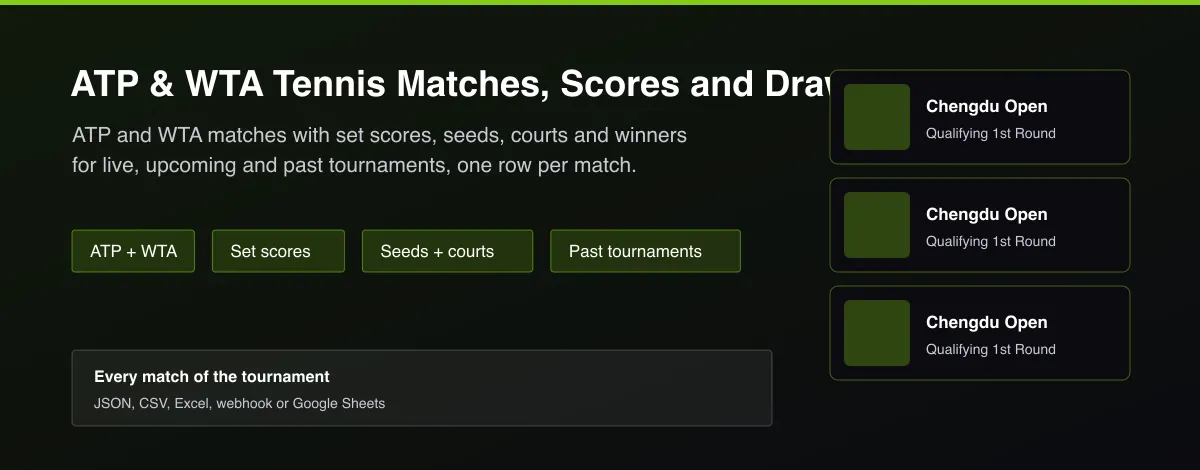
ATP and WTA tennis matches for tournaments in progress or any past or upcoming week: round, court, players with country and seed, set-by-set scores, winner and status. Filter by draw, player or status. No login.

What does ATP & WTA Tennis Matches, Scores and Draws do?
ATP & WTA Tennis Matches, Scores and Draws returns the matches of ATP and WTA tournaments as one row per match. Each row has the tournament, draw such as Men's Singles or Women's Doubles, round, court, start time and status, both players with country, seed and games won in each set, a readable score such as 7-6(3) 6-3, and the winner for completed matches. Read tournaments in progress today, or give a date to read a past or upcoming tournament week.
Why use ATP & WTA Tennis Matches, Scores and Draws?
- Set-by-set games for both players, plus a readable score line.
- Seeds, countries, rounds and courts in every row.
- Past tournaments by date, not only today's matches.
- Filter by draw, player name or status.
- Works logged out; no key needed.
What makes this different
Live-score sites show tennis as pages, not data. This Actor returns whole tournament draws as flat rows with per-set games and a formatted score, and can read a past week by date, so results, schedules and player form become a table.
How it works
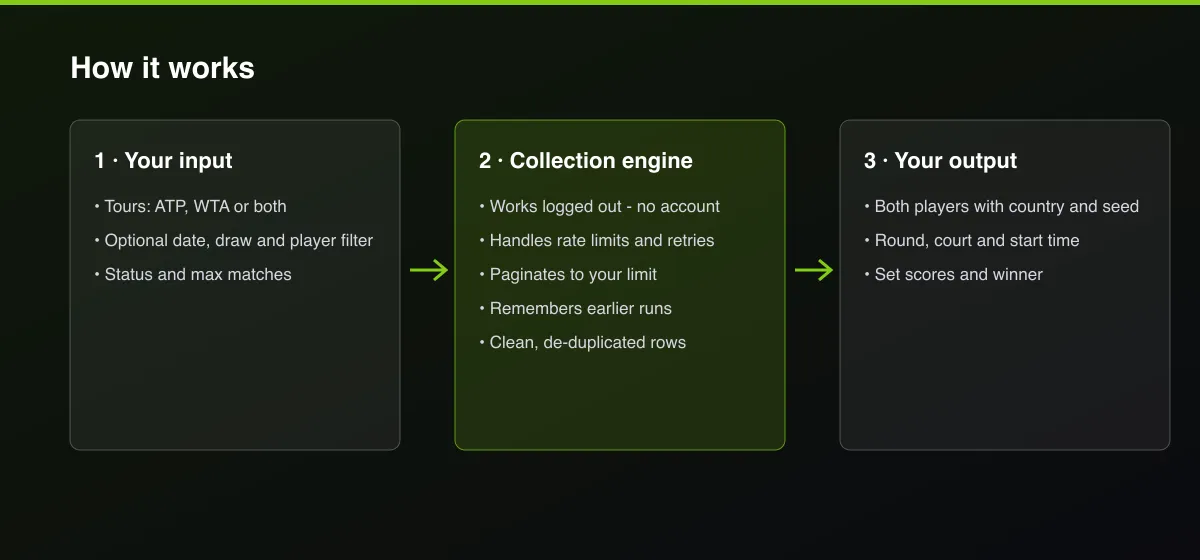
- Your input — choose tours and an optional date, draw or player filter.
- The Actor collects it — the Actor collects the tournament matches for those tours.
- Your output — you get one clean row per match with players, score, round and court.
What data can you extract?
The dataset has 16 fields per row:
| Field | Type | Description |
|---|---|---|
tour | string | ATP or WTA. |
tournamentId | string | Tournament identifier. |
tournament | string | Tournament name. |
category | string | Draw, for example Men's Singles. |
location | string | Tournament location. |
matchId | string | Match identifier. |
round | string | Round name. |
court | string | Court name. |
startTime | string | Scheduled start (ISO 8601). |
status | string | upcoming, live, completed, postponed or cancelled. |
player1 | object | Name, country, seed, winner and games per set. |
player2 | object | Same fields for the second player. |
score | string | Readable score such as 7-6(3) 6-3. |
winner | string | Winner for completed matches. |
statusDetail | string | Status text from the source. |
scrapedAt | string | Collection time (ISO 8601). |
How to use ATP & WTA Tennis Matches, Scores and Draws
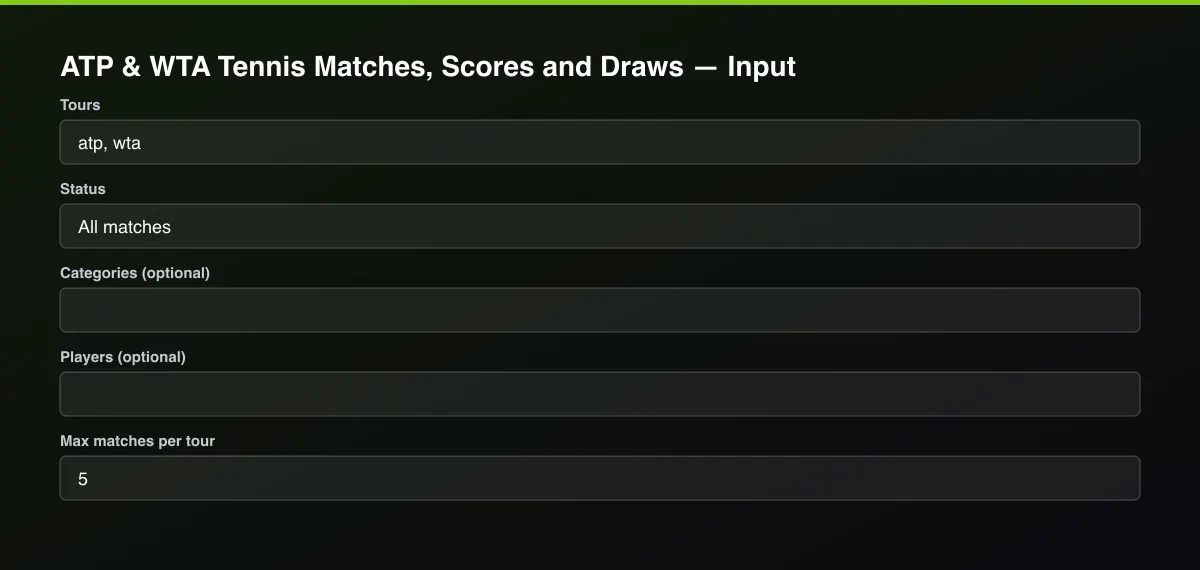
- Open the Actor and go to the Input tab.
- Pick Tours, optionally set a Date inside a tournament week, and choose the Status and Max matches per tour.
- Optionally set filters and a Max results limit.
- Click Start. A default run finishes in under a minute.
- Open the Output tab, then download the dataset or connect it to your tools.
Input Parameters
| Parameter | Type | Required | Default | Description |
|---|---|---|---|---|
tours | array | No | [] | Tour codes: atp, wta. Use ["all"] for both. |
date | string | No | — | A day inside the tournament week as YYYY-MM-DD, to read a past or upcoming tournament. Leave empty for tournaments in progress today. |
status | string | No | "all" | Return every match, or only upcoming, live or completed matches. |
categories | array | No | [] | Only these draws, for example Men's Singles, Women's Singles, Doubles. |
players | array | No | [] | Only matches involving players whose name contains one of these words. |
maxMatches | integer | No | 5 | Maximum number of matches returned for each tour. Default is 5 for a quick test; set 0 to return every match of the tournament. |
proxyConfiguration | object | No | {"useApifyProxy":false} | Optional. The data is public and works without a proxy. |
Output Data
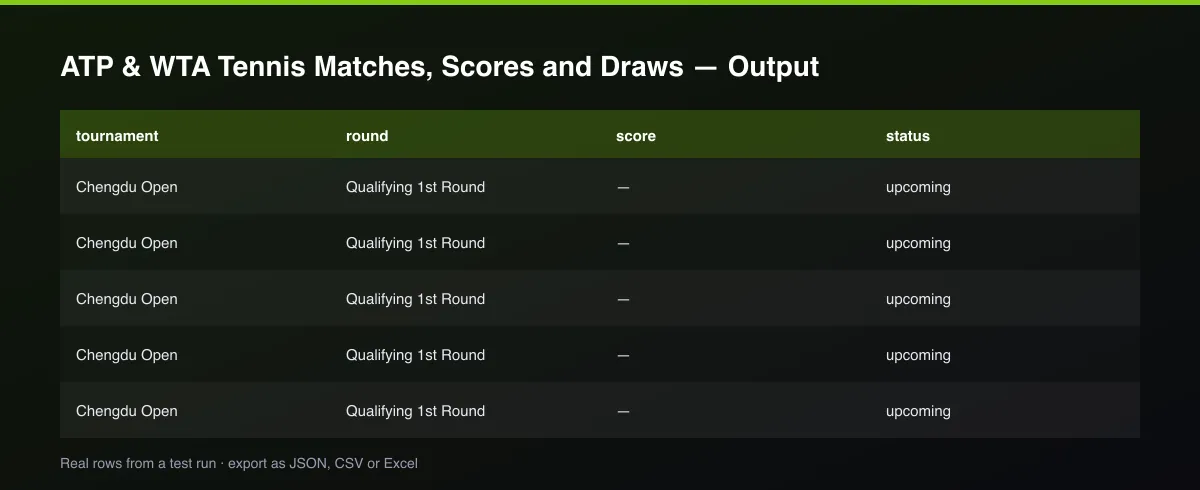
player1 and player2 each have name, country, seed, winner flag and sets (games won in each set). score is player 1's games first, with the tiebreak points of the loser in brackets. winner and score are null until a match is played.
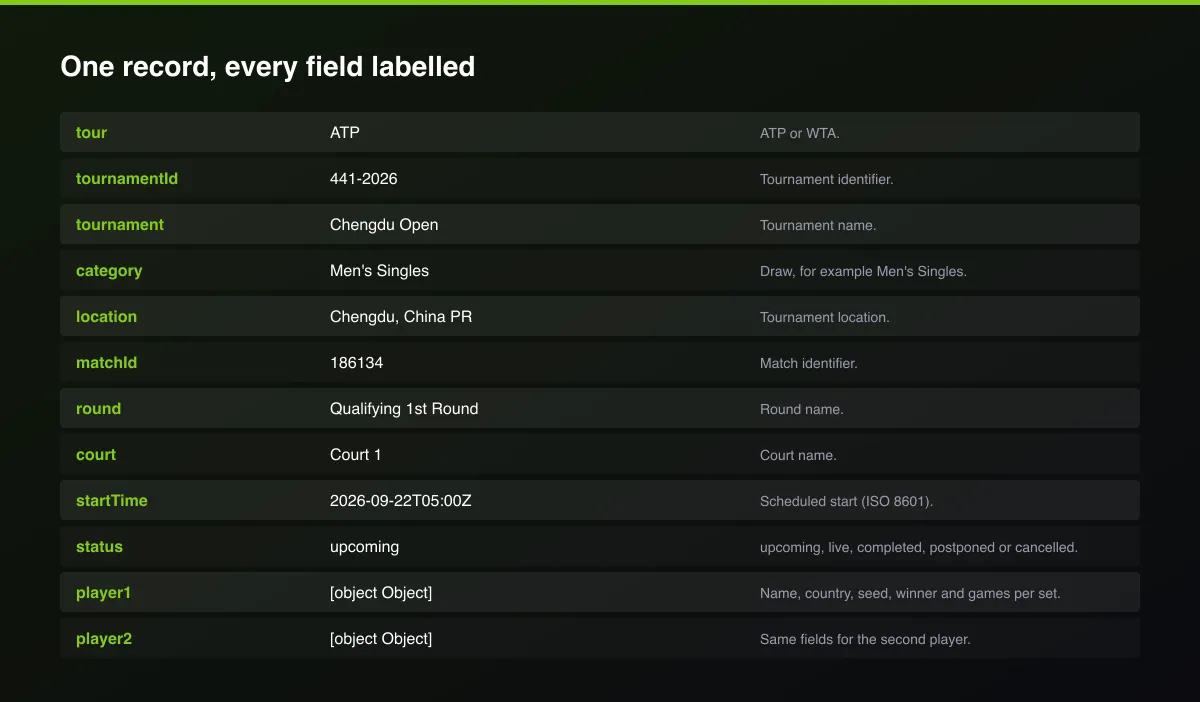
A real dataset item:
Usage Examples
Matches in progress this week
Completed US Open matches
One player's matches
Tips for Best Results
- Default is 5 results for a fast test. Set the max to 0 to return everything available.
Known Limitations
- Only tournaments running in the requested week are returned.
- Rankings and odds are not included.
- Very early rounds may show players without seeds.
- Retirements and walkovers are marked completed and may show a partial score.
Integrations
Run it from the Apify API, on a schedule, or from a webhook. Send results straight to Google Sheets, Make, Zapier, Slack or your own database with Apify's built-in integrations.
Export Formats
Download the dataset as JSON, CSV, Excel, XML, HTML table or RSS from the Output tab or the API.
Frequently Asked Questions
Does it need an account or API key?
No. The Actor reads public data and needs no account or key.
Am I charged for failed results?
No. You are only charged for results that are written to the dataset.
Do I need an account or login?
No. The Actor reads public data and needs no account or key.
Am I charged for failed runs or empty results?
You are only charged for results that are actually written to the dataset.
Can I run it on a schedule?
Yes. Create a Task with your input and add a schedule in Apify Console. With monitor mode on, each scheduled run returns only what changed since the previous one.
Support
Questions or a missing field? Open an issue from the Issues tab on this Actor's page and it will be looked at.
Legal / Responsible Use
You are responsible for using the data in line with the source's terms and applicable law. The Actor collects publicly available data only and is not affiliated with the source.


