

Australian Bank Rates: Home Loans, Savings & Deposits
Pricing
from $2.00 / 1,000 results
Australian Bank Rates: Home Loans, Savings & Deposits
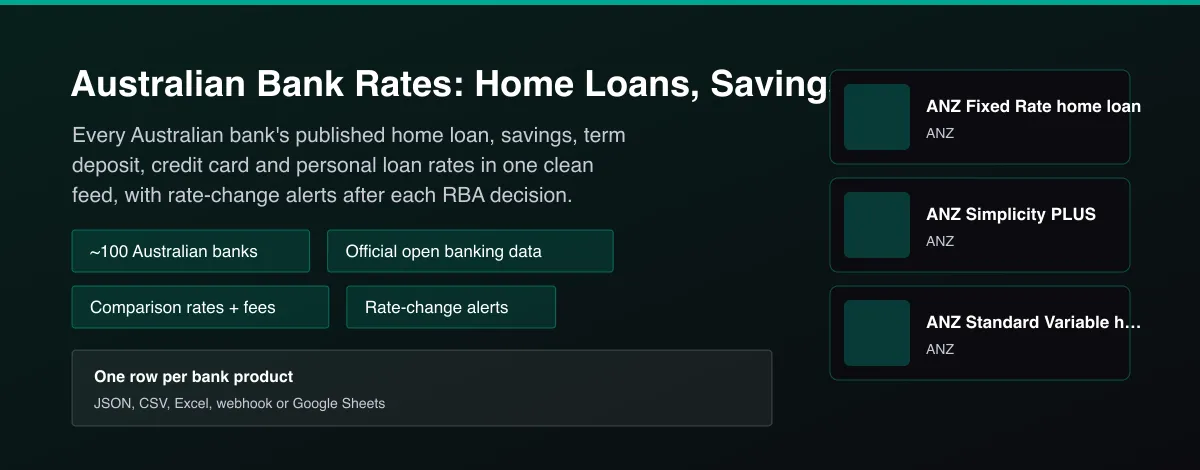
Australian home loan, savings, term deposit, credit card and personal loan rates from about 100 banks, straight from official open banking data. Comparison rates, fees, offset flags and rate-change alerts.

What does Australian Bank Rates: Home Loans, Savings & Deposits do?
Australian Bank Rates Tracker returns the interest rates and features that Australian banks publish for their products, one row per product. It covers home loans, transaction and savings accounts, term deposits, credit cards and personal loans across about 100 banks, credit unions and neobanks, read directly from the official Consumer Data Right open banking product data that every bank must publish. Each row has the full list of rates (with comparison rates, LVR bands, fixed terms and balance tiers), headline numbers to sort by, fees, features such as offset and redraw, and links to the bank's product page. With delta mode it becomes a rate-change feed that returns only products whose rates moved, with the previous rate and the change in basis points.
Why use Australian Bank Rates: Home Loans, Savings & Deposits?
- Official data: read from the banks' own public open banking endpoints, not from a comparison website.
- About 100 lenders in one schema, including the big four, regionals, credit unions and digital banks.
- Rate-change feed: delta mode returns only products whose rates changed, with the size of the move in basis points.
- Everything a comparison needs: comparison rates, LVR bands, fixed terms, fees, offset and redraw flags.
- Bulk by design: many banks and categories per run, billed only for products returned. No API key or login.
What makes this different
Comparison sites keep their rate databases private and rate trackers are articles, not data. This Actor gives you the official product data of every Australian bank in a consistent schema, plus a rate-change feed for after each RBA decision, ready to feed your own comparison, newsletter or AI agent.
Who can use the Australian Bank Rates Tracker and how?
- Mortgage brokers and aggregators: compare every lender's published home loan rates and fees in one dataset and monitor rate changes for clients.
- Comparison sites and fintech startups: populate or benchmark a comparison database from official data instead of maintaining scrapers.
- Financial journalists and newsletters: see exactly which banks passed on an RBA move, and by how many basis points.
- Financial advisers and planners: shortlist savings and term deposit rates for clients.
- Bank product and pricing teams: benchmark competitors' rates and fees across categories.
- AI agent builders: give an assistant current Australian rate data for questions like the best savings rate today.
- Researchers and economists: study pass-through of monetary policy to lending and deposit rates.
- Property investors: track investor and owner-occupier rates and offset features over time.
How it works
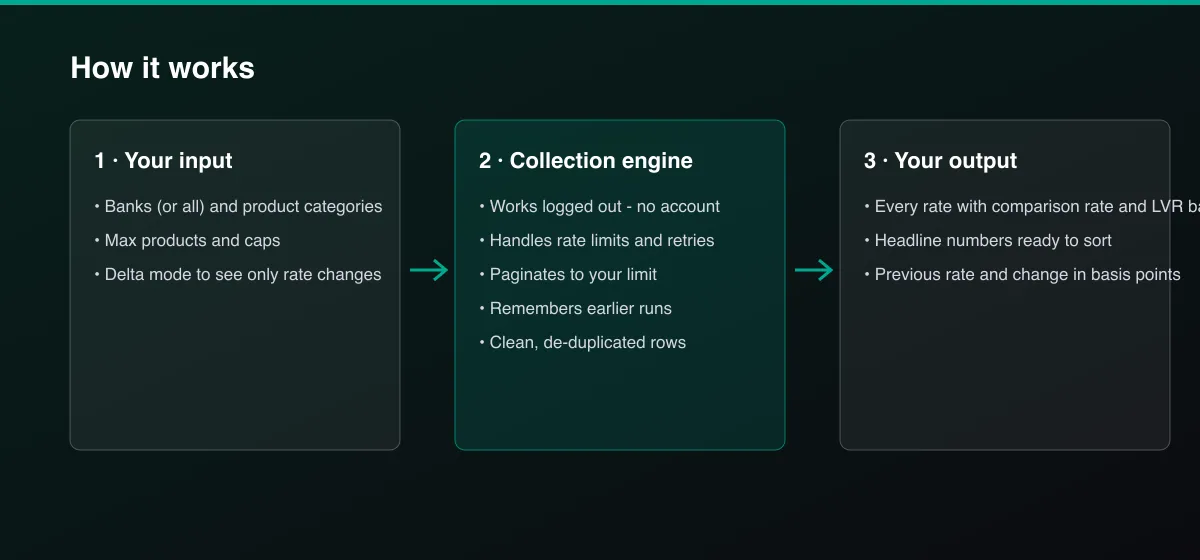
- Your input — choose the banks (or leave empty for all) and the product categories.
- The Actor collects it — the Actor reads each bank's official public product data and normalizes the rates and fees.
- Your output — you get one row per product, and with delta mode only the products whose rates changed.
What data can you extract?
The dataset has 24 fields per row:
| Field | Type | Description |
|---|---|---|
bank | string | Bank brand name. |
product_id | string | The bank's product id. |
product_name | string | Product name. |
category | string | home_loans, savings, term_deposits, credit_cards or personal_loans. |
description | string | Product description. |
headline | object | Sortable headline numbers for the category. |
rates | array | Every published rate with type, percent, comparison rate, terms and tiers. |
rate_count | number | Number of published rates. |
fees | array | Up to 12 fees with type and amount. |
features | array | Features such as offset, redraw, extra repayments. |
has_offset | boolean | True when the product has an offset feature. |
is_tailored | boolean | True when the product is offered only to some customers. |
effective_from | string | Date the product data is effective from. |
last_updated | string | When the bank last updated the product. |
overview_url | string | Bank page describing the product. |
application_url | string | Bank application link, when published. |
fees_url | string | Bank fees and pricing document. |
change_status | string | new, changed or unchanged when change tracking is on. |
previous_rate_pct | number | Previous headline rate when the rate changed. |
rate_change_bps | number | Change of the headline rate in basis points. |
fetch_path | string | official_open_banking_api. |
source | string | Data source. |
scraped_at | string | Collection time (ISO 8601). |
actor_version | string | Output schema version. |
How to use Australian Bank Rates: Home Loans, Savings & Deposits
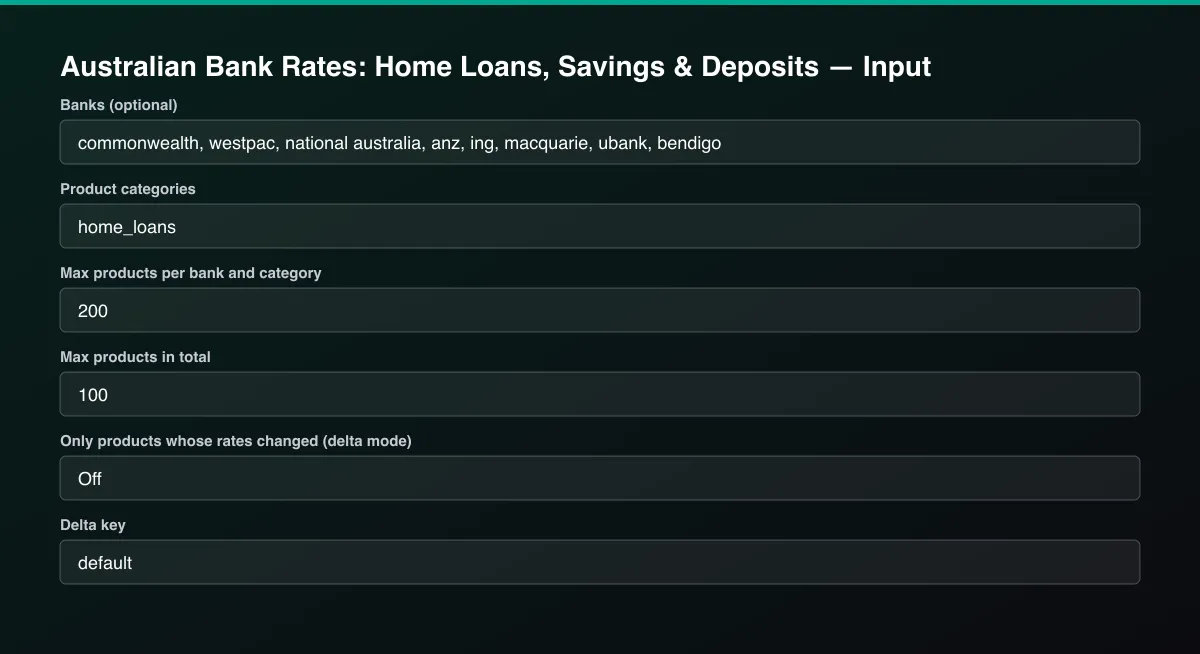
- Open the Actor and go to the Input tab.
- Choose Banks (for example
westpac,commonwealth,nab,anz,ing) and Product categories, set Max products in total, and run. Turn on Only products whose rates changed and reuse the same Delta key on a schedule to track changes. - Optionally set filters and a Max results limit.
- Click Start. A default run finishes in under a minute.
- Open the Output tab, then download the dataset or connect it to your tools.
Input Parameters
| Parameter | Type | Required | Default | Description |
|---|---|---|---|---|
banks | array | No | [] | Bank names or parts of them, one per line, for example westpac, commonwealth, nab, ing, macquarie, ubank. Leave empty to read every Australian bank that publishes product data (about 100, takes longer). |
categories | array | No | ["home_loans"] | Which products to read: home_loans, savings, term_deposits, credit_cards, personal_loans. |
maxProductsPerBank | integer | No | 200 | Caps how many products are read per bank and category. |
maxItems | integer | No | 500 | Overall cap on returned products. Default 500; set 0 for no limit. |
deltaMode | boolean | No | false | After the first run with a delta key, return and bill only products whose rates changed or are new, with the previous rate and the change in basis points. |
deltaStateKey | string | No | "default" | Name of the tracked stream. Use a different key per watchlist of banks and categories. |
proxyConfiguration | object | No | {"useApifyProxy":false} | Optional proxy. The banks' public product APIs work without one. |
Output Data
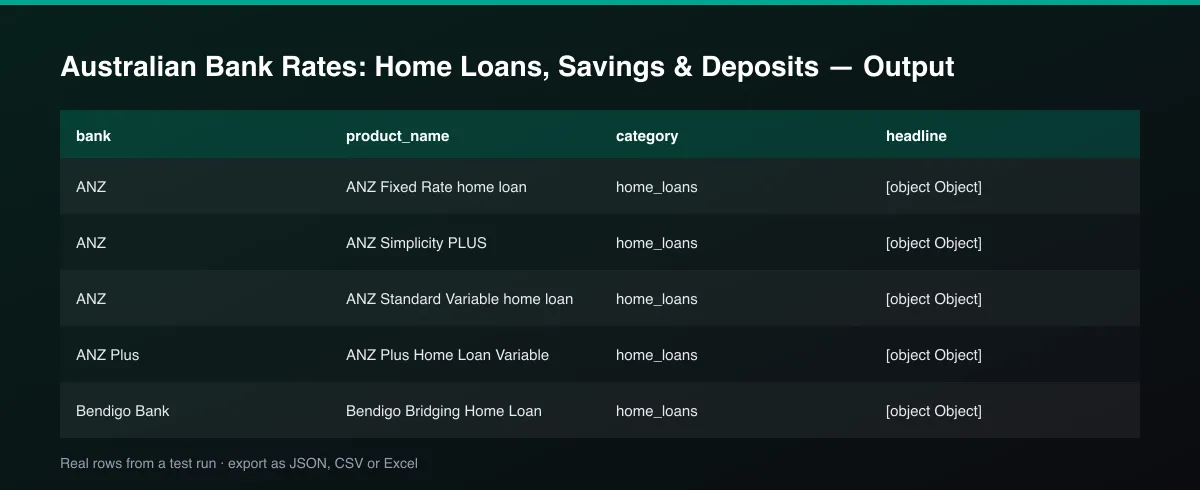
rates lists every published rate. Home loans show rate_type (variable or fixed), rate_pct, comparison_rate_pct, repayment_type, loan_purpose, fixed_term_months and the LVR band. Savings and term deposits show base, bonus and introductory rates, terms in months and balance tiers. headline gives sortable numbers: lowest variable and fixed rate and lowest comparison rate for home loans, base, bonus and total rate for savings, best rate and best rate per term for term deposits. In delta mode, change_status is new or changed, with previous_rate_pct and rate_change_bps.
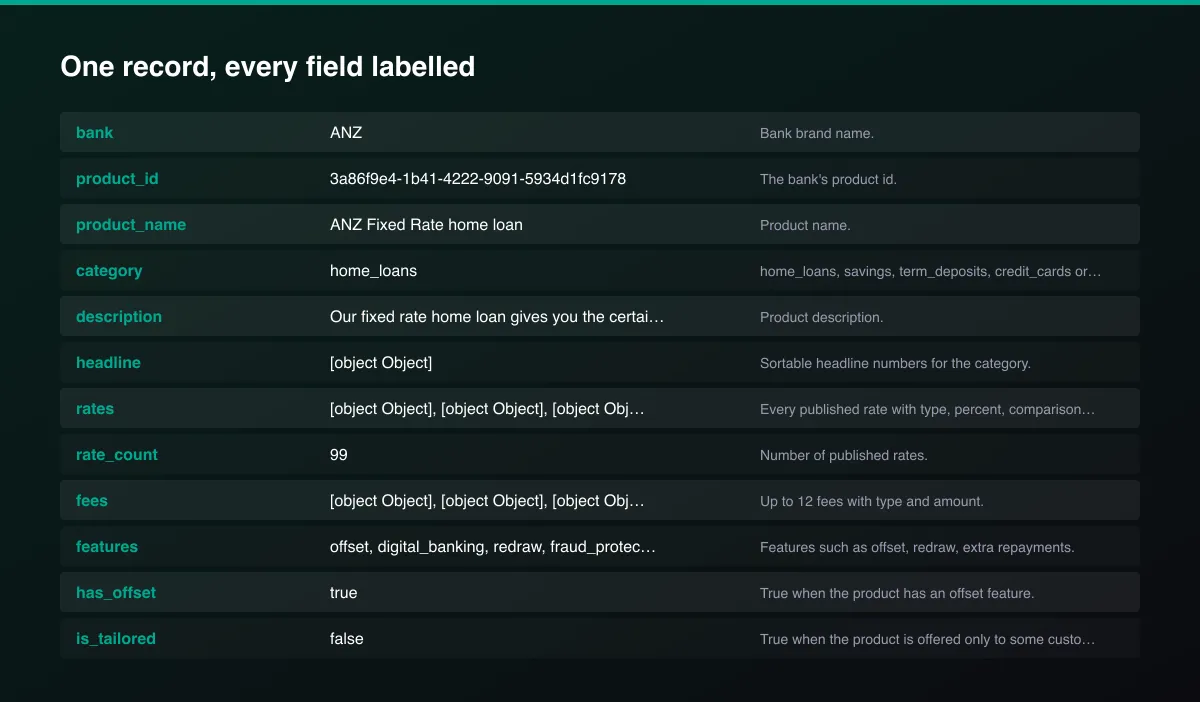
A real dataset item:
How to read and use the results
- Filter category and sort headline numbers: lowest comparison rate for home loans, total rate for savings, best rate by term for deposits.
- Open rates for the full detail: fixed terms, LVR bands, balance tiers and conditions.
- Check features and fees such as offset, redraw and annual fees.
- Use delta mode with a repeated delta key to see only new or changed products.
- Read change_status and rate_change_bps after an RBA decision to see who moved.
- Verify on the bank's page through overview_url before making decisions.
Usage Examples
Big four home loan rates
Best savings and term deposit rates from digital banks
Which banks changed rates since last run
Tips for Best Results
- Run once to build the baseline, then run daily with delta mode; after an RBA decision you get exactly the banks that passed the change on.
- Sort by headline.lowest_comparison_rate_pct for home loans, or headline.max_total_rate_pct for savings.
- Filter has_offset to compare offset loans only.
- Read tailored products carefully: is_tailored marks products offered only to some customers.
- Use maxProductsPerBank to keep runs short when testing.
- Default is 5 results for a fast test. Set the max to 0 to return everything available.
Reliability by mode
| Mode | Status | Needs login or key? | Notes |
|---|---|---|---|
| Big four home loans | ✅ | No | Read from each bank's official product data. |
| Savings, term deposits, credit cards, personal loans | ✅ | No | Same official source. |
| All ~100 banks in one run | 🟡 | No | Takes several minutes; a few endpoints can be slow. |
| Rate-change feed (delta mode) | ✅ | No | Needs a baseline run with the same key. |
| Actual customer-specific rates | ❌ | - | Only published product rates. |
| Non-bank lenders | 🟡 | No | Only those registered under the Consumer Data Right. |
✅ works as described, 🟡 works with caveats, ❌ not supported.
Only new records (delta mode)
Turn on Only products whose rates changed (delta mode) and set a Delta key. The first run stores the current rates. Later runs return, and bill, only new products and products whose rates changed, with the previous rate and the change in basis points. Use one key per set of banks and categories.
Known Limitations
- Rates are the published product rates. Actual rates depend on the customer's circumstances and can be lower or higher; always confirm on the bank's page.
- Banks publish through their own systems, so a few endpoints are slow or briefly unavailable. Banks that do not answer are skipped with a warning and listed in the log.
- Some banks publish incomplete or very detailed rate tables (dozens of LVR and term combinations); the Actor returns what is published.
- Data is as fresh as the banks' own updates, usually within a day, and is not a real-time quote.
- The Consumer Data Right covers banking products only, not insurance or super.
- Non-bank lenders and some smaller institutions may publish fewer products or none.
- This is information, not financial advice.
Integrations
Run it from the Apify API, on a schedule, or from a webhook. Send results straight to Google Sheets, Make, Zapier, Slack or your own database with Apify's built-in integrations.
Export Formats
Download the dataset as JSON, CSV, Excel, XML, HTML table or RSS from the Output tab or the API.
Frequently Asked Questions
Where does the data come from?
From the official open banking product reference data that Australian banks must publish under the Consumer Data Right, discovered through the government's own register of data holders. It is a public, official source, not a scraped comparison website.
Does it need an API key or account?
No. The product data is public and needs no credentials.
How do I get a home loan rate change alert after an RBA decision?
Run the Actor with delta mode on and the same delta key before and after the decision, or schedule it daily. It returns only products whose rates changed, with the previous rate and the change in basis points.
Which banks are covered?
About 100 banks, credit unions and digital banks registered under the Consumer Data Right, including the big four. Leave the bank list empty to read all of them.
Are comparison rates included?
Yes, for lending products where the bank publishes them.
Am I charged for failed results?
No. You are only charged for products written to the dataset.
Do I need an account or login?
No. The Actor reads public bank product data and needs no account or API key.
Am I charged for failed runs or empty results?
You are only charged for results that are actually written to the dataset.
Can I run it on a schedule?
Yes. Create a Task with your input and add a schedule in Apify Console. With monitor mode on, each scheduled run returns only what changed since the previous one.
Changelog
- 2026-09-26: First release: five product categories across about 100 banks with headline numbers, fees, features and delta mode rate-change alerts.
Enterprise and custom work
Need higher volumes, a custom output schema, dedicated scheduling or a no-breaking-changes commitment for a production pipeline? Open an issue on the Actor page and describe your use case. Bulk terms and custom builds are available.
Support
Questions or a missing field? Open an issue from the Issues tab on this Actor's page and it will be looked at.
Legal / Responsible Use
This Actor reads product reference data that Australian banks publish publicly under the Consumer Data Right. You are responsible for how you use the data. It is not financial advice and not affiliated with any bank or the ACCC.


