

DHgate Product Scraper
Pricing
from $2.00 / 1,000 results
DHgate Product Scraper
DHgate product scraper: search wholesale products and get price range, discount, minimum order, recent sales, rating, seller store, coupon and shipping for many searches in one run. Export to JSON, CSV or Excel. No login.
Pricing
from $2.00 / 1,000 results
Rating
0.0
(0)
Developer

MrDoe
Maintained by CommunityActor stats
0
Bookmarked
2
Total users
1
Monthly active users
16 days ago
Last modified
Categories
Features
Share
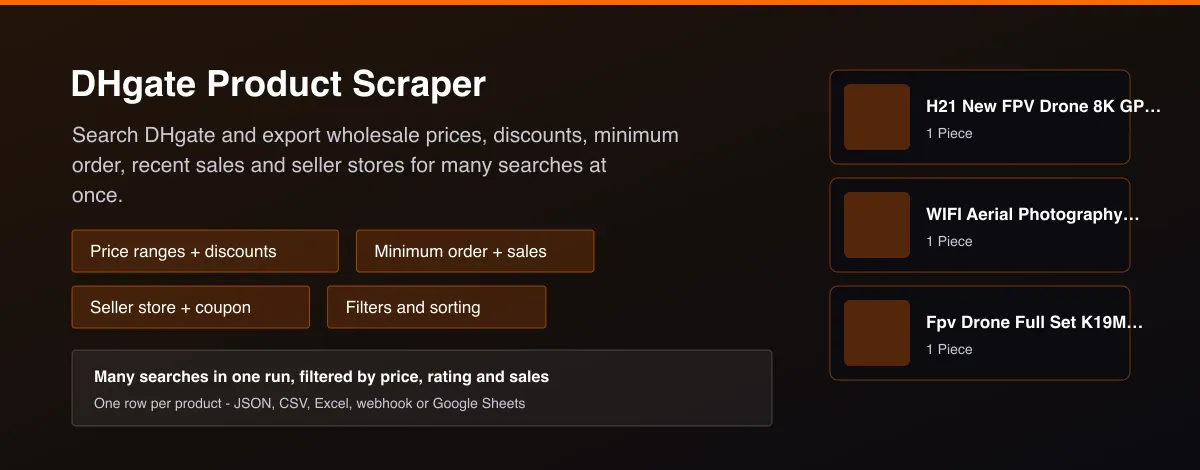
What does DHgate Product Scraper do?
DHgate Product Scraper searches DHgate, the wholesale marketplace, for any product and collects the matching listings. Each row has the product name, price range in US dollars, original price and discount percentage, minimum order and unit, units sold recently, rating and review count, positive-feedback percentage, free-shipping flag, seller coupon, seller store and image. Search several products at once and filter by price, rating, recent sales or free shipping.
Why use DHgate Product Scraper?
- Compare wholesale prices and minimum orders across many suppliers in one export.
- Spot best sellers with the recently-sold count and rating on every row.
- See the seller store and coupon so you can go straight to the supplier.
- Clean rows for dropshipping research, sourcing sheets and price comparison tools.
- Runs on a schedule if you want to keep an eye on a market: export each run and compare.
What makes this different
It turns DHgate search pages into structured rows with price range, original price, minimum order, recent sales and seller store, and searches several products at once. Results follow DHgate's own ranking, which changes between requests, so each run is a fresh snapshot.
How it works
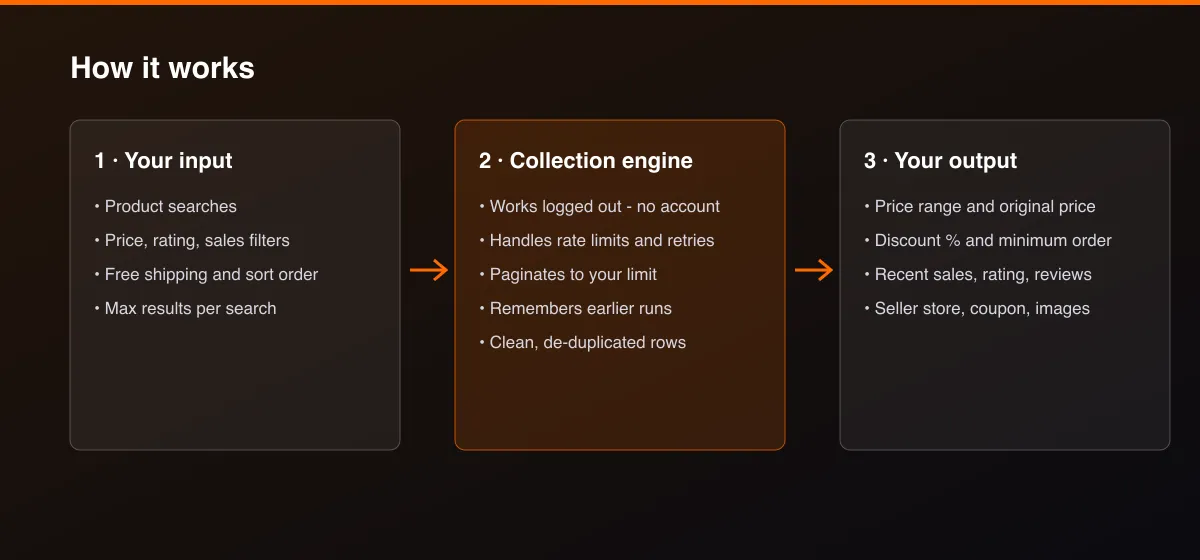
- Your input — type one or more product searches and optional price, rating or sales filters.
- The Actor collects it — the Actor searches DHgate for each term and applies your filters.
- Your output — you get one clean row per product.
What data can you extract?
The dataset has 22 fields per row:
| Field | Type | Description |
|---|---|---|
id | string | DHgate item code. |
name | string | Product name. |
url | string | DHgate product page. |
priceMin | number | Lowest price of the range in USD. |
priceMax | number | Highest price of the range in USD. |
priceOriginalMin | number | Lowest price before discount in USD. |
currency | string | ISO currency code. |
discountPercent | integer | Percent off the price before discount. |
onSale | boolean | True when a before-discount price is shown. |
unit | string | Selling unit, such as Piece. |
minOrder | string | Minimum order quantity. |
recentlySold | integer | Units sold recently. |
rating | number | Average review score out of 5. |
reviewCount | integer | Number of reviews. |
positiveFeedbackPercent | number | Positive feedback percentage. |
freeShipping | boolean | True when the listing has free shipping. |
sellerCoupon | string | Seller coupon text. |
sellerStoreUrl | string | Seller store page. |
sellerStoreId | string | Seller store ID. |
isAd | boolean | True for sponsored placements. |
imageUrl | string | Main image URL. |
searchTerm | string | The search that found the product. |
How to use DHgate Product Scraper
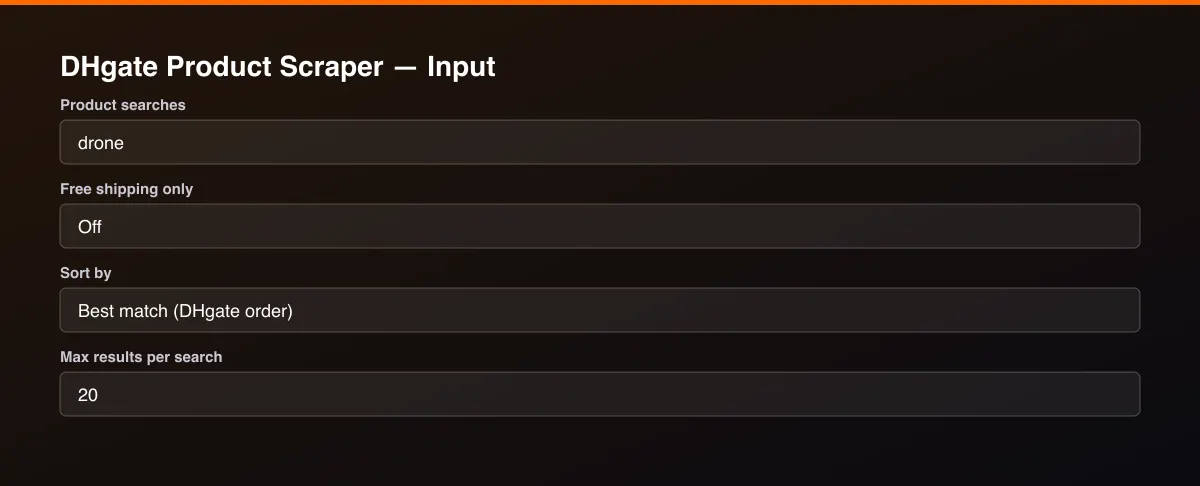
- Open the Actor and go to the Input tab.
- Enter one or more Product searches, for example
drone. - Optionally set filters and a Max results limit.
- Click Start. A default run finishes in under a minute.
- Open the Output tab, then download the dataset or connect it to your tools.
Input Parameters
| Parameter | Type | Required | Default | Description |
|---|---|---|---|---|
searchTerms | array | No | ["drone"] | One or more DHgate product searches, e.g. "drone", "led strip", "phone case". Max results applies to each search separately. |
minPrice | number | No | — | Only return products whose lowest price is at or above this amount in USD. |
maxPrice | number | No | — | Only return products whose lowest price is at or below this amount in USD. |
minRating | number | No | — | Only return products with at least this average review score. |
minSold | integer | No | — | Only return products that sold at least this many units recently. |
freeShippingOnly | boolean | No | false | Only return products marked with free shipping. |
sortBy | string | No | "best_match" | Order of each search's results. Price and sales sorting apply to the pages read for that search. |
maxItems | integer | No | 20 | Stop once this many products have been written to the dataset for each search. |
proxyConfiguration | object | No | {"useApifyProxy":false} | Optional. DHgate may limit repeated requests from one address; use a proxy for large or frequent runs. |
Output Data
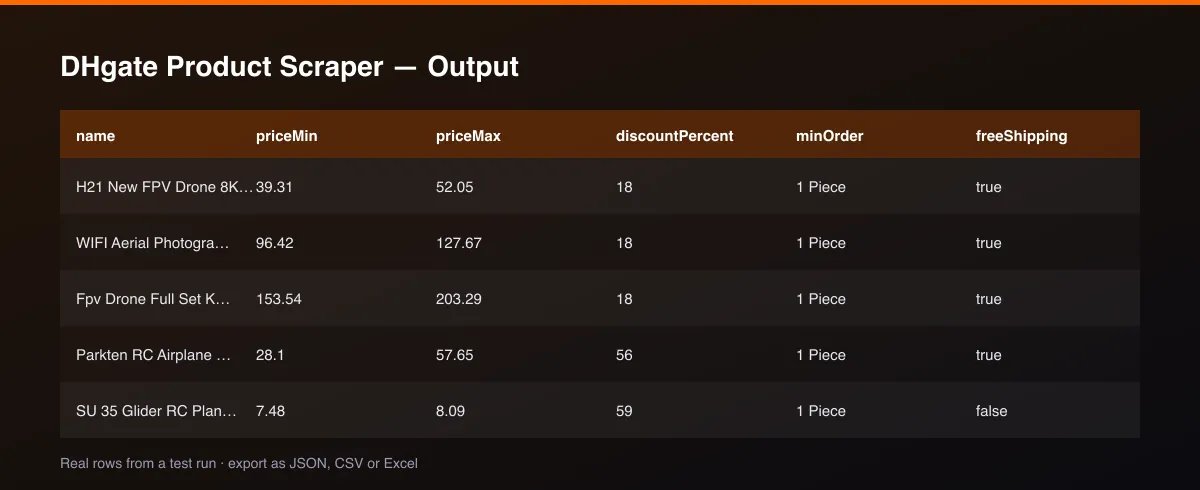
Prices are numbers in US dollars. priceMin and priceMax are the lowest and highest price of the listing's range; priceMax is null when there is a single price. priceOriginalMin and discountPercent are filled when DHgate shows a before-discount price. Fields that do not apply are null.
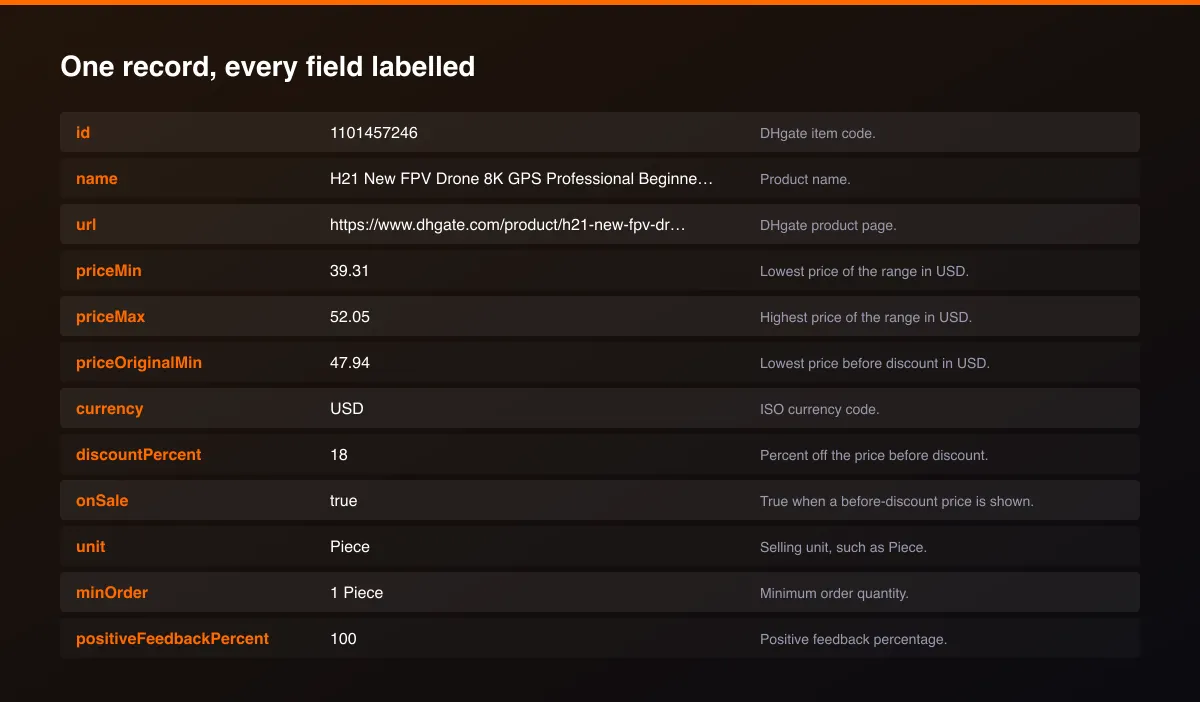
A real dataset item:
Usage Examples
Drones with free shipping
Best-selling LED strips under 10 USD
Tips for Best Results
- Sort by Most recently sold to find proven products fast.
- Use Minimum rating to skip listings with poor reviews.
- For large or frequent runs, use a proxy so requests are spread out.
- Export each run and compare files to follow a market over time.
Known Limitations
- Each search reads up to about 1,000 listings.
- Price and sales sorting apply to the pages read for each search, not to all of DHgate.
- Prices are the listed range in US dollars; volume-based price tiers on the product page are not included.
- Rating and sales counts are missing for listings that have none.
- DHgate may limit repeated requests from one address; very large runs can need a proxy.
- DHgate changes its result ranking between requests, so repeated runs show different products; the Actor has no monitor mode for that reason.
Integrations
Run it from the Apify API, on a schedule, or from a webhook. Send results straight to Google Sheets, Make, Zapier, Slack or your own database with Apify's built-in integrations.
Export Formats
Download the dataset as JSON, CSV, Excel, XML, HTML table or RSS from the Output tab or the API.
Frequently Asked Questions
How do I scrape DHgate products?
Enter a product search and run the Actor. Each listing comes back with its price range, discount, minimum order, recent sales and seller store.
Can I filter for free shipping?
Yes. Turn on Free shipping only.
Does it include seller information?
Yes. Each row has the seller store link and ID, plus any seller coupon.
How many results can I get?
The default is 20 per search. Raise Max results to collect more; a search reads up to about 1,000 listings.
How fresh is the data?
It is read live from DHgate on every run.
Does it remove duplicates?
Yes. Each product appears once per run.
Do I need an account or login?
No. The Actor collects public DHgate search results and needs no account, cookies or API key.
Am I charged for failed runs or empty results?
You are only charged for results that are actually written to the dataset.
Can I run it on a schedule?
Yes. Create a Task with your input and add a schedule in Apify Console. With monitor mode on, each scheduled run returns only what changed since the previous one.
Support
Questions or a missing field? Open an issue from the Issues tab on this Actor's page and it will be looked at.
Legal / Responsible Use
You are responsible for using the collected data in line with DHgate's terms and applicable law. The Actor collects public product data; seller store names are business names, but you remain responsible for privacy law such as GDPR for anything you store about individuals. It is not affiliated with DHgate.


