
Crypto Exchange Listing Monitor: New Listings & Delistings
Pricing
from $9.00 / 1,000 results
Crypto Exchange Listing Monitor: New Listings & Delistings
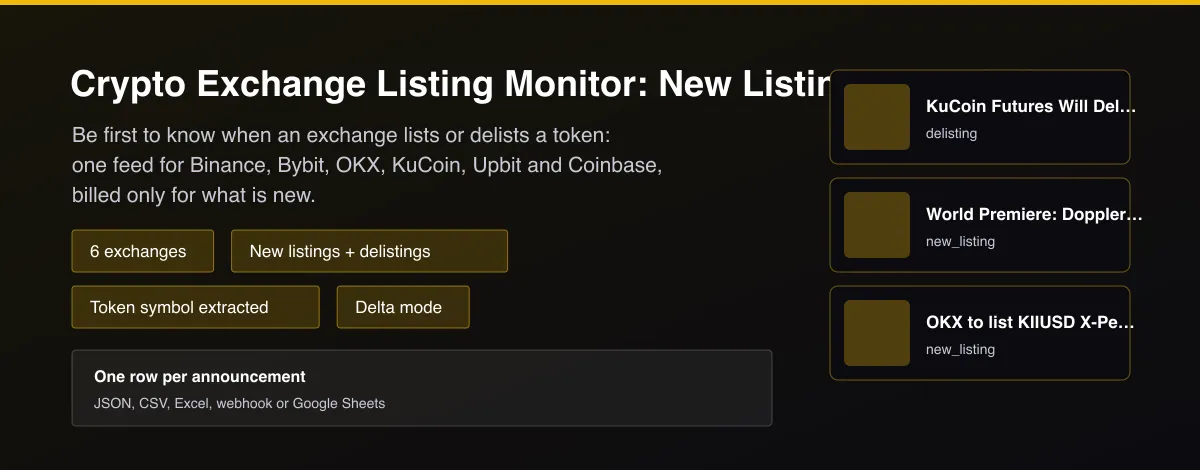
New listing, delisting and trading pair announcements from Binance, Bybit, OKX, KuCoin, Upbit and Coinbase in one feed, with token symbol and time. Delta mode bills only new ones.

What does Crypto Exchange Listing Monitor: New Listings & Delistings do?
Crypto Exchange Listing Monitor collects new listing, delisting and new trading pair announcements from Binance, Bybit, OKX, KuCoin and Upbit, and detects new and removed spot trading pairs on Coinbase, then returns one row per announcement with the exchange, announcement type, token symbol, market type (spot or futures), announcement time, title and a link to the original notice. Turn on delta mode and schedule it, and each run returns and bills only announcements that have not been delivered before.
Why use Crypto Exchange Listing Monitor: New Listings & Delistings?
- One consistent feed across six exchanges instead of six tabs.
- Announcements are classified as new_listing, delisting or trading_pair_added, and promotions and maintenance notices are filtered out.
- The token symbol is extracted from the title, in English and Korean titles.
- Delta mode is built in: you pay for new announcements, not a re-scraped archive.
- Uses the exchanges' public announcement feeds; no login and no API key.
What makes this different
Most listing trackers show one exchange or a static archive. This Actor combines six, classifies each notice, extracts the token, filters out giveaways, and is designed around delta mode so a scheduled run costs almost nothing when nothing happened.
Who can use the Exchange Listing Monitor and how?
- Traders and sniper bots: react to listings within seconds of the announcement.
- Alert channels: post new listings and delistings to Telegram, Discord or Slack.
- Portfolio managers: get warned when a token you hold is delisted.
- Researchers: study price behaviour around listing announcements across exchanges.
- Journalists: source and cite listing and delisting notices.
- Market makers: track new markets to quote.
- Data teams: build a historic listings dataset by scheduling the Actor.
- Fintech developers: add a listings feed to an app through the API.
How it works
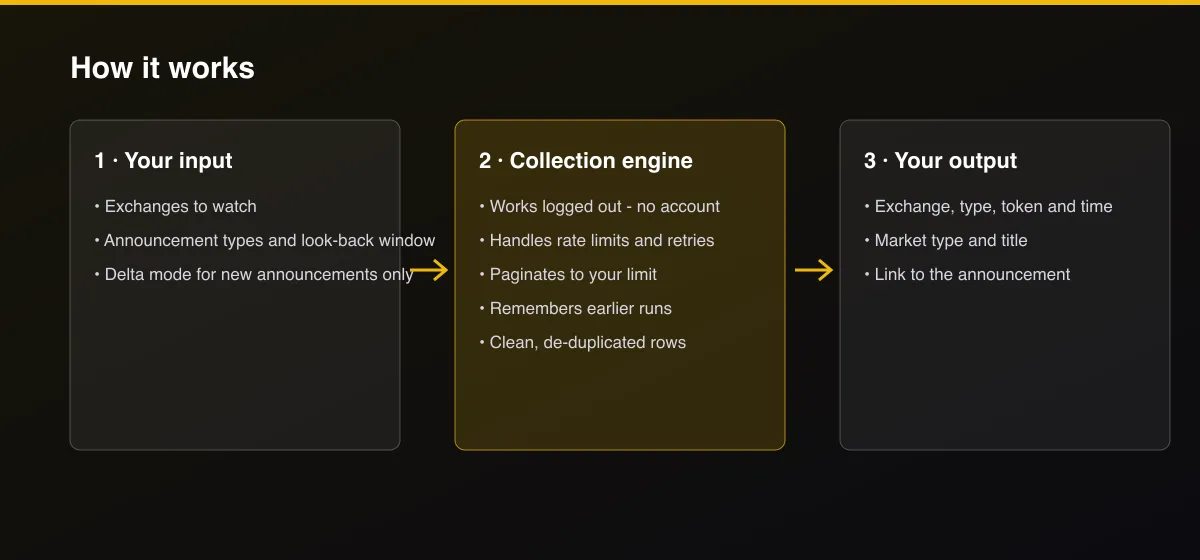
- Your input — choose the exchanges, the announcement types and how far back to look.
- The Actor collects it — the Actor reads each exchange's public announcement feed and classifies every notice.
- Your output — you get one row per announcement, newest first, with a link to the original.
What data can you extract?
The dataset has 12 fields per row:
| Field | Type | Description |
|---|---|---|
exchange | string | binance, bybit, okx, kucoin, upbit or coinbase. |
token_symbol | string | First token symbol found in the title, null when none. |
other_symbols | array | Other symbols named in the title. |
announcement_type | string | new_listing, delisting or trading_pair_added. |
market_type | string | spot, futures, margin or unspecified. |
announced_at | string | Announcement time (ISO 8601, UTC). |
title | string | Announcement title as published. |
source_url | string | Link to the announcement. |
fetch_path | string | official_api, public_cms_api or snapshot_diff. |
source | string | Data source. |
scraped_at | string | Collection time (ISO 8601). |
actor_version | string | Output schema version. |
How to use Crypto Exchange Listing Monitor: New Listings & Delistings
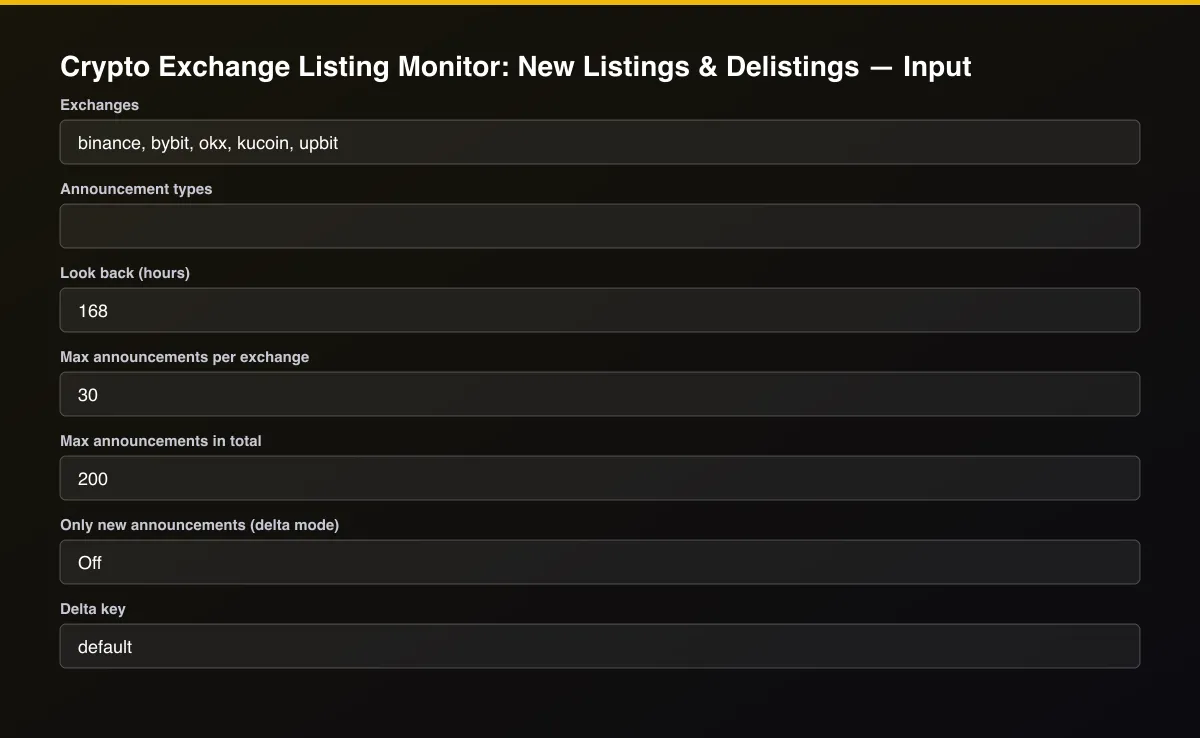
- Open the Actor and go to the Input tab.
- Choose Exchanges and Look back (hours), turn on Only new announcements (delta mode) for monitoring, and schedule the Actor every few minutes.
- Optionally set filters and a Max results limit.
- Click Start. A default run finishes in under a minute.
- Open the Output tab, then download the dataset or connect it to your tools.
Input Parameters
| Parameter | Type | Required | Default | Description |
|---|---|---|---|---|
exchanges | array | No | [] | Exchanges to watch: binance, bybit, okx, kucoin, upbit, coinbase. Leave empty for all. |
announcementTypes | array | No | [] | Keep only these kinds: new_listing, delisting, trading_pair_added. Leave empty for all. |
sinceHours | integer | No | 168 | Only announcements from the last this many hours. Use a small value on a schedule with delta mode. |
maxPerExchange | integer | No | 30 | Newest announcements kept per exchange. |
maxItems | integer | No | 200 | Overall cap. Set 0 for no limit. |
deltaMode | boolean | No | false | Return and bill only announcements not delivered by an earlier run with the same delta key. This is the mode for real-time monitoring. |
deltaStateKey | string | No | "default" | Name of the tracked stream. Use a different key per watchlist. |
proxyConfiguration | object | No | {"useApifyProxy":false} | Optional proxy. Some exchanges answer differently by region. |
Output Data
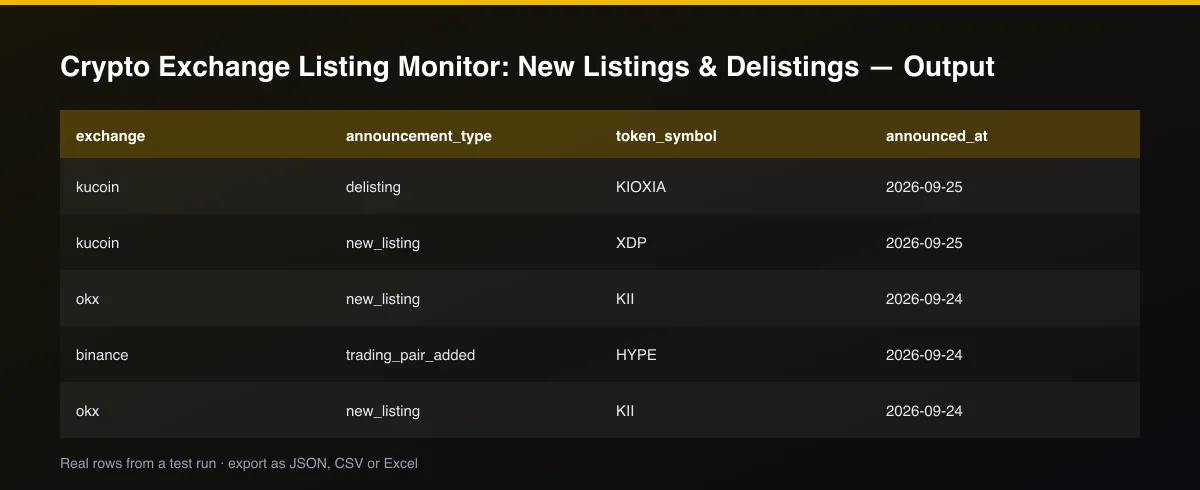
announcement_type is new_listing, delisting or trading_pair_added. token_symbol is the first token found in the title and other_symbols lists others (null when the title names none, for example a general removal notice). market_type is spot, futures, margin or unspecified. announced_at is the exchange's publish time in UTC; for Coinbase it is the time the change was detected. fetch_path shows whether the row came from an official API, a public feed or a snapshot comparison.
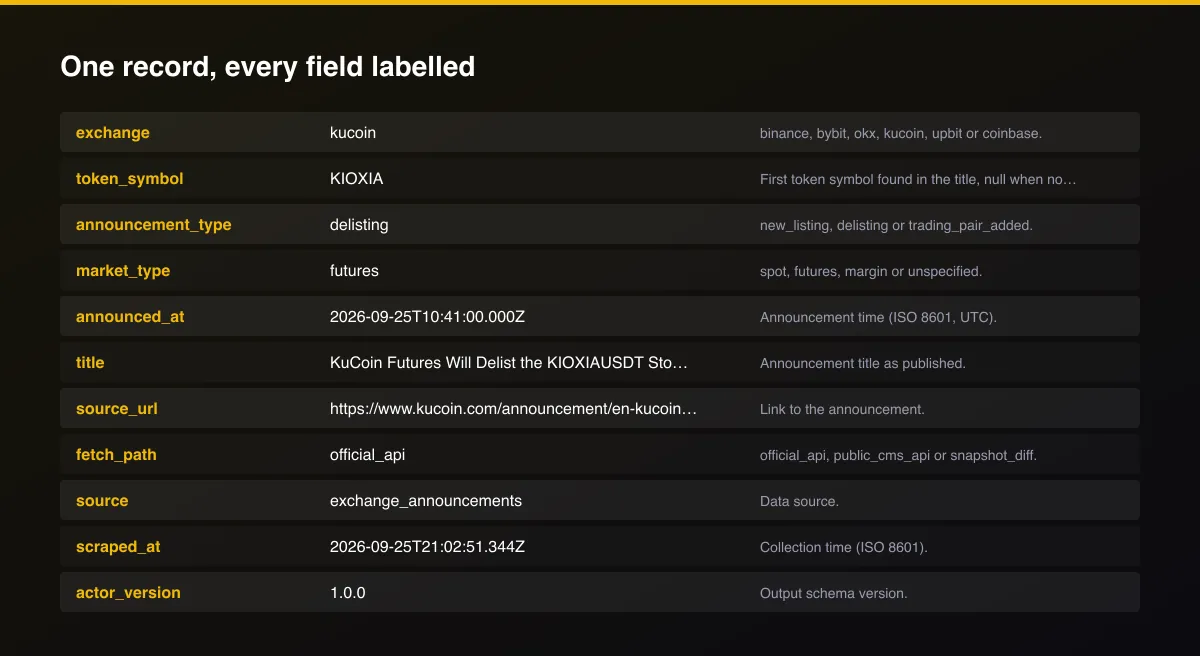
A real dataset item:
How to read and use the results
- Filter announcement_type = new_listing for tradable news.
- Check market_type: spot listings and futures listings move differently.
- Read token_symbol and open source_url for exact trading start times.
- Watch delistings on tokens you hold.
- Use delta mode so each announcement arrives once.
- Combine with a price Actor to measure the reaction.
Usage Examples
Everything from the last week
Only new listings on Binance and OKX
Real-time feed (only new announcements)
Tips for Best Results
- Schedule every 2 to 5 minutes with delta mode and a webhook to Telegram or Discord.
- Keep the look-back at 24 hours on a schedule; delta mode removes repeats.
- Filter announcement_type = new_listing and market_type = spot for spot listings only.
- Coinbase reports from the second run on, because the first run stores the baseline list of pairs.
- Default is 5 results for a fast test. Set the max to 0 to return everything available.
Reliability by mode
| Mode | Status | Needs login or key? | Notes |
|---|---|---|---|
| Binance, Bybit, OKX, KuCoin | ✅ | No | Public and official feeds. |
| Upbit | 🟡 | No | Korean titles; symbol read from parentheses. |
| Coinbase pairs | 🟡 | No | Snapshot comparison between runs; first run is a baseline. |
| Token symbol extraction | 🟡 | No | From titles; null when none is named. |
| Kraken and Coinbase blog | ❌ | - | Block automated access. |
| Giveaways and promotions | ❌ | - | Filtered out on purpose. |
✅ works as described, 🟡 works with caveats, ❌ not supported.
Only new records (delta mode)
Turn on Only new announcements (delta mode) and set a Delta key. Each scheduled run returns, and bills, only announcements that earlier runs of that key have not delivered. With nothing new, a run returns nothing and costs only the start fee.
Known Limitations
- Announcement timing is the exchange's publish time; some announcements are published just after the market reacts.
- Classification uses the title; unusual wording can be missed or mislabeled, and non-English titles are covered for Upbit only.
- token_symbol is null when the title names no token.
- Coinbase has no announcement feed, so new and removed spot pairs are detected by comparing product lists between runs.
- Exchanges can change or throttle their public feeds; a feed that does not answer is skipped with a clear warning.
- Kraken and Coinbase's blog are not covered because they block automated access.
- This is information, not investment advice.
Integrations
Run it from the Apify API, on a schedule, or from a webhook. Send results straight to Google Sheets, Make, Zapier, Slack or your own database with Apify's built-in integrations.
Export Formats
Download the dataset as JSON, CSV, Excel, XML, HTML table or RSS from the Output tab or the API.
Frequently Asked Questions
Where does the data come from?
The exchanges' public announcement feeds: official APIs at Bybit, OKX and KuCoin, public support-center feeds at Binance and Upbit, and Coinbase's public product list. No login is used.
Does it need an API key?
No.
How do I get alerted the moment a token is listed?
Schedule the Actor every few minutes with delta mode on, keep the look-back short, and attach a webhook. Only announcements not delivered before are returned and billed.
Why is Coinbase empty on the first run?
Coinbase does not publish announcements in a feed. The first run stores the current pair list; later runs report pairs added or removed.
Which announcements are filtered out?
Giveaways, airdrops, campaigns, maintenance, contract adjustments and similar notices are not listings.
Am I charged for failed results?
No. You are only charged for announcements written to the dataset.
Do I need an account or login?
No. The Actor reads public announcement feeds and needs no account or API key.
Am I charged for failed runs or empty results?
You are only charged for results that are actually written to the dataset.
Can I run it on a schedule?
Yes. Create a Task with your input and add a schedule in Apify Console. With monitor mode on, each scheduled run returns only what changed since the previous one.
Changelog
- 2026-09-26: First release: six exchanges, classification, symbol extraction and delta mode.
Enterprise and custom work
Need higher volumes, a custom output schema, dedicated scheduling or a no-breaking-changes commitment for a production pipeline? Open an issue on the Actor page and describe your use case. Bulk terms and custom builds are available.
Support
Questions or a missing field? Open an issue from the Issues tab on this Actor's page and it will be looked at.
Legal / Responsible Use
This Actor reads public announcement pages and feeds that exchanges publish for everyone. You are responsible for how you use the data. It is not investment advice and not affiliated with any exchange.


