

Vinted Sold Listings Scraper
Pricing
from $1.10 / 1,000 results
Vinted Sold Listings Scraper
Scrape Vinted listings with sold, reserved, or active status. Research resale prices, brands, conditions, sellers, and images across 20+ Vinted marketplaces with clean structured data.
Pricing
from $1.10 / 1,000 results
Rating
0.0
(0)
Developer

MrDoe
Maintained by CommunityActor stats
1
Bookmarked
31
Total users
3
Monthly active users
11 days ago
Last modified
Categories
Security
Limited permissionsShare
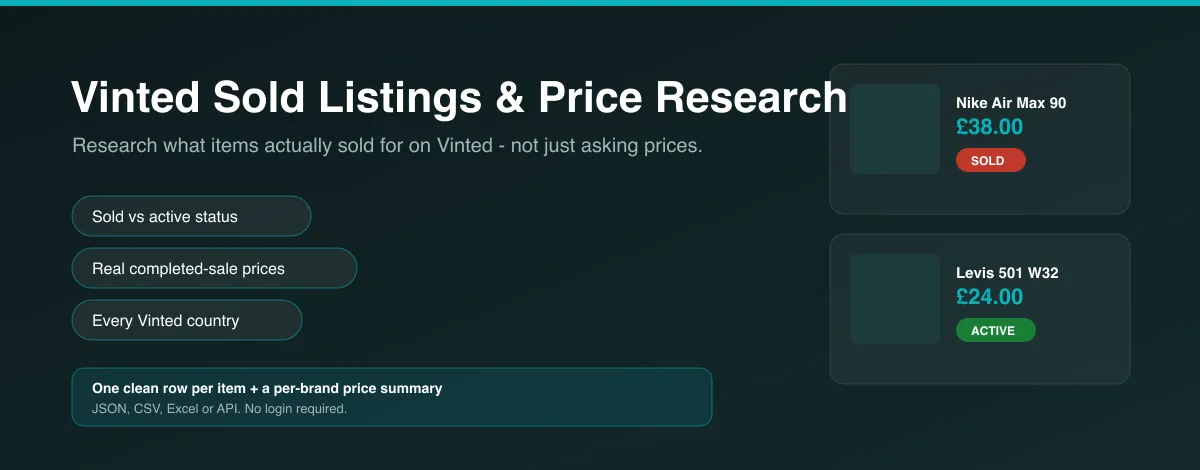
What does the Vinted Sold Listings & Price Research Scraper do?
This Actor collects Vinted listings as clean, structured rows and marks each one sold, reserved or active — so you can research what items actually sell for, not just what sellers are asking. Give it a search query (or paste Vinted URLs), pick a country marketplace, and download brand, size, condition, price, seller and images as JSON, CSV or Excel. The fastest way to try it: open the Actor, keep the default search, and press Start — the first run returns a full dataset in under a minute.
It is built for resale price research, competitor and market monitoring, sourcing and reselling, and catalogue enrichment for anyone buying or selling second-hand fashion.
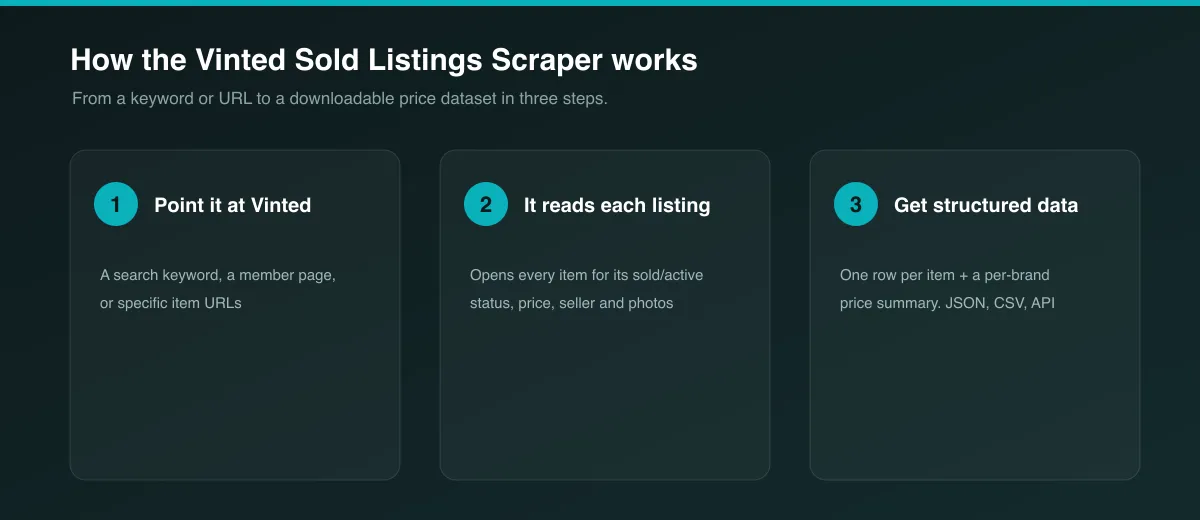
Why use the Vinted Sold Listings & Price Research Scraper?
- Real transaction data, not just asking prices. Every item is checked on its own page and labelled
sold,reservedoractive, with the price it sold at. - One platform, done properly. Deep, Vinted-specific field coverage instead of a shallow pass across several marketplaces.
- Every national marketplace. vinted.co.uk, vinted.fr, vinted.de, vinted.it and 20+ more, selectable per run.
- Clean, normalized output. One row per item, consistent field names,
nullfor anything genuinely unavailable — never guessed. - Simple input. A keyword is enough. Add brand, category, condition or a price range to narrow it down.
- Automation-ready. Schedule runs, pull results via the API, or push them to Google Sheets, Make, Zapier or Slack.
What makes this different?
Other resale scrapers on the market cover active listings only, usually spread thinly across Depop, Poshmark, Mercari and Vinted at once. This Actor does the opposite: it focuses on one marketplace and on the data those tools skip — completed sales. For each item it opens the listing page and reads Vinted's own sold/reserved/active state, so your dataset can answer "what did this actually sell for?" rather than only "what is it listed at?".
Where Vinted does not expose a browsable feed of sold items (see Known Limitations), the Actor is transparent about it and gives you two workflows that do work: track specific item URLs, or schedule a search and compare runs over time.
What data can you extract?
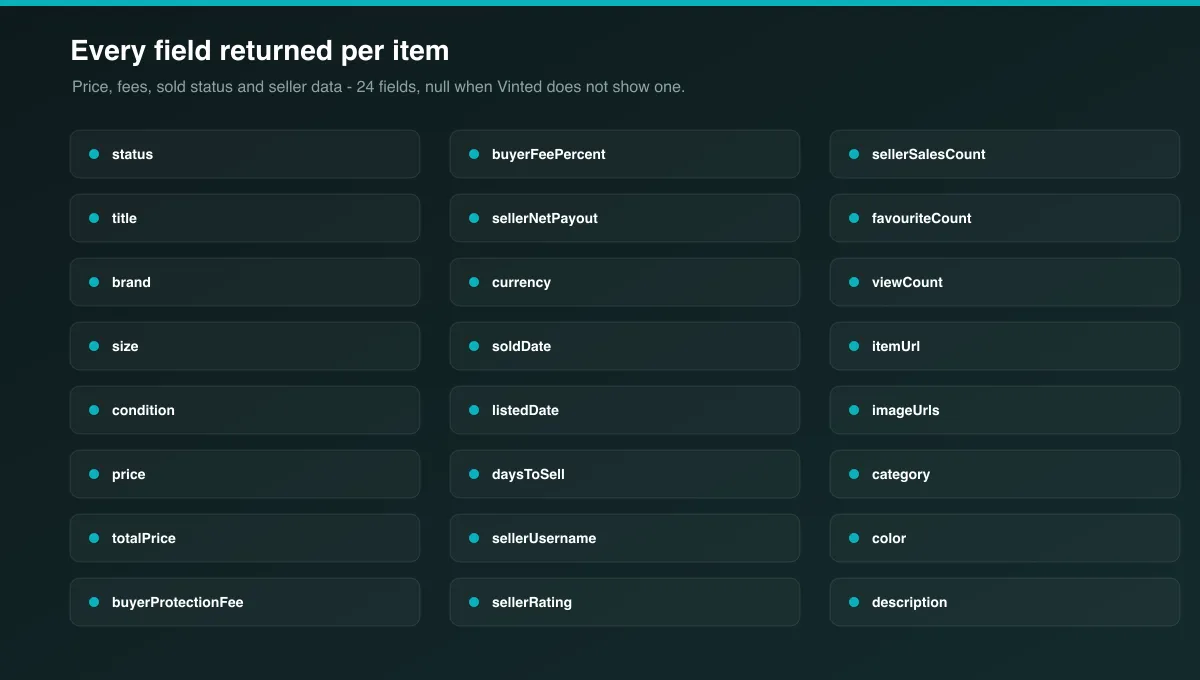
| Field | Description |
|---|---|
id | Vinted item ID |
title | Listing title |
brand | Brand name |
size | Size label as shown on Vinted |
condition | Item condition (e.g. "New with tags", "Very good") |
price | Item price set by the seller |
totalPrice | Price the buyer pays, including Vinted's Buyer Protection fee |
buyerProtectionFee | Buyer Protection fee amount (totalPrice − price) |
buyerFeePercent | Buyer Protection fee as a percentage of the item price |
sellerNetPayout | Amount the seller receives — equal to price, as Vinted takes no seller commission |
currency | ISO currency code of the marketplace |
status | sold, reserved, active, or unknown |
soldDate | Date of sale when Vinted exposes it (usually null — see limitations) |
listedDate | Date the item was listed when available (usually null — see limitations) |
daysToSell | Days between listedDate and soldDate when both are present, otherwise null |
sellerUsername | Seller's Vinted username |
sellerId | Seller's Vinted ID |
sellerRating | Seller feedback score on a 0–5 scale |
sellerSalesCount | Number of feedback entries the seller has received (a proxy for completed sales) |
favouriteCount | Number of users who favourited the item |
viewCount | View count when shown |
itemUrl | Canonical listing URL |
imageUrls | Array of full-size photo URLs |
category | Vinted category of the item |
color | Primary colour when Vinted lists one |
description | Full item description |
How to use the Vinted Sold Listings & Price Research Scraper
- Open the Actor on Apify.
- Enter a Search query (for example
nike air max 90), or add Start URLs — Vinted search pages, member pages, or individual item pages. - Choose the Vinted marketplace (country) you want prices from.
- Optionally set Brand, Category, Condition, a price range, and Max items.
- Leave Fetch full item pages on so each row gets its sold/active status.
- Press Start, then download the dataset as JSON, CSV, Excel or XML, or connect it through the API.
Input Parameters
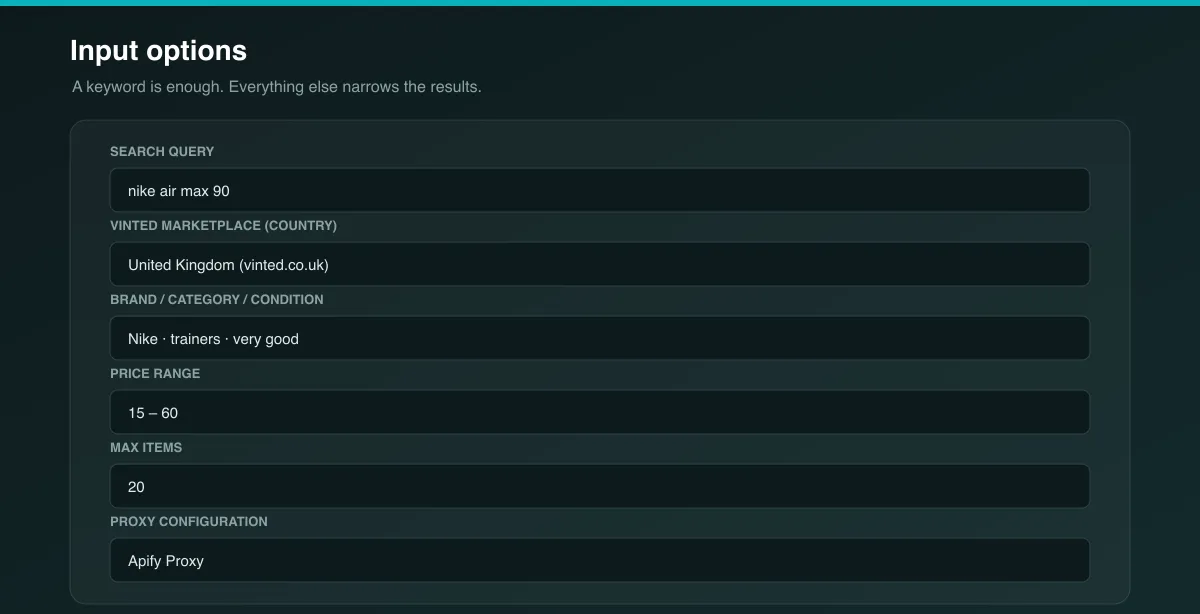
| Parameter | Type | Required | Default | Description |
|---|---|---|---|---|
searchQuery | string | One of these two | nike air max 90 | Keyword to search Vinted for. |
startUrls | array | One of these two | – | Vinted search, member or item page URLs to scrape instead of a keyword. |
countryCode | string | No | co.uk | National Vinted marketplace, e.g. fr, de, it. A full domain such as vinted.fr also works. |
brand | string | No | – | Brand name filter, added to the search query. |
category | string | No | – | Category keyword filter, added to the search query. |
condition | string | No | – | Condition keyword filter, added to the search query. |
priceMin | integer | No | – | Lowest price to include, in the marketplace currency. |
priceMax | integer | No | – | Highest price to include, in the marketplace currency. |
scrapeItemDetails | boolean | No | true | Open each item page for its sold/active status, description, category and all photos. Turn off for a faster, lighter run without status. |
maxItems | integer | No | 20 | Maximum items per search, member or start URL. |
useCache | boolean | No | false | Reuse recently collected item data to speed up repeated runs. Off by default so results are current. |
proxyConfiguration | object | Yes | Apify Proxy | Proxy settings. Datacenter is usually enough; switch to residential if runs stop returning results. |
Output Data
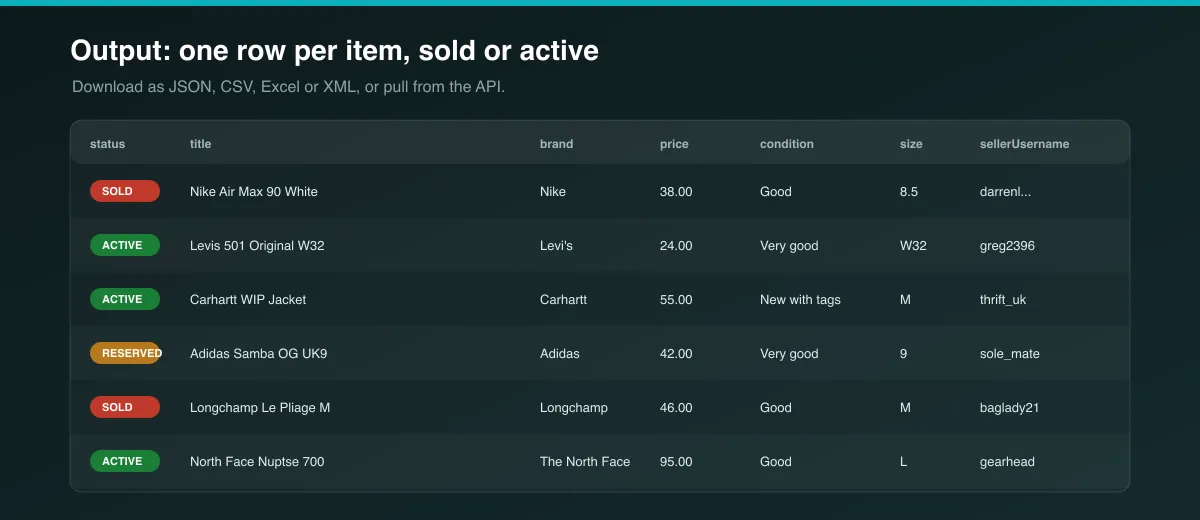
Each dataset row is one Vinted item. Example row from a nike air max 90 search on vinted.co.uk:
A sold item returns the same shape with "status": "sold" and the price it closed at.
Brand price summary
At the end of every run the Actor also writes a BRAND-PRICE-SUMMARY record to the key-value store: per-brand price aggregates (count, min, max, average, median), split into active and sold. It is a ready-made market snapshot without post-processing the dataset:
Run self-check
Each run finishes with a short self-check in the log: how many items came back active, sold, reserved or unconfirmed, plus a plain-language note if a keyword search returned no sold data (expected — see Known Limitations) or if too many items could not be confirmed (a sign to switch proxy tier). Nothing is shipped silently.
Usage Examples
Research sold prices for a specific model — track item URLs you have collected:
Market snapshot for a brand on the French marketplace:
Watch one seller's closet:
Cheap sourcing scan, cards only (faster):
Media / Downloads
The Actor collects image URLs only in the imageUrls field — it does not download photo files. Each URL points to a full-size image hosted by Vinted and can be fetched directly or passed to an image pipeline.
Tips for Best Results
- Keep Fetch full item pages on — it is what populates
status,description,categoryand the full photo set. - To build sold-price history, schedule the same search daily and compare
statusandpricebetween runs; items that leave the search and come backsoldare your completed sales. - Use Start URLs with item links for the most reliable sold data — a sold item's page stays live and keeps its final price.
- Narrow broad queries with
brand,priceMinandpriceMaxsomaxItemsis spent on relevant rows. - Match
countryCodeto the market you care about — prices, currency and available stock differ per country.
Known Limitations
- Vinted has no public "sold items" feed. Search and member listings return active items only. Sold status is read per item, so you capture it by (a) supplying item URLs, (b) scraping a member whose sold items are still linked, or (c) re-running a search on a schedule and diffing. A one-off keyword search will mostly return
activerows — this is a Vinted constraint, not a bug. - No sale timestamps. Vinted does not publish when an item was listed or when it sold, so
soldDateandlistedDateare usuallynull, and a days-to-sell figure cannot be calculated reliably. When both dates are ever present, the Actor keeps them as-is. - Deep pagination is capped. Vinted stops serving results after roughly 100 pages on broad queries; very large exports should be split by brand, category or price band.
- Brand, category and condition are keyword filters, merged into the search text rather than Vinted's internal filter IDs. They narrow results but are not an exact facet match.
- Rate limiting. Vinted throttles heavy traffic from a single IP. The Actor refreshes its session and retries automatically; large runs are more reliable on a residential proxy.
- Fields can be
nullwhen Vinted does not show them for a given item (common forcolor,viewCount, andconditionon sparse listings). Missing values are never guessed. - No cross-platform eBay comparison. A Vinted-vs-eBay sold-price layer was scoped but not included: eBay's completed/sold data is only available through its Marketplace Insights API, which is a limited-access programme requiring partner approval, not something a standard developer account can call. Rather than ship an unreliable eBay scrape, this Actor stays single-platform and accurate.
Integrations
Connect results through the Apify platform: the REST API, webhooks, scheduled runs, and native integrations with Google Sheets, Make, Zapier, Slack, Airbyte and more.
Export Formats
Download the dataset as JSON, CSV, Excel or XML from the Dataset tab, or pull it from the Apify API.
Frequently Asked Questions
Does this return sold prices or just active listings?
Both. Every item is labelled sold, reserved or active. Because Vinted does not offer a browsable sold-items list, a plain keyword search returns mostly active rows; use item URLs or scheduled diffing to build a set of sold records (see Known Limitations).
Which Vinted countries are supported?
All national marketplaces, including the UK, France, Germany, Italy, Spain, Netherlands, Belgium, Poland, Portugal, Lithuania, Czechia, and the US. Set countryCode per run.
Can I scrape specific listings or a seller's items?
Yes. Put Vinted item URLs or a member URL in startUrls. Item URLs are the most reliable source of sold data.
How many items can I get per run?
As many as maxItems per search, member or start URL. Vinted's own pagination cap (~100 pages) applies to very broad queries.
Why are some fields null?
Vinted does not display every field on every listing. The Actor writes null rather than inventing a value. soldDate and listedDate are null for almost all items because Vinted does not publish those dates.
How do duplicates get handled?
Items are de-duplicated by Vinted item ID within a run, so the same listing is never returned twice.
Can I schedule this?
Yes. Use Apify's scheduler to run the Actor on an interval and build a price history by comparing datasets.
What does "Use cache" do?
When enabled, recently collected item data is reused instead of re-fetched, which speeds up repeated runs. It is off by default so results always reflect the current state of each listing.
Is the data fresh?
Each row reflects the listing at the moment it was scraped. Prices, favourites and status change over time, so re-run for current figures.
Support
Something not working or a field you need that is missing? Open an issue on the Actor's Issues tab in the Apify Console with the input you used, and it will be looked at quickly.
Legal / Responsible Use
This Actor collects publicly available data from Vinted. You are responsible for using the Actor and its output in compliance with Vinted's Terms of Service, applicable laws, and any data-protection rules that apply to you. The output can include public seller usernames and profile data — where that constitutes personal data, you are responsible for handling it in line with applicable privacy law (such as the GDPR or CCPA). Do not use the data in ways that infringe the rights of sellers or buyers.


