

Google and YouTube Ads Transparency Scraper
Pricing
from $2.00 / 1,000 ad returneds
Google and YouTube Ads Transparency Scraper
Returns every ad an advertiser is running across Google Search, Display, Shopping, Maps and YouTube, straight from Google's own Ads Transparency Center.
Pricing
from $2.00 / 1,000 ad returneds
Rating
0.0
(0)
Developer

MrDoe
Maintained by CommunityActor stats
0
Bookmarked
2
Total users
1
Monthly active users
a day ago
Last modified
Categories
Share
What does Google & YouTube Ads Transparency Scraper do?
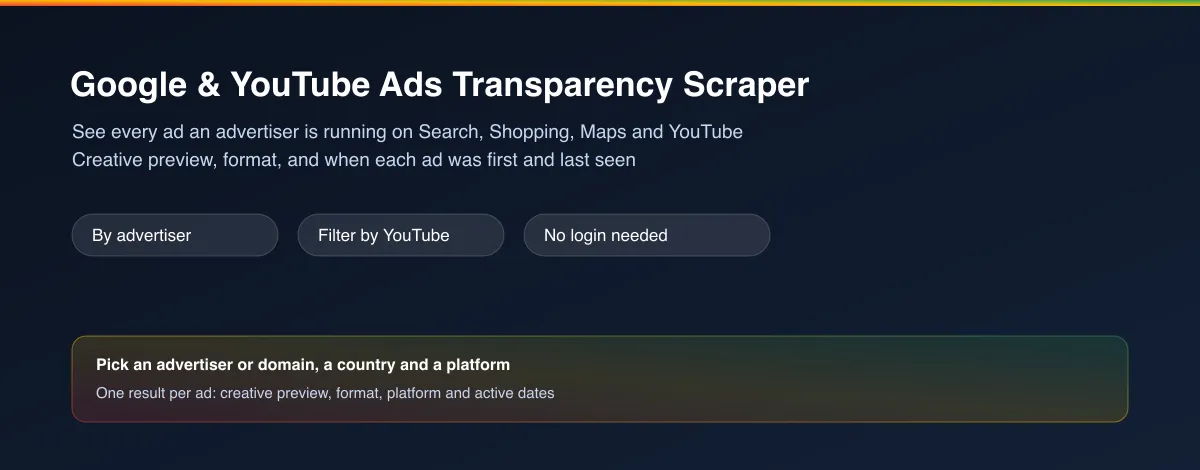
Google & YouTube Ads Transparency Scraper returns every ad an advertiser is currently running across Google's ad network - Search, Shopping, Maps, Google Play, and YouTube - as clean structured data. For each ad you get its creative preview, its format, which platform it ran on, and when it was first and last shown. No login, no Google account needed.
Why use Google & YouTube Ads Transparency Scraper?
- No Google account needed - works fully logged out, every run.
- Covers YouTube specifically - filter down to just the ads an advertiser runs on YouTube, or see every Google surface at once.
- Look up by domain or by a specific advertiser - search by the website an advertiser's ads point to, or target one exact advertiser account when a brand name is shared by several.
- Creative preview included - an image or an embeddable preview for every ad, not just a text description.
- Activity dates on every ad - know exactly when an ad started running and when it was most recently shown.
What makes this different
Most "ad transparency" lookups stop at a single advertiser page you have to click through by hand. This Actor pulls every one of an advertiser's ads - across every Google surface, or narrowed to YouTube alone - directly into structured rows, so you can review a competitor's or a brand's entire current ad activity in a spreadsheet in one pass.
Who uses Google & YouTube Ads Transparency Scraper?
- Performance marketers and ad agencies - see exactly what a competitor's current Google and YouTube ads look like before planning new creative.
- Brand and PR teams - monitor what messaging a competitor or partner brand is running across Google's ad surfaces right now.
- Market researchers and consultants - pull a structured record of an industry's current Google advertising activity for a client report.
- Media buyers - compare how many ad formats and how long a competitor has kept specific creative running as a signal of what's working for them.
How it works
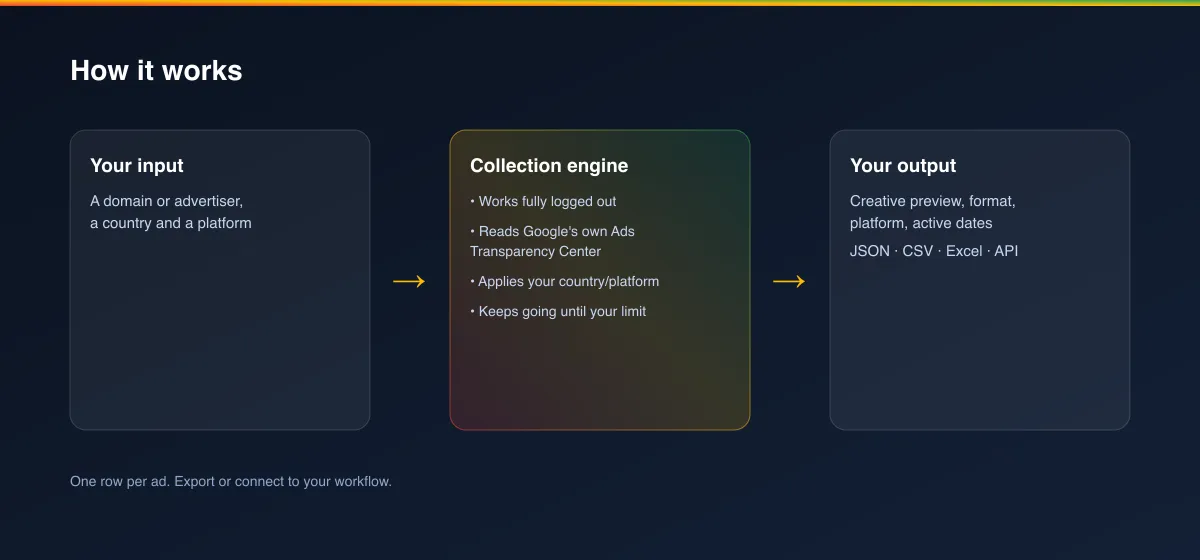
- Your input - an advertiser's website domain, or a specific advertiser ID, plus a country and (optionally) a platform to narrow to.
- The Actor collects it - it reads Google's own Ads Transparency Center for that advertiser, works fully logged out, and keeps going until it has every ad, up to your limit.
- Your output - one structured record per ad, with its creative preview and activity dates, ready for a spreadsheet, dashboard or report.
What data can you extract?
| Field | Description |
|---|---|
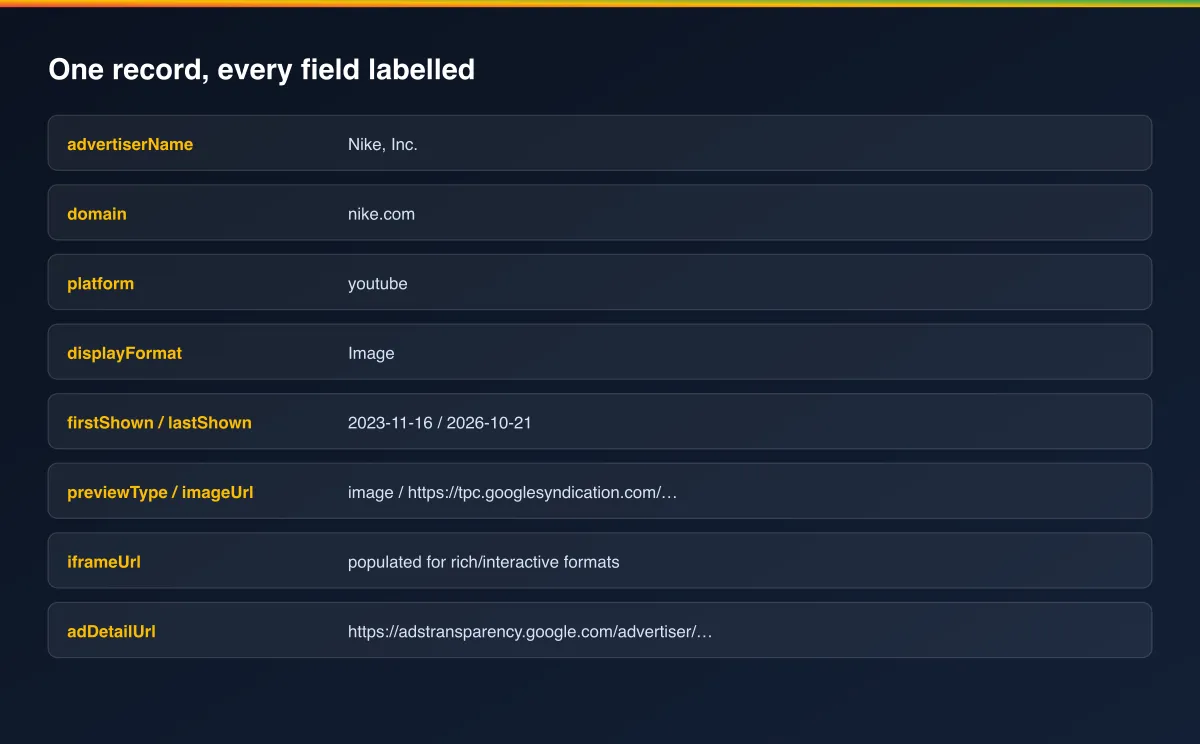
advertiserId / advertiserName | The advertiser's ID and display name on Google's Ads Transparency Center |
domain | The website domain this ad links to |
country | The market/region this result applies to |
platform | Which Google surface you filtered to (all, youtube, search, shopping, maps, play) |
displayFormat | The ad's format: Text, Image or Video |
firstShown / lastShown | When Google's own records show this ad as first and most recently shown |
previewType | "image" for a static preview, "iframe" for a rich/interactive preview |
imageUrl | The ad's preview image, when available |
iframeUrl | An embeddable preview URL for rich/interactive ad formats |
adDetailUrl | Direct link to view this exact ad on Google's own Ads Transparency Center |
scrapedAt | When this record was collected (ISO timestamp) |
How to use Google & YouTube Ads Transparency Scraper
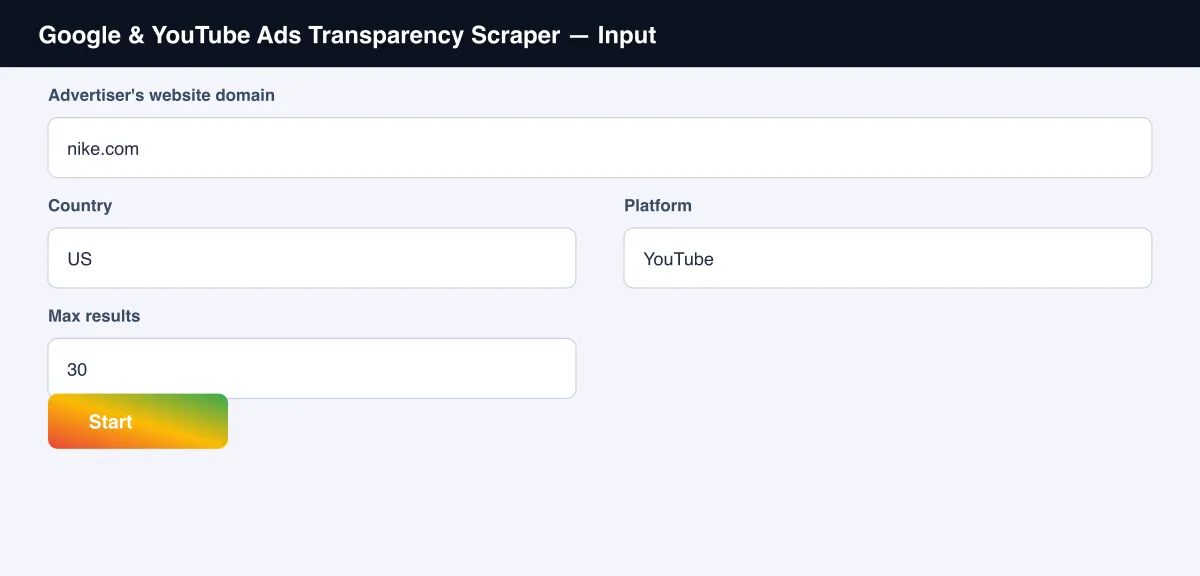
- Open the Actor and go to the Input tab.
- Enter an Advertiser's website domain (e.g.
nike.com), or leave it empty and use Advertiser ID instead (see the screenshot below). - Set Country and, optionally, Platform (e.g. YouTube).
- Optionally set Max results.
- Click Start.
- Open the Dataset tab, or pull results via the API, once the run finishes.
Input Parameters
| Parameter | Type | Required | Default | Description |
|---|---|---|---|---|
domain | String | No* | "nike.com" | A website domain the advertiser's ads link to |
advertiserId | String | No* | - | A specific advertiser ID, takes priority over domain |
country | String | No | "US" | A 2-letter country code |
platform | String | No | "all" | "all", "youtube", "search", "shopping", "maps" or "play" |
maxItems | Integer | No | 30 | Maximum number of ads to return |
proxyConfiguration | Object | No | Apify Proxy | Advanced - leave as default unless you have a reason to change it |
*Provide either domain or advertiserId - if both are empty the run has nothing to search for.
Output Data
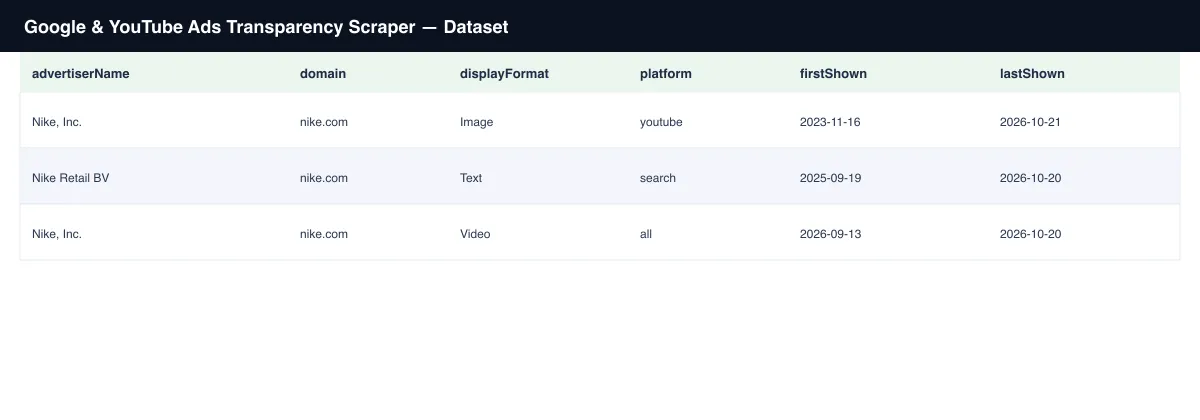
Each ad produces one dataset record. Example:
Usage Examples
- YouTube-only competitor check - set
domainandplatform: "youtube"to see exactly what a competitor is running on YouTube right now. - Full-surface audit - leave
platformas"all"to see a competitor's complete current ad activity across Search, Shopping, Maps and YouTube in one run. - Multi-market comparison - run the same
domainacross a fewcountryvalues to see how a brand's ad activity differs by market. - Precise advertiser targeting - use
advertiserIdinstead ofdomainwhen a brand name is shared by multiple regional entities (e.g. several country-specific "Adidas" accounts).
Tips for Best Results
- Use
advertiserIdwhenever you have it - a domain can match several advertiser accounts at once (common for large brands with regional entities), while an advertiser ID is exact. platform: "youtube"doesn't mean every result is a video ad - advertisers also run text and image ads alongside YouTube content, anddisplayFormattells you which.- Run the same
domain/advertiserIdon a schedule to catch new creative as it launches.
Known Limitations
- Returns the ads Google's own Ads Transparency Center currently discloses for the given advertiser, market and platform - not every ad ever run historically.
- This Actor cannot surface view/impression/spend numbers for ordinary ads - Google itself does not publish those figures outside its separate political-ads transparency report.
- Preview image/iframe URLs are served from Google's own ad-serving infrastructure and may change over time; download or re-host them promptly if you need to keep a copy.
Integrations
Connect Google & YouTube Ads Transparency Scraper to the rest of your stack via the Apify API, webhooks, scheduled runs, or directly to Google Sheets, Make, and Zapier through Apify's built-in integrations.
Export Formats
Download results as JSON, CSV, Excel, or XML from the Dataset tab, or fetch them programmatically via the Apify API.
Frequently Asked Questions
Do I need a Google account or to log in?
No. Every run works fully logged out.
What's the difference between domain and advertiserId?
domain finds ads from every advertiser account linking to that website, which can include
more than one entity for a large brand. advertiserId targets one exact advertiser account.
Can I see only YouTube ads?
Yes - set platform to "youtube". Set it to "all" to see every Google surface at once.
Why don't I see view counts or spend figures?
Google only discloses those figures for political/issue ads in a separate transparency report. For ordinary commercial ads, Google itself doesn't publish that data.
Can I schedule this to run automatically?
Yes, use Apify's built-in Scheduler to re-check an advertiser on any interval you choose.
Support
Found an issue or have a request? Open it on the Actor's Issues tab in the Apify Console.
Legal / Responsible Use
You're responsible for using this Actor in compliance with applicable laws and the target platform's terms of service. This Actor retrieves publicly viewable ad information only; it does not collect personal data.


