

Movie & TV Reviews Scraper
Pricing
from $1.50 / 1,000 results
Movie & TV Reviews Scraper
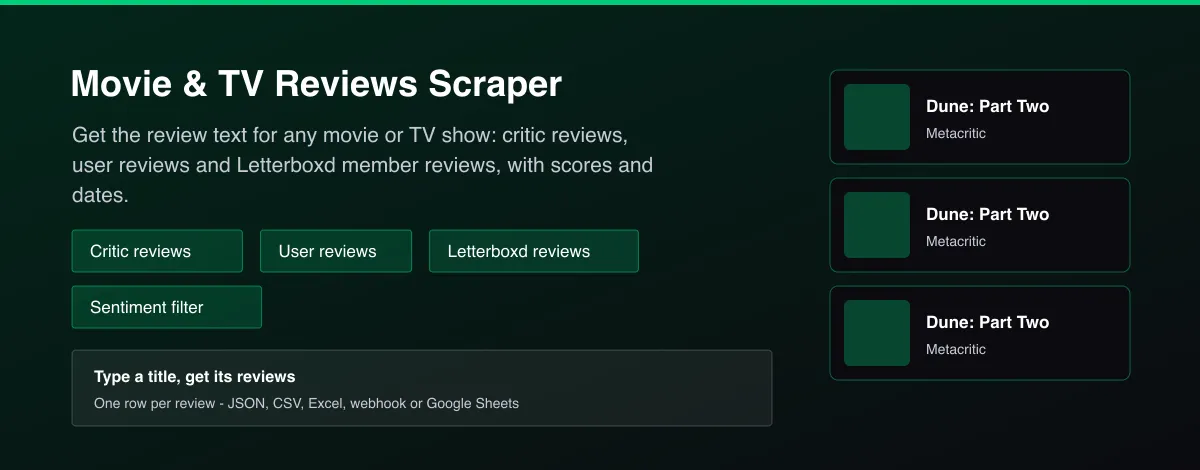
Movie and TV review text in one dataset: Metacritic critic reviews with publication and link, Metacritic user reviews and Letterboxd member reviews, with scores, dates and sentiment filters. Search by title. No login.
Pricing
from $1.50 / 1,000 results
Rating
0.0
(0)
Developer

MrDoe
Maintained by CommunityActor stats
0
Bookmarked
1
Total users
0
Monthly active users
6 days ago
Last modified
Categories
Features
Share
What does Movie & TV Reviews Scraper do?
Movie & TV Reviews Scraper takes movie or TV show titles and returns the review text for each one, one row per review. It reads Metacritic critic reviews with the publication name, score, date and a link to the full review, Metacritic user reviews with the member score, and Letterboxd member reviews with the star rating, likes and spoiler flag. Every score is also given on a 0 to 100 scale so critic and audience opinions can be compared. Filter Metacritic reviews by positive, mixed or negative sentiment, sort by newest or highest score, and limit how many reviews to collect per source.
Why use Movie & TV Reviews Scraper?
- Read what critics and audiences actually say, not just the score.
- Compare critic, Metacritic user and Letterboxd opinions of the same title side by side.
- Filter to negative or positive reviews to study praise and complaints.
- Works for movies and TV shows, with an optional year to pick the right version.
- Clean rows for sentiment analysis, research and review dashboards.
What makes this different
Critic and audience reviews from three sources are returned in one format with a shared 0 to 100 score, so a critic review and a Letterboxd review of the same title can be analysed together.
How it works
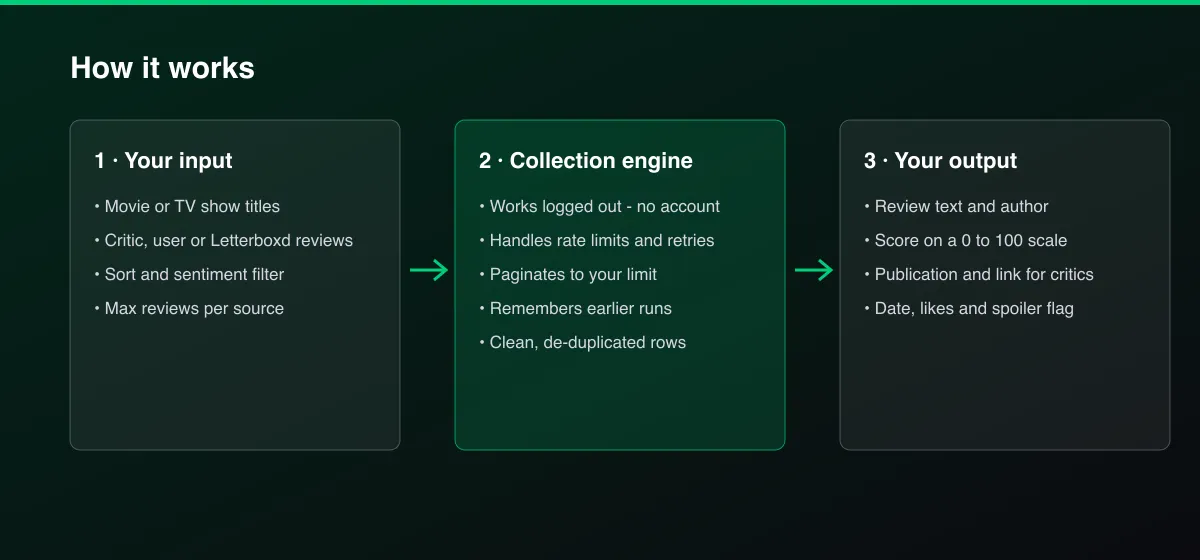
- Your input — type one or more movie or TV show titles and choose the review types.
- The Actor collects it — the Actor finds each title and reads its reviews from the sources you selected.
- Your output — you get one clean row per review with the text, score, author and date.
What data can you extract?
The dataset has 18 fields per row:
| Field | Type | Description |
|---|---|---|
id | string | Review ID. |
movieTitle | string | Title of the movie or TV show. |
movieYear | integer | Release year. |
movieType | string | movie or tv. |
imdbId | string | IMDb title ID. |
imdbUrl | string | IMDb page. |
source | string | Metacritic or Letterboxd. |
reviewType | string | critic or user. |
author | string | Critic name or member display name. |
publication | string | Publication of a critic review. |
score | number | Score on the source's own scale. |
scoreMax | integer | Highest possible score on that scale. |
scoreOutOf100 | integer | Score converted to a 0 to 100 scale. |
text | string | Review text. |
date | string | Review date. |
reviewUrl | string | Link to the full review or the member's page. |
likes | integer | Number of likes; Letterboxd only. |
containsSpoiler | boolean | True when the review is marked as a spoiler. |
How to use Movie & TV Reviews Scraper
- Open the Actor and go to the Input tab.
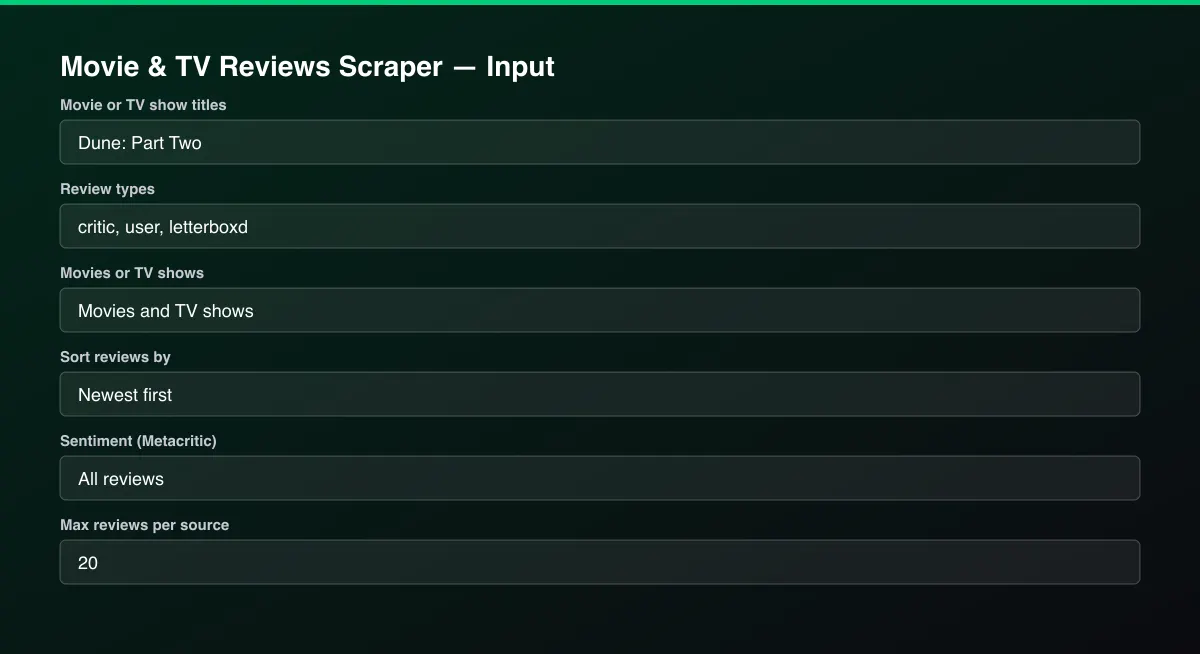
- Enter one or more Movie or TV show titles, choose the Review types and set Max reviews per source.
- Optionally set filters and a Max results limit.
- Click Start. A default run finishes in under a minute.
- Open the Output tab, then download the dataset or connect it to your tools.
Input Parameters
| Parameter | Type | Required | Default | Description |
|---|---|---|---|---|
titles | array | Yes | ["Dune: Part Two"] | One title per line, for example "Dune: Part Two" or "Breaking Bad". Add a year to pick the right version, for example "Dune (2021)". Every title in this list is read; the review limit below applies to each source of each title. |
reviewTypes | array | No | ["critic","user","letterboxd"] | Critic reviews are written by professional critics and carry the publication name and a link. User reviews come from Metacritic members. Letterboxd reviews are from Letterboxd members and cover films only. |
mediaType | string | No | "any" | Look for movies only, TV shows only, or both. |
sortBy | string | No | "newest" | Newest first, or highest score first. |
sentiment | string | No | "all" | Only Metacritic reviews that are positive, mixed or negative. Letterboxd reviews are not filtered. |
maxReviewsPerSource | integer | No | 20 | Stop after this many reviews from each source (critic, user, Letterboxd) for each title. Up to 500. |
proxyConfiguration | object | No | {"useApifyProxy":false} | Optional. Works without a proxy for normal use; turn on Apify Proxy for very large lists. |
Output Data
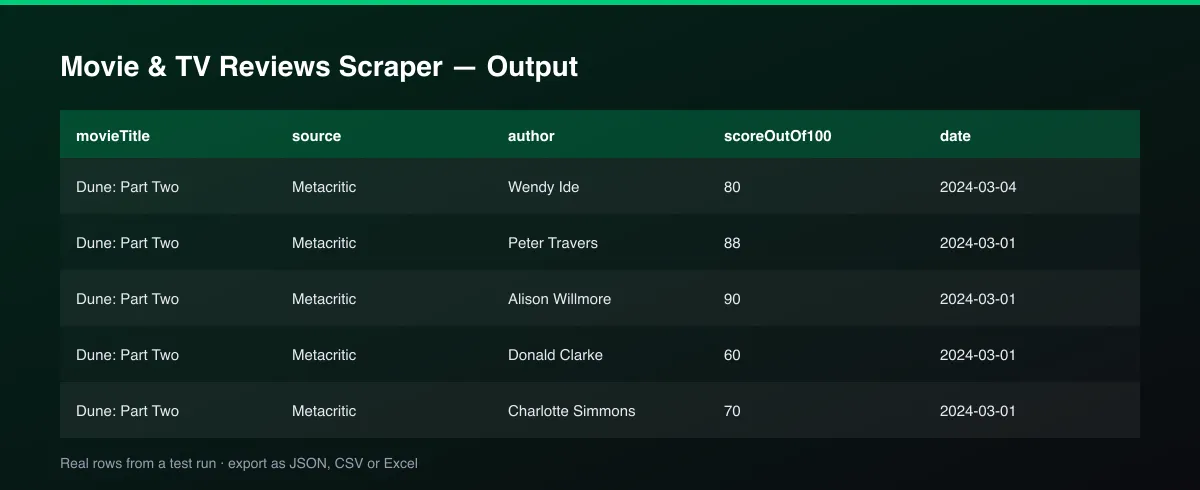
text is the review text. score is on the source's own scale (scoreMax), and scoreOutOf100 puts every score on a 0 to 100 scale. Critic rows have a publication and a reviewUrl to the full review. likes is only available for Letterboxd. containsSpoiler is true when the review is marked as a spoiler. Fields that do not apply are null.
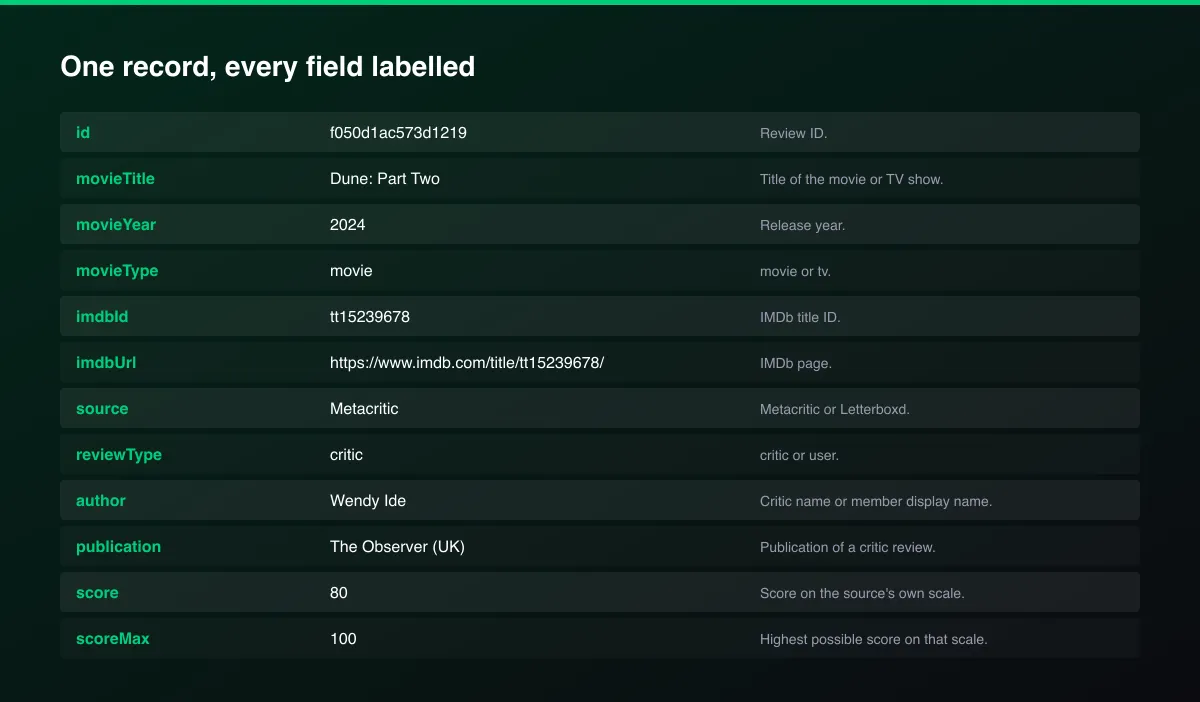
A real dataset item:
Usage Examples
All review types for one film
Negative critic and user reviews
TV show critic reviews, highest first
Tips for Best Results
- Add the year, for example Dune (2021), when several films share a name.
- Use the sentiment filter to collect only the reviews that criticise a title.
- Set Max reviews per source high, up to 500, to build a review dataset for analysis.
- Deselect review types you do not need to keep runs short.
Known Limitations
- Rotten Tomatoes review text is not included.
- Metacritic critic reviews are short quotes, with a link to the full review on the critic's own site.
- Letterboxd covers films only, so TV shows have no Letterboxd reviews.
- Very new or obscure titles may have few or no reviews.
- Reviews are user-written content; you are responsible for how you use it.
Integrations
Run it from the Apify API, on a schedule, or from a webhook. Send results straight to Google Sheets, Make, Zapier, Slack or your own database with Apify's built-in integrations.
Export Formats
Download the dataset as JSON, CSV, Excel, XML, HTML table or RSS from the Output tab or the API.
Frequently Asked Questions
How do I get the text of movie reviews?
Enter the movie title, keep the review types you want and run the Actor. Each row is one review with its text, score, author and date.
Does it include critic reviews?
Yes. Metacritic critic reviews come with the publication name, the score, the date and a link to the full review.
Can I get only negative reviews?
Yes. Set Sentiment to Negative only. It applies to Metacritic critic and user reviews.
How many reviews can I get?
The default is 20 per source for each title and you can raise it to 500.
Does it work for TV shows?
Yes. Set Movies or TV shows to TV shows only, or leave it on both. Letterboxd has no TV shows.
How fresh is the data?
Reviews are read live on every run.
Do I need an account or login?
No. The Actor collects public reviews and needs no account, cookies or API key.
Am I charged for failed runs or empty results?
You are only charged for results that are actually written to the dataset.
Can I run it on a schedule?
Yes. Create a Task with your input and add a schedule in Apify Console. With monitor mode on, each scheduled run returns only what changed since the previous one.
Support
Questions or a missing field? Open an issue from the Issues tab on this Actor's page and it will be looked at.
Legal / Responsible Use
You are responsible for using the collected data in line with the terms of the review sites and applicable law. Reviews are written by their authors, and usernames are public display names, so handle them in line with privacy rules such as GDPR. The Actor is not affiliated with Metacritic, Letterboxd or IMDb.


