

NASCAR Race Results, Schedules & Points
Pricing
from $1.00 / 1,000 results
NASCAR Race Results, Schedules & Points
NASCAR Cup, O'Reilly Auto Parts and Truck series: season schedules with winners, pole sitters, cautions and lead changes, plus full finishing orders with laps led, points and playoff points per driver.
Pricing
from $1.00 / 1,000 results
Rating
0.0
(0)
Developer

MrDoe
Maintained by CommunityActor stats
0
Bookmarked
2
Total users
1
Monthly active users
6 days ago
Last modified
Categories
Share
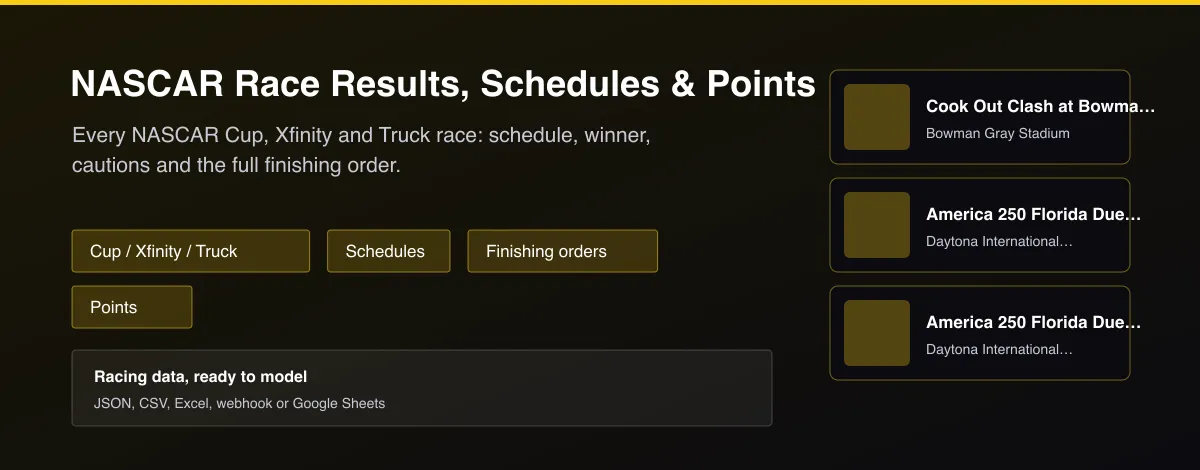
What does NASCAR Race Results, Schedules & Points do?
NASCAR Race Results, Schedules & Points returns season data for the NASCAR Cup, O'Reilly Auto Parts (Xfinity) and Craftsman Truck series. Choose Races for one row per race with the date, track, winner, pole winner, cautions, lead changes and average speed, or Results for one row per driver per completed race with finishing and starting position, laps led, points, playoff points, team and finishing status. Past seasons are available too, no login needed.
Why use NASCAR Race Results, Schedules & Points?
- All three national series in one Actor.
- Schedule and results from the same source.
- Full finishing order with laps led and points.
- Cautions, lead changes and pole winner per race.
- Any season, free of login and API keys.
What makes this different
Most NASCAR data is locked in slow race-by-race web pages or paid stats feeds. This Actor returns whole seasons as flat tables, with the finishing order, points and race facts side by side so it drops straight into a model or a sheet.
How it works
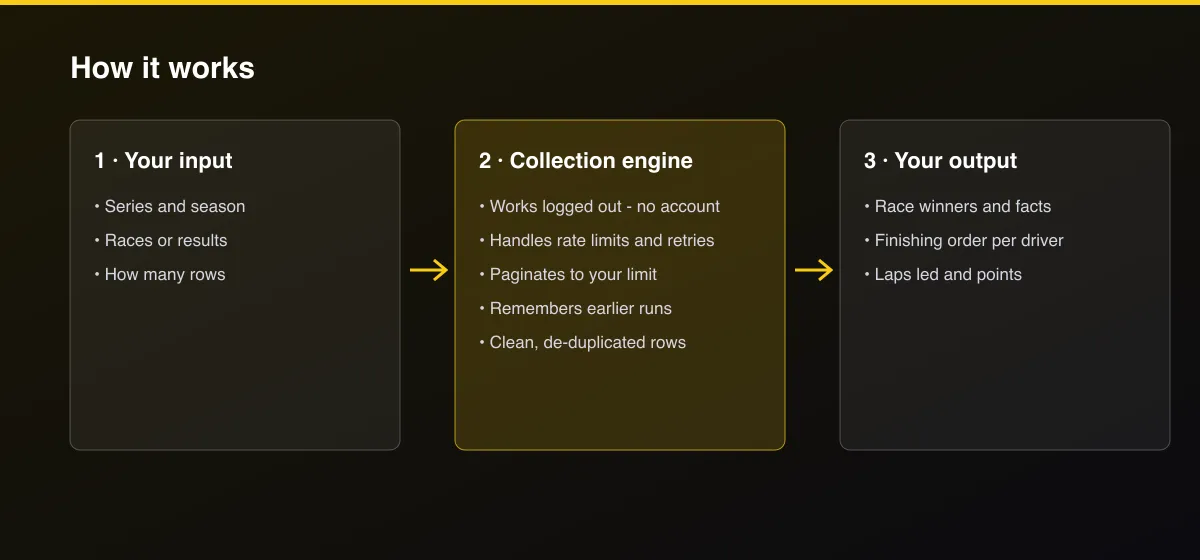
- Your input — choose the series, season and Races or Results.
- The Actor collects it — the Actor reads the season schedule and each completed race.
- Your output — you get one row per race or per driver finish.
What data can you extract?
The dataset has 45 fields per row:
| Field | Type | Description |
|---|---|---|
raceId | integer | NASCAR race ID. |
series | string | Series name. |
season | integer | Season year. |
name | string | Race name. |
track | string | Track name. |
trackId | integer | Track ID. |
raceDate | string | Scheduled race start as published (Eastern time). |
raceDateUtc | string | Race start as an ISO timestamp, treated as UTC. |
qualifyingDate | string | Qualifying start as published. |
scheduledLaps | integer | Scheduled laps. |
scheduledMiles | number | Scheduled distance in miles. |
completed | boolean | True once the race has a winner. |
winner | string | Race winner. |
winnerDriverId | integer | Winner's driver ID. |
poleWinner | string | Pole winner. |
fieldSize | integer | Cars in the field. |
leadChanges | integer | Number of lead changes. |
cautions | integer | Number of cautions. |
cautionLaps | integer | Laps run under caution. |
averageSpeedMph | number | Average race speed in mph. |
raceTime | string | Total race time. |
marginOfVictory | string | Margin of victory. |
television | string | TV broadcaster. |
radio | string | Radio broadcaster. |
playoffRound | integer | Playoff round, 0 outside the playoffs. |
recap | string | Short official recap. |
race | string | Results rows: race name. |
finishPosition | integer | Finishing position. |
startPosition | integer | Starting position. |
carNumber | string | Car number. |
driver | string | Driver name. |
driverId | integer | Driver ID. |
team | string | Team. |
make | string | Manufacturer. |
sponsor | string | Primary sponsor. |
lapsCompleted | integer | Laps completed. |
lapsLed | integer | Laps led. |
points | integer | Points earned. |
playoffPoints | integer | Playoff points earned. |
pointsPosition | integer | Points standing after the race. |
status | string | Finishing status, for example Running or Accident. |
crewChief | string | Crew chief. |
owner | string | Car owner. |
qualifyingPosition | integer | Qualifying position. |
hometown | string | Driver hometown. |
How to use NASCAR Race Results, Schedules & Points
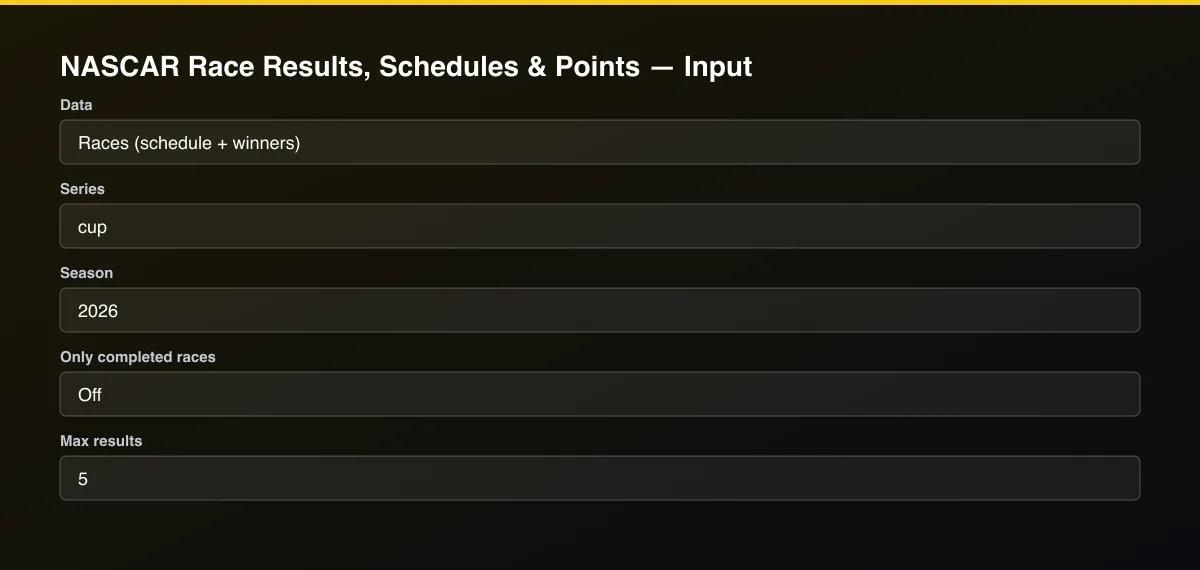
- Open the Actor and go to the Input tab.
- Pick a Series and Season, choose Races or Results, and press Start. Set Max results to 0 for the whole season.
- Optionally set filters and a Max results limit.
- Click Start. A default run finishes in under a minute.
- Open the Output tab, then download the dataset or connect it to your tools.
Input Parameters
| Parameter | Type | Required | Default | Description |
|---|---|---|---|---|
dataType | string | No | "races" | Race schedule with winners and race facts, or the full finishing order of completed races. |
series | array | No | ["cup"] | NASCAR national series to include: cup, xfinity, truck. |
season | string | No | "2026" | Four-digit season year, for example 2025. Leave empty for the current season. |
onlyCompleted | boolean | No | false | Races data only: skip races that have not been run yet. |
maxResults | integer | No | 5 | Maximum number of rows returned. Default is 5 for a quick test; set 0 to return everything available. |
proxyConfiguration | object | No | {"useApifyProxy":false} | Optional. The data is public and works without a proxy. |
Output Data
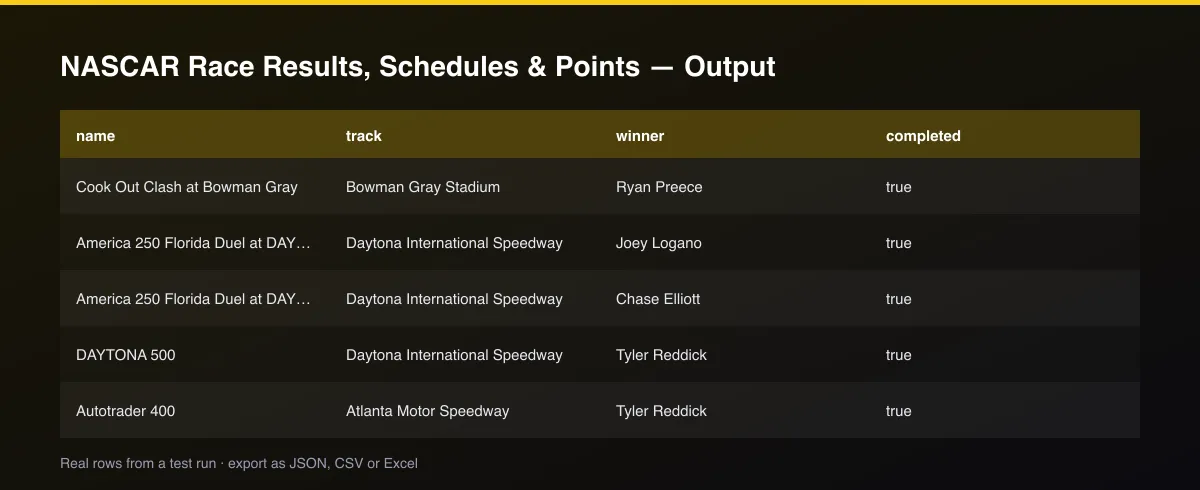
Races rows carry winner, poleWinner, cautions, leadChanges and completed. Results rows carry finishPosition, startPosition, lapsLed, points, playoffPoints, pointsPosition and status for each driver.
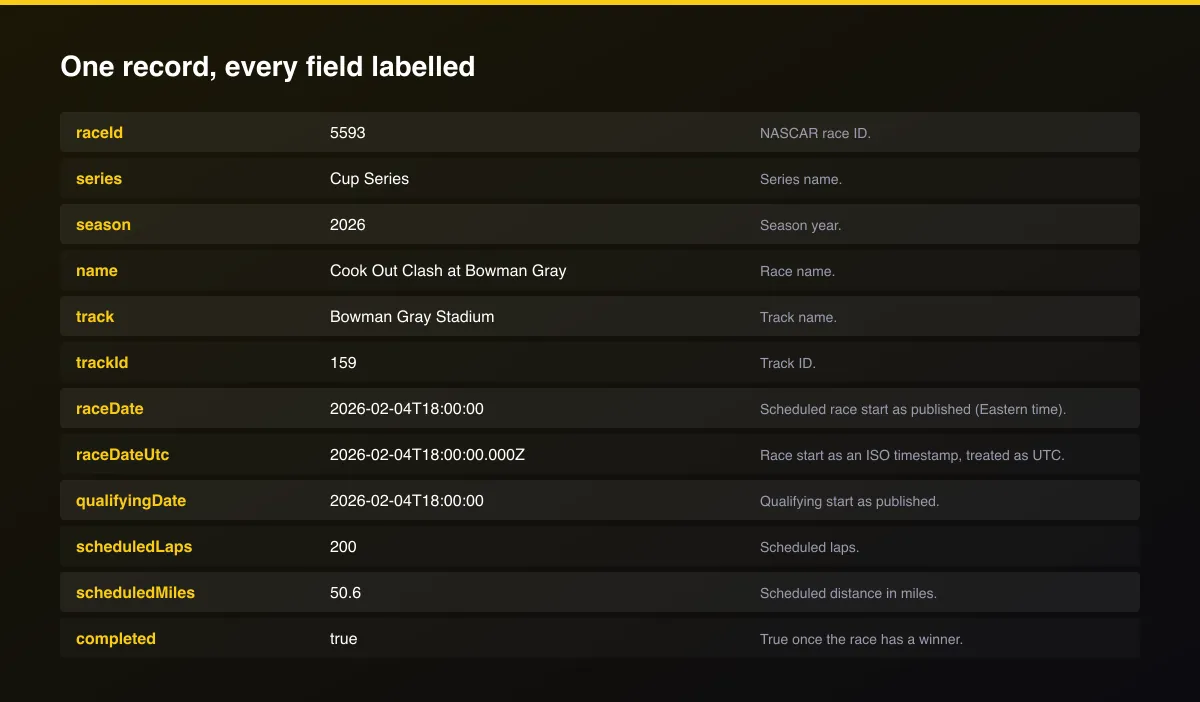
A real dataset item:
Usage Examples
2025 Cup schedule and winners
Latest Cup race finishing order
All three series, completed races
Tips for Best Results
- Default is 5 results for a fast test. Set the max to 0 to return everything available.
Known Limitations
- Race times are published in Eastern time without a zone;
raceDateUtcis an approximation and the original text is inraceDate. - Results are fetched newest race first, one request per race, so a whole season of results takes longer than a schedule.
- Prize money and lap-by-lap timing are not included.
- A season has data only once its schedule is published.
Integrations
Run it from the Apify API, on a schedule, or from a webhook. Send results straight to Google Sheets, Make, Zapier, Slack or your own database with Apify's built-in integrations.
Export Formats
Download the dataset as JSON, CSV, Excel, XML, HTML table or RSS from the Output tab or the API.
Frequently Asked Questions
Does it need an account or API key?
No. The Actor reads public data and needs no account or key.
Am I charged for failed results?
No. You are only charged for results that are written to the dataset.
Do I need an account or login?
No. The Actor reads public data and needs no account or key.
Am I charged for failed runs or empty results?
You are only charged for results that are actually written to the dataset.
Can I run it on a schedule?
Yes. Create a Task with your input and add a schedule in Apify Console. With monitor mode on, each scheduled run returns only what changed since the previous one.
Support
Questions or a missing field? Open an issue from the Issues tab on this Actor's page and it will be looked at.
Legal / Responsible Use
You are responsible for using the data in line with the source's terms and applicable law. The Actor collects publicly available data only and is not affiliated with the source.


