

NFL Player Stats, Snap Counts & Depth Charts
Pricing
Pay per event
NFL Player Stats, Snap Counts & Depth Charts
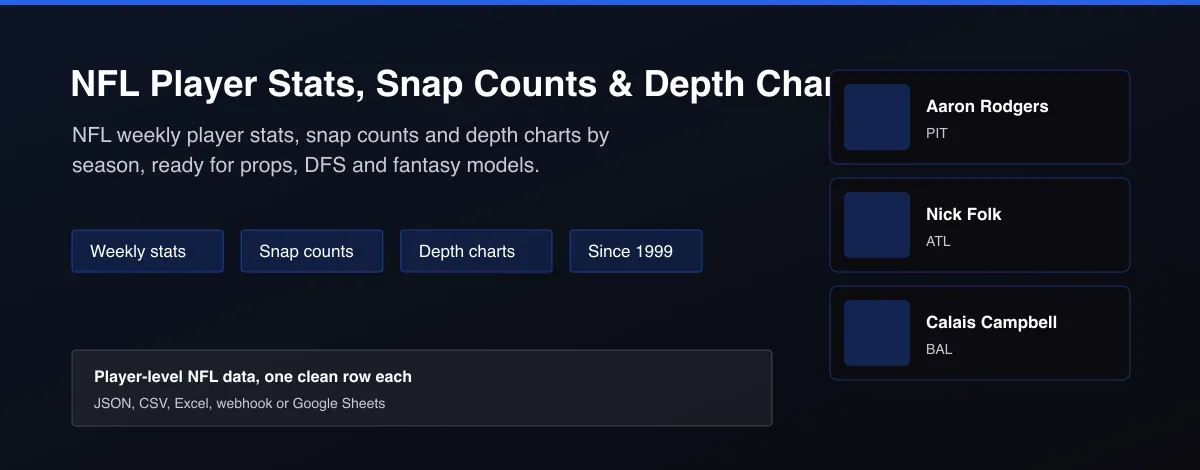
NFL weekly player stats (passing, rushing, receiving, fantasy points), snap counts and snap percentages, and team depth charts by season since 1999. Filter by week, team, position or player. No login.

What does NFL Player Stats, Snap Counts & Depth Charts do?
NFL Player Stats, Snap Counts & Depth Charts returns player-level NFL data by season as flat rows. Weekly stats give every player's game with a stats object covering passing, rushing, receiving, kicking, defense and fantasy points. Snap counts give offensive, defensive and special-teams snaps with snap percentage for each game. Depth charts give each team's depth chart slot and rank per position. Choose seasons since 1999, and filter by week, team, position or player name.
Why use NFL Player Stats, Snap Counts & Depth Charts?
- Three player-level data sets in one Actor with one identity layout.
- Full weekly stat lines, not only fantasy totals.
- Snap share for usage and prop models.
- Depth chart slots for lineup and injury replacement research.
- Works logged out; no key needed.
What makes this different
Player-level NFL data usually means large downloads that need cleaning. This Actor returns filtered, ready-to-use rows: pick a team, position or player and get only those rows, with stats grouped into one object and consistent player, team and opponent fields.
How it works
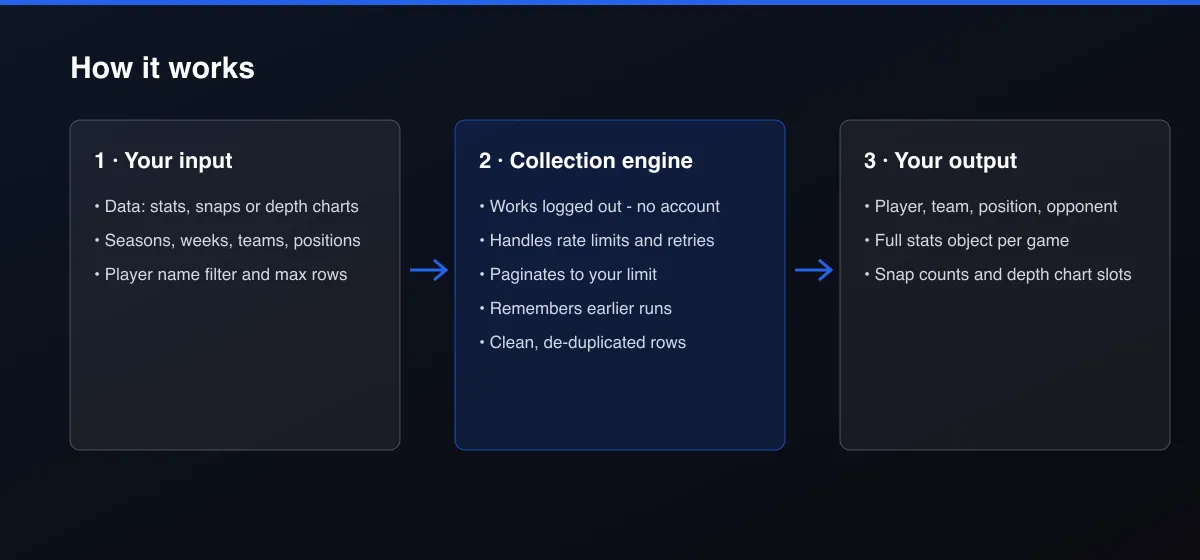
- Your input — choose the data, seasons and optional team, position or player filters.
- The Actor collects it — the Actor loads the published season data and applies your filters.
- Your output — you get one clean row per player game or depth chart slot.
What data can you extract?
The dataset has 16 fields per row:
| Field | Type | Description |
|---|---|---|
dataType | string | weekly-stats, snap-counts or depth-charts. |
playerId | string | Player identifier. |
player | string | Player name. |
position | string | Position. |
team | string | Team abbreviation. |
opponent | string | Opponent abbreviation. |
season | number | Season year. |
week | number | Week number. |
seasonType | string | REG, POST and so on. |
gameId | string | Game identifier. |
snapshotDate | string | Depth chart snapshot time. |
positionGroup | string | Depth chart position group. |
positionName | string | Depth chart position name. |
depthSlot | number | Depth chart slot. |
depthRank | number | Rank within the slot. |
stats | object | Every statistic for the row. |
How to use NFL Player Stats, Snap Counts & Depth Charts
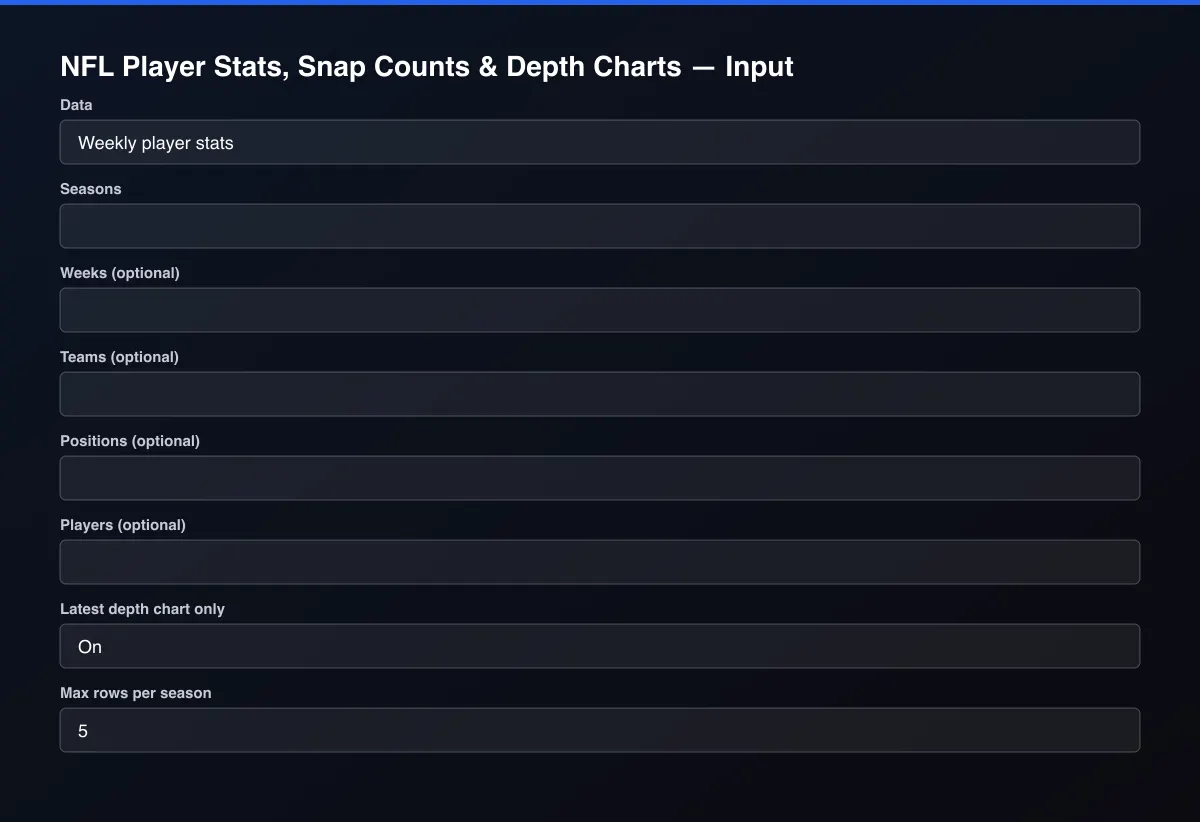
- Open the Actor and go to the Input tab.
- Choose the Data you want, add Seasons (or leave empty for the current one), narrow with Teams, Positions or Players, and set Max rows per season.
- Optionally set filters and a Max results limit.
- Click Start. A default run finishes in under a minute.
- Open the Output tab, then download the dataset or connect it to your tools.
Input Parameters
| Parameter | Type | Required | Default | Description |
|---|---|---|---|---|
dataType | string | No | "weekly-stats" | Weekly player stats, snap counts, or team depth charts. |
seasons | array | No | [] | Seasons to return, for example 2024 and 2025 (weekly stats from 1999, snap counts from 2012). Leave empty for the current season. Max rows applies to each season. |
weeks | array | No | [] | Only these week numbers. Leave empty for all weeks. |
teams | array | No | [] | Only these team abbreviations, for example KC, PHI, BUF. |
positions | array | No | [] | Only these positions, for example QB, RB, WR, TE, LDE. |
players | array | No | [] | Only players whose name contains one of these words, for example Mahomes, Kelce. |
latestDepthChartOnly | boolean | No | true | For depth charts, return only the most recent published snapshot instead of every weekly snapshot. |
maxRows | integer | No | 5 | Maximum number of rows returned for each season. Default is 5 for a quick test; set 0 to return everything available. |
proxyConfiguration | object | No | {"useApifyProxy":false} | Optional. The data is public and works without a proxy. |
Output Data
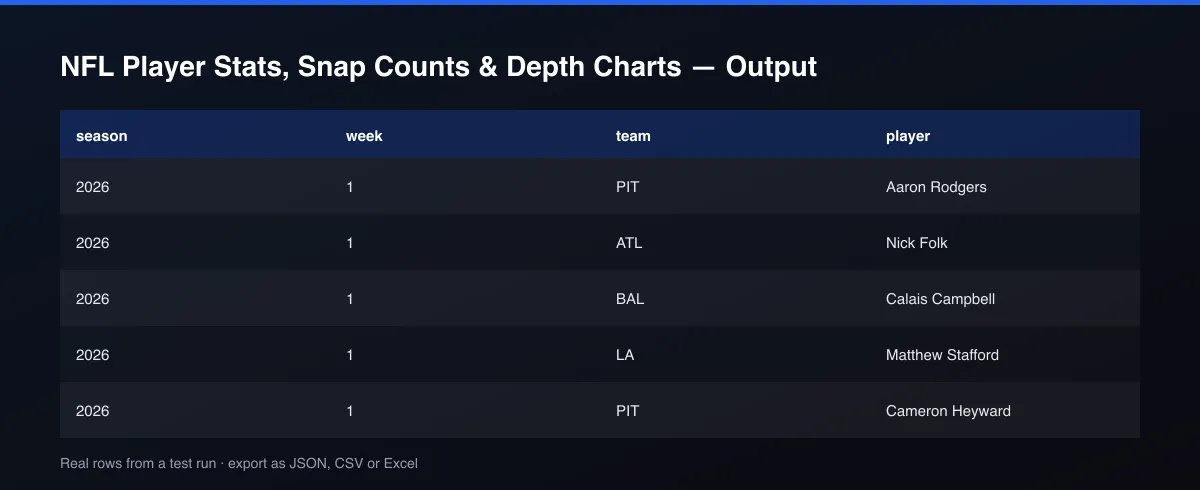
Every row has dataType, season, team and player fields. Weekly stats and snap counts add week, opponent, gameId and a stats object; depth charts add depthSlot, depthRank, positionGroup and snapshotDate. Fields that do not apply are null.
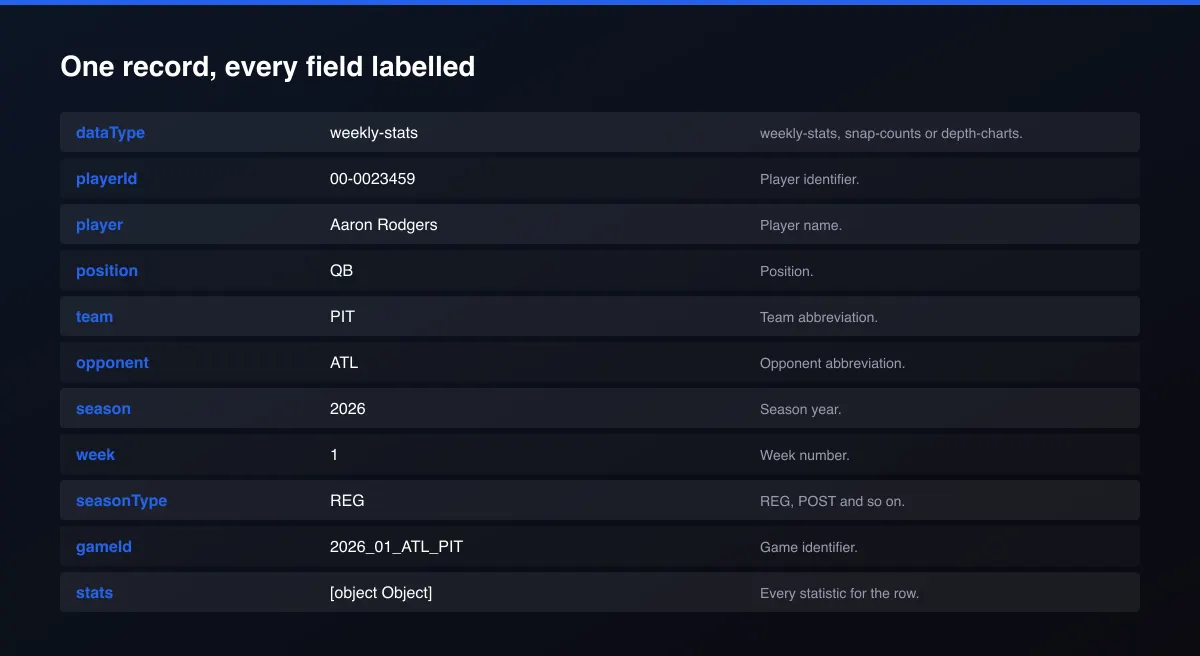
A real dataset item:
Usage Examples
Chiefs weekly stats 2025
Snap counts for running backs
Latest depth charts
Tips for Best Results
- Default is 5 results for a fast test. Set the max to 0 to return everything available.
Known Limitations
- Data is published by its maintainers, usually within a day of games finishing.
- Snap counts start in 2012 and depth charts in 2001; weekly stats start in 1999.
- Full-season weekly stats are large; use filters or a higher max only when you need everything.
- Player names come from each data set and can differ slightly between sets.
Integrations
Run it from the Apify API, on a schedule, or from a webhook. Send results straight to Google Sheets, Make, Zapier, Slack or your own database with Apify's built-in integrations.
Export Formats
Download the dataset as JSON, CSV, Excel, XML, HTML table or RSS from the Output tab or the API.
Frequently Asked Questions
Does it need an account or API key?
No. The Actor reads public data and needs no account or key.
Am I charged for failed results?
No. You are only charged for results that are written to the dataset.
Do I need an account or login?
No. The Actor reads public data and needs no account or key.
Am I charged for failed runs or empty results?
You are only charged for results that are actually written to the dataset.
Can I run it on a schedule?
Yes. Create a Task with your input and add a schedule in Apify Console. With monitor mode on, each scheduled run returns only what changed since the previous one.
Support
Questions or a missing field? Open an issue from the Issues tab on this Actor's page and it will be looked at.
Legal / Responsible Use
You are responsible for using the data in line with the source's terms and applicable law. The Actor collects publicly available data only and is not affiliated with the source.


