
Nike Sale & Price Monitor
Pricing
from $0.90 / 1,000 results
Nike Sale & Price Monitor
Nike sale and price tracker for 10 country sites: the Sale list, any search or category with price, original price, discount %, colours and tags. Monitor mode returns only new products, price drops and newly reduced items. No login.
Pricing
from $0.90 / 1,000 results
Rating
0.0
(0)
Developer

MrDoe
Maintained by CommunityActor stats
0
Bookmarked
2
Total users
1
Monthly active users
18 days ago
Last modified
Categories
Features
Share
What does Nike Sale & Price Monitor do?
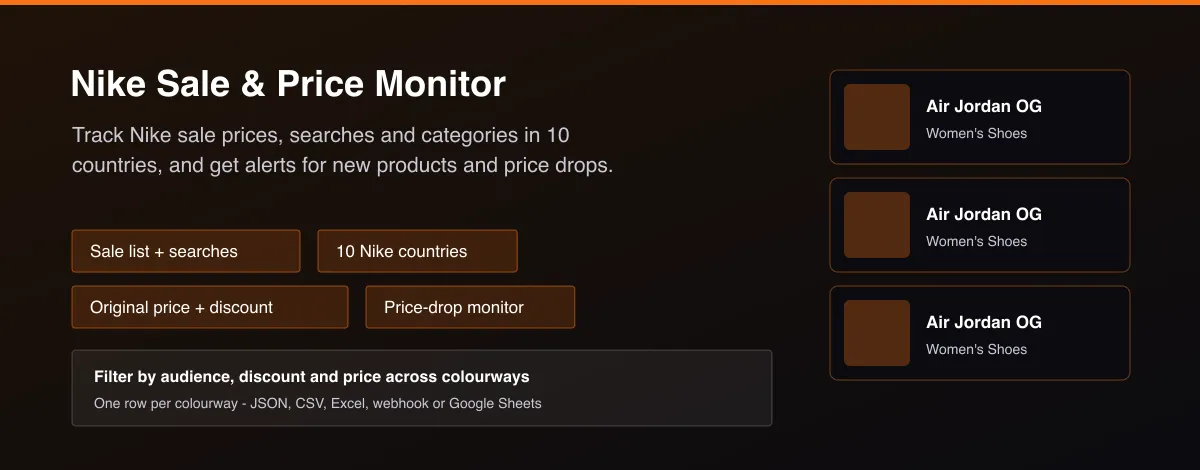
Nike Sale & Price Monitor reads the Nike website of any of 10 countries and collects products from the Sale list, from product searches or from any category. Each row has the product name, subtitle (for example Women's Shoes), current price, original price, discount percentage, colour, tags, badge, style ID, product link and image. Filter by audience, minimum discount or maximum price, and turn on monitor mode so a scheduled run returns only products that are new, cheaper or newly reduced.
Why use Nike Sale & Price Monitor?
- See every Nike sale item with its original price and discount percentage.
- Watch a search or category, such as air max or men's shoes, not only the Sale list.
- Filter for men, women or kids and for the discounts that matter to you.
- Compare prices across 10 Nike country sites.
- Monitor mode reports only new, cheaper and newly reduced products for alerts.
What makes this different
It reads Nike's product data per colourway, so each row is a specific colour with its own price and discount, and it keeps a baseline per selection so a scheduled monitor returns only the products that changed instead of the whole sale list again.
How it works
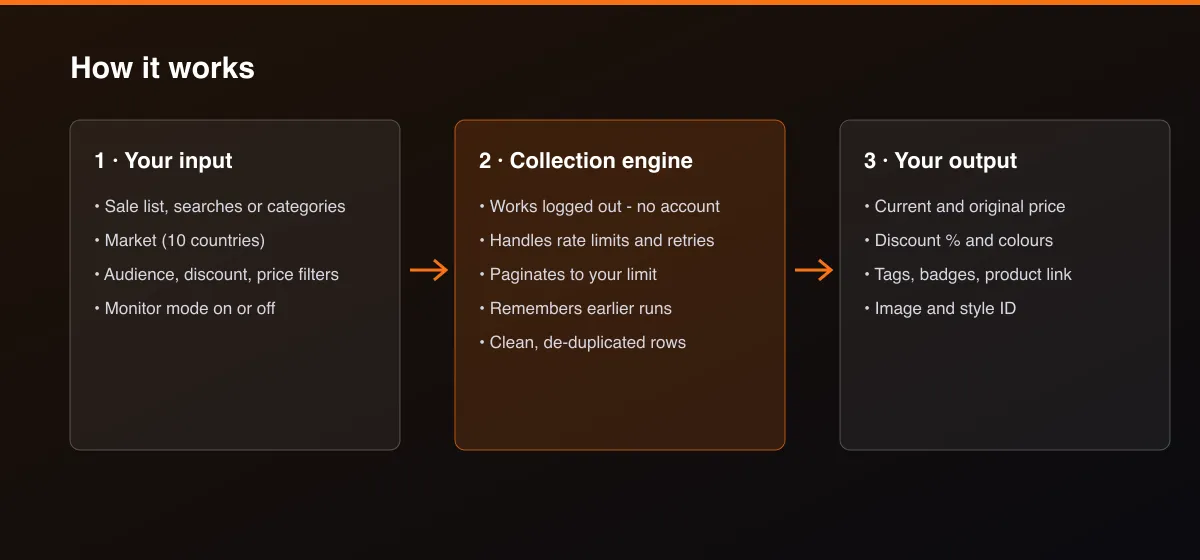
- Your input — choose the Sale list, add searches or categories, and pick a market and filters.
- The Actor collects it — the Actor reads the Nike catalogue for each list and applies your filters.
- Your output — you get one clean row per colourway, or only new and changed products in monitor mode.
What data can you extract?
The dataset has 21 fields per row:
| Field | Type | Description |
|---|---|---|
id | string | Nike product code of the colourway. |
styleId | string | Nike style ID shared by the product's colourways. |
name | string | Product name. |
subtitle | string | Product subtitle, such as Women's Shoes. |
productType | string | Product type, such as FOOTWEAR. |
url | string | Nike product page. |
priceFinal | number | Current price. |
priceOriginal | number | Initial price before any reduction. |
currency | string | ISO currency code. |
discountPercent | integer | Percent off the initial price (0 = full price). |
onSale | boolean | True when the product has a reduced price. |
color | string | Main colour. |
colorDescription | string | Colourway description. |
badge | string | Nike badge label, when present. |
tags | array | Nike labels such as just in or coming soon. |
isNewUntil | string | Date until which Nike shows the product as new. |
imageUrl | string | Product image URL. |
listName | string | The list that returned the product (Sale, category or search). |
priceDropAmount | number | How much cheaper than the lowest price seen in earlier runs; null if not cheaper. |
newlyOnSale | boolean | True when the product was not reduced in earlier runs and is now. |
isNewToWatch | boolean | True the first time this product appears in this selection. |
How to use Nike Sale & Price Monitor
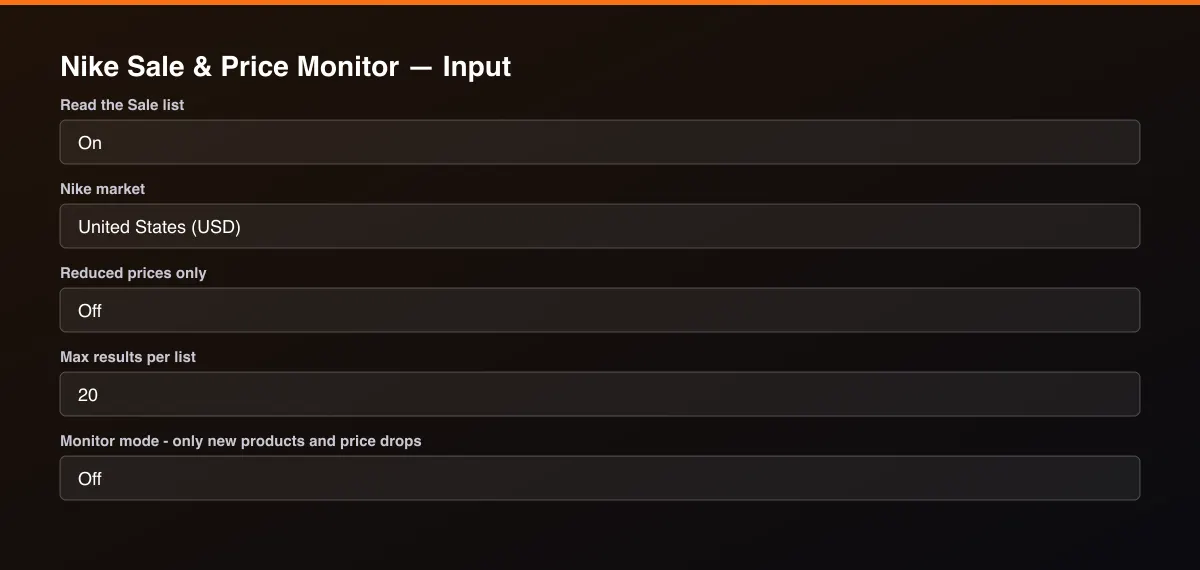
- Open the Actor and go to the Input tab.
- Leave Read the Sale list on, or add Product searches such as
air max, and choose a Nike market. - Optionally set filters and a Max results limit.
- Click Start. A default run finishes in under a minute.
- Open the Output tab, then download the dataset or connect it to your tools.
Input Parameters
| Parameter | Type | Required | Default | Description |
|---|---|---|---|---|
saleList | boolean | No | true | Read Nike's Sale section. On by default; it is switched off automatically when you add searches or categories, unless you tick it. |
searchTerms | array | No | — | Search Nike for products, e.g. "air max", "dunk", "running shorts". Max results applies to each search separately. |
categories | array | No | — | Nike category addresses or slugs, e.g. https://www.nike.com/w/mens-shoes-nik1zy7ok or mens-shoes-nik1zy7ok. Copy them from the nike.com address bar. |
market | string | No | "us" | Which Nike country website to read. Sets the currency, language and prices. |
audience | string | No | — | Only return products for men, women or kids, based on the product subtitle. |
onSaleOnly | boolean | No | false | Only return products with a reduced price. The Sale list can contain full-price items too. |
minDiscount | integer | No | — | Only return products with at least this percentage off. |
maxPrice | number | No | — | Only return products at or below this price in the market's currency. |
maxItems | integer | No | 20 | Stop once this many products have been written to the dataset for each list (Sale, category or search). |
monitorMode | boolean | No | false | When on, the run compares against the previous monitored run of the same selection and returns only products that are new, cheaper, or newly reduced. Turn this on for scheduled runs. |
proxyConfiguration | object | No | {"useApifyProxy":false} | Optional. The Nike catalogue works without a proxy. |
Output Data
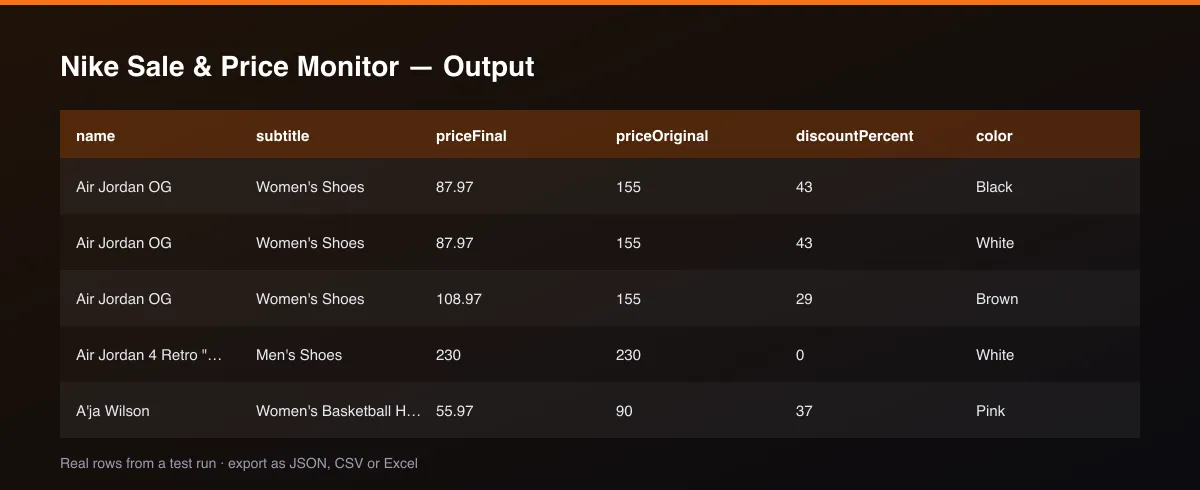
Prices are numbers in the market's currency. priceOriginal is the initial price and discountPercent is the percent off it (0 for full-price items). tags and badge show Nike's own labels such as just in or coming soon. Fields that do not apply are null.
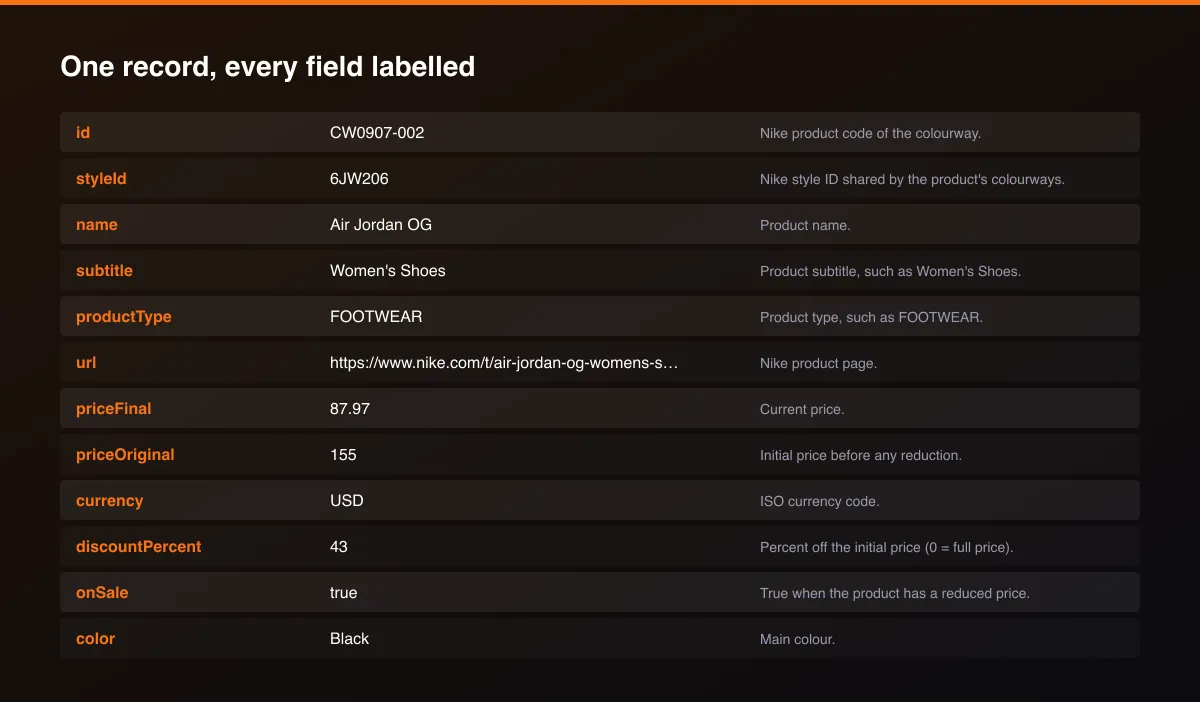
A real dataset item:
Usage Examples
The Nike Sale list in the US
Air Max searches at least 30% off in the UK
Daily alert for new and reduced men's shoes
Tips for Best Results
- Turn on Reduced prices only to skip full-price items that appear in the Sale list.
- Copy category slugs from the nike.com address bar, for example mens-shoes-nik1zy7ok.
- Schedule monitor mode daily and send changed products to Discord, Slack or a newsletter tool.
- Keep the same selection and market between scheduled runs - the baseline is kept per selection.
Known Limitations
- Ten markets are supported: US, UK, Germany, France, Italy, Netherlands, Poland, Sweden, Japan and Mexico.
- Sizes and per-size stock are not included; each row is a colourway.
- Member-only and employee prices are not returned - only the public price.
- Each list reads up to about 8,000 colourways.
- Audience is inferred from the product subtitle, so products without a men's, women's or kids' label are not matched by that filter.
Integrations
Run it from the Apify API, on a schedule, or from a webhook. Send results straight to Google Sheets, Make, Zapier, Slack or your own database with Apify's built-in integrations.
Export Formats
Download the dataset as JSON, CSV, Excel, XML, HTML table or RSS from the Output tab or the API.
Frequently Asked Questions
How do I scrape Nike sale prices?
Run the Actor with the Sale list on. Each row is a colourway with its current price, original price and discount.
Can I track a specific product like Air Max?
Yes. Add it to Product searches, for example air max, and turn off the Sale list if you only want the search.
Can I get price-drop alerts?
Turn on Monitor mode and schedule the run. Each run returns only products that are new, cheaper or newly reduced.
Which countries are supported?
United States, United Kingdom, Germany, France, Italy, Netherlands, Poland, Sweden, Japan and Mexico.
How many results can I get?
The default is 20 per list. Raise Max results to collect more; each list reads up to about 8,000 colourways.
How fresh is the data?
It is read live from the Nike website on every run.
Does it remove duplicates?
Yes. Each colourway appears once per run.
Do I need an account or login?
No. The Actor collects public Nike product listings and needs no account, cookies or API key.
Am I charged for failed runs or empty results?
You are only charged for results that are actually written to the dataset.
Can I run it on a schedule?
Yes. Create a Task with your input and add a schedule in Apify Console. With monitor mode on, each scheduled run returns only what changed since the previous one.
Support
Questions or a missing field? Open an issue from the Issues tab on this Actor's page and it will be looked at.
Legal / Responsible Use
You are responsible for using the collected data in line with Nike's terms and applicable law. The Actor collects only public product data and no personal data. It is not affiliated with Nike.


