

Open Food Facts Product & Price Scraper
Under maintenancePricing
from $1.10 / 1,000 results
Open Food Facts Product & Price Scraper
Under maintenanceGrocery barcode lookup and product data: ingredients, allergens, Nutri-Score, NOVA, nutrition per 100g, images and crowd-sourced shop prices for any EAN/UPC barcode, brand, category or keyword. Bulk input, no login.
Pricing
from $1.10 / 1,000 results
Rating
0.0
(0)
Developer

MrDoe
Maintained by CommunityActor stats
0
Bookmarked
2
Total users
1
Monthly active users
6 days ago
Last modified
Categories
Share
What does Open Food Facts Product & Price Scraper do?
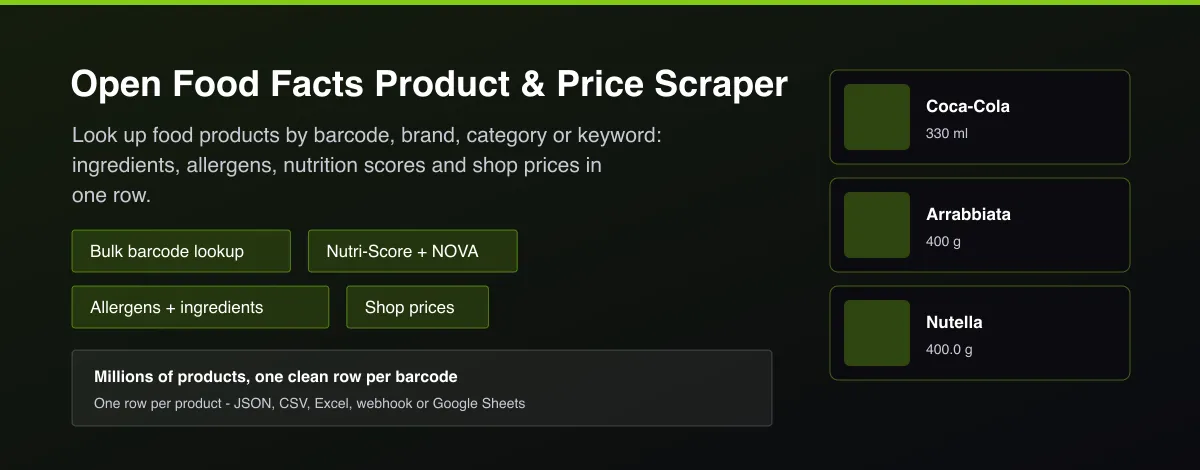
Open Food Facts Product & Price Scraper looks up packaged food and drink products from the open Open Food Facts database by barcode (EAN, UPC or GTIN), keyword, brand, category, country or Nutri-Score. Each row has the product name, brands, quantity, categories, labels, ingredients, allergens, additives, Nutri-Score, Eco-Score, NOVA group, nutrition per 100 g, images and, optionally, the latest crowd-sourced shop prices with store, city and country.
Why use Open Food Facts Product & Price Scraper?
- Enrich a spreadsheet or catalogue of barcodes with ingredients, allergens and nutrition in one bulk run.
- Find every product of a brand, category or country with a filter search.
- Nutri-Score, Eco-Score and NOVA are ready-made fields for health and sustainability apps.
- Latest shop prices with store and city help with price comparison and market research.
- Open data with worldwide coverage, no account and no API key.
What makes this different
Most barcode tools return a single product per call. This Actor accepts hundreds of barcodes in one run, adds keyword, brand, category, country and Nutri-Score searches, converts the database's tags into clean lists, and can attach the latest crowd-sourced shop prices to every product.
How it works
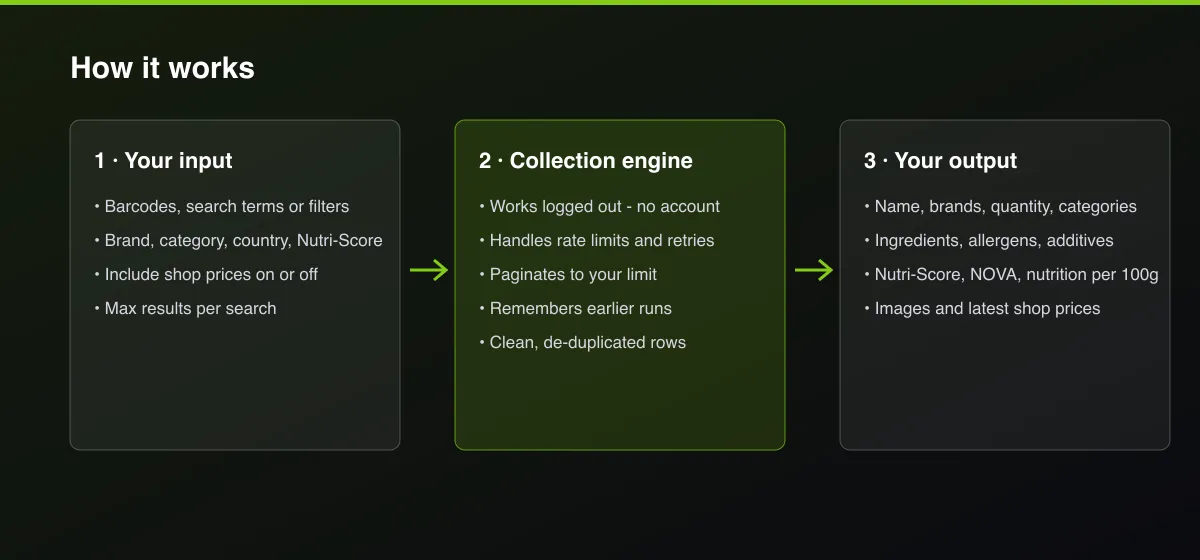
- Your input — enter barcodes, search terms, or a brand, category or country filter.
- The Actor collects it — the Actor looks each product up in the Open Food Facts database and, optionally, adds recent shop prices.
- Your output — you get one clean row per product with nutrition, allergens, scores, images and prices.
What data can you extract?
The dataset has 38 fields per row:
| Field | Type | Description |
|---|---|---|
code | string | Product barcode (EAN, UPC or GTIN). |
name | string | Product name. |
genericName | string | Generic product name. |
url | string | Open Food Facts product page. |
brands | array | Brand names. |
quantity | string | Package quantity, such as 330 ml. |
servingSize | string | Serving size. |
categories | array | Product categories. |
labels | array | Labels and certifications. |
countriesSold | array | Countries where the product is sold. |
origins | string | Ingredient origins. |
manufacturingPlaces | string | Manufacturing places. |
stores | array | Stores where the product was seen. |
packaging | string | Packaging description. |
ingredientsText | string | Ingredients list. |
allergens | array | Declared allergens. |
traces | array | Possible allergen traces. |
additives | array | Additive codes such as E150D. |
nutriScoreGrade | string | Nutri-Score grade A to E. |
nutriScoreScore | number | Nutri-Score points. |
ecoScoreGrade | string | Eco-Score grade A to E. |
novaGroup | integer | NOVA processing group 1 to 4. |
energyKcal100g | number | Energy in kcal per 100 g or 100 ml. |
fat100g | number | Fat in g per 100 g or 100 ml. |
saturatedFat100g | number | Saturated fat in g per 100 g or 100 ml. |
carbohydrates100g | number | Carbohydrates in g per 100 g or 100 ml. |
sugars100g | number | Sugars in g per 100 g or 100 ml. |
fiber100g | number | Fibre in g per 100 g or 100 ml. |
proteins100g | number | Protein in g per 100 g or 100 ml. |
salt100g | number | Salt in g per 100 g or 100 ml. |
imageUrl | string | Front image URL. |
imageIngredientsUrl | string | Ingredients image URL. |
imageNutritionUrl | string | Nutrition table image URL. |
completeness | number | Data completeness from 0 to 1. |
scanCount | integer | Number of unique scans. |
lastModified | string | When the record was last edited (ISO 8601 UTC). |
priceCount | integer | Total number of shop prices on record. |
latestPrices | array | Latest shop prices with store, city, country, currency and date. |
How to use Open Food Facts Product & Price Scraper
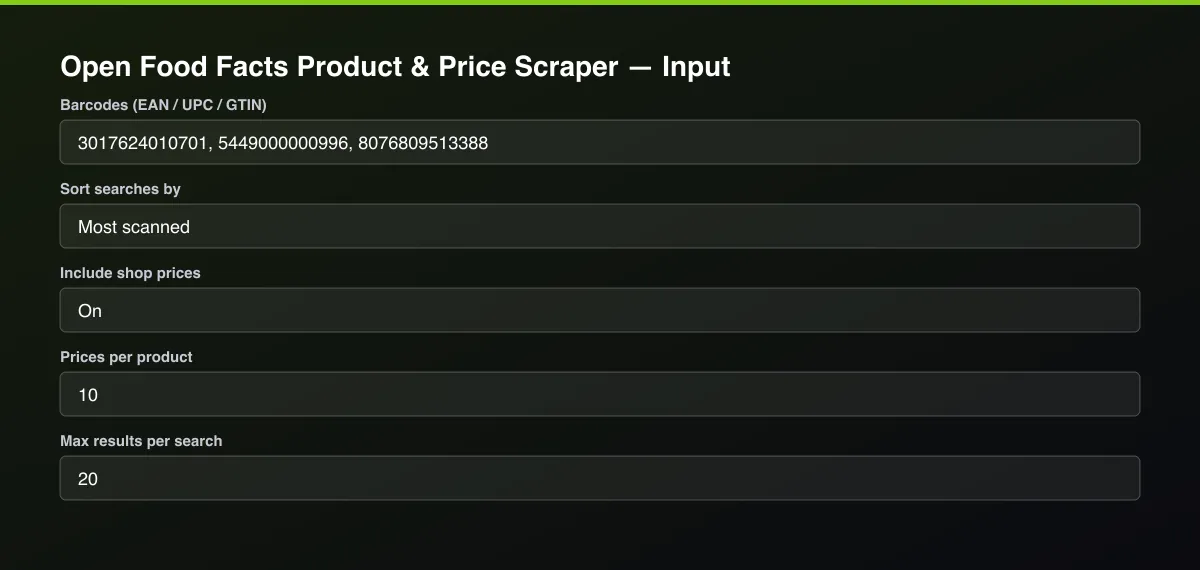
- Open the Actor and go to the Input tab.
- Paste your Barcodes (one per line), or add a Search term or a Brand filter.
- Optionally set filters and a Max results limit.
- Click Start. A default run finishes in under a minute.
- Open the Output tab, then download the dataset or connect it to your tools.
Input Parameters
| Parameter | Type | Required | Default | Description |
|---|---|---|---|---|
barcodes | array | No | ["3017624010701","5449000000996","8076809513388"] | Product barcodes to look up, 8 to 14 digits. One row is returned for every barcode found; this list is not limited by Max results. |
searchTerms | array | No | — | Find products by name or keyword, e.g. "oat milk", "nutella", "gluten free pasta". Max results applies to each term. |
brand | string | No | — | Only products of this brand, e.g. "Ferrero" or "Coca-Cola". |
category | string | No | — | Only products in this category, in English, e.g. "chocolates", "breakfast cereals", "plant-based milks". |
country | string | No | — | Only products sold in this country, in English, e.g. "united states", "france", "germany". |
nutriScores | array | No | — | Only products with one of these Nutri-Score grades. |
sortBy | string | No | "popularity" | Order of search results. |
includePrices | boolean | No | true | Add the latest crowd-sourced shop prices (price, currency, store, city, country, date) for each product. |
pricesPerProduct | integer | No | 10 | How many of the latest shop prices to include for each product (1 to 25). |
maxItems | integer | No | 20 | Stop each search term or filter search once this many products have been found. Barcode lookups are not limited. |
proxyConfiguration | object | No | {"useApifyProxy":false} | Optional. The food database works without a proxy. |
Output Data
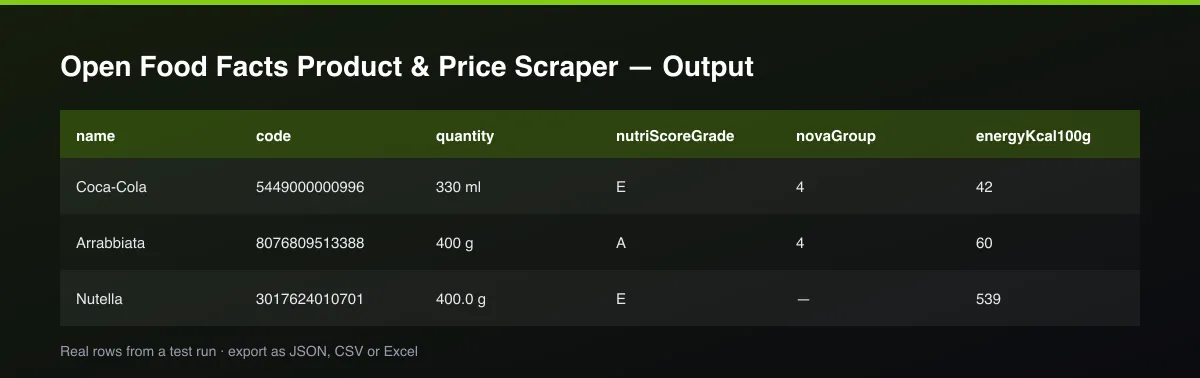
Nutrition values are per 100 g or 100 ml. nutriScoreGrade is A (best) to E (worst) and novaGroup is 1 to 4 (4 = ultra-processed). latestPrices lists recent crowd-sourced shop prices, each with its own currency. Fields that the database does not have for a product are null or an empty list.
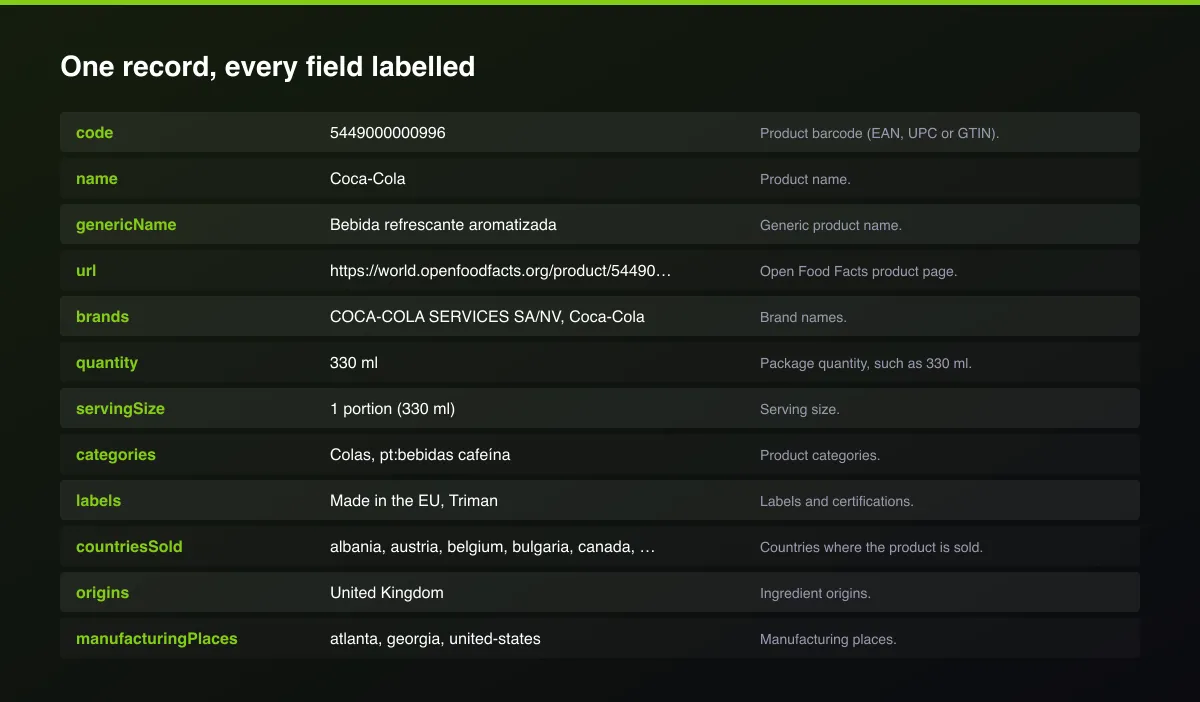
A real dataset item:
Usage Examples
Look up three barcodes
Top 30 oat drinks with Nutri-Score A or B
All Ferrero products sold in the United States
Tips for Best Results
- Turn off shop prices for the fastest bulk barcode enrichment.
- Use category names in English, for example chocolates or breakfast cereals.
- Sort searches by Most complete data to get products with full nutrition and ingredients first.
- Check the run log for the list of barcodes that were not found.
Known Limitations
- The database is crowd-sourced: some products are missing, and some have incomplete nutrition or ingredients.
- Shop prices are contributed by volunteers, so many products have few or no prices and they may be old; check the date on each price.
- Prices are in each store's own currency and are not converted.
- Text and filter searches return up to about 3,000 products per query.
- The database asks for a gentle request rate, so very large bulk runs take longer.
Integrations
Run it from the Apify API, on a schedule, or from a webhook. Send results straight to Google Sheets, Make, Zapier, Slack or your own database with Apify's built-in integrations.
Export Formats
Download the dataset as JSON, CSV, Excel, XML, HTML table or RSS from the Output tab or the API.
Frequently Asked Questions
How do I look up a product by barcode?
Enter the EAN, UPC or GTIN in Barcodes. Each barcode found returns one row with the product's data and, if enabled, shop prices.
Can I look up hundreds of barcodes at once?
Yes. Barcodes are looked up in batches and every barcode found returns a row. Max results does not limit barcode lookups.
Does it include allergens and ingredients?
Yes. ingredientsText, allergens, traces and additives are included when the database has them.
Where do the shop prices come from?
They are crowd-sourced prices contributed to the Open Food Facts prices database, each with store, city, country, currency and date.
Which countries are covered?
The database is worldwide. Use the Country filter to find products sold in one country.
How fresh is the data?
It is read live on every run; products are updated by the community continuously.
Does it remove duplicates?
Yes. Each barcode appears once per run.
Do I need an account or login?
No. The Actor reads a public open database and needs no account, cookies or API key.
Am I charged for failed runs or empty results?
You are only charged for results that are actually written to the dataset.
Can I run it on a schedule?
Yes. Create a Task with your input and add a schedule in Apify Console. With monitor mode on, each scheduled run returns only what changed since the previous one.
Support
Questions or a missing field? Open an issue from the Issues tab on this Actor's page and it will be looked at.
Legal / Responsible Use
Open Food Facts data is published under the Open Database License (ODbL) and product images under CC BY-SA; you are responsible for crediting Open Food Facts and following those licences and applicable law. The Actor collects product data and no personal data.


