

Public-Domain Movie Downloader & Metadata Scraper
Pricing
from $100.00 / 1,000 results
Public-Domain Movie Downloader & Metadata Scraper
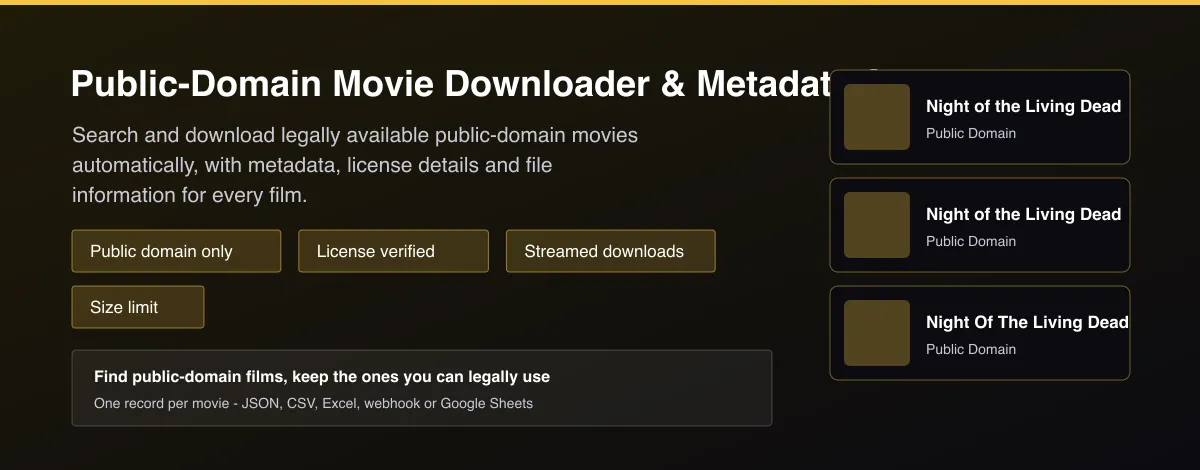
Search and download legally available public-domain movies automatically. Finds films by title, extracts metadata and license information, and stores the video file in Key-Value Storage only when its public-domain or open license is verified.

What does Public-Domain Movie Downloader & Metadata Scraper do?
Public-Domain Movie Downloader & Metadata Scraper searches a source of legally downloadable films, currently the Internet Archive, for the titles you give it. For each match it collects the title, year, description, director, cast, genres, language, runtime, license, source page and poster, and lists the video file that is offered for download with its format and size. When you switch downloading on, the Actor saves the selected file to Key-Value Storage, but only when the item's own public-domain or open license can be verified and the file is within your size limit. Films without a verified license are still described but never downloaded.
Why use Public-Domain Movie Downloader & Metadata Scraper?
- Build a library of public-domain films without checking each item by hand.
- Every download is gated by a license check, so unverified films are never downloaded.
- Choose metadata only, or download the best file that fits your size limit.
- Large files are streamed to disk and storage, never held in memory.
- Clean records for media catalogues, archives, education and film research.
What makes this different
Downloading is conservative by design: a file is downloaded only when the source's own metadata carries a public-domain mark or an open license, split multi-part films are ignored, and every record says whether downloading was allowed and why a file was skipped.
How it works
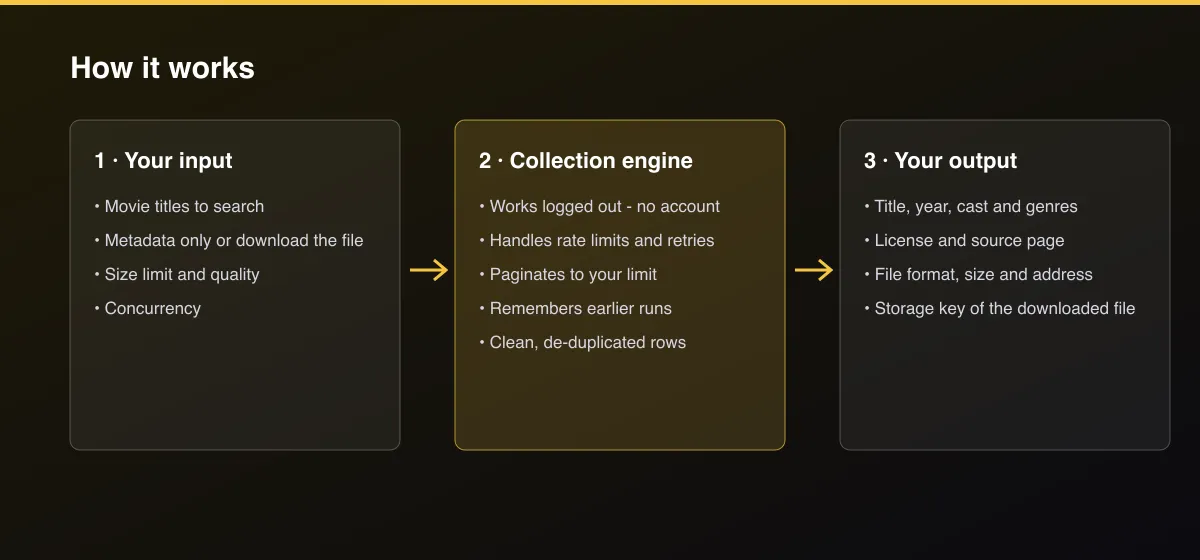
- Your input — enter the movie titles to search and choose whether to download the files.
- The Actor collects it — the Actor finds matching films, reads their metadata and checks their license.
- Your output — you get one record per film, and verified files are saved to Key-Value Storage.
What data can you extract?
The dataset has 25 fields per row:
| Field | Type | Description |
|---|---|---|
source | string | Source the film came from, such as internet_archive. |
sourceId | string | Identifier of the item in the source. |
title | string | Film title. |
year | integer | Release year. |
description | string | Description from the source. |
director | string | Director or creator when the source lists one. |
cast | array | Cast members when the source lists them. |
genres | array | Genres or subjects. |
language | string | Spoken language. |
runtimeMinutes | integer | Runtime in minutes. |
license | string | Verified license, such as Public Domain or CC BY 4.0; null when it cannot be verified. |
licenseUrl | string | License address published by the source. |
sourceUrl | string | Page of the film on the source. |
posterUrl | string | Poster or thumbnail image. |
downloadAllowed | boolean | True when the license is verified and a video file is offered. |
mediaAvailable | boolean | True when the source offers a video file. |
mediaFormat | string | Format of the selected file: mp4, webm or ogg. |
mediaQuality | string | Quality tier of the selected file: best, medium or small. |
mediaSizeBytes | integer | Size of the selected file in bytes. |
mediaUrl | string | Address of the file; only set when downloading is allowed. |
downloaded | boolean | True when the file is in storage. |
storageKey | string | Key of the file in the Key-Value Store. |
downloadUrl | string | Address of the stored file. |
downloadError | string | Why a file was skipped or failed; null otherwise. |
scrapedAt | string | When the record was created (ISO 8601 UTC). |
How to use Public-Domain Movie Downloader & Metadata Scraper
- Open the Actor and go to the Input tab.
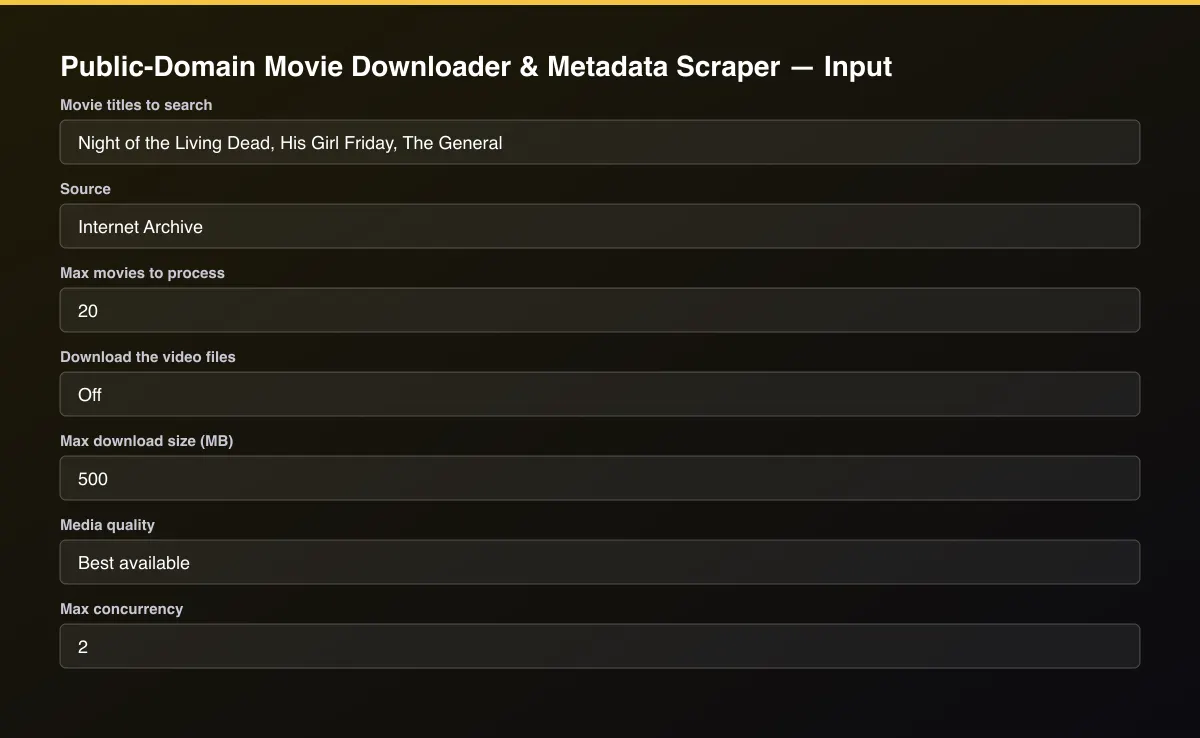
- Enter one or more Movie titles to search. Leave Download the video files off for metadata only, or turn it on to save permitted files.
- Optionally set filters and a Max results limit.
- Click Start. A default run finishes in under a minute.
- Open the Output tab, then download the dataset or connect it to your tools.
Input Parameters
| Parameter | Type | Required | Default | Description |
|---|---|---|---|---|
searchTerms | array | Yes | ["Night of the Living Dead","His Girl Friday","The General"] | One movie title per line, for example "Night of the Living Dead", "His Girl Friday" or "The General". Each title is searched in the selected source and the best matches are processed. |
source | string | No | "internet_archive" | Where to search. Only sources for legally downloadable public-domain or openly licensed films are offered. |
maxItems | integer | No | 20 | The maximum number of movie records for the whole run (1 to 100). The matches are shared between the search titles. |
downloadMedia | boolean | No | false | Off by default: only metadata and the address of the offered file are collected. When on, the selected file is downloaded into the Key-Value Store, but only when its public-domain or open license can be verified. |
maxDownloadSizeMB | integer | No | 500 | Files larger than this are never downloaded. The best file that fits is chosen. From 1 to 5000. Large files need more Actor memory because they are stored on disk during the transfer. |
mediaQuality | string | No | "best" | Best takes the largest file that fits the limit, small takes the smallest, medium is in between. MP4 is preferred, then WebM, then Ogg. |
maxConcurrency | integer | No | 2 | How many movies are processed at the same time (1 to 5). Keep it low: downloads are large and the source should not be crawled aggressively. |
keyValueStoreName | string | No | — | Store downloaded files in this named store so they are kept between runs and are not downloaded again. Leave empty to use the run's own store. |
proxyConfiguration | object | No | {"useApifyProxy":false} | Optional. The Internet Archive does not need a proxy. |
Output Data
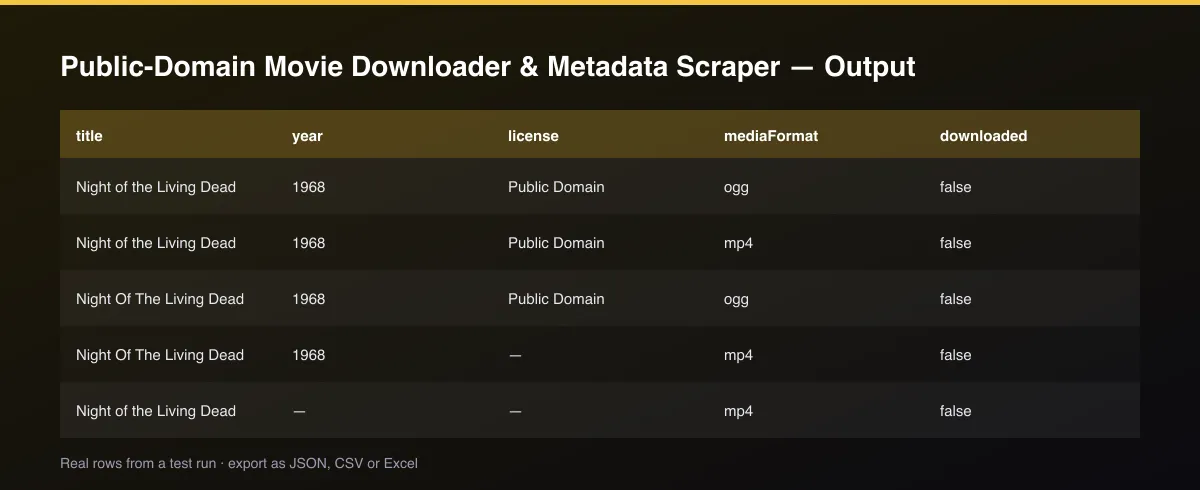
license and licenseUrl come from the source item. downloadAllowed is true only when the license is verified and a video file is offered. mediaUrl is only filled for films that may be downloaded. downloaded is true once the file is in storage under storageKey, and downloadError explains why a file was skipped or failed. Fields that do not apply are null.
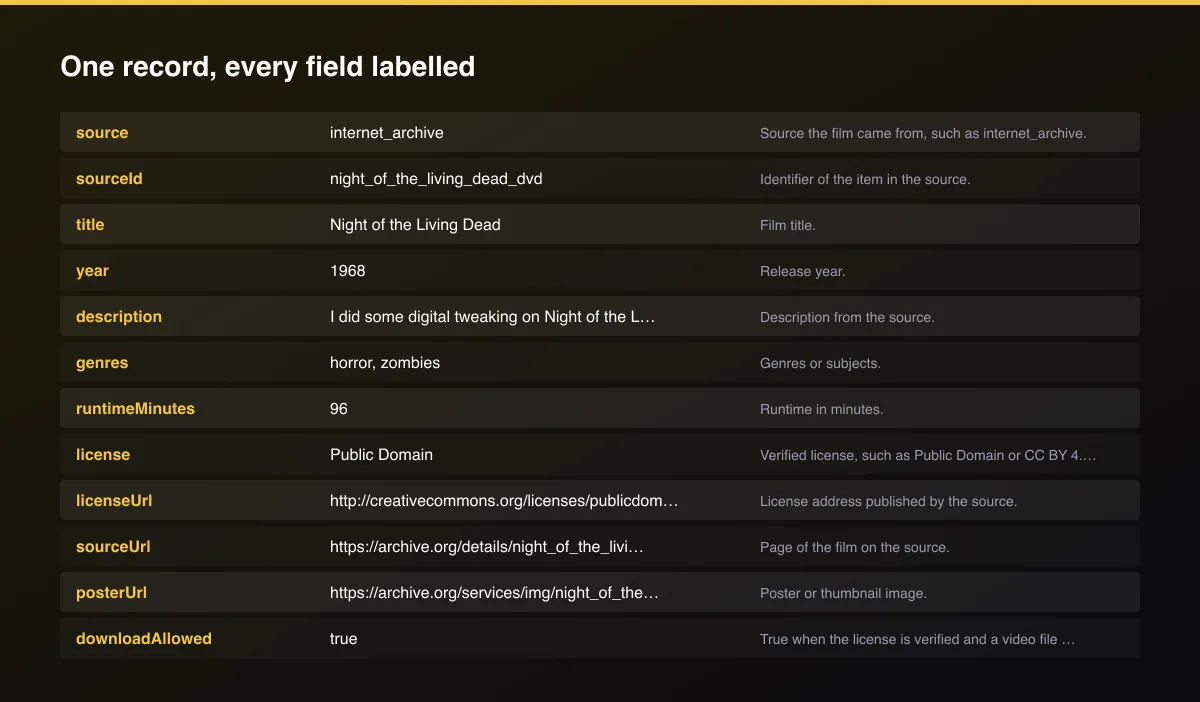
A real dataset item:
Usage Examples
Metadata only for classic films
Download a permitted film
Small files only
Tips for Best Results
- Start with metadata only to see which films are permitted and how large their files are.
- Use a named Key-Value Store to keep files between runs and skip files that are already stored.
- Raise the Actor memory for very large files, because they are written to disk during the transfer.
- Keep concurrency low; movie files are large and the source should not be crawled aggressively.
Supported source
The Actor currently searches the Internet Archive for films. Its architecture uses one adapter per source, so other legitimate public-domain sources can be added later.
Public-domain and licensed content only
A video file is downloaded only when all of these are true:
- the source item carries a public-domain mark, a Creative Commons license or a not-in-copyright status in its own metadata,
- the item is not restricted to borrowing,
- a video file is offered for download and it is within
maxDownloadSizeMB.
A film is never treated as legal just because its address is public, the file can be fetched, or another site links to it. When the status cannot be verified, the record shows downloadAllowed: false and no download address.
Download limits and storage
maxDownloadSizeMB(1 to 5000) is checked before the download and again while streaming.- Files are streamed to disk and then into the Key-Value Store, so a movie is never held in memory. Large files need enough Actor memory for the temporary disk space.
- Keys look like
movies__night-of-the-living-dead-1968.mp4. If two films would share a key, the source ID is added. - Failed transfers are retried up to three times with increasing delays; permanent errors such as a missing file are not retried.
- Use
keyValueStoreNameto keep files between runs; files already stored for the same source item are not downloaded again.
Scheduling and API usage
Schedule the Actor from the Apify Console to refresh a film library, or start it from code:
Known Limitations
- Only films whose own metadata carries a public-domain mark, a Creative Commons license or a not-in-copyright status can be downloaded.
- The Actor cannot decide whether a work is public domain in your country; it relies on the license information published by the source.
- Only the Internet Archive is supported at the moment.
- Key-Value Store keys cannot contain a slash, so files are stored as movies__title-year.mp4 rather than movies/title-year.mp4.
- Cast lists are only available when the source item provides them.
- Films that the source restricts to borrowing are never downloaded.
Integrations
Run it from the Apify API, on a schedule, or from a webhook. Send results straight to Google Sheets, Make, Zapier, Slack or your own database with Apify's built-in integrations.
Export Formats
Download the dataset as JSON, CSV, Excel, XML, HTML table or RSS from the Output tab or the API.
Frequently Asked Questions
Does it download copyrighted movies?
No. A file is downloaded only when the source item identifies itself as public domain or openly licensed. Items without that information are described but never downloaded.
Where are the files saved?
In the Key-Value Store of the run, or in the named store you choose. Each file has a storage key and a download address in its dataset record.
What happens to a file that is too large?
Files above the size limit are skipped, and a smaller version of the same film is chosen when one exists.
Can it download the same film twice?
Not when you use a named Key-Value Store: files already stored for the same source item are reused.
What formats are downloaded?
MP4 is preferred, then WebM, then Ogg.
Is a license enough to use a film freely?
Check the license of each film yourself. Some Creative Commons licenses require attribution or forbid commercial use.
Do I need an account or login?
No. The Actor reads public pages and needs no account, cookies or API key.
Am I charged for failed runs or empty results?
You are only charged for results that are actually written to the dataset.
Can I run it on a schedule?
Yes. Create a Task with your input and add a schedule in Apify Console. With monitor mode on, each scheduled run returns only what changed since the previous one.
Support
Questions or a missing field? Open an issue from the Issues tab on this Actor's page and it will be looked at.
Legal / Responsible Use
Use this Actor only for public-domain or openly licensed films. The Actor relies on the license information published by the source and cannot guarantee that a work is public domain in your country. You are responsible for checking the license of each film and for complying with its terms, including attribution and non-commercial conditions. It is not affiliated with the Internet Archive.


