

Stablecoin Depeg Monitor: Supply, Price & Peg Alerts
Pricing
from $0.50 / 1,000 stablecoin row returneds
Stablecoin Depeg Monitor: Supply, Price & Peg Alerts
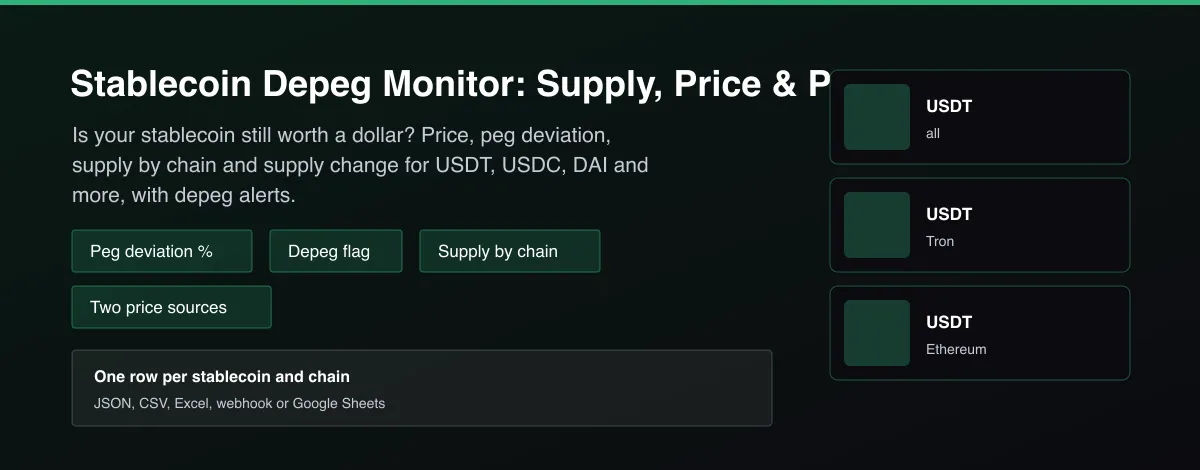
Check USDT, USDC, DAI and more for depegs: price vs 1 USD, deviation %, supply by chain and 24h/7d/30d supply change, with a second price source to confirm. Alert-ready, no key.

What does Stablecoin Depeg Monitor: Supply, Price & Peg Alerts do?
Stablecoin Depeg Monitor returns, for each USD-pegged stablecoin you choose, the current price, the deviation from the 1 USD peg in percent, a depeg flag against a threshold you set (0.5% by default) and the circulating supply in total and on the largest chains, with the supply change over 24 hours, 7 days and 30 days. Every price is cross-checked against a second source, and the row says whether the second source confirms the depeg. Schedule it every few minutes with delta mode or only-depegged to get an alert feed.
Why use Stablecoin Depeg Monitor: Supply, Price & Peg Alerts?
- Built for monitoring: a reliable is_depegged flag and a configurable threshold.
- A second price source confirms a depeg, so one bad price feed does not look like a crisis.
- Supply by chain and its 24h, 7d and 30d change show redemptions or bank-run pressure.
- Watchlist of many stablecoins per run; delta mode returns only state changes.
- No account or API key.
What makes this different
Price trackers show a chart. This Actor returns a machine-readable depeg verdict with deviation, confirmation from a second source and supply change by chain, ready to trigger alerts.
Who can use the Stablecoin Depeg Monitor and how?
- DeFi users and treasuries: get warned before a stablecoin you hold or lend loses its peg.
- Risk and compliance teams: monitor stablecoin exposure with a documented threshold.
- Alert and bot builders: trigger Telegram, Discord or Slack alerts on depegs with delta mode.
- Traders: spot depeg arbitrage opportunities and supply-driven stress.
- Researchers: collect peg deviation and supply history over time.
- Journalists: source and cite peg status during a stablecoin event.
- Protocol teams: watch collateral stablecoins in a lending market.
- Fintech developers: add a stablecoin health widget through the API.
How it works
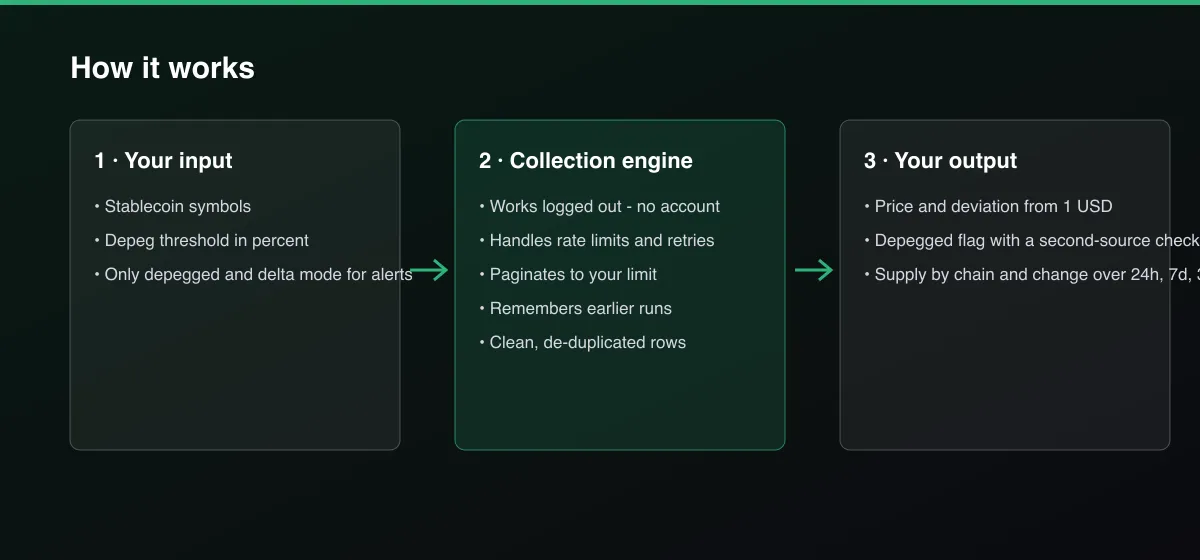
- Your input — choose the stablecoins and a depeg threshold.
- The Actor collects it — the Actor reads price and supply data and cross-checks the price with a second source.
- Your output — you get one row per stablecoin (and per large chain) with the depeg verdict.
What data can you extract?
The dataset has 19 fields per row:
| Field | Type | Description |
|---|---|---|
stablecoin | string | Stablecoin symbol. |
name | string | Stablecoin name. |
chain | string | all for the total, or a chain name. |
circulating_supply | number | Circulating supply in USD. |
circulating_supply_change_24h_pct | number | Supply change over 24 hours in percent. |
circulating_supply_change_7d_pct | number | Supply change over 7 days in percent. |
circulating_supply_change_30d_pct | number | Supply change over 30 days in percent. |
price_usd | number | Market price in USD. |
price_usd_second_source | number | Price from the second source, null when unavailable. |
deviation_from_peg_pct | number | Price deviation from 1 USD in percent. |
is_depegged | boolean | True when the deviation reaches the threshold. |
depeg_confirmed_by_second_source | boolean | Whether the second source reaches the same verdict. |
depeg_threshold_pct | number | Threshold used. |
second_source_deviation_pct | number | Deviation according to the second source. |
peg_mechanism | string | How the coin keeps its peg, for example fiat-backed. |
fetch_path | string | defillama or defillama_and_coingecko. |
source | string | Data sources. |
scraped_at | string | Collection time (ISO 8601). |
actor_version | string | Output schema version. |
How to use Stablecoin Depeg Monitor: Supply, Price & Peg Alerts
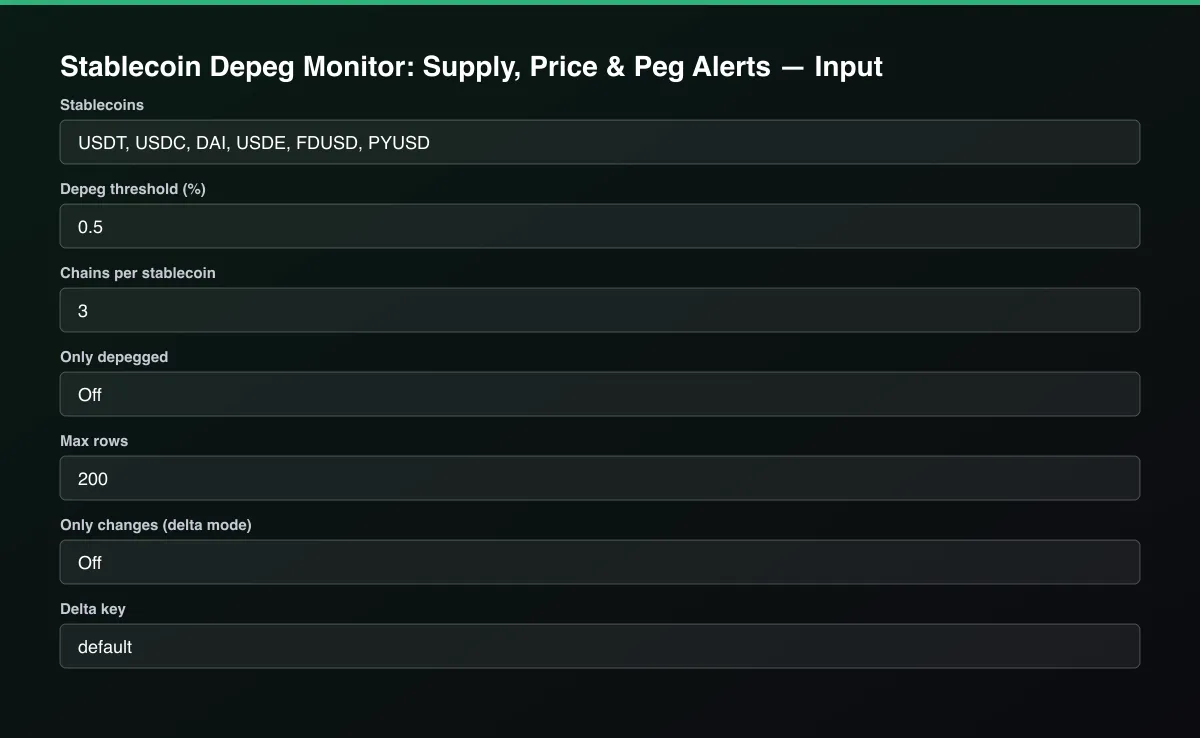
- Open the Actor and go to the Input tab.
- Enter Stablecoins (or leave the default eight), set the Depeg threshold (%), and turn on Only depegged for an alert feed.
- Optionally set filters and a Max results limit.
- Click Start. A default run finishes in under a minute.
- Open the Output tab, then download the dataset or connect it to your tools.
Input Parameters
| Parameter | Type | Required | Default | Description |
|---|---|---|---|---|
stablecoins | array | No | [] | Stablecoin symbols to check, one per line. USD-pegged coins only. Leave empty for the eight largest. |
depegThresholdPct | number | No | 0.5 | A stablecoin counts as depegged when its price is at least this many percent away from 1 USD. |
topChains | integer | No | 3 | Besides the total, return the largest chains by supply. Set 0 for totals only. |
onlyDepegged | boolean | No | false | Return rows only for stablecoins beyond the threshold. Ideal for alerts. |
maxItems | integer | No | 200 | Maximum number of rows returned. Set 0 for no limit. |
deltaMode | boolean | No | false | Return and bill only rows whose depeg state changed since the last run with the same delta key. |
deltaStateKey | string | No | "default" | Name of the tracked stream. |
proxyConfiguration | object | No | {"useApifyProxy":false} | Optional proxy. The public data services work without one. |
Output Data
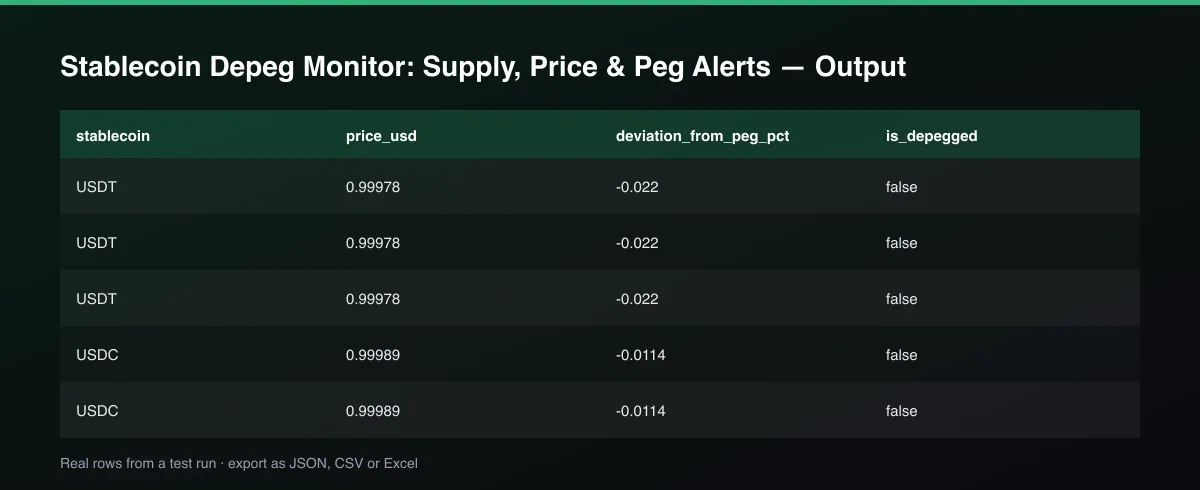
deviation_from_peg_pct is (price − 1) × 100. is_depegged is true when the absolute deviation is at least the threshold. depeg_confirmed_by_second_source is true when a second price source reaches the same verdict, false when it disagrees and null when no second price exists. Supply change fields compare the current circulating supply with 1 day, 7 days and 30 days ago. Rows with chain: all are the total across chains.
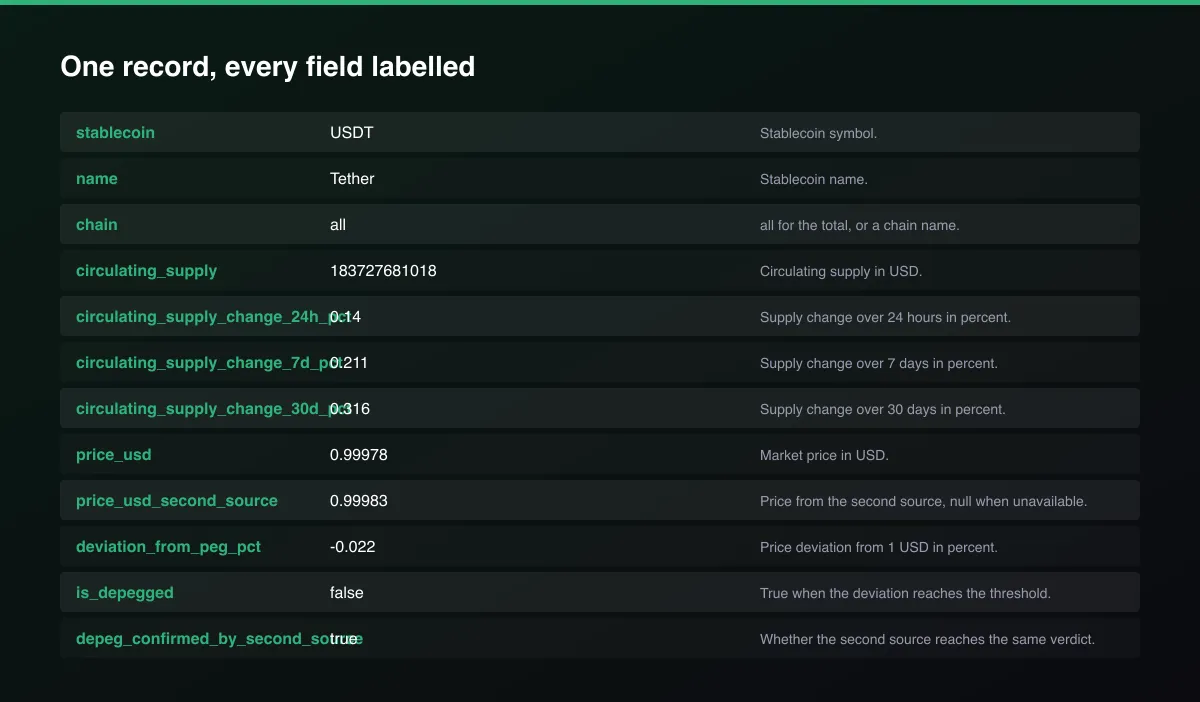
A real dataset item:
How to read and use the results
- Filter is_depegged = true for current depegs.
- Check depeg_confirmed_by_second_source: true means both sources agree.
- Read deviation_from_peg_pct: negative is below the dollar.
- Compare supply changes (24h, 7d, 30d) with the price move.
- Look at the chain rows to see where supply is leaving.
- Automate with a schedule, Only depegged and a webhook.
Usage Examples
Check the big stablecoins
Alert feed: only depegged
Only when the state changes
Tips for Best Results
- Schedule every 5 to 15 minutes with Only depegged on and connect a webhook to Slack or Telegram.
- Use 0.3 to 0.5 percent as a threshold for major coins and a wider one for smaller ones.
- Look at supply change alongside price: shrinking supply with a falling price is redemption pressure.
- Treat a depeg that is not confirmed by the second source as a data warning first.
- Default is 5 results for a fast test. Set the max to 0 to return everything available.
Reliability by mode
| Mode | Status | Needs login or key? | Notes |
|---|---|---|---|
| Price vs peg for USD stablecoins | ✅ | No | Two independent price sources. |
| Supply totals and by chain | ✅ | No | Aggregated by DefiLlama. |
| Second price confirmation | 🟡 | No | Public API with a rate limit. |
| Non-USD pegs (EUR, gold) | ❌ | - | Not supported for peg checks. |
| Intra-minute depegs | ❌ | - | Snapshot per run; schedule often. |
✅ works as described, 🟡 works with caveats, ❌ not supported.
Only new records (delta mode)
Turn on Only changes (delta mode) and set a Delta key. Each run returns, and bills, only rows whose depeg state changed since the previous run of that key, for example a coin that just slipped below the threshold or recovered.
Known Limitations
- Only USD-pegged stablecoins are checked against a 1 USD peg; euro, gold and other pegs are reported as not supported.
- Prices are aggregated market prices, not order-book prices on one exchange; a thin market can show larger swings.
- Supply is aggregated from on-chain data by the data provider and can lag by minutes to hours.
- The second source is a public price API with limited rate; when it is unavailable the row shows a null second price and confirmation.
- Rows show the state at collection time. Very short depegs between runs can be missed; schedule frequently.
- This is market data, not investment advice.
Integrations
Run it from the Apify API, on a schedule, or from a webhook. Send results straight to Google Sheets, Make, Zapier, Slack or your own database with Apify's built-in integrations.
Export Formats
Download the dataset as JSON, CSV, Excel, XML, HTML table or RSS from the Output tab or the API.
Frequently Asked Questions
Where does the data come from?
Supply and the main price come from DefiLlama's public stablecoin API, which aggregates on-chain supply. The second price source is CoinGecko's public API.
Does it need an API key?
No.
What counts as a depeg?
A price at least the threshold away from 1 USD, 0.5 percent by default. You can change it.
How do I get an alert when a stablecoin depegs?
Schedule the Actor every few minutes with Only depegged on, and attach a webhook. You are billed only for rows returned.
Does it support EURC or gold tokens?
Not for peg checks; the Actor warns that they are not USD-pegged.
Am I charged for failed results?
No. You are only charged for rows written to the dataset.
Do I need an account or login?
No. The Actor reads public data services and needs no account or API key.
Am I charged for failed runs or empty results?
You are only charged for results that are actually written to the dataset.
Can I run it on a schedule?
Yes. Create a Task with your input and add a schedule in Apify Console. With monitor mode on, each scheduled run returns only what changed since the previous one.
Changelog
- 2026-09-26: First release: peg deviation, depeg flag with second-source confirmation, supply by chain and supply change.
Enterprise and custom work
Need higher volumes, a custom output schema, dedicated scheduling or a no-breaking-changes commitment for a production pipeline? Open an issue on the Actor page and describe your use case. Bulk terms and custom builds are available.
Support
Questions or a missing field? Open an issue from the Issues tab on this Actor's page and it will be looked at.
Legal / Responsible Use
This Actor reads public market data from DefiLlama and CoinGecko within their rate limits. You are responsible for how you use it. It is not investment advice and not affiliated with either provider.


