

Telegram Channel Scraper
Pricing
from $1.50 / 1,000 message scrapeds
Telegram Channel Scraper
Scrape messages from any public Telegram channel - text, view counts, forward info, media links, post dates and channel stats. No login, no phone number, no API keys required.
Pricing
from $1.50 / 1,000 message scrapeds
Rating
0.0
(0)
Developer

MrDoe
Maintained by CommunityActor stats
0
Bookmarked
2
Total users
1
Monthly active users
2 days ago
Last modified
Categories
Share
Telegram Channel Scraper
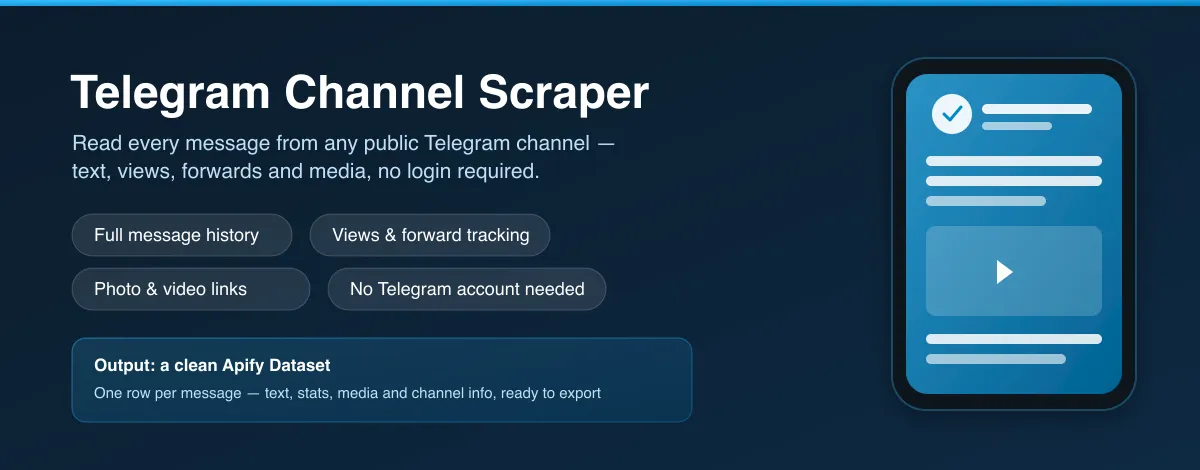
Scrape messages from any public Telegram channel — text, view counts, forward info, media links, post dates and channel stats. Give it a channel username or link and get one clean row per message, with no Telegram account, phone number, or API keys required.
This Actor is a Telegram channel scraper, a Telegram message exporter, and a Telegram channel monitor rolled into one.
At a glance
- Input: one or more Telegram channel usernames or
t.melinks. - Output: one row per message — text, views, post date, forwards, media links and channel info.
- History: walks back through a channel's full message history up to your
maxResults. - Login: none required — no account, no phone number, no cookies, no API credentials.
- Runs on: the Apify platform — schedule it, call it via API, or wire it into Make/Zapier/Google Sheets.
What does the Telegram Channel Scraper do?
Give it a channel username or link and it returns that channel's messages, newest first, walking back through its history as far as you need. Every message becomes one clean dataset row, along with the channel's own name, avatar and subscriber count.
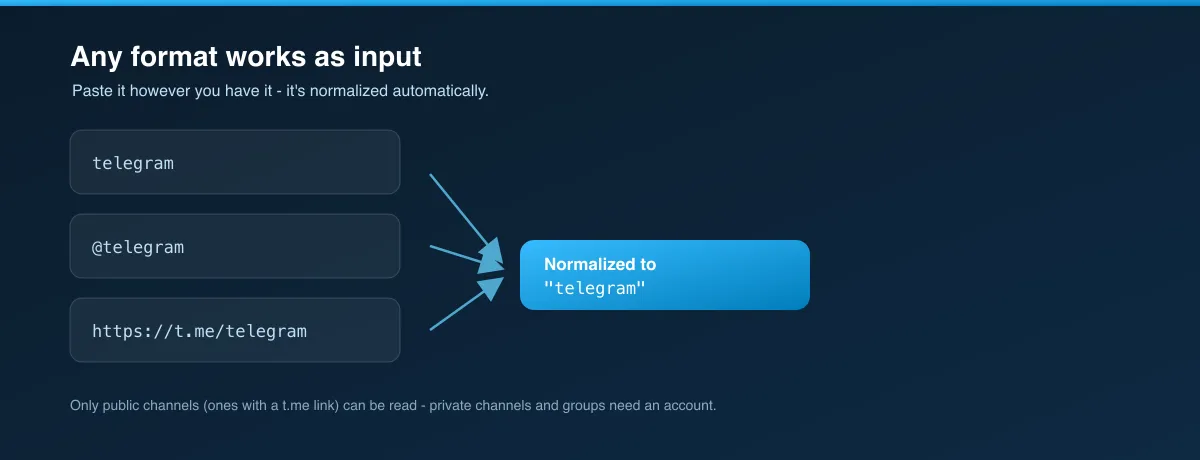
Everything visible in a channel becomes a dataset field:
| In the channel | Dataset field |
|---|---|
| The message text | text |
| View count | viewsCount |
| "Forwarded from ..." | forwardedFromName, forwardedFromUrl |
| Post date/time | postedAt (YYYY-MM-DD HH:mm) |
| Attached photo/video/file | mediaType, mediaUrls |
| Channel name, avatar, subscribers | channel.title, channel.avatarUrl, channel.subscribersCount |
| The message link | url, messageId |
Why use this Telegram scraper?
- Full message history, on demand — walk back through a public channel's posts as far as
maxResultsallows, no manual scrolling. - Engagement at a glance — view counts on every message, so you can spot what actually landed.
- Track reposts and reach —
forwardedFromName/forwardedFromUrlshow when a message originated elsewhere. - Media without opening the app — direct links to each message's photo(s) and video(s).
- Channel stats included — title, avatar and subscriber count come back with every message, no separate lookup.
- No login — no account, no phone number, nothing to connect and nothing to get banned or verified.
- Standard exports — JSON, CSV, Excel, XML, or the Apify API.
What makes this Actor different?
Most Telegram scraping tools need a phone number, an api_id/api_hash from my.telegram.org, or a logged-in client session — all fragile and all tied to a real Telegram account that can get flagged. This one reads Telegram's own public channel data with zero credentials, works identically for any public channel, and handles pagination and rate limiting for you.
How it works
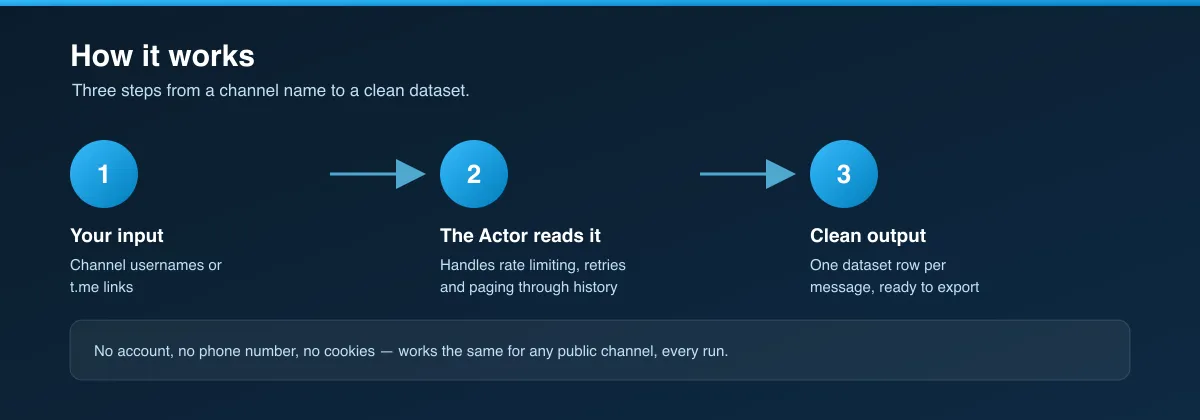
- Your input — one or more channel usernames or links.
- The Actor reads it — it handles everything between your input and clean results: no login, rate-limit handling, retries, and paging back through history up to your
maxResults. - Output — a dataset row per message with its stats, media links and channel info.
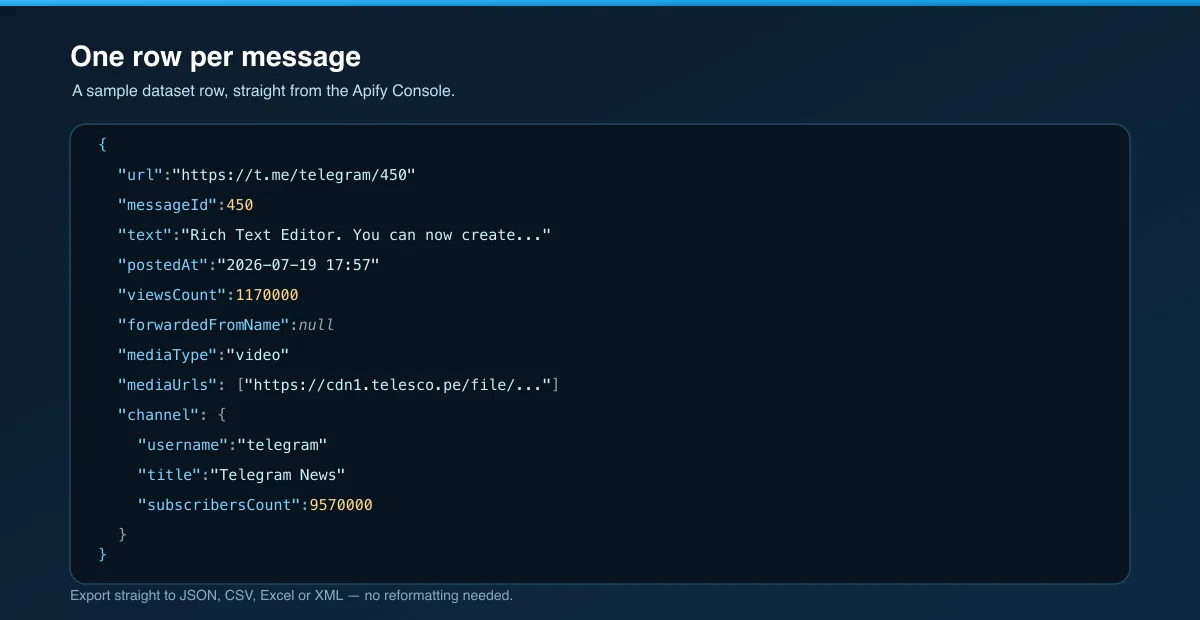
What data you get
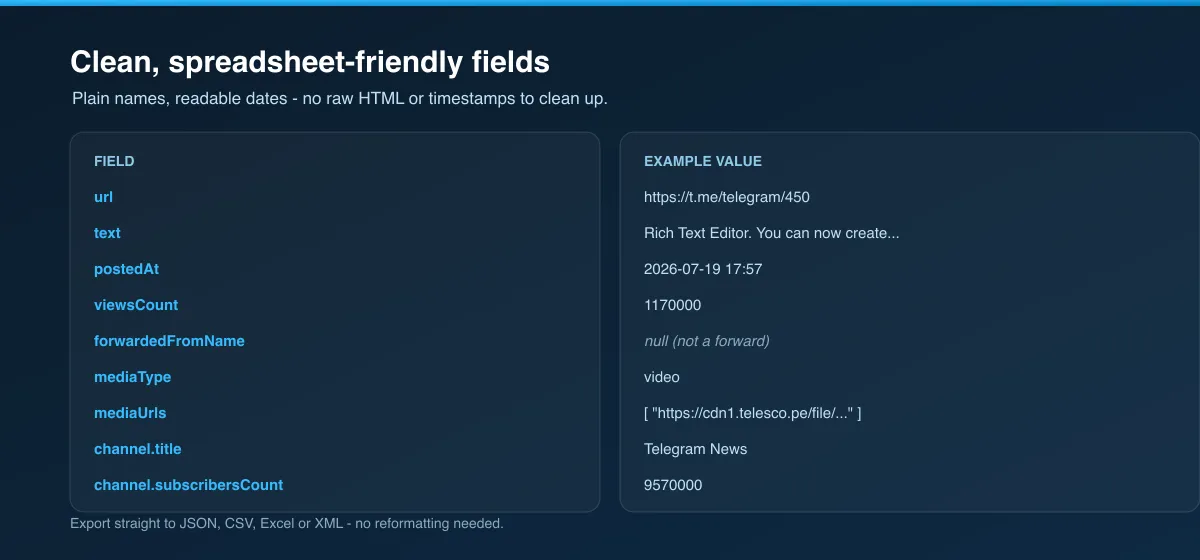
| Field | Description |
|---|---|
url | Direct link to the message |
messageId | The message's numeric ID within the channel |
text | Full message text, with line breaks preserved |
postedAt | Publish time, YYYY-MM-DD HH:mm (UTC) |
viewsCount | View count |
forwardedFromName | Name of the original channel/source, if this message was forwarded — otherwise null |
forwardedFromUrl | Link to the original forwarded message, if present — otherwise null |
mediaType | photo, video, document, voice, video_note, sticker, poll, or null if the message is text-only |
mediaUrls | Direct link(s) to the message's photo(s)/video(s), when the preview page exposes one |
channel.username | The channel's handle |
channel.title | The channel's display name |
channel.avatarUrl | The channel's avatar image |
channel.subscribersCount | Subscriber count at the time of the run |
Input parameters
| Parameter | Type | Required | Default | Description |
|---|---|---|---|---|
channels | Array | Yes | – | Channel usernames or links, e.g. "telegram", "@telegram", or "https://t.me/telegram". |
maxResults | Integer | No | 50 | Stop after this many messages per channel. Raise it for a full history export. |
proxyConfiguration | Object | No | Apify Proxy | Optional. Helpful for large exports or many channels in one run. |
Example output
How to use the Telegram Channel Scraper
- Open the Actor.
- Add one or more
channels— a bare handle,@handle, or fullt.melink all work. - Set
maxResults(per channel). - Press Start.
- Read the rows in the Dataset tab (export JSON / CSV / Excel / XML).
Usage examples
Pull a channel's latest posts
Track several news channels at once
Export a channel's full history
Tips for best results
maxResultsis per channel, not per run — 3 channels atmaxResults: 20can return up to 60 rows.- Only public channels work. If a channel has no
t.melink (private groups, private channels), there's nothing for this Actor — or any logged-out tool — to read. - Schedule it on the same channels and diff
viewsCountbetween runs to track how posts perform over time. mediaUrlslinks can expire — download promptly if you need to keep the files.- A row is a snapshot at collection time — view counts keep moving after you scrape.
Limitations
- Public channels only. Private channels, private groups, and channels without a
t.melink return no data. - Very old messages in a large channel may take a few extra pages to reach — raise
maxResultsaccordingly. - View counts are Telegram's own displayed figures (sometimes rounded, e.g. "1.4M") and are converted to plain numbers.
- A message's forward/media info reflects what Telegram's public page exposes; some document types don't expose a direct file URL without opening the app.
Export formats & integrations
Export the dataset as JSON, CSV, Excel, or XML from the Dataset tab or the Apify API. Connect results to Google Sheets, Make, Zapier, Slack, or your own systems via the API and webhooks, and schedule runs to build a channel-activity history.
Frequently asked questions
Do I need a Telegram account or API keys to use this?
No. It works fully logged out — no account, no phone number, no api_id/api_hash from my.telegram.org.
Can I scrape a private channel or group?
No. Only public channels (the ones with a shareable t.me/<channel> link) can be read without an account. Private channels and groups aren't accessible logged-out by design.
How far back can it go?
As far as maxResults allows — the Actor walks back through the channel's full message history page by page.
What counts as a "message"?
Each individual post in the channel, including text-only posts, media posts, and forwarded posts. A photo/video album posted as one message returns as a single row with multiple mediaUrls.
Why did a run return nothing?
Usually the channel name is wrong, or the channel is private/nonexistent/has disabled its public preview. Double-check the handle and that the channel is genuinely public.
Are the view counts exact?
They match what Telegram itself displays, which is rounded for large numbers (e.g. "1.4M" becomes 1400000). Small counts are exact.
Is this against Telegram's rules?
The Actor only reads Telegram's own public channel preview, the same page anyone can open in a browser without logging in. You are responsible for how you use the data — see below.
Related scrapers
Building a social-media data pipeline? These pair well with this Actor:
- Instagram Reel & Audio Scraper — Reels by sound or by profile, with optional video/audio download.
- TikTok Scraper — profile videos with views, likes, comments and audio/video download.
- YouTube Video Downloader — videos, Shorts, playlists and whole channels as MP4/MP3.
- Facebook Marketplace Scraper — listings, prices and locations, no login.
Support
Found a bug or need another field exposed? Open an issue on the Actor's Issues tab in the Apify Console.
Legal / responsible use
This Actor collects publicly available Telegram channel data — the same content anyone can view without logging in. It does not access private channels, groups, or any account. You are responsible for how you use the Actor and its output, including compliance with Telegram's Terms of Service, copyright in any content you collect, and the data-protection laws that apply to you (GDPR, CCPA, and others).


