

Sportsbook Odds Comparison: Pinnacle, FanDuel and DraftKings
Pricing
from $10.00 / 1,000 results
Sportsbook Odds Comparison: Pinnacle, FanDuel and DraftKings
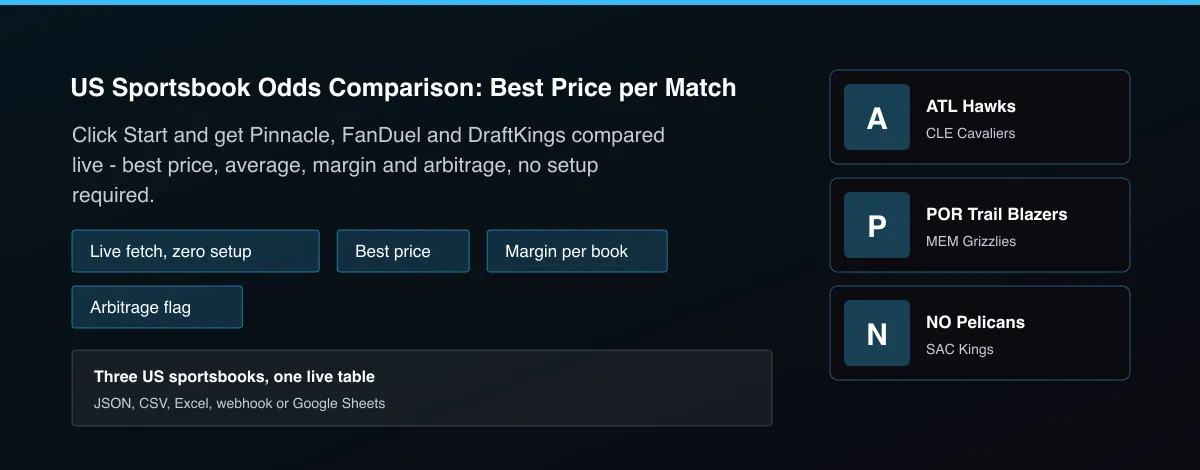
Live comparison of Pinnacle, FanDuel and DraftKings: for every match and market see each book's price, the best price and who offers it, the average, each book's margin and whether the best prices create an arbitrage. Fetches fresh odds automatically - no manual setup.
Pricing
from $10.00 / 1,000 results
Rating
0.0
(0)
Developer

MrDoe
Maintained by CommunityActor stats
0
Bookmarked
2
Total users
1
Monthly active users
9 hours ago
Last modified
Categories
Share
What does US Sportsbook Odds Comparison: Best Price per Match do?
US Sportsbook Odds Comparison runs this account's own Pinnacle, FanDuel and DraftKings Actors live, matches the same game across all three even when team names differ slightly, then for each market and line returns every bookmaker's price, the best price for each outcome and which bookmaker offers it, the average price, each bookmaker's margin, the combined margin of the best prices and a flag when those best prices guarantee a profit. It covers moneyline and total markets, defaulting to NBA.
Why use US Sportsbook Odds Comparison: Best Price per Match?
- Zero setup: click Start, get a live three-book comparison back.
- Line shopping across Pinnacle, FanDuel and DraftKings in one table.
- Fuzzy team matching across three different data shapes.
- Margin per bookmaker shows who charges the most.
- Arbitrage flag when the best prices genuinely beat the market.
What makes this different
Odds comparison sites are closed and show only what they choose. This Actor runs the actual bookmaker scrapers live on every call, every time, and hands you the raw per-book comparison as structured data you can filter, store or alert on - not a locked dashboard.
How it works
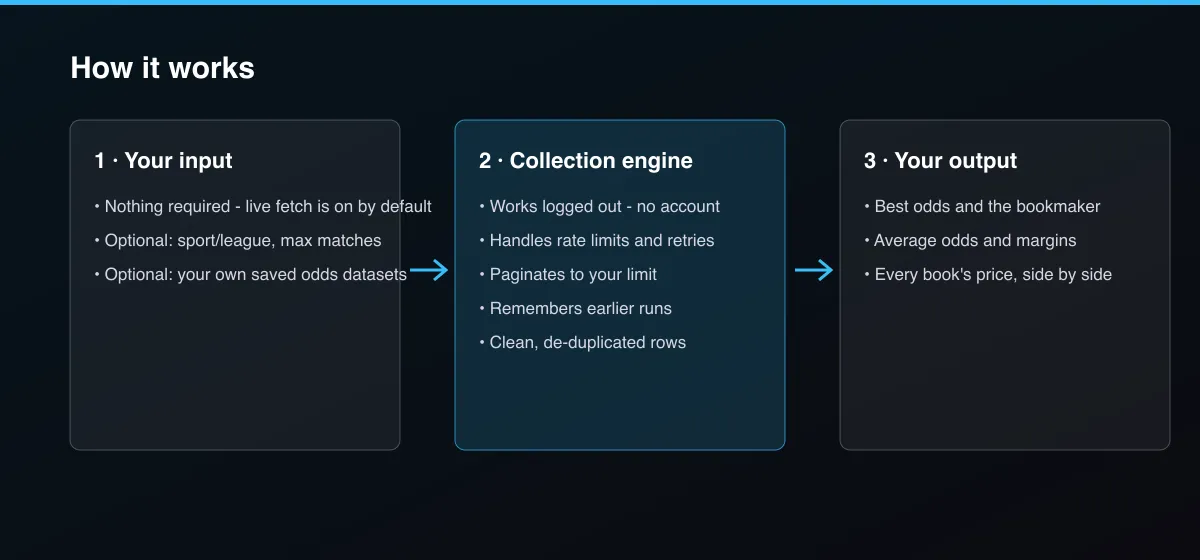
- Your input — press Start with no input - it fetches fresh Pinnacle, FanDuel and DraftKings odds automatically.
- The Actor collects it — it matches the same game across all three books and compares each market.
- Your output — you get one comparison row per match and market, with every book's price.
What data can you extract?
The dataset has 10 fields per row:
| Field | Type | Description |
|---|---|---|
event | object | Home, away, sport, league and start time. |
market | string | moneyline or total. |
line | number | Total line, null for moneyline. |
bookmakers | number | Bookmakers pricing this market. |
best | object | Best odds and bookmaker per selection. |
average | object | Average odds per selection. |
bestPriceMarginPercent | number | Combined margin of the best prices in percent. |
arbitrage | boolean | True when the best prices guarantee a profit. |
books | array | Each bookmaker's odds, margin and link. |
demo | boolean | True for the built-in sample. |
How to use US Sportsbook Odds Comparison: Best Price per Match
- Open the Actor and go to the Input tab.
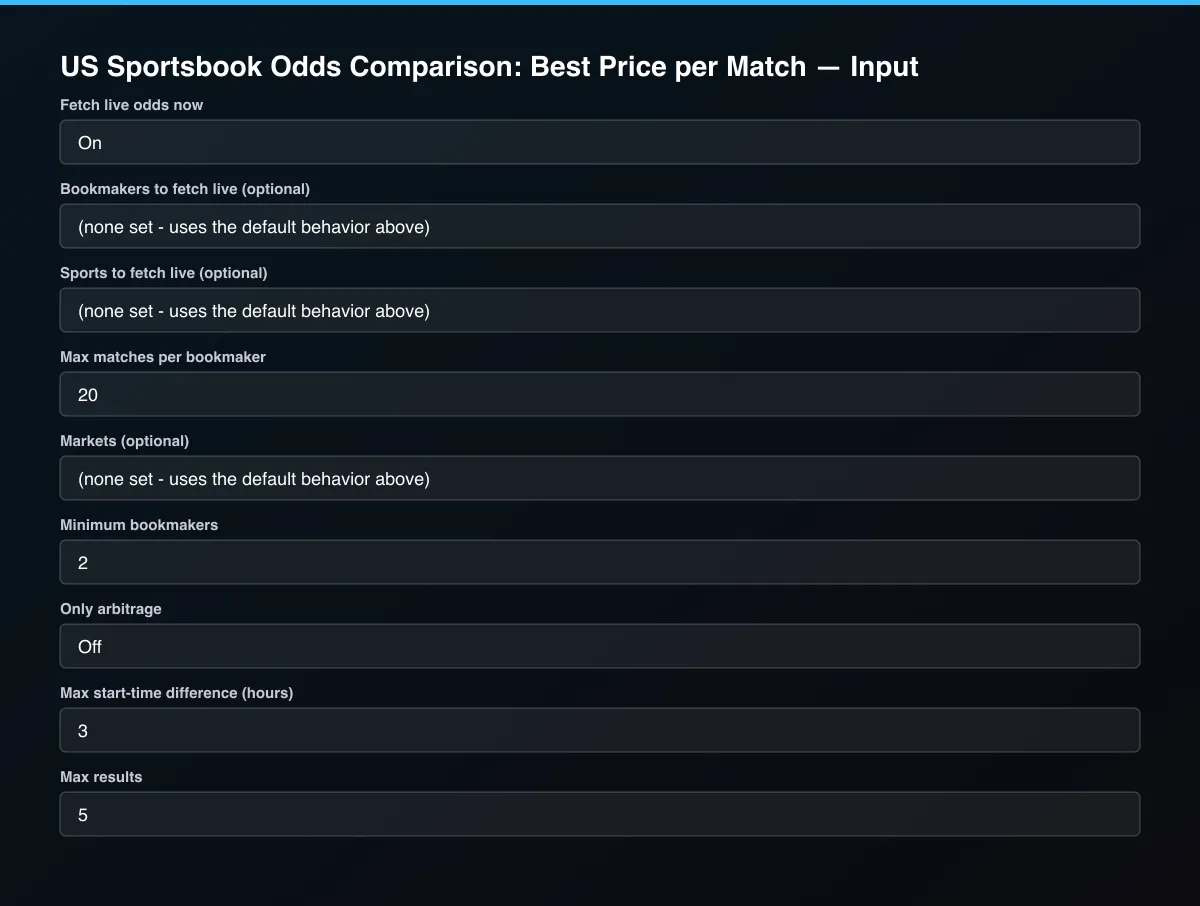
- Press Start - live fetch is on by default and needs no configuration. To target a different sport, set Sports to fetch live (e.g. NFL, MLB, NHL); to use your own saved odds instead, turn off Fetch live odds now and add datasets.
- Optionally set filters and a Max results limit.
- Click Start. A default run finishes in under a minute.
- Open the Output tab, then download the dataset or connect it to your tools.
Input Parameters
| Parameter | Type | Required | Default | Description |
|---|---|---|---|---|
fetchLiveOdds | boolean | No | true | Runs this repo's own Pinnacle, FanDuel and DraftKings Actors right now and compares their fresh odds, in addition to any datasets below. Each is a separate Actor run on your account, billed and timed as its own run. Turn off to only use the datasets below. |
liveBookmakers | array | No | [] | Which of pinnacle, fanduel, draftkings to fetch. Leave empty for all three. |
liveSports | array | No | [] | Sport/league to pass to each bookmaker Actor, e.g. NBA, NFL, MLB, NHL. Leave empty for NBA. |
liveMaxMatchesPerBook | integer | No | 20 | Caps how many matches each bookmaker Actor fetches live. |
oddsDataset1 | string | No | — | Dataset from a bookmaker odds Actor run (Pinnacle, FanDuel or DraftKings). Add one per bookmaker, on top of or instead of live fetch. Leave all empty to rely on live fetch. |
oddsDataset2 | string | No | — | Another dataset of the same kind. |
oddsDataset3 | string | No | — | Another dataset of the same kind. |
oddsDataset4 | string | No | — | Another dataset of the same kind. |
markets | array | No | [] | moneyline and/or total. Leave empty for both. |
minBooks | integer | No | 2 | Only compare markets priced by at least this many bookmakers. |
onlyArbitrage | boolean | No | false | Return only markets where the best prices across books guarantee a profit. |
maxStartDiffHours | number | No | 3 | Listings count as the same match when their start times are within this many hours. |
maxResults | integer | No | 5 | Maximum number of comparisons returned. Default is 5 for a quick test; set 0 to return everything available. |
Output Data
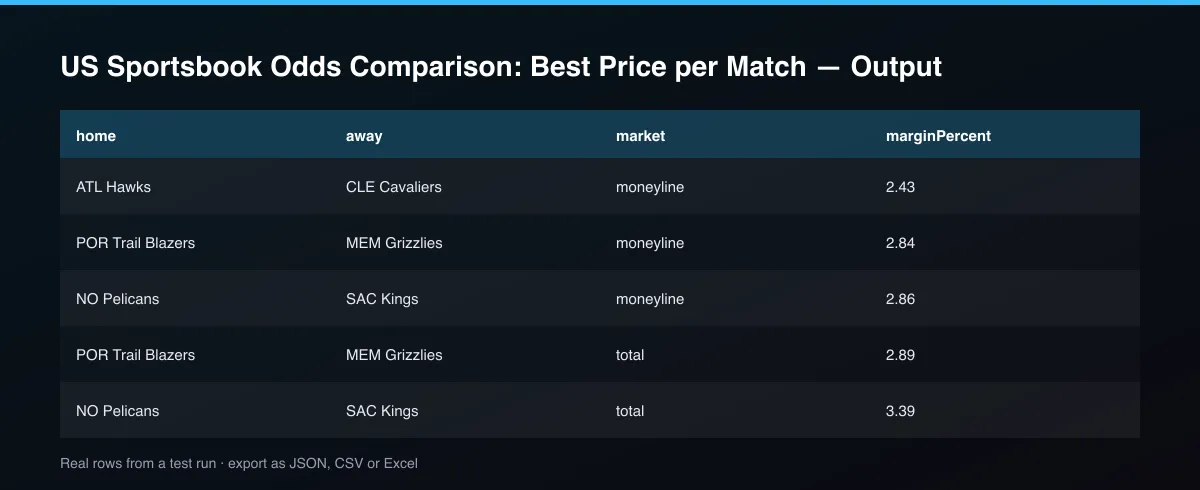
best gives the highest price and bookmaker for each selection; average is the mean price. bestPriceMarginPercent is the combined margin of the best prices: below zero means an arbitrage, flagged in arbitrage. books lists every bookmaker's price and margin.
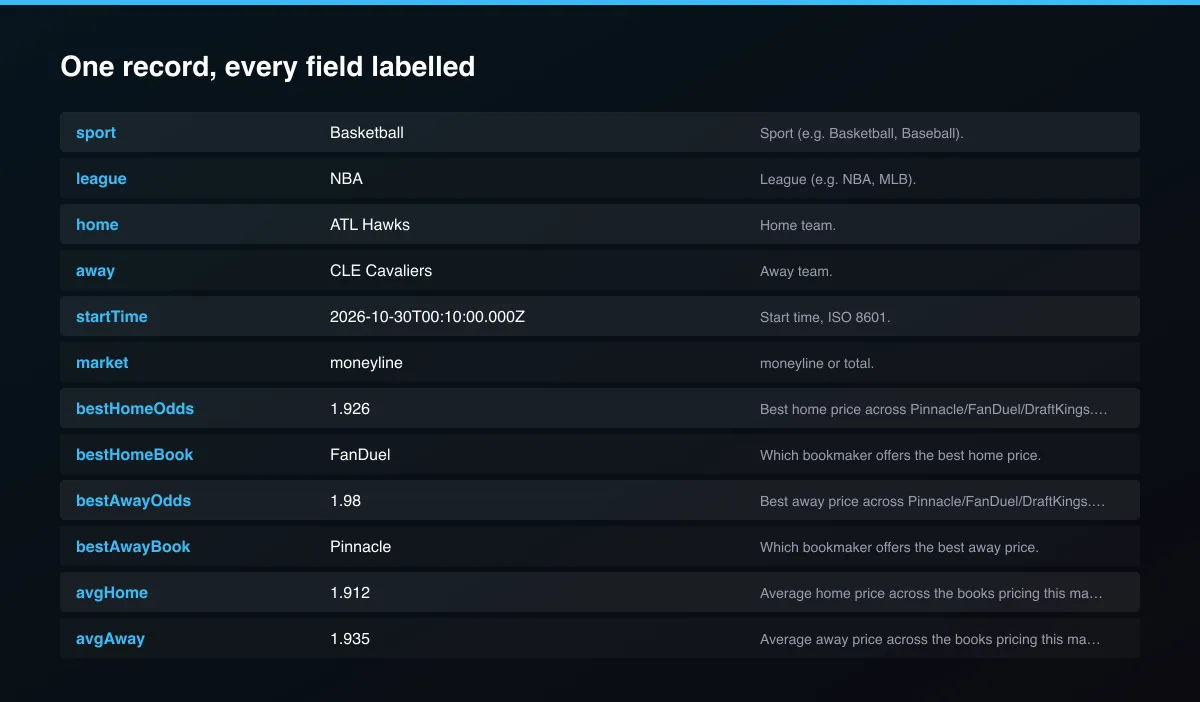
A real dataset item:
Usage Examples
Default live NBA comparison
Live NFL comparison
Arbitrage only
Tips for Best Results
- Default is 5 results for a fast test. Set the max to 0 to return everything available.
Known Limitations
- Comparison is only as fresh as the moment the live fetch runs; prices move within minutes.
- Only moneyline and total markets are compared.
- Pinnacle and FanDuel filter by sport, not league; sports outside the built-in NBA preset may need a higher 'Max matches per bookmaker' to find overlap, which adds a modest extra cost.
- Team matching is fuzzy; unusual name differences can leave a match unpaired.
- Each live-fetch run also triggers three separate, separately-billed sub-Actor runs on your own account.
Integrations
Run it from the Apify API, on a schedule, or from a webhook. Send results straight to Google Sheets, Make, Zapier, Slack or your own database with Apify's built-in integrations.
Export Formats
Download the dataset as JSON, CSV, Excel, XML, HTML table or RSS from the Output tab or the API.
Frequently Asked Questions
Does it need an account or API key?
No. Live fetch needs no account or API key for any of the three books.
Am I charged for failed results?
No. You are only charged for results that are written to the dataset.
Do I need an account or login?
No. Live fetch needs no account or API key for any of the three books.
Am I charged for failed runs or empty results?
You are only charged for results that are actually written to the dataset.
Can I run it on a schedule?
Yes. Create a Task with your input and add a schedule in Apify Console. With monitor mode on, each scheduled run returns only what changed since the previous one.
Support
Questions or a missing field? Open an issue from the Issues tab on this Actor's page and it will be looked at.
Legal / Responsible Use
You are responsible for how you use these results, including compliance with bookmaker terms and the gambling laws that apply to you. This Actor is analysis only and does not place bets. Gambling is age-restricted; if you or someone you know has a problem, seek support such as BeGambleAware or 1-800-GAMBLER.


