

Viral Clips Downloader - Most Replayed Moments from Any Video
Pricing
Pay per event
Viral Clips Downloader - Most Replayed Moments from Any Video
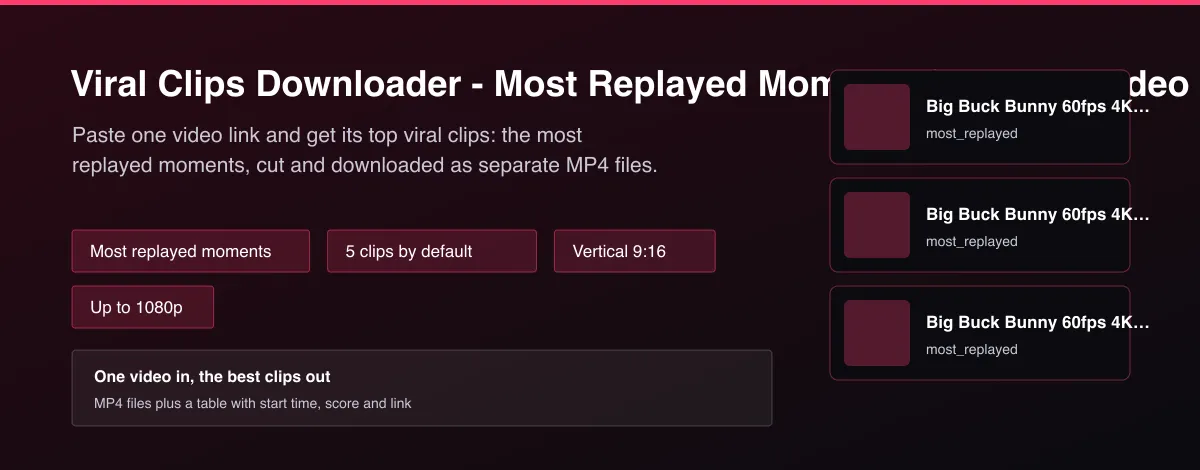
Turn one video link into its top viral clips. Finds the most replayed moments and downloads each as a separate MP4, with vertical 9:16 and square options for Shorts, Reels and TikTok. 5 clips by default, up to 30. No login.
Pricing
Pay per event
Rating
0.0
(0)
Developer

MrDoe
Maintained by CommunityActor stats
0
Bookmarked
4
Total users
2
Monthly active users
6 days ago
Last modified
Categories
Features
Share
What does Viral Clips Downloader - Most Replayed Moments from Any Video do?
Viral Clips Downloader takes the link of one video and turns it into its best short clips. It finds the moments viewers replay the most, or the loudest moments when a video has no replay data, and downloads only those parts as separate MP4 files. You get 2 clips of 20 seconds by default (each clip is billed separately, so the default run stays cheap to try) and can ask for up to 30 clips of 5 to 120 seconds. Each clip comes with its rank, start time, a score, a direct download link and a link that opens the original video at that moment. Choose 360p (default) to 1080p, and crop clips to vertical 9:16 or square 1:1 for YouTube Shorts, Instagram Reels, TikTok and social feeds.
Why use Viral Clips Downloader - Most Replayed Moments from Any Video?
- Get the best moments of a long video in minutes instead of scrubbing through it.
- Clips are picked from real viewer behaviour: the most replayed parts of the video.
- Ready-made vertical 9:16 and square 1:1 clips for Shorts, Reels, TikTok and feeds.
- Only the chosen seconds are downloaded, so runs are fast and files are small.
- Every clip has a rank, a score, a timestamp link and the details of the source video, including its license.
What makes this different
Clips are chosen from what viewers actually replay, spaced across the video so you get different moments instead of five neighbouring seconds, and only those seconds are downloaded.
How it works
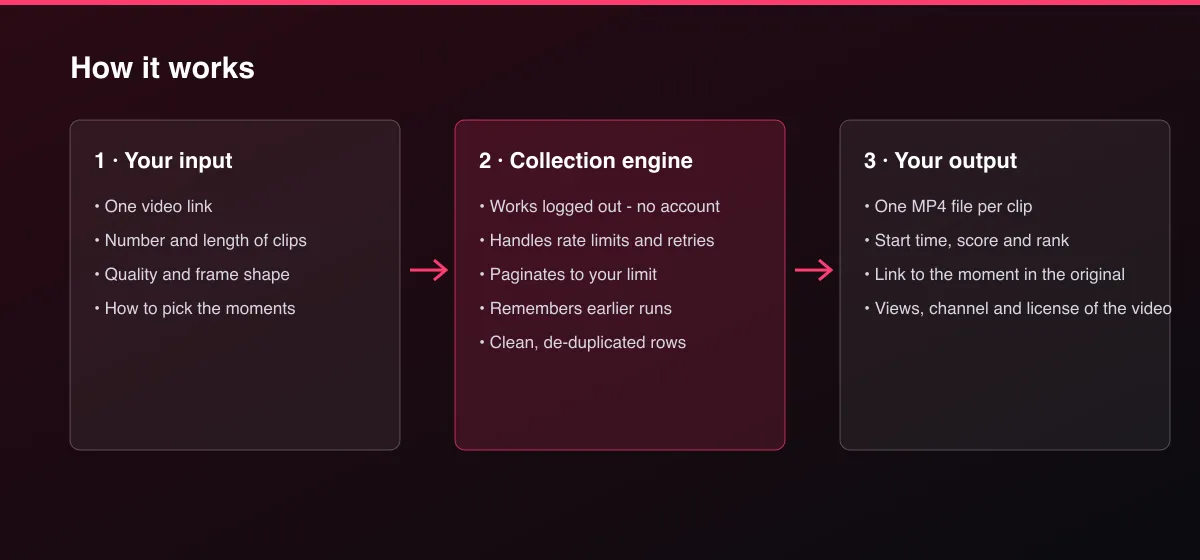
- Your input — paste the link of one video and choose how many clips you want.
- The Actor collects it — the Actor finds the strongest moments and downloads each one as an MP4.
- Your output — you get one row per clip with a download link, start time, score and details of the video.
What data can you extract?
The dataset has 29 fields per row:
| Field | Type | Description |
|---|---|---|
rank | integer | Rank of the clip; 1 is the best moment. |
clipTitle | string | Title of the clip: the video title, the clip number and where it starts. |
startSeconds | integer | Start of the clip in seconds from the beginning of the video. |
endSeconds | integer | End of the clip in seconds. |
durationSeconds | integer | Length of the clip in seconds. |
startTimestamp | string | Start of the clip as m:ss or h:mm:ss. |
timestampLink | string | Link that opens the original video at the start of the clip. |
score | number | How strong the moment is, from 0 to 100; null for evenly spaced clips. |
selectionMethod | string | How the moment was chosen: most_replayed, loudest_moments or evenly_spaced. |
downloadUrl | string | Direct link to the MP4 file of the clip. |
storageKey | string | Key of the clip in the run storage. |
fileSizeMb | number | Size of the clip file in megabytes. |
resolution | string | Width and height of the clip in pixels. |
aspectRatio | string | original, vertical or square. |
format | string | File format of the clip, mp4. |
videoId | string | ID of the source video. |
videoTitle | string | Title of the source video. |
videoUrl | string | Address of the source video. |
channel | string | Channel of the source video. |
channelUrl | string | Channel address. |
videoDurationSeconds | integer | Length of the source video in seconds. |
viewCount | integer | Views of the source video. |
likeCount | integer | Likes of the source video. |
uploadDate | string | Upload date of the source video, YYYYMMDD. |
videoLicense | string | License of the source video when it states one, for example Creative Commons Attribution. |
thumbnail | string | Thumbnail of the source video. |
status | string | SUCCESS or FAILED. |
error | string | Why a clip failed; null otherwise. |
createdAt | string | When the clip was created, ISO 8601 UTC. |
How to use Viral Clips Downloader - Most Replayed Moments from Any Video
- Open the Actor and go to the Input tab.
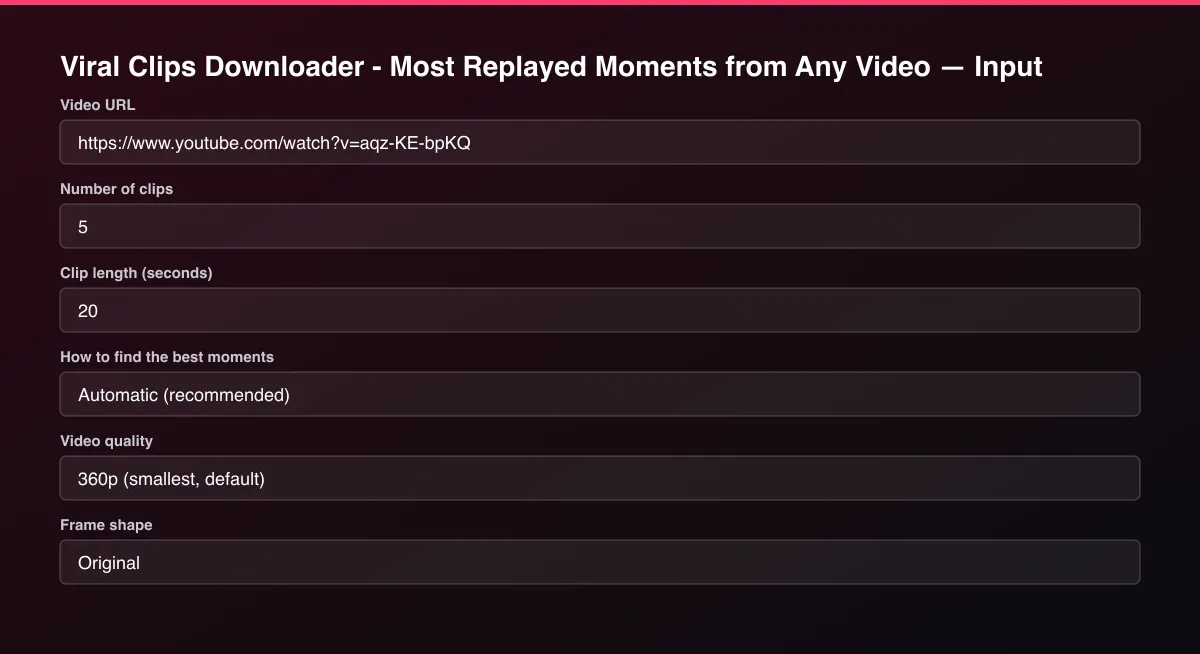
- Paste one video link into Video URL, keep the default of 2 clips, and run the Actor.
- Optionally set filters and a Max results limit.
- Click Start. A default run finishes in under a minute.
- Open the Output tab, then download the dataset or connect it to your tools.
Input Parameters
| Parameter | Type | Required | Default | Description |
|---|---|---|---|---|
videoUrl | string | Yes | "https://www.youtube.com/watch?v=aqz-KE-bpKQ" | The link of one video, for example a YouTube video. The default is an open-licensed short film so the Actor works out of the box. Only use videos you own, that are openly licensed, or that you have permission to clip. |
clipCount | integer | No | 2 | How many clips to create from the video, from 1 to 30. The best moments come first. Short videos may fit fewer clips. Each clip is billed separately, so the default is kept low - raise it once you've seen a sample result. |
clipDurationSeconds | integer | No | 20 | Length of every clip in seconds, from 5 to 120. The default of 20 seconds suits Shorts, Reels and TikTok; shorter clips download faster. |
strategy | string | No | "auto" | Automatic uses the most replayed moments when the video has them, otherwise the loudest moments. Evenly spaced takes clips at regular intervals. |
quality | string | No | "360p" | Maximum height of the clips. 360p is the smallest and fastest. Higher quality gives sharper clips and larger files. |
aspectRatio | string | No | "original" | Original keeps the video as it is. Vertical (9:16) and square (1:1) crop from the centre of the frame for Shorts, Reels, TikTok and feeds. |
proxyConfiguration | object | No | {"useApifyProxy":true,"apifyProxyGroups":["RESIDENTIAL"]} | Video sites often block cloud servers. Residential proxy is recommended and is turned on by default. |
Output Data
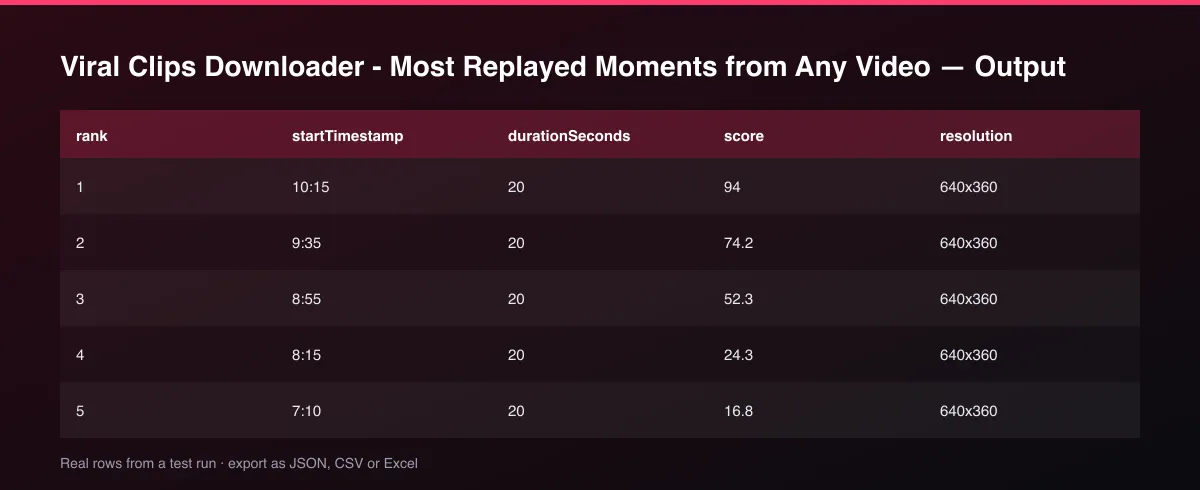
rank 1 is the strongest moment. score is from 0 to 100 and is empty for evenly spaced clips. downloadUrl is the MP4 file; timestampLink opens the original video at the start of the clip. videoLicense shows the license the video states, for example Creative Commons. Fields that do not apply are null.
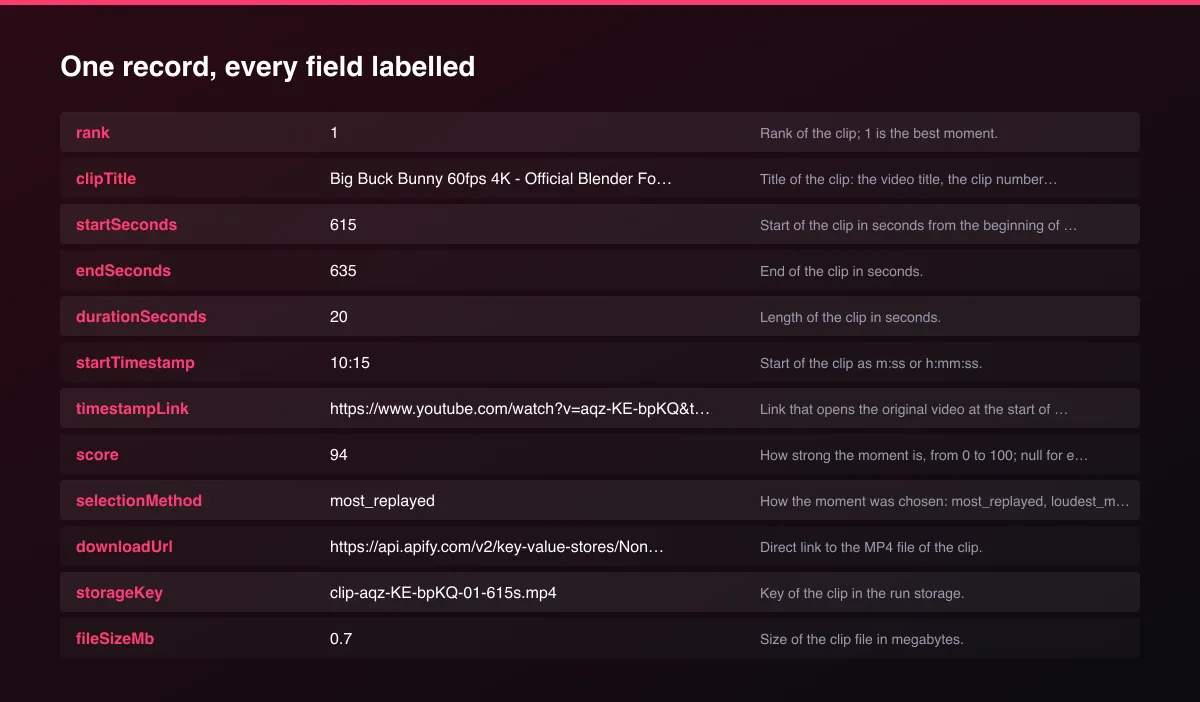
A real dataset item:
Usage Examples
2 viral clips (default)
10 vertical clips for Shorts and Reels
Loudest moments of a video
Tips for Best Results
- Keep clips between 15 and 60 seconds for Shorts, Reels and TikTok.
- Choose Vertical 9:16 for phone-first platforms and Square 1:1 for feed posts.
- Start with the default 360p; use 480p, 720p or 1080p when you need sharper clips.
- Use Most replayed moments for popular videos and Loudest moments for videos with few views.
- Only clip videos you own, that are openly licensed, or that you have permission to use.
Known Limitations
- The most replayed data exists only for videos with enough views; other videos fall back to the loudest moments.
- Very short videos fit fewer clips; the Actor tells you how many fit.
- Age-restricted, private and live videos cannot be clipped.
- Video sites often block cloud servers, so a residential proxy is used by default.
- Vertical and square clips are cropped from the centre of the frame; there is no face tracking.
- You are responsible for having the right to download and reuse the video.
- Raise the Actor memory to 2048 MB or more for 720p and 1080p clips.
Integrations
Run it from the Apify API, on a schedule, or from a webhook. Send results straight to Google Sheets, Make, Zapier, Slack or your own database with Apify's built-in integrations.
Export Formats
Download the dataset as JSON, CSV, Excel, XML, HTML table or RSS from the Output tab or the API.
Frequently Asked Questions
How do I make viral clips from a long video?
Paste the video link, keep 2 clips of 20 seconds and run the Actor. It finds the most replayed moments and gives you one MP4 per moment.
What are the most replayed moments?
They are the parts of a video that viewers watch again and again. They are usually the funniest, most exciting or most useful moments, which makes them good clips.
Can I make vertical clips for YouTube Shorts, Reels and TikTok?
Yes. Set Frame shape to Vertical 9:16 and the clips are cropped from the centre of the frame. Square 1:1 is also available.
How many clips can I get?
2 by default, to keep a first try cheap. You can raise it to 30 clips per run, each 5 to 120 seconds long.
What if a video has no most replayed data?
The Actor uses the loudest moments instead, or spaces the clips evenly if you choose that.
Which quality can I choose?
360p, 480p, 720p or 1080p. 360p is the default and the fastest.
Am I allowed to download any video?
Only videos you own, that are openly licensed, or that you have permission to use. Every row shows the license the video states.
Do I need an account or login?
No. You only need the link of a public video. No account, cookies or API key.
Am I charged for failed runs or empty results?
A small run fee applies once per run to cover reading the video, even if every clip then fails - that part of the cost is real whether or not a clip comes out. Beyond that, you are only charged per clip for clips that actually succeed and get written to the dataset; a failed clip costs nothing on top of the run fee.
Can I run it on a schedule?
Yes. Create a Task with your input and add a schedule in Apify Console. With monitor mode on, each scheduled run returns only what changed since the previous one.
Support
Questions or a missing field? Open an issue from the Issues tab on this Actor's page and it will be looked at.
Legal / Responsible Use
Use this Actor only for videos you own, videos with an open license such as Creative Commons, or videos you have permission to clip. You are responsible for following the terms of the video site and copyright law, including attribution when a license requires it. Do not use it to copy other creators' work without permission. The Actor is not affiliated with any video platform.


