

Playwright Browser MCP — Automate & Scrape for Agents
Pricing
from $50.00 / 1,000 tool calls
Playwright Browser MCP — Automate & Scrape for Agents
MCP server exposing Playwright browser automation — navigate, click, fill forms, extract content and screenshot — as 17 agent tools. Connect Claude, Cursor, n8n. No API key. Pay per record.
Pricing
from $50.00 / 1,000 tool calls
Rating
5.0
(1)
Developer

NexGenData
Maintained by CommunityActor stats
0
Bookmarked
115
Total users
19
Monthly active users
2 days ago
Last modified
Categories
Share
Playwright Browser MCP
A Model Context Protocol server that gives AI agents browser-automation tools — navigate, click, fill forms, run JavaScript, extract content, PDF and screenshot — as callable tools. For scraping, testing and web-automation agents.
📊 Sample Output
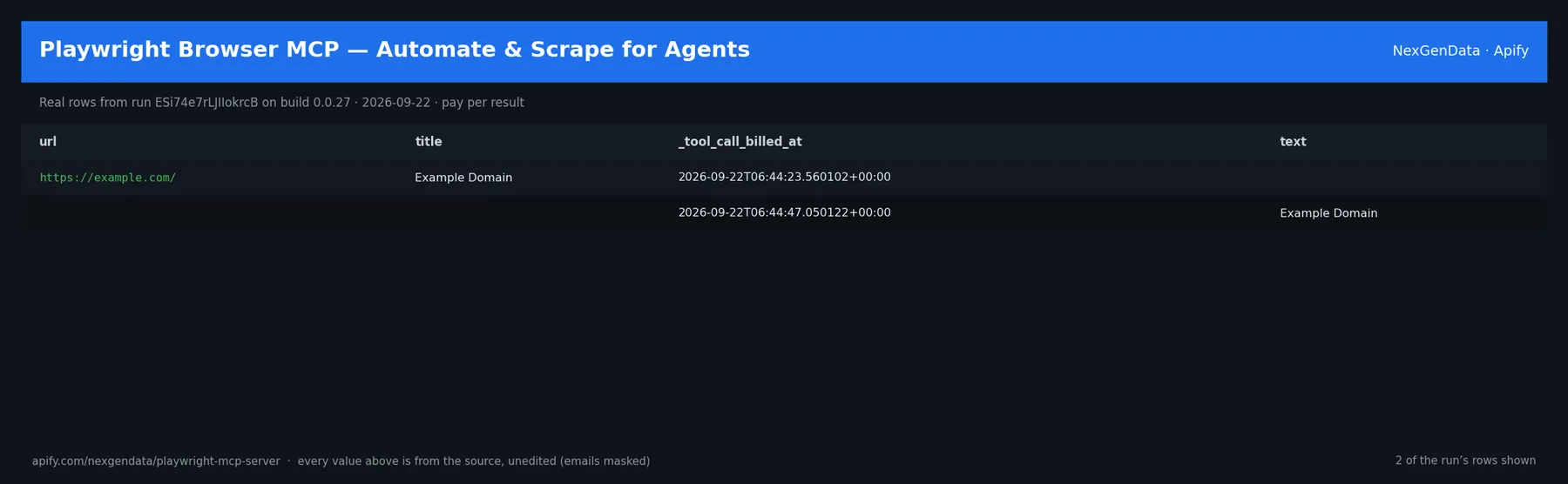
url | title | _tool_call_billed_at | text |
|---|---|---|---|
| https://example.com/ | Example Domain | 2026-09-22T06:44:23.560102+00:00 | |
| 2026-09-22T06:44:47.050122+00:00 | Example Domain |
Real rows from run ESi74e7rLJIIokrcB on build 0.0.27 (2026-09-22), unedited apart from masked emails/phones and shortened long text; fields the source does not publish are empty.
🔧 Input reference
| Field | Type | Default | What it does |
|---|---|---|---|
proxyConfiguration | object | {"useApifyProxy": true} | Apify proxy configuration for anti-blocking. Optional — defaults to residential IPs. |
headless | boolean | true | Run browser in headless mode. Leave ON for MCP server usage. |
viewportWidth | integer | 1280 | Browser viewport width in pixels. |
viewportHeight | integer | 720 | Browser viewport height in pixels. |
🧾 JSON sample record
One real record from run ESi74e7rLJIIokrcB (emails/phones masked, long text shortened):
💰 Pricing
| Event | Price (USD) | When it is charged |
|---|---|---|
Actor Start (apify-actor-start) | $0.005 | Charged when the Actor starts running. Number of events charged depends on Actor memory (one event per GB, minimum one event). |
tool call (apify-default-dataset-item) | $0.05 | Charged per successful MCP tool call (navigate, click, screenshot, extract, etc.). |
Pay-per-event: you pay only for what the run delivers. A run that delivers nothing bills no result events (only the actor-start event, when the actor defines one). Example: a run that delivers 100 results costs 100 × $0.05 = $5.00 plus the start fee.
🔗 Related Actors
More from the NexGenData MCP servers for AI agents family:
- Legal Data MCP — Case Law, Dockets & Filings for AI Agents
- News MCP — AP, BBC, NPR & Google News for AI Agents
- Patent Search MCP — Prior Art & Inventor Tools for AI Agents
- Premium Data MCP — Gov, Business & Product Data for Agents
- Real Estate MCP — Property Search & Details for AI Agents
- Reddit MCP — Subreddit & Search for AI Agents
29 more in this family on the NexGenData Store page.
🛠 Tools (17)
click— Click an element.close_browser— Close the browser session.evaluate— Run JavaScript in the page.extract_table— Extract a table as structured data.fill_form— Fill form fields.get_cookies— Read page cookies.get_html— Get page HTML.get_links— Extract links from the page.get_text— Get visible page text.navigate— Navigate to a URL.page_pdf— Save the page as a PDF.screenshot— Capture a screenshot.scroll— Scroll the page.select_option— Select a dropdown option.set_cookies— Set page cookies.type_text— Type text into a field.wait_for— Wait for an element or condition.
🔌 Connect (Claude Desktop / Cursor / n8n / OpenAI Agents SDK)
Add this MCP server to your client config:
Sample agent prompt:
Pricing: $0.05 per tool call (Pay-Per-Event). Runs in Standby mode.
Related NexGenData MCP Servers & Web-Scraping Actors
| Use case | Actor |
|---|---|
| Web scraping MCP (HTTP + parse, no browser) | web-scraping-mcp-server |
| Developer tools MCP | developer-tools-mcp-server |
| Google Maps MCP | google-maps-mcp-server |
| News MCP | news-mcp-server |
| Review intelligence MCP | review-intelligence-mcp-server |
FAQ
Q: How do I get started? Sign up at apify.com, grab your API token from Settings then Integrations, and connect this MCP server from your AI client (Claude Desktop, Cursor, etc.).
Q: Is this actor maintained? Yes. NexGenData ships updates regularly. Bug reports via the Apify console issues tab get responses within 24 hours.
Q: Which MCP clients work? Any MCP-compatible client — Claude Desktop, Cursor, Cline, custom agents — via SSE or HTTP transport.
About NexGenData
NexGenData publishes a large catalog of buyer-intent actors plus a family of MCP servers for AI agent workflows. Browse the full catalog at https://apify.com/nexgendata
🏠 Home: thenextgennexus.com 📦 Full catalog: apify.com/nexgendata


![Propwire.com [From $1💰] Leads Scraper avatar](https://images.apifyusercontent.com/ZZSQ1ll9ImN8tFhsh9Ez_b0IpvwSdTF1eanxr1yCsvw/rs:fill:76:76/cb:1/aHR0cHM6Ly9hcGlmeS1pbWFnZS11cGxvYWRzLXByb2QuczMudXMtZWFzdC0xLmFtYXpvbmF3cy5jb20vbmduOHZSRVNUa3NleVdFNnAtYWN0b3ItVkVmYk5XR3RBZHc4Z2s0TG4tVWlsbEJBZWtPeC1wcm9wd2lyZS5qcGVn.webp)


