

PDF Text Extractor — Markdown, Per-Page Text, Tables, OCR & RAG
Pricing
from $33.50 / 1,000 pdf intake checks
PDF Text Extractor — Markdown, Per-Page Text, Tables, OCR & RAG
Turn any PDF (URL or upload) into clean data: full text, LLM-ready Markdown, per-page text, tables, RAG chunks, metadata and a READY_FOR_RAG / NEEDS_OCR verdict. OCR for scanned pages in 7 languages, page ranges, header/footer removal, passwords, change detection. $0.05 per PDF; failures free.
Pricing
from $33.50 / 1,000 pdf intake checks
Rating
0.0
(0)
Developer
NexGen Watch
Maintained by CommunityActor stats
0
Bookmarked
2
Total users
1
Monthly active users
3 days ago
Last modified
Categories
Security
Limited permissionsShare
PDF Text Extractor — Markdown, Per-Page Text, Tables, OCR & RAG-Ready Check
Turn any PDF — by URL or uploaded as base64 — into clean data: the full text, an LLM-ready Markdown rendition (headings rebuilt from font sizes, bullets and paragraphs kept), per-page text, optional tables as rows of cells, optional RAG chunks with overlap, document metadata (title, author, created date, producer), a SHA-256 of the file and a content hash, and the intake checks this actor has always done: page count, encryption, text-layer presence, scan likelihood and a READY_FOR_RAG / NEEDS_OCR / REJECT verdict. Scanned PDFs can be OCR'd (Tesseract, 7 languages) page by page, with a cap you control. Page ranges, header/footer and page-number removal, password-protected files and change detection between runs are built in. Pay per PDF read to a verdict; files that cannot be downloaded, are not PDFs, are oversized or stay encrypted cost nothing. Built by NexGen Watch on Apify.
- Two ways in:
urls(public PDF links, redirects followed, host and robots.txt checked) orfiles(base64 strings, data: URLs, or keys in the run's key-value store);passwordfor protected files. - Shape the output:
pageRange(1-5, 8, 12-),includeFullText,includeMarkdown,includePerPageText,extractTables,ragChunks+chunkSize/chunkOverlap,removeHeaderFooter,removePageNumbers. - Scanned documents:
ocrScannedPages+ocrLanguage(English, German, French, Spanish, Portuguese, Italian, Dutch) +ocrMaxPagesPerPdf; rows reportocr_pages,ocr_capped,ocr_unavailablehonestly. - Scheduler-ready:
changeDetectionhashes each PDF's text and markschanged;changedOnlydelivers (and bills) only PDFs whose text changed since the last run. - Safe by construction: size cap and decompression-bomb guard, no code inside a PDF is ever executed (JavaScript / auto-actions are only reported in
warnings), public hosts only, robots.txt honoured, identified User-Agent.
Billing: $0.02 per run start, then $0.05 per PDF read to a verdict (pdf_intake_check). REJECT rows, unreachable downloads and malformed inputs are free. OCR and tables cost nothing extra.
Who uses this
- AI / RAG teams turning reports, filings, manuals and papers into Markdown and chunks for embedding — with a readiness verdict before indexing.
- Analysts and researchers batch-reading public PDFs (regulatory filings, tenders, academic papers) into one table with text and metadata.
- Document-pipeline builders who need per-page text, tables and OCR of scanned pages in one step, and only want to be told when a document changed.
📊 Sample Output
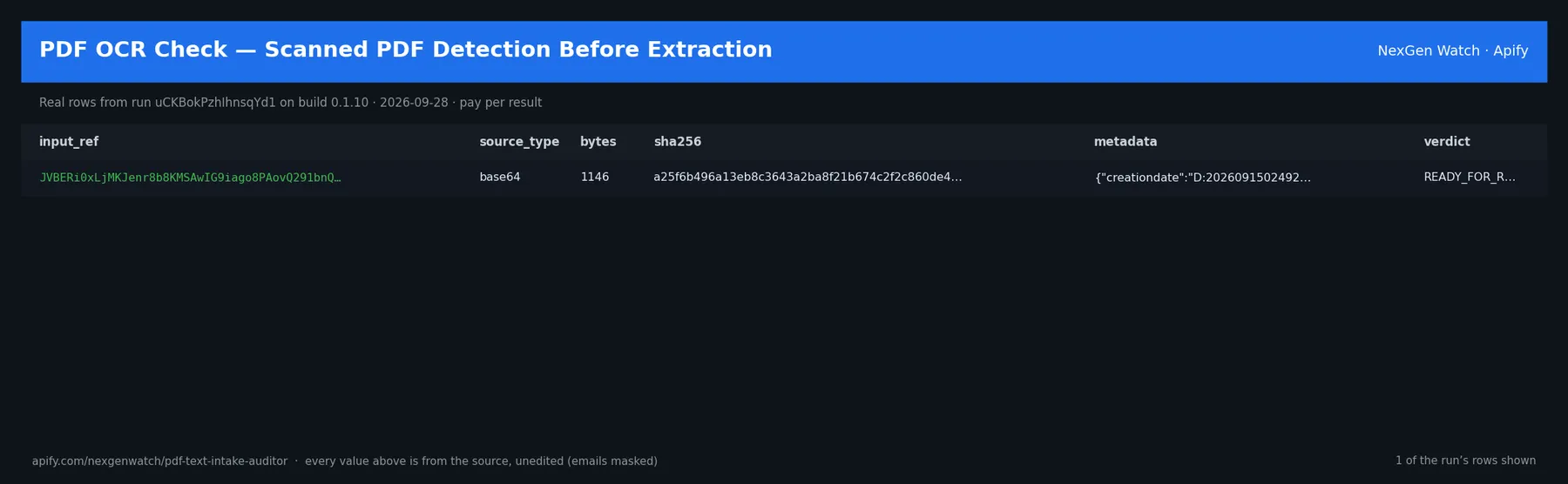
Real rows from run qHSFaYMTfYDgQM5j1 on build 0.1.28 (2026-10-19), the Quick start input below (long values shortened):
| input | outcome | verdict | title | pages | words | ocr_pages | scan_likelihood | markdown (start) |
|---|---|---|---|---|---|---|---|---|
| https://pdfobject.com/pdf/sample.pdf | answer | READY_FOR_RAG | sample | 1 | 416 | 0 | low | # Sample PDF ## This is a simple PDF file. Fun fu… |
The run finished with the status message: 1 PDF(s): 1 extracted and billed, 0 free rows (reject/unreachable/unparseable) | pdf_intake_check charged=1
✅ What you get
One pdf_intake_verdict row per PDF (outcome: answer rows are billed; every other outcome is a free status row):
- Content:
text,markdown,pages(page,chars,ocr,text),tables(page,index,rows),chunks(index,start,end,text),word_count,char_count,pages_extracted,page_numbers. - Document facts:
title,author,created_at,producer,metadata,page_count,bytes,sha256,content_hash,filename,url,final_url,encrypted. - Readiness:
verdict(READY_FOR_RAG·NEEDS_OCR·OCR_APPLIED·REJECT),has_text_layer,scan_likelihood,per_page_text_density,text_layer_pages,empty_pages,ocr_pages,ocr_capped,ocr_unavailable,header_footer_lines_removed,changed,warnings,faults. outcome:answer(read to a verdict — billed) ·rejected(not a PDF, oversized, encrypted, unparseable — free) ·blocked(host refused or robots.txt — free) ·unreachable(download failed — free) ·unparseable(bad input — free), withoutcome_reason.
Two dataset views: Extracted PDFs and Text & Markdown.
⚙️ Sample inputs
1. Quick start — one public PDF (the Store example)
About $0.07 on the Free tier ($0.02 start + 1 × $0.05).
2. Markdown + RAG chunks for a batch, first 20 pages only
3. Scanned documents — OCR, German
4. Tables and a password
5. Watch a set of PDFs for changes (schedule this)
6. Upload instead of a link (base64 or data: URL)
🧾 JSON sample record
🔧 How it works
Get the bytes. URLs are downloaded through the actor's gate: the host must resolve to a public address, the site's robots.txt is honoured, redirects are followed hop by hop, the body is capped at maxBytes. Uploaded files are decoded from base64 or read from the run's key-value store.
Check. Size cap and decompression-bomb guard, %PDF- header, encryption (your password, then empty), page count, text-layer density per page, image-heavy pages, metadata, JavaScript/auto-action objects reported (never run). Verdict: READY_FOR_RAG (good text layer), NEEDS_OCR (scanned / image-only), REJECT (free).
Extract. Text per page from the PDF's own text layer (pdfplumber, pypdf fallback); Markdown rebuilt from font sizes and layout; tables found by pdfplumber's table finder; optional OCR of pages with no usable text (pypdfium2 render → Tesseract); optional removal of lines repeating on 30%+ of pages and page-number-only lines; optional RAG chunks split at paragraph/sentence boundaries; a SHA-256 of the extracted text as content_hash.
Change detection. With changeDetection, hashes are kept in a named key-value store between runs; changed is true/false (null the first time a PDF is seen). changedOnly drops unchanged PDFs before billing.
Billing. Each PDF read to a verdict is pushed and charged in one call; a row that cannot be charged is not delivered. A run where no PDF could be downloaded ends SUCCEEDED with SOURCE UNAVAILABLE … nothing charged.
Limits. 200 PDFs per run; maxBytes default 25 MB; maxPages default 300; OCR default cap 20 pages per PDF; text fields capped at 2,000,000 characters.
💰 Pricing example
| Event | Free | Bronze | Silver | Gold |
|---|---|---|---|---|
Actor Start (apify-actor-start) | $0.02 | $0.02 | $0.02 | $0.02 |
PDF read to a verdict (pdf_intake_check) | $0.05 | $0.045 | $0.04 | $0.0335 |
- 20 PDFs: $0.02 + 20 × $0.05 = $1.02
- 200 PDFs: $0.02 + 200 × $0.05 = $10.02
OCR, tables, Markdown and chunks are included in the per-PDF price. REJECT, blocked, unreachable and unparseable rows are free.
⚖️ Legal & ToS
Downloads only PDFs you point it at, from public hosts, honouring robots.txt, with an identified User-Agent; uploaded files are processed inside the run and not retained. No code inside a PDF is executed. Extracted text remains its publisher's copyright — use it in line with the source's terms and your local law (indexing, analysis, search and quotation are the intended uses).
❓ FAQ
Q: My scanned PDF came back NEEDS_OCR with no text.
A: Turn on ocrScannedPages (and set ocrLanguage). Pages with no text layer are rendered and OCR'd up to ocrMaxPagesPerPdf; the verdict becomes OCR_APPLIED.
Q: The Markdown headings look wrong.
A: Headings are inferred from font size relative to the body text; PDFs with uniform fonts come back as paragraphs. The plain text field is always exact.
Q: Can I give it a page range per file?
A: pageRange applies to every PDF in the run; run separate jobs for different ranges.
Q: What formats can I export?
A: JSON, CSV, Excel or XML from the Dataset tab or API; markdown and chunks drop straight into a RAG pipeline.
🆘 Troubleshooting
- outcome = blocked → the host disallows the path in robots.txt or refused the request (403/429); not billed.
- outcome = rejected, "encrypted" → set
password; without the right one the file is not read and not billed. - ocr_unavailable = true → the OCR engine was not available in this build; open an Issue with the run id.
- Run TIMED-OUT → fewer PDFs per run, a
pageRange,includePerPageText: false, or a longer run timeout; delivered rows are kept.
🔗 Related Actors
- PDF Operations Toolkit — split, merge, reorder, compress and rasterize PDFs with a page-reconciled manifest.
- Article Extractor — the same clean text + Markdown for web articles.
- Website Screenshot API — a dated capture of any page, including PDF output.
- 🏢 About NexGen Watch — more than 300 public-data actors, pay-per-result: apify.com/nexgenwatch.
⭐ Found this useful?
A quick review on the Apify Store helps other teams find it. Feature request? Open it from the Issues tab — every one is read.


