

chromint MCP server
Pricing
from $1.20 / 1,000 page fetcheds
chromint MCP server
Web pages and APIs past anti-bot walls, for AI agents: requests with a real Chrome's network fingerprint, challenges solved over HTTP or in a real Chrome, clean markdown, the JSON data apps embed, or a site's own API calls. Pay only on success.
Pricing
from $1.20 / 1,000 page fetcheds
Rating
0.0
(0)
Developer
Tauqeer Abbas
Maintained by CommunityActor stats
0
Bookmarked
1
Total users
0
Monthly active users
11 hours ago
Last modified
Categories
Features
Share
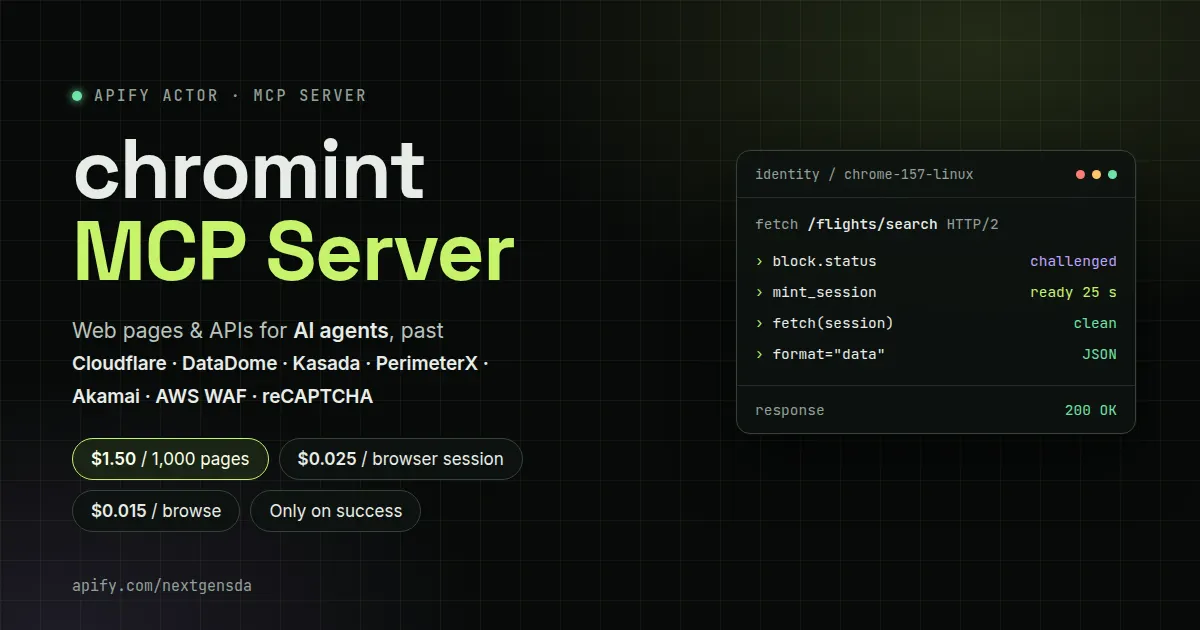
chromint MCP server: the web for AI agents, past anti-bot walls
Give Claude, Cursor or any MCP client a web tool that gets through. chromint sends every request with a real Chrome's network fingerprint (TLS handshake, HTTP/2 settings, header order), recognizes anti-bot walls, solves them over HTTP or in a real Chrome, keeps the session for later requests, and returns pages as clean markdown or the JSON data that JavaScript apps hide in their pages. It can also render a page and hand your agent the site's own API calls.
You pay per successful result: a blocked page or a failed session is never charged as an event.
The scraping problems it solves
| The problem | What chromint does |
|---|---|
| Plain HTTP clients (requests, curl, most agent "web fetch" tools) get 403s because their TLS/HTTP2 fingerprint isn't a browser's | Every request is byte-for-byte a verified Chrome's: JA4, HTTP/2 settings and priorities, header order, client hints |
| Sites behind AWS WAF answer with a JavaScript challenge | Solved inside the fetch call, over HTTP; you get the page and a reusable session |
| Akamai Bot Manager (idealo and many retailers) checks the client's fingerprint | The Chrome fingerprint gets through (idealo's category pages come back clean); when an exit gets Akamai's challenge page instead, it's recognized, not charged, and block.next retries from a residential exit |
| Cloudflare's "Just a moment..." check and Turnstile stop every HTTP client | fetch recognizes it; mint_session passes it in a real Chrome (Turnstile's "Verify you are human" checkbox clicked when it appears) on a datacenter exit, whose IP holds, and fetch replays the session over plain HTTP: Stack Overflow's question lists came back 200 for 10+ minutes on one session |
| DataDome, Kasada, PerimeterX, reCAPTCHA walls need a real browser | fetch says so (block.next); mint_session gets past it in a real Chrome on a sticky residential IP and returns a session that fetch replays from the same IP |
| "Readable" extractors drop the results of search and category pages (every title is a link) | Listing pages come back whole as markdown: every result with its link, price and details; articles get their main content only |
| JavaScript apps (Next.js, React) return almost no text: the data sits in the page as JSON | format="data" returns that data (Next.js page data, App Router payloads, JSON-LD, window state), decoded and largest first |
| The data comes from the site's private API, not the HTML | browse renders the page and returns the XHR/fetch calls it made (method, URL, request body, response), with full responses for the calls you capture |
| Results load late | wait_for keeps the page open until the call you need (e.g. a GraphQL operation) was made |
| Agents can't tell a block from content | Every result has a block verdict: clean, challenged, blocked or suspected, the vendor, and the next tool call to make |
Connect it to your MCP client
The server runs in Apify Standby mode. Use this URL with your Apify API token as a bearer token (find the token in Apify Console under Settings → Integrations):
Claude Code:
Claude Desktop, Cursor and other clients take the same URL and header in their MCP settings (Streamable HTTP transport).
Tools
| Tool | What it does | Event |
|---|---|---|
fetch | A request with a real Chrome's fingerprint. Content as markdown, text, html, json or data, paged with cursor (later chunks are free). Optional Apify Proxy (datacenter or residential, any country). Solves HTTP-solvable challenges inline and returns a session. Every result has block and, for app pages, embedded | fetch |
mint_session | Opens the URL in a real Chrome (Chrome 157) on a worker, gets past the challenges, checks the session with a replay, and returns it for fetch(session=...). 30-90 s, with progress; longer jobs return a job | mint |
browse | Renders the page in Chrome (past its challenges) and returns its content, its XHR/fetch calls, an optional screenshot and optionally a session | browse |
get_job | A job's state; pages through or re-renders a finished browse, and returns a captured call's full response (call=N) | free |
drop_session | Forgets a session | free |
identities | The Chrome versions and OSes chromint presents, with their captured fingerprints | free |
A typical agent loop: fetch → block.status is challenged and block.next is
mint_session → call it → fetch again with the returned session.
Pricing
Pay per event, only on success, plus Apify platform usage (compute and proxy) at your plan's rates.
| Event | Price | Charged when |
|---|---|---|
Page fetched (fetch) | $1.50 per 1,000 | a 2xx response with nothing in the way (a challenge solved over HTTP included) |
Browser session (mint) | $0.025 | a session is ready (past the challenges, checked) |
Page browsed (browse) | $0.015 | a browse finished |
Later chunks of a page (cursor) | free | |
| Blocked, challenged or failed | free |
mint and browse are charged by the browser worker
(nextgensda/chromint-browser-worker) that these tools start in your
account, so they show on your bill under that Actor, as do its compute and
proxy traffic.
What a real run costs (measured on the example tasks below, residential proxy):
| Example | Events | Platform usage | Total |
|---|---|---|---|
| realestate.com.au search past Kasada (fetch, mint, fetch) | $0.027 | $0.036 | ≈ $0.06 |
| Expedia flight search past DataDome (browse with API capture, session kept) | $0.015 | $0.066 | ≈ $0.08 |
| Google search past reCAPTCHA, two queries (mint, 2 fetches) | $0.0285 | ≈ $0.04 | ≈ $0.07 |
| A plain page (fetch, no proxy) | $0.0015 | ≈ $0.0005 | ≈ $0.002 |
A minted session serves many later fetches (an hour after its last use), so the browser cost is paid once per site and IP, not per page.
Example tasks
Saved runs you can start from (a normal run takes urls and a mode, and
writes one dataset item per URL):
- Stack Overflow newest questions past Cloudflare:
automode on two question pages: the first gets Cloudflare's challenge, one browser session is minted on a datacenter exit (Turnstile's checkbox clicked if shown), and both pages are fetched on it over plain HTTP: every question's title, link, votes, answers, views and tags. - idealo smartphone listings past Akamai: two category pages (
fetch, no proxy), 72 phones with name, product link, specs, rating, offer count and lowest price, for about $0.003 in events. - Expedia flight search past DataDome:
browsethe flight search page withcapture: ["*/graphql*"],waitFor: "FlightsSearchResultsLoadedQuery"andkeepSession: true; the item has the full GraphQL answer with every fare, airline and time, plus the checked session for later fetches. - realestate.com.au rentals in Bondi past Kasada:
automode fetches the search page, gets Kasada's challenge, mints a session in Chrome on an Australian exit, fetches again, and returns the listing data withformat: "data". - Google search past reCAPTCHA, two queries:
autowithmintFirstmints one browser session on a US residential exit (Google's reCAPTCHA /sorry page is solved on the way), then fetches both queries on it over plain HTTP; the results come back as markdown.
Run it without an MCP client
A normal run (Apify Console, API, schedules, integrations) takes:
| Input | Meaning |
|---|---|
urls | pages or API endpoints |
mode | auto (fetch, and mint a browser session when a challenge needs one), fetch, or browse |
format | markdown, text, html, json or data |
proxy, country | Apify Proxy exit |
mintFirst | in auto: mint a browser session before the first fetch (sites that answer with a clean-looking JS redirect) |
vendor, capture, waitFor, keepSession | for browse: browser settings, calls whose full responses to keep, a call to wait for, and whether to return the session |
What if a site uses a protection that isn't listed?
Nothing breaks, and you aren't charged for it:
fetchstill returns the response, withblock.status: "suspected"(orchallengedwithsolvable: null) and the reason, so your agent knows it didn't get the content.block.nextsuggestsbrowse: a real Chrome gets through many walls that an HTTP client can't.- If Chrome is still stopped (for example by hCaptcha, Akamai's interactive
challenge or an Imperva block page),
mint_sessionandbrowseend withstatus: "failed"and say which wall they saw. A failed job is not charged.
Supported today: DataDome, Kasada, PerimeterX, Cloudflare (managed challenge and Turnstile), AWS WAF and Google's reCAPTCHA (solved), and Akamai Bot Manager (passed on the fingerprint; its interactive challenge page is recognized and retried from another exit, not solved).
Good to know
- Sessions and their cookies stay in your Apify account (a key-value store
named
chromint-mcp-sessions); they are never logged. - Browser jobs run as a separate worker Actor run in your account; its compute and proxy are your platform usage.
- Private, loopback and cloud-metadata addresses are refused, after DNS and on every redirect.
- Use it for pages you're allowed to access, and respect each site's terms.


