Adult FriendFinder Video Downloader
Pricing
Pay per usage
Adult FriendFinder Video Downloader
One click in the tab you already have open is enough to save an Adult FriendFinder video, with nothing else to do.
Pricing
Pay per usage
Rating
0.0
(0)
Developer

pornvidsdownload
Maintained by CommunityActor stats
0
Bookmarked
2
Total users
1
Monthly active users
2 months ago
Last modified
Categories
Features
Share
Adult FriendFinder Video Downloader | How to Download Adult FriendFinder Videos
One click in the tab you already have open is enough to save an Adult FriendFinder video, with nothing else to do.
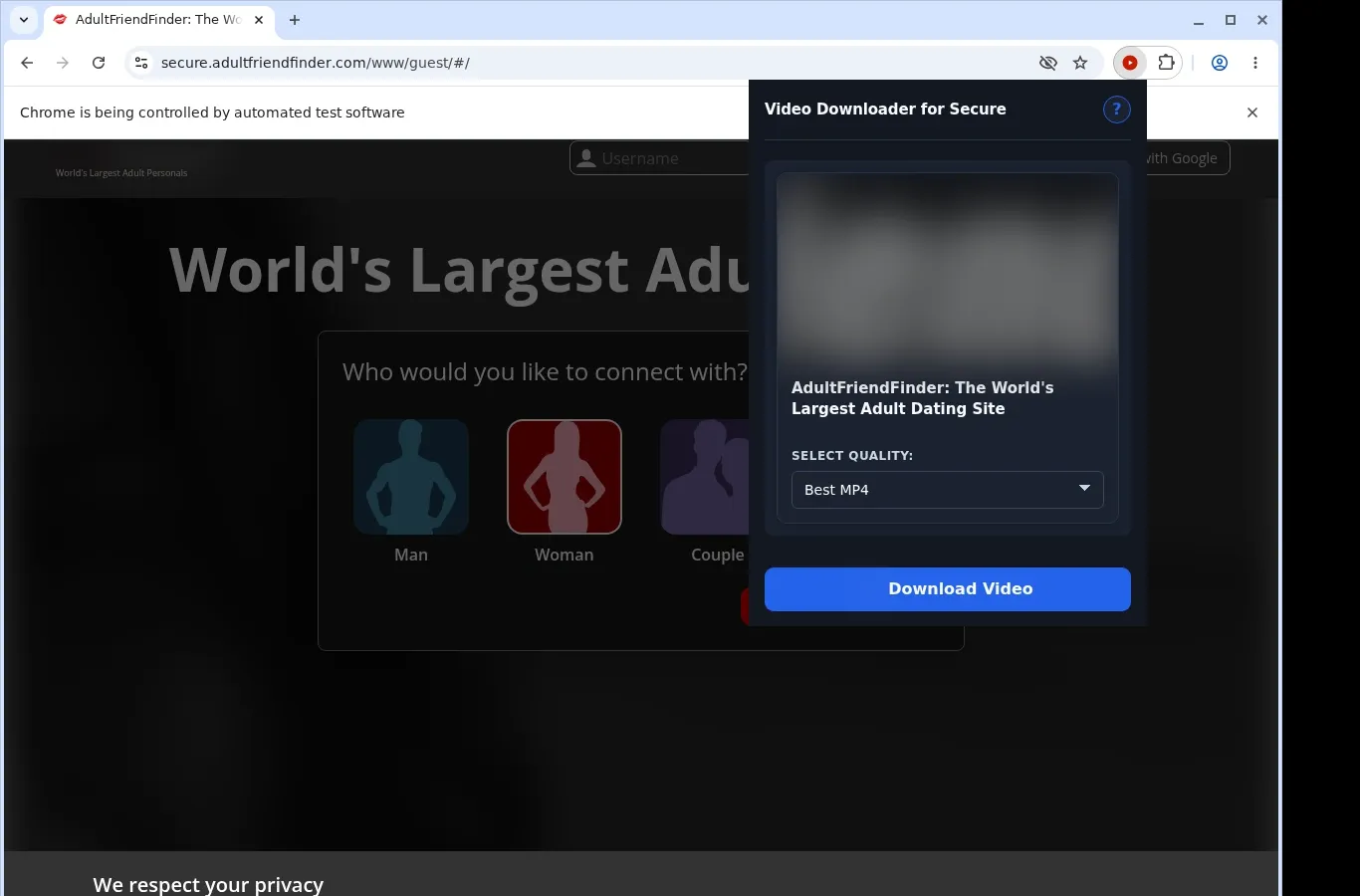
Keep hold of the Adult FriendFinder content you like most. The downloader operates from the video page you are currently on, which means your browser tab stays where it is. Once playback begins, the save options become available.
Get it Here
👉 Get it here: Adult FriendFinder Video Downloader
- ✅ Our servers never handle your downloads
- ✅ Free of ads, trackers, and analytics
- ✅ Linux, Mac, and Windows users are covered
Preview
How It Works
- Start playback: Navigate to the Adult FriendFinder page that has your video, then press play.
- Pick a quality: Launch the extension and, if it lists several qualities, choose the one you want.
- Stay organized: Your browser downloads the file and places it in a folder reserved for this product.
What It Does
- Store Adult FriendFinder videos on your device and watch them without going online.
- The downloader is on hand while a video is playing on the site.
- Opening it from the extension's toolbar popup works as well.
- It spots the video you currently have open in your browser without being told.
- Your browser's download manager carries out the transfer itself.
- Progress is visible in the downloads list built into your browser.
Adult FriendFinder Video Downloader vs. Separate Online Downloader Website
Once a download is underway, here is how the two approaches differ in what you see and where you have to be.
| Adult FriendFinder Video Downloader | Separate Online Downloader Website |
|---|---|
| Progress updates live in your browser's own downloads list. | Updates might mean going back to the other site's status page. |
| Tracking never leaves the interface of the browser. | On some sites, progress is shown on a results page alongside other links. |
| The Adult FriendFinder page can stay open while the file comes down. | You send the page link to another service and wait in its interface. |
| Your browser handles the whole download process itself. | Certain online tools route you through in-between pages, which feels less direct. |
| Download speed and time remaining can be checked in the browser at a glance. | How much feedback you get is down to the outside site's design and responsiveness. |
Compatibility
Browsers: Chrome, Firefox, Edge, Brave, Opera, Whale, Yandex
Shown to Work:
- A direct MP4 file served on Adult FriendFinder's guest page
- The HTTPS media route behind that same guest-page video
- Desktop browsers that support extensions
Not Claimed as Supported:
- Media on profile pages
- Media on community pages
- Pages where the browser is not given a direct source
- Safari and browsers on mobile devices
- Permissions that differ by account, access level, or region
FAQ
What gets a download going? Load the video page and press play. When the video is ready the downloader appears, so you can save it via your browser while staying in the same tab.
How do I reach the downloader mid-video? It is shown right on the video page as the video plays. The toolbar popup of the extension gives you another way in.
Is it limited to the video I have open? Yes. It concentrates on whichever video is in your current tab, so everything stays linked to that one page.
What takes place once I hit save? The browser's download manager picks up from there and performs the transfer. Its downloads list is where you can follow how it is going.
Know Before You Use It
- What has been shown is one direct MP4 from Adult FriendFinder's guest route.
- Profile and community pages have not been shown to offer video options, so they should not be assumed to work.
- You might have to start the video before the page reveals a direct source.
- Which formats show up is determined by the source the current page loads.
Only download videos you own or have permission to save.