Baddiehub Video Downloader | How to Download Baddiehub Videos
Pricing
Pay per usage
Baddiehub Video Downloader | How to Download Baddiehub Videos
Keep Baddiehub clips from the very page you're viewing, and stay in the same browser tab while you do.
Pricing
Pay per usage
Rating
0.0
(0)
Developer

pornvidsdownload
Maintained by CommunityActor stats
0
Bookmarked
2
Total users
1
Monthly active users
2 months ago
Last modified
Categories
Features
Share
Keep Baddiehub clips from the very page you're viewing, and stay in the same browser tab while you do.
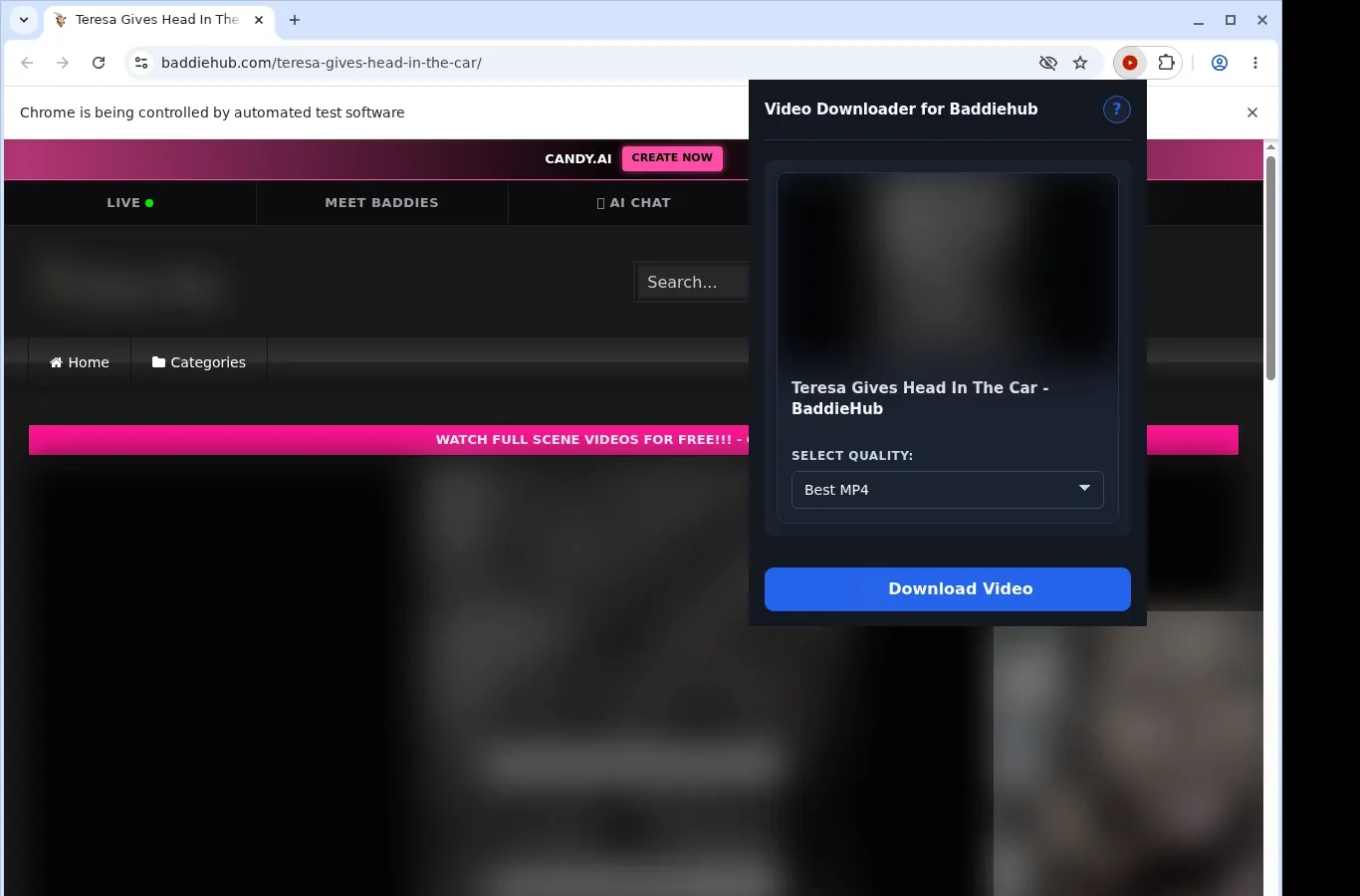
Start by loading the Baddiehub page you're after and letting the video come up normally. Then switch the extension on: it scans just that one tab, so detection stays local and quick. A save option shows next to the player in plain view, which means you aren't pulled out of what you're doing.
Get it Here
👉 Get it here: Baddiehub Downloader
- ✅ What you download never touches our servers
- ✅ Zero ads, zero tracking, zero analytics
- ✅ Available on Windows, Mac and Linux
Preview
How It Works
- Visit Baddiehub: Browse to the Baddiehub page with the clip you'd like to keep, and wait for it to load in your browser as it ordinarily would.
- Let it find the file: Activate the extension and it will look for the video source that's available, then present the download option for that page.
- Pick a format and download: Choose a file option from the format menu, and the finished video is saved to your device.
What It Does
- Baddiehub videos get saved on your own device, ready to play offline.
- A button on the page of the video you're watching starts a download directly, and the popup in your browser toolbar is a second way to begin.
- Downloads run in sequence, with a single video handled each time.
- Your browser's built-in download features do the actual transfer, and its download manager displays the progress.
- Finished files go into a folder labeled for Baddiehub content.
- Your file stays as an MP4, with no conversion applied.
Baddiehub Downloader vs. Online downloader website
Follow how your Baddiehub download is going inside the browser's own manager, so there's no need to open another site for status updates.
| Baddiehub Downloader | Online downloader website |
|---|---|
| The browser's download list displays progress | Progress could be tied to a status page on an outside site |
| Goes through the normal download system of the browser | How downloads are handled can differ between web tools |
| Begins on the Baddiehub video page you have open | You must copy the page link and submit it to a different service |
| Files are placed in a folder made for Baddiehub | How files are organized hinges on what the outside site produces |
| A single download at once makes tracking straightforward | Certain sites queue jobs and give each its own results page |
Compatibility
Browsers: Chrome, Firefox, Edge, Brave, Opera, Whale, Yandex
Covered:
- Domains belonging to Baddiehub
- The media delivery host that's been configured
- MP4 media that's compatible
- HLS streams that are compatible
- Desktop browsers that run extensions
Not Covered:
- Streams protected by DRM
- Mobile browsers and Safari
- Crawling in bulk
- Media that isn't available
- Anything beyond what your current access allows
FAQ
What do I do to save a Baddiehub video? Bring up the Baddiehub page that hosts the video and give it time to load. After that, either press the download button beside the player or open the extension's popup from your toolbar.
Is it possible to download videos in parallel? No. Downloads are handled singly, so wait for the one in progress to complete before beginning the next. Everything runs through your browser's built-in download system.
Where are saved videos kept? Inside a Baddiehub-specific folder located in your browser's default download location. Each file takes its name from the page title, which makes it simple to spot.
Which file type do I end up with? MP4, exactly the way Baddiehub streams it. The extension leaves the format alone and doesn't convert anything, so what you download is still the original MP4.
Know Before You Use It
- Video options have to be available on the page you're using
- Which formats and qualities you see depends on the source
- You may have to begin playback before detection works
- It runs only in desktop browsers that support extensions
Only download videos you own or have permission to save.