Best Actor Finder
Pricing
Pay per usage
Pricing
Pay per usage
Rating
5.0
(1)
Developer

Pranav Patel
Maintained by CommunityActor stats
2
Bookmarked
22
Total users
2
Monthly active users
10 months ago
Last modified
Categories
Share
Discover, evaluate, and test Apify Actors automatically. This tool combines intelligent actor scouting (LLM-powered evaluation) with automated execution to find and validate the best actors for your use case.
What does it do?
This Actor helps you find and test Apify Actors for your specific needs:
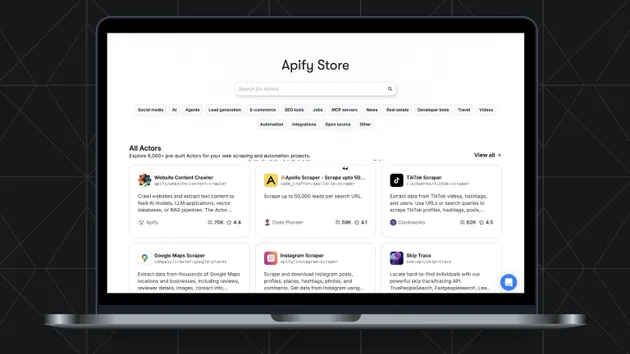
- Smart search - Extracts keywords from your query and searches the Apify Store
- Evaluates candidates - Crawls actor pages and scores them on 7 criteria using LLM (intent match, documentation, pricing, reliability, maintenance, community trust, input complexity)
- Ranks by score - Selects the top N actors based on weighted evaluation scores
- Runs top actors - Generates valid input and executes each actor with retry logic
- Combined results - Returns evaluation scores alongside actual run results and output samples
This is particularly useful when you need to:
- Find the best actor for a specific scraping or automation task
- Compare performance and reliability of different actors
- Test actors before integrating them into your workflow
- Understand which actors work best for your use case
How to use Apify Actor Comparison Tool
Basic usage
-
Enter your search query - Describe what you want to scrape or automate (e.g., "Instagram posts", "Amazon products", "Twitter data")
-
Run the Actor - The Actor will:
- Search the Apify Store for relevant actors
- Generate appropriate input for each actor
- Run each actor and collect results
- Return a comparison of all actors
-
Review the results - Check which actors succeeded, their performance metrics, and sample outputs
Example use cases
- "scrape Instagram posts" - Compare different Instagram scraping actors
- "extract product data" - Find the best e-commerce scraper for your needs
- "automate form submission" - Compare automation actors
- "get weather data" - Find weather data extraction actors
Input parameters
The input of this Actor should be JSON containing your search query.
Input schema
Input example
During the Actor run
During the run, the Actor will output messages letting you know what's happening:
- Search phase: Shows how many actors were found and which ones are being tested
- For each actor:
- Shows attempt numbers (1-5)
- Displays errors if attempts fail
- Shows success messages with run duration when an actor succeeds
- Final summary: Displays how many actors succeeded out of the total tested
If you provide incorrect input (e.g., missing query), the Actor will immediately stop with a failure state and output an explanation.
Output format
The Actor stores its results in a dataset. Each item represents one actor that was tested.
Output structure
Each comparison result contains the following information:
Output fields explained
- actorId - Full identifier of the actor (username/name format)
- actorName - Short name of the actor
- actorTitle - Display title of the actor
- actorDescription - What the actor does
- inputSchema - The input schema that was used to generate inputs
- attempts - Number of attempts made (1-5)
- attemptHistory - Complete history of all attempts with inputs and errors
- finalInput - The input JSON that successfully ran the actor
- runId - ID of the successful run (if any)
- runStatus - Status of the run ("SUCCEEDED", "FAILED", etc.)
- runDurationSecs - How long the successful run took in seconds
- output - Sample output items from the actor's dataset (limited to 5 items)
- success - Whether the actor ran successfully
- scores - LLM evaluation scores (1-10) across 7 criteria
- overallScore - Weighted overall score (0-10)
- strengths - Key advantages identified by the evaluator
- weaknesses - Potential issues or limitations
- recommendation - Brief recommendation from the evaluator
How it works
-
Query Analysis: Uses LLM to extract optimal search keywords from your query
-
Store Search: Searches the Apify Store and filters out subscription-based actors
-
Detail Fetching: Crawls actor pages to extract README content and pricing info
-
Evaluation: Scores each actor on 7 criteria using LLM:
- Intent match (30%), Reliability (20%), Documentation (15%), Pricing (15%), Maintenance (10%), Community trust (5%), Input complexity (5%)
-
Selection: Ranks actors by weighted score and selects top N
-
Execution: For each top actor:
- Retrieves input schema and generates valid input via LLM
- Runs the actor with retry logic (up to 5 attempts, skips on timeout)
-
Result Collection: Returns evaluation scores + run results + output samples
Limitations
- Maximum 3 actors - Only the top 3 most relevant actors are tested
- Subscription actors excluded - Actors with flat monthly pricing are filtered out
- 5 attempts maximum - Each actor gets up to 5 attempts to succeed
- 120 second timeout - Each run has a 120 second timeout
- Sample output only - Only the first 5 output items are included in results
- Requires APIFY_TOKEN - You must provide your Apify API token as an environment variable
Pricing and costs
This Actor uses pay-per-use pricing. The cost depends on:
- Number of actors tested (up to 3)
- Number of attempts per actor (up to 5)
- Runtime of each actor execution
- LLM API calls for input generation
Note: Running other actors will incur their own costs based on their pricing models. This Actor only charges for its own execution time and LLM usage.
Using Apify Actor Comparison Tool with the Apify API
The Apify API gives you programmatic access to the Apify platform. You can use it to run this Actor, schedule runs, and retrieve results.
Node.js example
Python example
Check out the Apify API reference docs for full details or click on the API tab for code examples.
Integrations
This Actor can be connected with almost any cloud service or web app thanks to integrations on the Apify platform. You can integrate with:
- Make - Automate workflows
- Zapier - Connect with 5000+ apps
- Slack - Get notifications
- Airbyte - Data pipeline integration
- GitHub - Version control and CI/CD
- Google Sheets - Export results to spreadsheets
- Google Drive - Store results in the cloud
- And many more
You can also use webhooks to carry out an action whenever an event occurs, e.g., get a notification whenever the comparison completes successfully.
FAQ
Why did an actor fail to run?
Actors can fail for several reasons:
- Invalid input generated by the LLM
- Actor-specific requirements not met
- Network or timeout issues
- Actor is temporarily unavailable
The Actor will retry up to 5 times with improved input based on error messages. Check the attemptHistory field in the output to see what went wrong.
Can I test more than 3 actors?
Currently, the Actor tests the top 3 most relevant actors. You can modify the code to test more actors, but keep in mind this will increase runtime and costs.
How accurate is the input generation?
The LLM uses the actor's input schema and your query to generate input. It's generally accurate, but complex schemas or unusual requirements may require manual adjustment. The iterative retry mechanism helps improve success rates.
What if all actors fail?
If all actors fail after 5 attempts each, the Actor will still return results showing what was attempted and why each actor failed. This information can help you understand which actors might work with manual input adjustment.
Can I customize the number of attempts?
Yes, you can modify the MAX_ATTEMPTS constant in the source code. The default is 5 attempts per actor.
Does this work with private actors?
This Actor can test any actor you have access to, including private actors in your account. However, it searches the public Apify Store, so private actors won't appear in search results unless you modify the code to include them.
Troubleshooting
"Missing APIFY_TOKEN" error
Make sure you've set the APIFY_TOKEN environment variable with your Apify API token. You can find your token in Apify Console → Settings → Integrations.
Actors not found
If no actors are found for your query, try:
- Using more specific keywords
- Using broader terms
- Checking that actors exist in the Apify Store for your use case
All actors failing
If all actors are failing, check:
- The
attemptHistoryin the output for specific error messages - Whether the actors require authentication or special setup
- If the actors are currently available and working
Your feedback
We're always working on improving the performance of our Actors. So if you've got any technical feedback for this Actor or simply found a bug, please create an issue on the Actor's Issues tab in Apify Console.
Resources
- Apify Platform documentation
- Apify SDK for JavaScript documentation
- Apify Store - Browse available actors
- Apify Academy - Learn web scraping and automation
- Join our developer community on Discord