

Threads Full Scraper - Posts, Profiles & Replies | No Login
Pricing
from $2.00 / 1,000 results
Threads Full Scraper - Posts, Profiles & Replies | No Login
All-in-one Meta Threads.net scraper: search posts by keyword, extract user profiles with followers, and collect reply threads. Full engagement data, contact extraction, media URLs. 20 parallel workers, auto-retry, proxy rotation. No login.
Pricing
from $2.00 / 1,000 results
Rating
4.9
(6)
Developer

Raven
Maintained by CommunityActor stats
11
Bookmarked
1.1K
Total users
238
Monthly active users
0.069 hours
Issues response
15 days ago
Last modified
Categories
Share
Threads Scraper — Extract Posts, Profiles, and Search Results from Threads.net
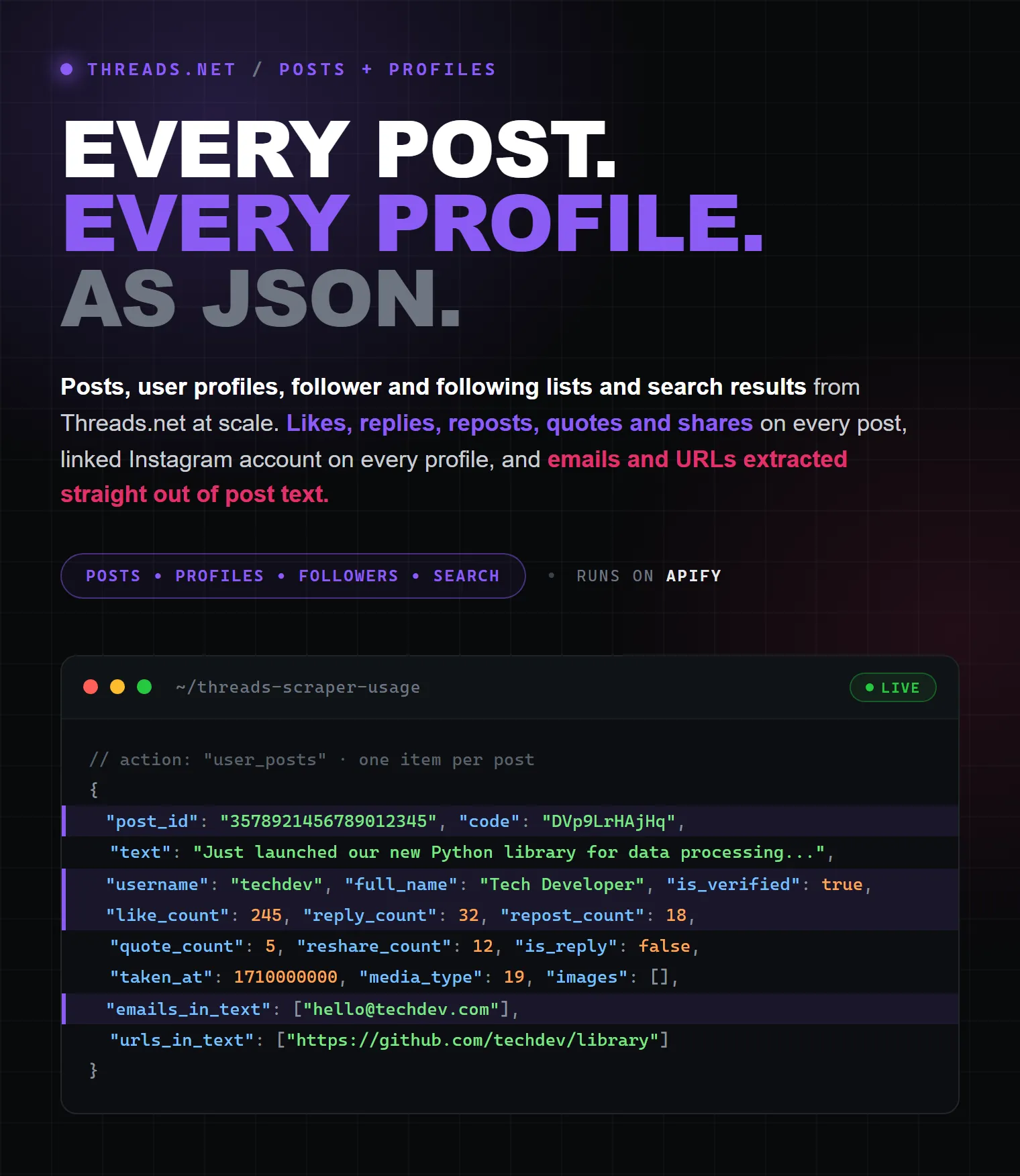
Scrape Threads.net posts, user profiles, follower and following lists, and search results at scale. Collect post text, engagement metrics (likes, replies, reposts, shares), profile data with follower counts and linked Instagram accounts, media URLs, and contact information. Process up to 20 requests in parallel with automatic retries.
| Raven · Social-media suite • Instagram, TikTok, YouTube, X (Twitter), Threads, Pinterest | |||
 Threads Scraper Threads Scraper➤ You are here |
 Instagram Scraper Instagram ScraperPosts, followers, comments |
 X (Twitter) Scraper X (Twitter) ScraperPosts, followers, replies |
 Pinterest Scraper Pinterest ScraperPins, profiles, boards |
Pricing
Pay per result: $2 per 1,000 results. No monthly fee — you pay only for the data you get.
Key Features
- Search posts by keyword — find Threads posts matching any search query, with full engagement data, newest first or by relevance
- Search by date range — collect older posts from a specific time window with
afterDate/beforeDate, the same filter as Threads'after_date/before_datesearch URLs - Scrape user profiles — extract bio, follower count, verification status, profile links, and contact info
- Scrape followers and following lists — paginate through a user's followers or the accounts they follow, each user as a separate dataset result (needs a logged-in session; ours is used by default)
- Linked Instagram account — every profile and follower result includes the Instagram URL and ID of the same account
- Scrape user posts individually — get each user's post as a separate dataset result with full pagination support
- Extract post with replies — get a specific post with its first page of replies
- Scrape all post replies — paginate through all replies on a post, each reply as a separate result
- Parallel processing — up to 20 concurrent requests for maximum throughput
- Auto-retry — 5 retry attempts per request for reliable results
- Contact extraction — automatically finds emails and URLs in post text and user bios
- Multiple media types — handles text posts, photos, videos, and carousels with full media URLs
- Flexible input formats — accepts usernames, @usernames, or full profile/post URLs
- Real-time API (Standby mode) — call the scraper over HTTP and get JSON back in the same response, no run to poll and no dataset to fetch
What Data You Get
Search and post data
| Field | Description |
|---|---|
post_id | Unique post identifier |
text | Full post text |
taken_at | Unix timestamp |
like_count | Number of likes |
reply_count | Number of replies |
repost_count | Number of reposts |
quote_count | Number of quotes |
reshare_count | Number of shares |
username | Author username |
full_name | Author display name |
is_verified | Verified account flag |
media_type | Content type: text (19), photo (1), video (2), carousel (8) |
images | Array of image URLs with dimensions |
video_versions | Video URLs (if video post) |
carousel_media | Carousel items (if carousel post) |
post_url | Direct link to the post |
emails_in_text | Emails found in post text |
urls_in_text | URLs found in post text |
reply_control | Who can reply: everyone, accounts_you_follow, mentioned_only |
is_reply | Whether this is a reply to another post |
Profile data
| Field | Description |
|---|---|
user_id | Numeric user ID |
username | Username |
full_name | Display name |
biography | Bio text |
bio_fragments | Structured bio (mentions, hashtags, links) |
bio_links | Links from bio |
profile_pic_url | Avatar URL |
hd_profile_pics | HD avatar versions |
follower_count | Number of followers |
is_verified | Verified account flag |
is_private | Private account flag |
profile_url | Direct link to the Threads profile |
instagram_url | Linked Instagram account URL |
instagram_user_id | Numeric ID of the linked Instagram account |
recent_views_count | Recent profile views shown on the profile header (may be null) |
emails_in_bio | Emails found in bio |
urls_in_bio | URLs found in bio |
Followers / following data
Returned by user_followers and user_following — one dataset result per user.
How many users you get. For small and mid-size accounts Threads pages through the whole list, so you get everything up to
maxItems. For large accounts Threads caps the list: it returns a single slice of roughly 50 users and stops offering a next page, no matter whatmaxItemsyou set. That is a Threads-side limit — the list simply cannot be paged deeper, by this Actor or any other tool.
| Field | Description |
|---|---|
user_id | Numeric user ID |
username | Username |
full_name | Display name |
profile_pic_url | Avatar URL |
is_verified | Verified account flag |
is_private | Private account flag |
has_onboarded | Whether the account is active on Threads |
fbid | Meta-internal account ID |
profile_url | Direct link to the Threads profile |
instagram_url | Linked Instagram account URL |
instagram_user_id | Numeric ID of the linked Instagram account |
Post detail fields (additional)
| Field | Description |
|---|---|
replies | Array of replies to this post (same data structure) |
quoted_post | Quoted post data |
reposted_post | Reposted post data |
link_preview | Link preview attachment |
text_fragments | Structured text with mentions, hashtags, and links |
is_paid_partnership | Paid partnership flag |
is_pinned_to_profile | Pinned to profile flag |
Use Cases
- Social media monitoring — track brand mentions, trending topics, and audience sentiment on Threads in real time
- Influencer research — find and evaluate Threads creators by follower count, engagement rate, and posting frequency for partnership decisions
- Content analysis — analyze post performance, identify top-performing content formats, and track engagement patterns across keywords
- Lead generation — extract contact information (emails, URLs) from Threads profiles and posts for outreach campaigns
- Market research — monitor competitor activity, product discussions, and industry trends on Meta's text-based platform
How It Works
- Choose an action —
search(find posts by keyword),profile(scrape user data),post(get specific posts with first page of replies),user_posts(get posts from user profiles as individual results),post_replies(get all replies to a post as individual results),user_followers(get a user's followers as individual results), oruser_following(get the accounts a user follows as individual results) - Provide inputs — keywords for search, usernames for profiles, or post URLs
- Actor processes in parallel — up to 20 concurrent requests
- Download results — structured JSON, CSV, or Excel from the Apify dataset
Input Parameters
| Parameter | Type | Required | Description |
|---|---|---|---|
action | String | Yes | search, profile, post, user_posts, post_replies, user_followers, or user_following |
targets | String[] | Yes | What to scrape — one list for every mode. Its meaning follows action: search keywords for search; usernames, @username or profile URLs for profile/user_posts/user_followers/user_following; post URLs for post/post_replies (short threads.com/share/... links work too) |
serp_type | String | No | default (posts) or accounts (search for accounts) |
searchSort | String | No | Post search order: recent (newest first, default) or top (most relevant) |
afterDate | String | No | Post search only: posts published on or after this date, YYYY-MM-DD (00:00 UTC) |
beforeDate | String | No | Post search only: posts published before this date, YYYY-MM-DD — the day itself is not included |
useOurAccounts | Boolean | No | Authenticate using our own Threads accounts (default: true). No cookies needed from you |
threadsCookies | String | No | JSON cookies from EditThisCookie extension — use your own session instead of ours |
maxItems | Integer | No | Max results per query/username/post (default: 100, 0 = unlimited). For user_posts — max posts per user. For post_replies — max replies per post. For user_followers/user_following — max users per profile. |
Authentication
A logged-in Threads session enables pagination for user posts (user_posts), returns more detailed data, and is required for user_followers and user_following — Threads serves follower and following lists only to logged-in sessions. Replies (post_replies) paginate either way: the whole thread is public, and the Actor walks it with or without a session.
You have two ways to get one:
1. Use our accounts (default, nothing to do). useOurAccounts is on by default: the run borrows a logged-in Threads session from our own pool, uses it, and returns it when the run finishes. Each account is leased to a single run at a time, so runs never share a session. If every account is busy, the run continues unauthenticated and says so in the log. Available on paid runs of the pay-per-usage Actor.
2. Use your own cookies. Paste them into threadsCookies. Your cookies always take priority over our pool — when the field is filled, our accounts are not touched at all.
How to get cookies:
- Install the EditThisCookie v3 Chrome extension.
- Log into threads.net in your browser.
- Click the EditThisCookie icon and export cookies (the 5th button at the top of the cookie editor).
- Paste the exported JSON into the
threadsCookiesinput field of this Actor.
Cookie expiry note: Threads cookies typically expire after a few days to weeks. If the scraper reports invalid authentication after a previous successful run, simply re-export fresh cookies from your browser.
Input examples
One field holds what you want scraped — targets — and action decides how it is read.
Search posts:
Search posts from a date range (same as https://www.threads.com/search?q=UITM&after_date=2023-07-01&before_date=2023-10-01):
Scrape profiles:
Get posts from user profiles (each post = separate result):
Get a user's followers (each follower = separate result):
Get the accounts a user follows (each account = separate result):
Scrape specific posts (with first page of replies):
Get all replies to a post (each reply = separate result):
The old queries, usernames and posts fields are still accepted, so saved tasks and
integrations written before this change keep running unchanged.
Real-time API (Standby mode)
Besides the usual "start a run, collect the dataset" flow, this Actor can run in Standby mode — it stays warm and answers HTTP requests, returning the scraped items directly in the response body. Handy when you need one profile or one search on demand instead of a batch job.
Open the Standby tab in Apify Console to get your endpoint URL and try the requests interactively — the tab is generated from the Actor's OpenAPI schema, so every parameter is documented and clickable there.
Pick the endpoint by what you already have — a keyword, a username, or a post URL.
| You have | Endpoint | What comes back |
|---|---|---|
| A keyword | GET /search?query=threads | Posts matching the keyword, one item each (serp_type=accounts returns Threads accounts instead) |
| A username | GET /profile?username=zuck | One profile record per user: bio, followers, verification, linked Instagram |
| A username | GET /user-posts?username=zuck | That user's posts, one item each |
| A username | GET /user-followers?username=zuck | The users following that profile (needs a logged-in session) |
| A username | GET /user-following?username=zuck | The accounts that profile follows (needs a logged-in session) |
| A post URL | GET /post?url=<post URL> | The post itself with the replies shown on its page |
| A post URL | GET /post-replies?url=<post URL> | Every reply under that post, one item each |
| Anything | GET /?action=<action>&targets=<...> | Any mode, chosen by the action parameter |
Usernames accept zuck, @zuck or a profile URL; post URLs accept short
https://www.threads.com/share/... links too. The full, clickable reference lives in the
Endpoints tab of this Actor in Apify Console.
Every endpoint also accepts POST with a JSON body using the same field names as the input above:
Notes:
- The response is a JSON array of the same items the Actor writes to its dataset — and they are stored in the dataset too, so nothing is lost if a request times out.
- Target parameters can be repeated (
?username=zuck&username=mosseri) or comma-separated (?username=zuck,mosseri). maxItems,searchSort,afterDate,beforeDate,useOurAccountsandthreadsCookieswork exactly as in the input schema (after_date/before_dateare accepted too, e.g./search?query=UITM&after_date=2023-07-01&before_date=2023-10-01). Pass long cookie JSON in aPOSTbody rather than the query string.targetsis accepted as a synonym forquery/username/urlon every endpoint.- Errors come back as
{"error": "..."}with a4xx/5xxstatus.
Output Example
Search result
Profile result
Follower / following result
FAQ
What data can I extract from Threads.net? Posts (text, likes, replies, reposts, media), user profiles (bio, followers, verification), and full reply threads. The scraper also extracts emails and URLs found in text and bios.
How many posts or profiles can I scrape per run? There is no hard limit. The Actor processes up to 20 requests concurrently, with 5 retry attempts per request. A typical run can process hundreds of search results or profiles.
Does the Threads scraper handle private accounts? No. Only publicly visible data from public profiles and posts is collected.
Can I scrape older posts from a specific period?
Yes. Set afterDate and/or beforeDate (format YYYY-MM-DD) on a keyword search — for example "afterDate": "2023-07-01", "beforeDate": "2023-10-01" returns posts from July, August and September 2023, newest first. Either date can be used alone. Dates are in UTC; afterDate is included, beforeDate is not (the window ends at 00:00 on that day). Threads filters the posts on its side and the Actor double-checks every post's date, so nothing outside the window ends up in your dataset. Threads started on 5 July 2023, so there is nothing to find before that. Notes:
- Paging beyond the first page (about 10–20 posts) needs a logged-in session — our accounts on paid runs, or your own
threadsCookies. Without one you get the first page of the window. - If a window has no posts, the run stops after a single request and says so in the log (
0 posts for 'UITM' between …) — an empty window costs almost nothing. - Date filters apply to post search only; account search (
serp_type: accounts) and the other actions ignore them.
Can I search for accounts instead of posts?
Yes. Set serp_type to accounts to search for Threads user profiles matching your keywords instead of posts.
How do I scrape user posts?
Use action: "user_posts" with a list of usernames. Each post is returned as a separate dataset result. Provide cookies via threadsCookies to enable pagination beyond the first page.
How do I scrape followers or following lists?
Use action: "user_followers" or action: "user_following" with a list of usernames, and set maxItems to how many users you want per profile. Each user is returned as a separate dataset result with their Threads and Instagram profile links. These two actions need a logged-in session — Threads does not serve these lists to logged-out visitors. Leave useOurAccounts on and the run handles that itself; otherwise supply threadsCookies.
Why did a followers run return fewer users than the profile's follower count?
Because Threads caps how deep follower and following lists can be paged. Small and mid-size accounts page normally — you get everything up to maxItems. Large accounts return a single slice of roughly 50 users with no next-page cursor, so a profile with millions of followers still yields about 50. Occasionally Threads refuses a large list entirely; the Actor logs a warning and moves on. In every case the Actor collects everything Threads is willing to return and deduplicates users across pages.
How do I get the Instagram account behind a Threads profile?
Every profile, follower, and following result includes instagram_url and instagram_user_id. A Threads account is an Instagram account — it shares the same username and the same numeric ID.
My cookies stopped working Re-export cookies from your browser. Threads cookies expire periodically. Just repeat the EditThisCookie export steps above.
Is my Threads account safe when using cookies? The Actor only performs read-only operations (viewing profiles, posts, and search results). It does not post, like, follow, or modify anything on your account. Your cookies are never stored by the Actor.
Having issues? Help me fix them faster
If you experience any problems, please share your run data with me so I can debug and improve the Actor:
- Go to Apify Security Settings
- Find "Share run data with developers"
- In the "Manage list of Actors" section, check this Actor (or All Actors)
- Save
This data is used only for debugging and helps me resolve issues much faster. Thank you!
Support
Questions, bug reports, or feature requests: afrcanec@gmail.com
🏷️ Tags
Threads Scraper, Threads.net Scraper, Threads Data Extractor, Threads API, Social Media Scraper, Threads Posts Scraper, Threads Profile Scraper, Threads Search Scraper, Threads Followers Scraper, Threads Following Scraper, Follower List Extractor, Meta Threads, Instagram Threads Data, Engagement Metrics Extractor, Follower Count Tracker, Social Media Monitoring, Brand Mentions Tracker, Influencer Research Tool, Content Analysis Threads, Threads Reply Scraper, Social Media Lead Generation, Email Extractor Social Media, How to Scrape Threads, Extract Threads Data, Social Media Analytics, Trending Topics Tracker, Audience Analysis, Social Listening Tool, Social Media Data Mining, Competitor Monitoring Social, User Profile Extractor, Threads Engagement Analytics, Threads Media Scraper


