
LinkedIn Company Scraper
Pricing
from $3.00 / 1,000 results
LinkedIn Company Scraper
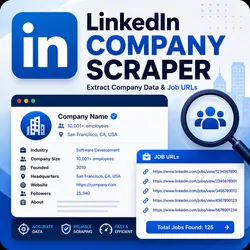
Scrapes public LinkedIn company profile data, including name, website, industry, size, headquarters, Job Urls, founded year, specialties, followers, and about text.
Pricing
from $3.00 / 1,000 results
Rating
0.0
(0)
Developer

ramman
Maintained by CommunityActor stats
0
Bookmarked
4
Total users
0
Monthly active users
3 months ago
Last modified
Categories
Share
What does LinkedIn Company Scraper do?
LinkedIn Company Scraper extracts company profile details from LinkedIn company pages (for example https://www.linkedin.com/company/microsoft/). You provide one or more company URLs and the Actor saves structured records into an Apify dataset.
Typical extracted fields include company name, website, industry, company size, headquarters, founded year, specialties, followers, about text — and (optionally) job posting URLs linked from the company jobs page.
This Actor is designed to run on the Apify platform, so you can use API access, scheduling, integrations, proxy rotation, and run monitoring.
Why use LinkedIn Company Scraper?
- Lead generation / enrichment: build firmographic datasets for outbound and CRM enrichment
- Market research: compare companies by industry, size, location, and description text
- Automation: replace manual copy/paste with repeatable, exportable runs
- Easy exports: download results as JSON, CSV, Excel, or HTML from the Dataset tab
How to use LinkedIn Company Scraper (step-by-step)
- Open the Actor in Apify Console and go to the Input tab.
- Paste your LinkedIn company page URLs into Company URLs.
- Keep Use Apify Proxy enabled (recommended for LinkedIn).
- If LinkedIn shows a login wall, add your
li_atsession cookie (optional but helps a lot). - Click Start and wait for the run to finish.
- Open the Dataset tab to view, export, or download your results.
Input
You configure the run from the Input tab in Apify Console.
Main input fields
companyUrls(required): LinkedIn company profile URLs to scrape.useApifyProxy(recommended): turns on Apify Proxy to reduce blocks.apifyProxyGroups: which proxy group(s) to use (default:RESIDENTIAL).linkedInSessionCookie(li_at, optional): paste yourli_atcookie value from a logged-in browser session to improve access when LinkedIn blocks unauthenticated users.linkedInCookies(advanced, optional): pass full cookie objects if you know what you’re doing.maxRequestRetries: how many times to retry a failed company page.requestDelaySecs: delay between requests to reduce blocking risk.maxJobUrls: maximum number of job posting URLs to extract per company.
Input example
Output
The Actor stores results in the default dataset. Each dataset item is one company.
Example output (simplified):
You can download the dataset in various formats such as JSON, HTML, CSV, or Excel.
Data table (main fields)
| Field | Description |
|---|---|
companyName | Official company name |
linkedinUrl | LinkedIn company profile URL |
website | Company website (if available) |
industry | LinkedIn industry label |
companySize | Employee count range |
headquarters | HQ location |
founded | Year founded |
specialties | Listed specialties |
followers | Follower count text (as shown) |
about | Company description / overview |
jobUrls | Job posting URLs (up to maxJobUrls) |
Pricing / Cost estimation
How much does it cost to scrape LinkedIn company pages?
- The main cost driver is how many company URLs you scrape and whether LinkedIn requires additional retries / slower browsing.
- If you enable Residential proxies, success rates are usually better, but proxy usage can increase cost.
- To estimate cost quickly, run a small test (e.g. 10 URLs) and extrapolate based on your average time per company.
Tips & advanced options
- If you get blocked or see missing fields, increase
requestDelaySecsand keep concurrency low. - For the best success rate, use Apify Proxy +
li_atcookie (optional). - If you only need company profiles (not job URLs), consider lowering
maxJobUrlsto reduce extra requests.
FAQ, disclaimers, and support
Is scraping LinkedIn allowed?
Scraping LinkedIn is subject to LinkedIn’s Terms of Service and applicable laws. Use this Actor responsibly, respect rate limits, and only collect data you are allowed to process.
Why do I see partial results?
LinkedIn sometimes shows a login wall or rate-limits requests. Using Apify Proxy and (optionally) a valid li_at cookie usually improves access, but LinkedIn page structure can change over time.
Support
For issues or feature requests, please use the Actor Issues tab in Apify Console.
For developers (optional)
Local development:


