

OG Image Generator API — Social Preview Images from Templates
Pricing
from $2.00 / 1,000 images
OG Image Generator API — Social Preview Images from Templates
Generate Open Graph, Twitter/X, LinkedIn, Instagram and Pinterest images from 8 templates or your own HTML/CSS with {{variables}}. Batch hundreds per run, emoji and any language (CJK, Arabic, Cyrillic), PNG/JPEG/WebP, public URLs. Pay per image.
Pricing
from $2.00 / 1,000 images
Rating
0.0
(0)
Developer

North Eng
Maintained by CommunityActor stats
0
Bookmarked
2
Total users
1
Monthly active users
9 days ago
Last modified
Categories
Security
Limited permissionsShare
OG Image Generator API — Social Preview Images from Templates or HTML
Generate Open Graph, Twitter/X, LinkedIn, Instagram and Pinterest images in bulk. Pick one of 8 designer templates and fill in the fields, or send your own HTML/CSS with {{variables}}. Each image is saved with a public URL and listed as one dataset row. You pay only for images that were created.
What it does
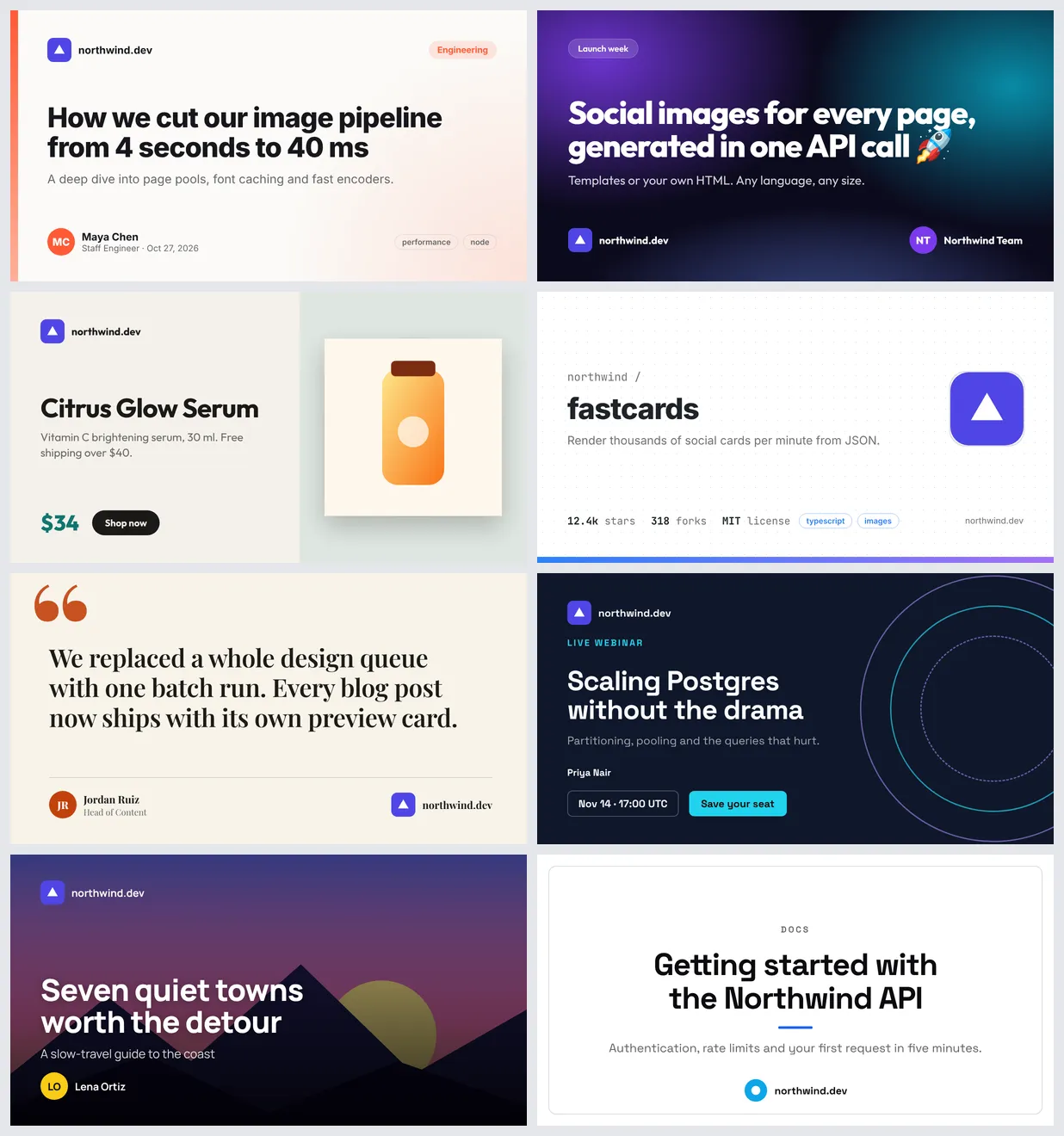
- 8 templates that look good out of the box:
blog-post,gradient,product,github-repo,quote,event,photo,minimal. Each one adapts to landscape, square and portrait sizes. - Your own HTML instead: write a design once with
{{title}},{{price}}or any other variable, then render it for hundreds of rows. - Batch mode: one run renders a list of up to 10,000 items. Each item can override any setting (template, colors, size, format…).
- Every size:
og1200×630 (default),twitter,linkedin,facebook,instagram-square,instagram-portrait,instagram-story,pinterest,youtube-thumbnail, or any custom width and height from 100 to 4096 px. Usescale2 or 3 for retina output. - PNG, JPEG or WebP, with a quality setting.
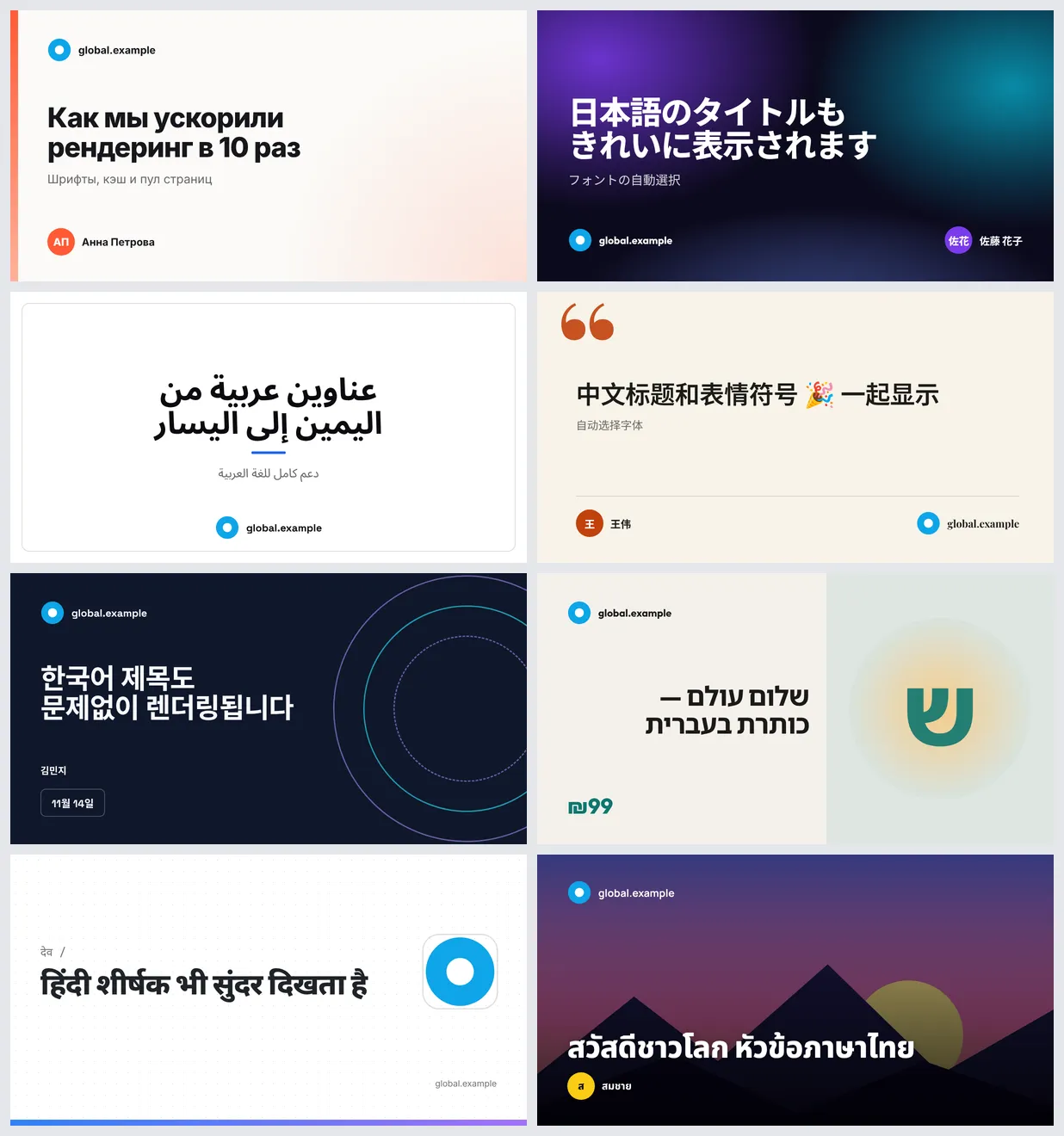
- Any language and emoji. Fonts for Latin, Cyrillic, Greek, Vietnamese, Arabic, Hebrew, Hindi (Devanagari), Thai, Chinese, Japanese and Korean, plus color emoji, are built in. Arabic and Hebrew are shaped and laid out right to left.
- Any Google Font by name (for example
"Lobster"or"Roboto Slab"). It is downloaded automatically. - Text always fits: long titles shrink, and lines are balanced. Text that still doesn't fit ends with "…" instead of overflowing.
Why use it
- Fast. One browser stays warm for the whole run and renders many cards in parallel, while finished images upload in the background. Fonts are loaded once, and pages never wait on fixed timers. In our Apify tests, 500 mixed 1200×630 cards took about 50 seconds at 4 GB of memory and about 15 seconds at 8 GB.
- Reliable. A broken image URL, an invalid color or a font that doesn't exist never crashes the run. That image gets a clear warning, or an unpaid error row, and the rest of the batch continues. If a run is restarted, images that are already finished are kept and are not charged again.
- Simple. You don't need a template editor, an account on another service or an API key. Send JSON, get URLs.
- Safe for untrusted input. Your HTML is rendered with JavaScript off by default. Requests to private or internal network addresses are blocked.
How to use
- Choose a template and fill in title (plus subtitle, author, logo… as you like). Or paste your own HTML.
- For many images, add items. Each item is one image, and plain strings work as titles:
["Post A", "Post B"]. - Run the Actor. Open the dataset and click the image URLs, or call the API and read
imageUrlfrom each row.
You can call it from code with the Apify API or the apify-client package for JavaScript and Python. You can also use Make, Zapier or n8n: for example, generate a card whenever a CMS post is published.
Input
Single image with a template:
Batch: top-level fields are the defaults, and each item overrides them:
Your own HTML with variables. Values are HTML-escaped; use {{{name}}} for trusted raw HTML:
The main fields are listed below. The input tab documents all of them.
| Field | What it does |
|---|---|
template | blog-post (default), gradient, product, github-repo, quote, event, photo, minimal |
title, subtitle, eyebrow, author, authorTitle, siteName, date, price, ctaText, tags, stats | Template text |
logoUrl, avatarUrl, imageUrl, backgroundImageUrl | Images (http(s) or data: URLs; PNG, JPEG, WebP, GIF, AVIF, SVG) |
theme, accentColor, secondaryColor, backgroundColor, textColor | Colors: any CSS color (#7c3aed, rgb(), hsl(), oklch(), names) |
fontFamily, headingFontFamily | A built-in font or any Google Fonts family |
size, width, height, scale | Output size |
format, quality, fileName | Output file |
html, css, variables, enableJavaScript | Custom design mode |
items | Batch: one image per item |
Output
Each image is saved in the run's key-value store, and its public URL goes in one dataset row:
An item that can't be rendered still gets a row, with error and errorCode set (for example INVALID_INPUT or MISSING_TITLE) and no image. You are not charged for it. Problems that don't stop the image, such as a logo URL that returns 404 or an unknown font, are listed in warnings. The run summary (requested, images, failed, timings) is saved as OUTPUT in the key-value store.
Pricing
Pay per image. Only images that were created successfully are charged:
| Event | Price |
|---|---|
| Image (one generated image, any template, size or format) | $0.002 ($2 per 1,000) |
| Actor start | Apify default ($0.00005) |
Examples: 100 blog cards cost $0.20, and 1,000 product images cost $2. Failed items cost nothing. If you set a maximum cost per run, the Actor stops cleanly when it is reached and keeps the images it already made. If a run is restarted, images that were already charged are not charged again.
FAQ
How much memory should I use? The default 1 GB is enough for a few dozen cards. For batches of hundreds or thousands of images, raise it to 4–8 GB in the run options: more memory renders more cards at once, so the run finishes much sooner.
How is this different from a website screenshot tool? This Actor doesn't visit URLs. It draws images from a template, or from HTML that you provide. That makes it faster and the results repeatable, with no cookie banners, logins or slow pages.
Can I use my brand fonts and colors? Yes. Set the color fields, and set fontFamily to any Google Fonts family. For a fully custom look, use html and css. A web font loaded with @font-face from a public URL works too.
Do emoji and non-Latin languages work? Yes. All fonts are bundled, so text never falls back to empty boxes. Emoji are drawn in color, and Arabic and Hebrew are shaped and right-aligned.
What happens with a very long title? It shrinks down to a readable minimum size, and if it still doesn't fit, it ends with "…". You get a warning in that row.
My image URL is broken. Does the run fail? No. The image is rendered without it and a warning names the field. Private or internal network addresses are blocked for safety.
How long are image URLs available? As long as the run's storage is kept (see your Apify data retention settings). To keep images longer, copy them to your own storage.
Can it run JavaScript in my HTML? Set enableJavaScript to true, for example for chart libraries. Pages still have a time limit, so an endless loop fails that image instead of hanging the run.
Limitations
- Images are 100–4096 px per side. Up to 10,000 items per run (split bigger jobs into several runs).
- Animated output (GIF or video) is not supported.
- Custom HTML is one static frame. Anything loading from a slow external server can be cut off by the per-image time limit.


