Fast HTML Fetcher
Pricing
from $0.01 / 1,000 results
Fast HTML Fetcher
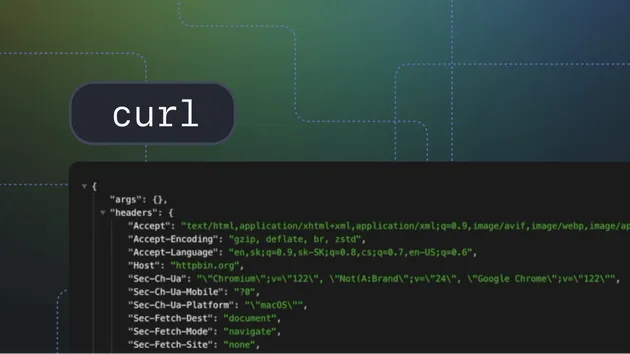
From $0.2/1k reqs. Fast HTTP fetcher that returns raw HTML content, HTTP status codes, and response headers for any URL. Supports custom headers, user agent, proxy, redirect control, and SSL bypass. Perfect for web monitoring, content extraction, and API testing.
Pricing
from $0.01 / 1,000 results
Rating
0.0
(0)
Developer

Rixin Sc
Maintained by CommunityActor stats
0
Bookmarked
145
Total users
15
Monthly active users
8 months ago
Last modified
Categories
Share
HTTP URL Fetcher
Fetch any webpage and get the complete HTTP response including HTML content, status codes, and response headers. Built for speed and reliability.
What does HTTP URL Fetcher do?
HTTP URL Fetcher is a simple but powerful tool that fetches web pages and returns all the raw data you need:
- HTML Content: Get the complete page source exactly as the server sends it
- HTTP Status: Know if requests succeed (200), redirect (3xx), or fail (4xx/5xx)
- Response Headers: Access all HTTP headers like Content-Type, Cache-Control, Set-Cookie, etc.
- Redirect Tracking: See both the original URL and final URL after redirects
Features
- Fetch single or multiple URLs in one run
- Custom HTTP headers for authentication or special requirements
- Configurable User-Agent string
- Follow or ignore HTTP redirects
- Adjustable timeout and retry settings
- Apify Proxy support for avoiding blocks
- SSL certificate validation bypass for testing
Input
| Field | Type | Required | Default | Description |
|---|---|---|---|---|
urls | array | Yes | - | List of URLs to fetch |
headers | object | No | {} | Custom HTTP headers as key-value pairs |
userAgent | string | No | Chrome 144 | Browser User-Agent string |
followRedirects | boolean | No | true | Automatically follow redirects |
timeout | integer | No | 10000 | Request timeout in milliseconds |
retries | integer | No | 3 | Number of retry attempts for failed requests |
proxyConfiguration | object | No | - | Apify Proxy settings |
ignoreSslErrors | boolean | No | false | Skip SSL certificate validation |
Example Input
Output
Each fetched URL produces a dataset item with:
| Field | Description |
|---|---|
requestedUrl | Original URL you requested |
finalUrl | Final URL after redirects |
httpStatus | HTTP status code (200, 404, 500, etc.) |
httpStatusText | Status text (OK, Not Found, etc.) |
responseHeaders | All response headers as object |
htmlContent | Complete response body |
contentLength | Response size in bytes |
fetchedAt | Timestamp of the fetch |
error | Error message if request failed |
Example Output
Pricing
This Actor uses pay-per-event pricing:
| Event | Price | Description |
|---|---|---|
| URL Fetched | $0.0001 | Charged for each URL fetch attempt |
| Content Returned | $0.0001 | Charged when response has content |
Example costs:
- 1,000 URLs with content: ~$0.20
- 10,000 URLs with content: ~$2.00
Use Cases
- Website Monitoring: Check if pages are up and returning expected status codes
- Content Extraction: Get raw HTML for parsing with your own tools
- Header Analysis: Inspect security headers, caching policies, cookies
- Redirect Mapping: Trace redirect chains from old URLs to new ones
- API Testing: Fetch API endpoints and inspect responses
Integrations
The Actor integrates with any tool that works with Apify:
- Apify API: Trigger runs and retrieve results programmatically
- Webhooks: Get notified when runs complete
- Integrations: Connect with Zapier, Make, or other automation platforms
FAQ
Q: Can I fetch pages that require JavaScript? A: This Actor fetches raw HTTP responses only. For JavaScript-rendered pages, use a browser-based Actor.
Q: What happens if a URL times out? A: The request is retried according to your retry settings. If all retries fail, an error is recorded in the output.
Q: Does it work with authenticated pages?
A: Yes, add your authentication headers (like cookies or Bearer tokens) in the headers input field.
Q: Can I use my own proxy? A: Currently only Apify Proxy is supported. Enable it in the proxy configuration settings.