

Sitemap Intelligence API
Pricing
from $0.20 / 1,000 url returneds
Sitemap Intelligence API
Classify public sitemap URLs into pricing, docs, blog, changelog, product, legal, support, and other page types.
Pricing
from $0.20 / 1,000 url returneds
Rating
0.0
(0)
Developer

mohamed senator
Maintained by CommunityActor stats
0
Bookmarked
1
Total users
0
Monthly active users
11 hours ago
Last modified
Categories
Share
Turn public domains and sitemaps into a structured, classified website URL inventory.
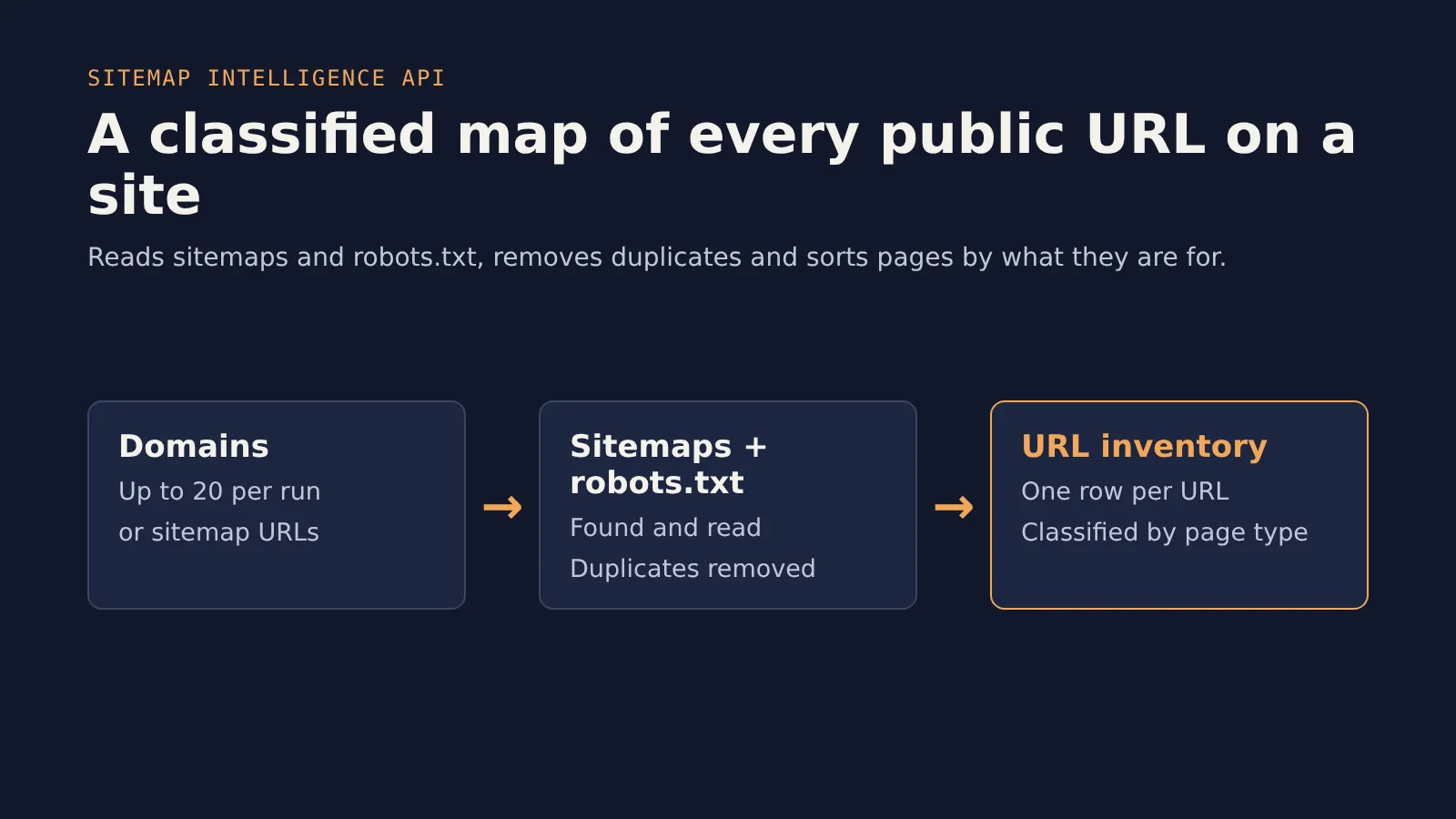
What this Actor does
Sitemap Intelligence API reads public sitemap and robots.txt data, deduplicates URLs, classifies pages by business use, and saves one structured record per discovered URL to the Apify Dataset.
It helps you quickly find pricing pages, docs, blogs, changelogs, product pages, legal pages, support pages, and other useful public website sections.
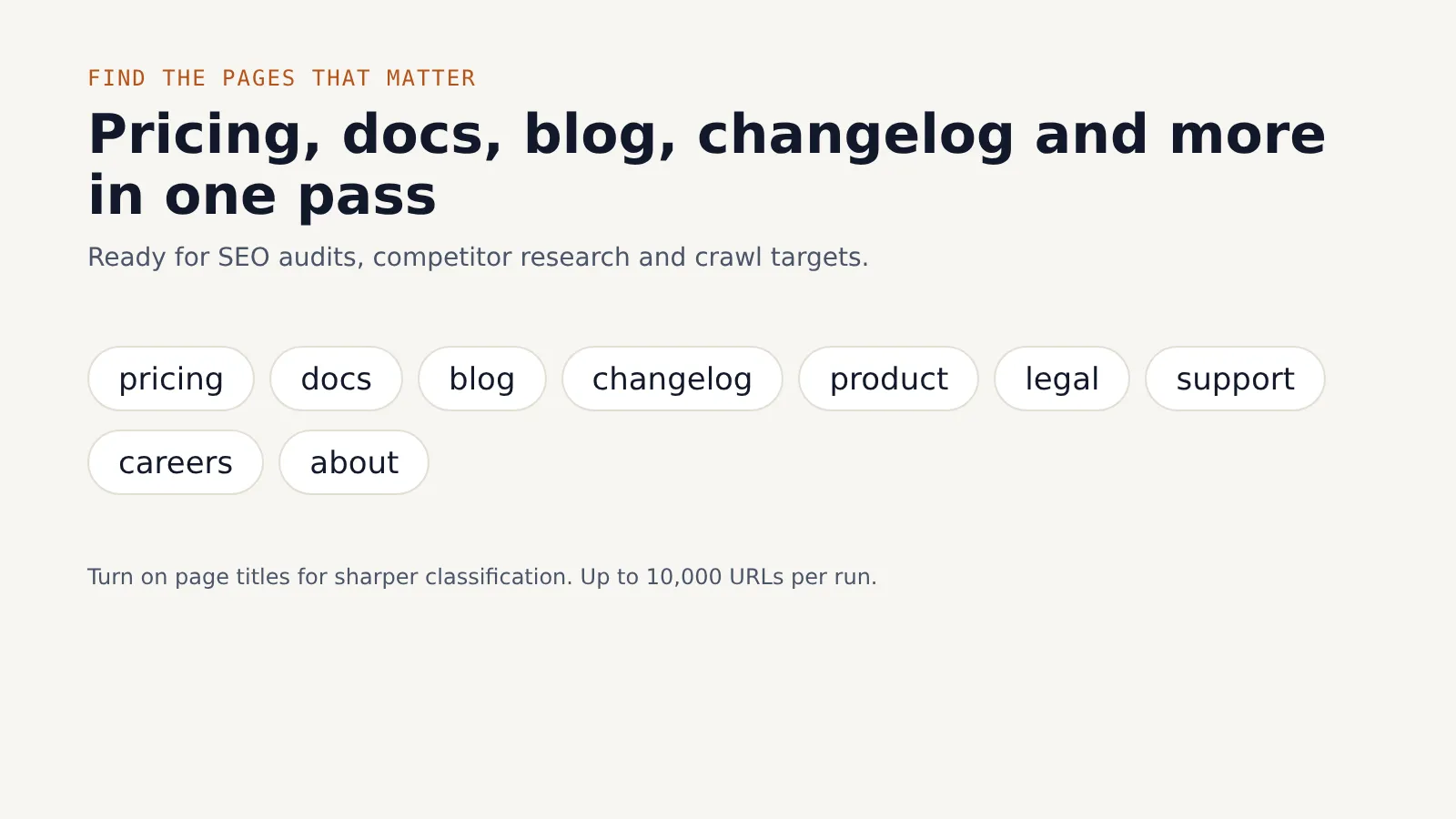
Use cases
- Build a website URL inventory for SEO or content audits.
- Find competitor pricing, docs, blog, changelog, and legal pages.
- Prepare clean crawl targets for monitoring or extraction workflows.
- Group large sitemaps by page type before deeper analysis.
Who this is for
SEO teams, data teams, SaaS operators, agencies, competitor intelligence teams, and builders who need a fast map of public website URLs.
Input
startUrls- Public domains or sitemap URLs. Domains without a protocol are treated as HTTPS. Required, 1-20 items.includeRobotsTxt- When true, the Actor checks robots.txt for sitemap references. Default:true.maxUrls- Maximum sitemap URLs to return across all start URLs. Default:5000, maximum:10000.classifyUrls- When true, URLs are classified by path and optional title signals. Default:true.fetchPageTitles- When true, the Actor fetches discovered pages to improve title-based classification. This is slower and uses more requests. Default:false.
Example input
Output
The Actor saves one Dataset item per discovered URL.
domain- Hostname from the start URL.sitemapUrl- Sitemap where the URL was found, ornullwhen no sitemap result was found.url- Discovered public URL.path- URL path.pageType- Heuristic page type such aspricing,docs,blog,changelog,product,legal,support,landing_page, orunknown.confidenceScore- Classification confidence from 0 to 1.detectedSignals- Regex/path signals used for classification.title- Page title whenfetchPageTitlesis enabled, otherwisenull.lastModified,priority,changeFrequency- Sitemap metadata when available.discoveredFrom- Sitemap or discovery source.scrapedAt- ISO timestamp for the run.extractionStatus- Present asfailedwhen no sitemap URLs are found.errorMessage- Failure reason when extraction fails.
Example output
How it works
- Reads the Actor input.
- Normalizes public domains and sitemap URLs.
- Checks
/sitemap.xmland, when enabled, robots.txt sitemap references. - Parses sitemap indexes and URL sets.
- Deduplicates URLs and optionally fetches page titles.
- Classifies URLs by page path and title signals.
- Saves results to the Apify Dataset.
Limitations
- Works with public sitemaps and robots.txt only.
- Does not access private pages, logins, paywalls, CAPTCHA, or restricted content.
- Classification is heuristic and may be wrong on unusual URL structures.
fetchPageTitlesimproves classification but makes the run slower.- Completeness depends on what the target website exposes in public sitemaps.
Error handling
Invalid or empty startUrls input fails the run validation. Failed sitemap requests are captured and, when no URLs are found for a start URL, the Actor returns a failed Dataset item with extractionStatus: "failed" and an errorMessage. Page title fetch failures are skipped so sitemap extraction can continue.
Troubleshooting
- If no URLs are returned, check whether the website exposes a public sitemap or lists sitemap URLs in
robots.txt. - If important pages are missing, try enabling
includeRobotsTxtand increasingmaxUrls. - If page types look too generic, enable
fetchPageTitlesfor stronger classification signals. - If the run is slow, reduce
maxUrlsor keepfetchPageTitlesdisabled.
API usage
Integration ideas
- Send classified pricing and changelog URLs into a change monitor.
- Feed docs and blog URLs into an AI-ready content extractor.
- Export the Dataset to CSV for SEO audits.
- Use scheduled runs to refresh public URL inventories.
SEO keywords
sitemap API, sitemap parser, website map, URL classifier, SEO audit, competitor URLs, pricing page finder, docs finder, changelog finder, Apify sitemap
Related Actors
- Google Trends Scraper: Bulk Compare 100+ Keywords: check which of a competitor's topics people actually search for, with up to 500 keywords on one Google Trends scale.
- YouTube Transcripts for AI: bulk YouTube transcripts from videos, channels and search as text, Markdown and RAG chunks.
Feedback
Found a site that doesn't parse well, or need a feature? Open an issue in the Issues tab and I'll take a look. If the Actor saves you time, a short review on its Store page helps other people find it.
Ethical use
This Actor is designed for public data and user-provided URLs only. Do not use it to access private, login-protected, or restricted content.


