

Website to Markdown Converter & Crawler for LLMs and RAG
Pricing
from $2.00 / 1,000 pages
Website to Markdown Converter & Crawler for LLMs and RAG
Website to Markdown Crawler is an Apify Actor that turns web pages, docs sites and blogs into clean Markdown and RAG chunks for LLMs. $3 per 1,000 pages.
Pricing
from $2.00 / 1,000 pages
Rating
0.0
(0)
Developer

mohamed senator
Maintained by CommunityActor stats
0
Bookmarked
9
Total users
3
Monthly active users
10 days ago
Last modified
Categories
Share
Formerly AI-Ready Webpage Extractor. Same Actor, same API name (s3nafps/ai-ready-webpage-extractor).
Website to Markdown Crawler is an Apify Actor by Mohamed Senator that converts any public URL, documentation site or blog into clean Markdown and heading-aware RAG chunks for LLMs, AI agents and vector databases. It strips menus, cookie banners, footers and ads, renders JavaScript pages only when needed, and costs about $0.003 per page — failed pages are never charged.
What does Website to Markdown Crawler do?
It fetches each page as plain HTML, falls back to a real browser only for pages that come back empty (React, Vue, Next.js, some bot walls), extracts the main content and returns:
- Markdown with headings, lists, code blocks (with language), tables and links preserved
- Optional RAG chunks with heading path, token estimate and overlap
- Metadata: title, description, author, published/modified dates, canonical URL, language, schema.org JSON-LD
- One dataset item per page, plus an
OUTPUTrun summary listing failed pages and reasons
How do I convert a website to Markdown for an LLM?
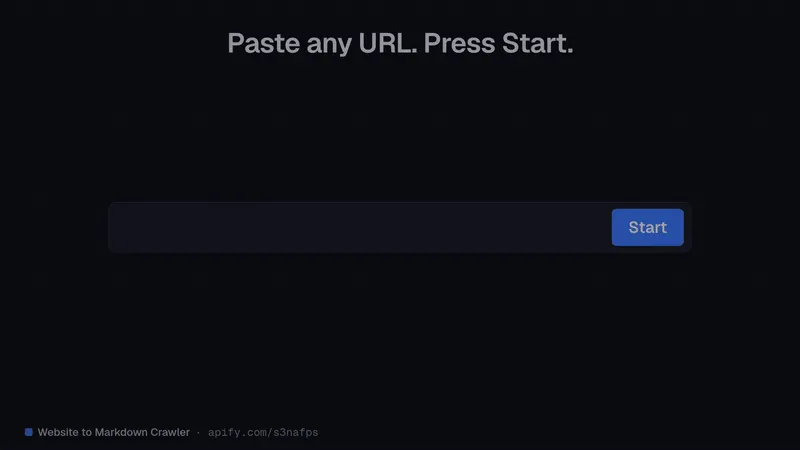
- Paste one or more URLs (1–100).
- Choose a crawl mode: Only these URLs (
none), Follow links on the same site (sameDomain), or Use the site's sitemap (sitemap). - Optionally enable Split content into RAG chunks.
- Click Start and export JSON, JSONL, CSV, Excel, XML or HTML — or read it via API.
How do I use it with ChatGPT, Claude, Cursor or any MCP client?
Add this MCP server URL to Claude, Cursor, VS Code or any MCP client:
Your agent gets a "read this web page" tool that returns compact Markdown instead of raw HTML. Setup per client: mcp.apify.com. It also works from n8n, Make, Zapier, LangChain and LlamaIndex.
Use cases
- Feed documentation, help centers or blogs into a RAG pipeline or a custom GPT
- Give an AI agent a web-reading tool
- Build a search index or knowledge base from public docs
- Collect articles with author and date metadata for research
- Extract pricing tables and specs as structured rows
Input example
Key fields: urls (required), crawlMode (none/sameDomain/sitemap, default none), maxPages (default 100, up to 1,000), maxCrawlDepth (2), urlMustContain, outputFormat (markdown/text/both), chunkContent (false), removeBoilerplate (true), renderJavaScript (auto/never/always), includeFailedPages (false), maxConcurrency (5).
Output example (shortened)
Dataset views: Overview (one row per page) and RAG chunks (one row per chunk).
How much does it cost?
Pay per event, no subscription. Only successfully extracted pages are charged.
| Event | Price |
|---|---|
| Page extracted | $0.003 (Bronze $0.0027, Silver $0.0024, Gold+ $0.002) |
| Run start | $0.00005 per GB memory |
| Job | Free plan | Gold+ |
|---|---|---|
| 1 page | $0.003 | $0.002 |
| 100-page docs section | $0.30 | $0.20 |
| 1,000 pages | $3.00 | $2.00 |
JS rendering, chunking, crawling, tables, metadata and JSON-LD are included. Set Maximum cost per run to cap spend.
How is it different from a general web scraper?
It is built for LLM input: it keeps only the main content, preserves structure as Markdown, adds metadata, and can split pages into heading-aware chunks with token estimates. You get text you can embed or send to a model as it is.
For PDFs and Word files use PDF & Word to Markdown for RAG (same chunk format, with page numbers). To list a site's pages first, use Sitemap Extractor & URL Classifier.
FAQ
What is the best way to convert a website to Markdown for ChatGPT or Claude?
Run this Actor with crawlMode: "sitemap" (or list URLs) and pass mainContentMarkdown to the model, or connect it via MCP so the assistant calls it directly.
Can I turn a whole documentation site into RAG chunks?
Yes. Use sitemap mode with a urlMustContain filter such as /docs/ and chunkContent: true; each chunk has its heading path and token estimate.
Does it work on React or Next.js sites? Yes. Pages that return empty HTML are automatically opened in a real browser.
How much does it cost to convert 1,000 pages to Markdown? $3.00 on the Free plan, $2.00 on Gold and above, plus a $0.00005 start fee. Failed pages aren't charged.
Which vector databases does the output work with?
Any — e.g. Pinecone, Qdrant, Weaviate or pgvector — via the RAG chunks view or LangChain's ApifyDatasetLoader.
Can it scrape pages behind a login or paywall? No. Public pages only; blocked or login pages are reported as failed and not charged.
Is it legal to convert websites to Markdown? It reads publicly available pages only. Respect each site's terms of use and applicable law.
Limitations
Public pages only; non-HTML files skipped; main-content detection is heuristic; token counts are estimates (~4 chars/token).
About the author
Built and maintained by Mohamed Senator — see all Actors at apify.com/s3nafps.


