Apify Actor Store Scraper
Pricing
Pay per usage
Apify Actor Store Scraper
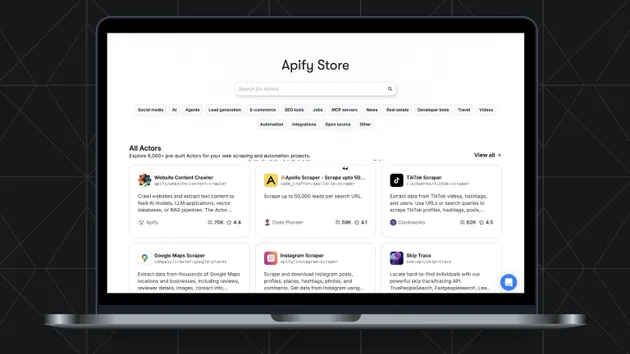
Under maintenanceScrape all 12,000+ actors from the Apify Store marketplace. Extract comprehensive data including usage statistics (monthly/total users, runs, builds), accurate issue counts (total, open, closed) via browser scraping, ratings, reviews, pricing models with tiers, categories, and developer info.
Pricing
Pay per usage
Rating
0.0
(0)
Developer

Scrape Badger
Actor stats
0
Bookmarked
5
Total users
0
Monthly active users
4 months ago
Last modified
Categories
Share
ScrapeBadger: Apify Store Scraper - Extract All Actors with Stats, Issues, Ratings & More!

ScrapeBadger's Apify Store Scraper provides comprehensive data extraction from the entire Apify Store marketplace. Scrape detailed information about all 12,000+ actors including usage statistics, issue counts, ratings, pricing models, and maintainer details. Perfect for market research, competitor analysis, and discovering the best tools in the Apify ecosystem.
Whether you're researching the Apify marketplace, analyzing actor popularity trends, tracking issue resolution rates, or finding the best-rated scrapers for your needs, this tool delivers structured, actionable data with accurate issue counts obtained through browser-based scraping.
Key Features
- Complete Store Coverage: Scrape information about all 12,000+ actors in the Apify Store with a single run.
- Accurate Issue Tracking: Uses browser-based scraping to obtain accurate issue counts (total, open, closed) - not limited API data.
- Comprehensive Actor Data:
- Basic info: name, title, description, URL
- Developer/maintainer details with profile pictures
- Usage statistics: monthly users, total users, total runs, total builds
- Ratings and review counts
- Pricing models and pricing tiers
- Categories and tags
- Flexible Filtering: Filter actors by:
- Search query (searches in title, name, description, username, readme)
- Category (AI, Lead Generation, Social Media, E-commerce, etc.)
- Developer/maintainer username
- Pricing model (Free, Flat Price, Price Per Item, Pay Per Event)
- Sorting Options: Sort by popularity, relevance, newest, or last updated.
- Configurable Output: Choose to include/exclude issue counts and full actor details.
Great For
- Market Research: Analyze the Apify marketplace landscape, identify trending categories, and track pricing strategies.
- Competitor Analysis: Monitor competitor actors, their ratings, user counts, and issue resolution.
- Tool Discovery: Find the best-rated and most popular actors for specific use cases.
- Developer Insights: Identify successful actor developers and analyze their portfolios.
- Investment Research: Evaluate the Apify ecosystem for business intelligence.
- Quality Assessment: Compare issue counts and resolution rates across similar actors.
How to Use
Simply configure the input parameters to filter and customize your scrape:
| Parameter | Type | Description | Default |
|---|---|---|---|
search | String | Search query to filter actors | Empty (all actors) |
category | String | Filter by category (e.g., "AI", "LEAD_GENERATION") | Empty (all) |
username | String | Filter by developer username | Empty (all) |
pricingModel | String | Filter by pricing model | Empty (all) |
sortBy | String | Sort order: popularity, relevance, newest, lastUpdate | popularity |
maxActors | Integer | Maximum actors to scrape (empty for all) | Empty (all) |
includeIssues | Boolean | Fetch accurate issue counts via browser scraping | true |
includeDetails | Boolean | Fetch full actor details (README, versions) | false |
concurrency | Integer | Concurrent browser sessions for issue scraping | 10 |
Request Examples
1. Scrape All Actors (Most Popular First)
2. Find Top AI Actors
3. Search for Specific Scrapers
4. Find Free Actors Only
5. Analyze a Specific Developer's Portfolio
6. Fast Scrape (API Only, No Browser)
Output Fields
Each actor object in the dataset includes:
Basic Information:
id- Unique actor IDname- Actor slug nametitle- Display titledescription- Actor descriptionurl- Full Apify Store URL
Developer/Maintainer:
username- Developer usernameuser_full_name- Developer's full nameuser_picture_url- Developer's profile picture
Usage Statistics:
monthly_users- Active users in the last 30 daystotal_users- All-time total userstotal_runs- Total number of runstotal_builds- Total number of buildslast_run_started_at- Timestamp of most recent run
Issues (with includeIssues: true):
total_issues- Total number of issuesopen_issues- Currently open issuesclosed_issues- Resolved issues
Ratings & Engagement:
rating- Average rating (1-5 scale)bookmark_count- Number of bookmarkstotal_stars- Total stars received
Pricing:
pricing_model- Pricing type (FREE, FLAT_PRICE_PER_MONTH, PRICE_PER_DATASET_ITEM, PAY_PER_EVENT)pricing_info- Detailed pricing tiers and rates
Categories & Metadata:
categories- Array of category tagspicture_url- Actor's logo/iconnotice- Any special notices (NONE, DEPRECATED, etc.)run_stats_30_days- Run statistics breakdown for last 30 days
Full Details (with includeDetails: true):
readme- Full README contentdefault_run_options- Default configurationexample_run_input- Example input JSONversions- Version history
Performance & Timing
| Configuration | Estimated Time | Notes |
|---|---|---|
API only (includeIssues: false) | ~2-3 minutes | Fastest, basic data only |
| With issues (concurrency: 10) | ~50-60 minutes | Accurate issue counts |
| With issues (concurrency: 3) | ~55-60 minutes | Lower memory usage |
| With full details | +10-15 minutes | Additional API calls |
Note: Browser-based issue scraping requires more resources. For production use on Apify, we recommend:
- Memory: 4GB+ for high concurrency
- Concurrency: 3-5 for stable performance
Sample Output
Why Choose ScrapeBadger?
- Complete Coverage: Access data on all 12,000+ Apify Store actors.
- Accurate Issue Counts: Browser-based scraping ensures accurate open/closed issue numbers.
- Flexible Filtering: Find exactly the actors you need with powerful search and filters.
- Structured Output: Clean, well-organized JSON data ready for analysis.
- Enterprise-Grade Reliability: Built on the robust Apify platform.
About ScrapeBadger
This actor is powered by ScrapeBadger - a reliable data extraction service.
- Official Website: scrapebadger.com
- Faster Support: Get priority support directly through the ScrapeBadger website
- SDK & API Access: Want to use ScrapeBadger outside of Apify? The Python SDK and REST API are available for direct integration into your own applications