Trello MCP Server
Pricing
from $30.00 / 1,000 get cards
Trello MCP Server
Stop switching tabs. The Trello MCP Server connects Claude, Cursor, Windsurf, and VS Code to your Trello boards via the Model Context Protocol (MCP). Create cards, move tasks between columns, add comments, and check sprint status, all in natural language, without leaving your AI chat.
Pricing
from $30.00 / 1,000 get cards
Rating
0.0
(0)
Developer

LIAICHI MUSTAPHA
Maintained by CommunityActor stats
2
Bookmarked
8
Total users
0
Monthly active users
3 months ago
Last modified
Categories
Share
🃏 Trello MCP Server
The first MCP server that connects your AI assistant directly to Trello — manage boards, cards, and Kanban flows without ever leaving your AI chat.



About this MCP Server: To understand how to connect to and use this MCP server, please refer to the official Model Context Protocol documentation at mcp.apify.com ↗.
🎯 Why This Exists
Every developer, product manager, and team using AI tools faces the same problem: constant context switching.
You're deep in a conversation with Claude or coding in Cursor, you spot a bug or remember a task — and then you have to stop, open a new tab, navigate to Trello, find the right board and list, create a card, and switch back. That's 4–6 mental context switches for a 5-second task.
The Trello MCP Server eliminates this entirely. Your AI assistant talks directly to your Trello workspace through the Model Context Protocol. Create cards, move tasks, add comments, check your Kanban board — all through a single natural language instruction.
The AI + Project Management Gap
| Tool | MCP Available? | Hosted (no server needed)? |
|---|---|---|
| Jira | ✅ Jira MCP Server | ✅ |
| Trello | ✅ This Actor | ✅ |
| Asana | ❌ | ❌ |
| Notion | Partial | ❌ |
| Linear | ❌ | ❌ |
Trello has over 100 million registered users — and this is the only hosted, serverless MCP server for it on the Apify Store.
⚡ What It Does
The Trello MCP Server runs as an Apify Actor in standby mode, serving as a persistent MCP endpoint. It authenticates with Trello using your API Key + Token and exposes 9 tools to any MCP-compatible AI assistant.
🛠️ Available Tools
| Tool | Description |
|---|---|
get_boards | List all Trello boards accessible to the authenticated user |
get_lists | Get all lists (columns) on a board — e.g. To Do, In Progress, Done |
get_cards | Get cards from a board or a specific list |
get_card | Full card details including description, labels, and recent comments |
create_card | Create a new card in any list with optional description and due date |
update_card | Update card name, description, due date, or archive it |
add_comment | Post a comment on a card |
move_card | Move a card to a different list to advance the Kanban flow |
get_members | List all members of a board for card assignment |
🌳 When to Use Which Tool
💡 Who Is This For?
👨💻 Developers Using Cursor, Windsurf, or VS Code
"I just found a bug while coding — let me create a Trello card without stopping."
Stay in your IDE. Have your AI assistant log bugs, create feature requests, or move cards to "Done" as you complete work — all without leaving your coding environment.
🤖 Claude Desktop Users
"Help me plan my week using my Trello board."
Ask Claude to check your Backlog, show what's In Progress, create new tasks from your notes, and set due dates — all in one conversation.
🏃 Agile Teams & Freelancers
"Move all cards in Review to Done and add a comment with today's date."
Perform batch Kanban operations through your AI assistant. Update multiple cards, add standup notes, or create a sprint's worth of cards from a list — in seconds.
🧠 AI Automation Builders
"I want my AI agent to automatically create Trello cards from customer support emails."
Use this Actor as the Trello integration node in your AI agent or n8n/Make.com automation workflow. Programmatic access via the Apify API makes it easy to trigger card creation from any source.
🔗 Connection URL
Replace YOUR_APIFY_TOKEN with your Apify API token.
🚀 Setup Guide
Step 1 — Get Your Trello API Key & Token
- Go to https://trello.com/app-key
- Copy your API Key (shown at the top of the page)
- Click the Token link on the same page → click Allow → copy your Token
The Token gives read/write access to your Trello boards on your behalf. It never expires unless you revoke it manually.
Step 2 — Connect Your AI Assistant
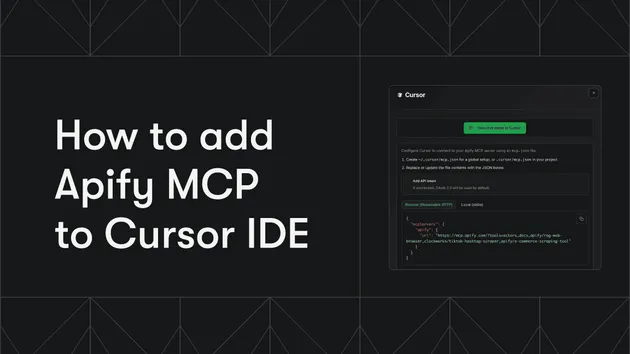
🖱️ Cursor
Add to ~/.cursor/mcp.json:
💻 VS Code
Add to .vscode/mcp.json:
🌊 Windsurf
Add to ~/.codeium/windsurf/model_config.json:
🤖 Claude Desktop
macOS: ~/Library/Application Support/Claude/claude_desktop_config.json
Windows: %APPDATA%\Claude\claude_desktop_config.json
Step 3 — Enter Trello Credentials in Actor Input
When running this Actor on Apify, enter your Trello API Key and Token in the Actor input form. The server authenticates using these credentials for the duration of the Actor run.
💡 Example Prompts
Try these once connected to your AI assistant:
| Say this... | Tool(s) Used |
|---|---|
| "What Trello boards do I have?" | get_boards |
| "Show me the columns on my Dev board" | get_lists |
| "What cards are in my To Do list?" | get_cards |
| "Show me the full details of card [ID]" | get_card |
| "Create a card 'Fix navbar alignment bug' in my Backlog" | create_card |
| "Move 'Fix navbar alignment bug' to In Progress" | move_card |
| "Mark it as Done" | move_card |
| "Add a comment: Resolved in PR #42" | add_comment |
| "Who are the members of my team board?" | get_members |
| "Set the due date of card [ID] to next Friday" | update_card |
| "Archive card [ID]" | update_card |
🤖 API & Automation
Trigger via Apify API
You can also trigger the actor programmatically and use it as a Trello integration in your own automations:
Node.js
Python
Integrate With Automation Platforms
| Platform | Flow |
|---|---|
| n8n | HTTP Request Node → Trello MCP Server → Create Card |
| Make.com | HTTP Module → Actor API → Parse Response |
| Zapier | Webhooks → Apify API → Card Created |
| Custom Agent | LangChain / CrewAI → MCP Tool → Trello |
💰 Pricing
Pay per event. No monthly subscription. No idle costs — the Actor charges only when a tool is actually called by your AI assistant.
| Event | Price per call |
|---|---|
| Actor start | $0.00005 (Apify platform default) |
get_boards | $0.03 |
get_lists | $0.03 |
get_cards | $0.03 |
get_card | $0.03 |
get_members | $0.03 |
add_comment | $0.03 |
update_card | $0.05 |
move_card | $0.05 |
create_card | $0.08 |
A typical AI session managing a full sprint typically costs less than $0.50.
🛡️ Security
- Your API Key and Token are never stored — provided per-Actor-run via encrypted input
- All communication is over HTTPS
- The Actor runs in a fully isolated container on Apify's infrastructure
- Your Trello data is never cached, logged, or shared
🔮 Roadmap
- Checklists — Read and update checklist items on cards
- Attachments — List and add attachments to cards
- Labels — Create and manage board labels
- Webhooks — Real-time event streaming for card changes
- Search — Full-text search across all cards and boards
🤝 Part of the MCP Server Suite
This Actor is part of a growing suite of production-ready MCP servers on Apify:
| Actor | Service | Status |
|---|---|---|
| Jira MCP Server | Jira Cloud | ✅ Live |
| Trello MCP Server | Trello | ✅ This Actor |
| Asana MCP Server | Asana | 📋 Coming soon |
| Confluence MCP Server | Confluence | 📋 Coming soon |
The vision: A complete suite of project management MCP servers — so your AI assistant can manage work wherever your team lives.
💬 Support & Contact
- 📧 Email: mustaphaliaichi@gmail.com
- 💬 GitHub: github.com/MuLIAICHI
- 🐛 Issues: GitHub Issues
📚 References
- Model Context Protocol Specification
- Trello REST API v1 Documentation
- Get Trello API Credentials
- Apify MCP Server Docs
🚀 Get Started Now
- Click "Try for free" above
- Enter your Trello API Key and Token in the input form
- Copy the MCP endpoint URL and paste it into your AI assistant config
- Start chatting — "Show me my Trello boards"
⭐ Found this useful? Leave a review — it helps others discover it!
💬 Questions or feature requests? Open a GitHub issue or email me directly.
Built by MuLIAICHI — AI Engineer building the MCP layer for developer productivity tools. Also check out: Jira MCP Server