
Facebook Post Scraper
Pricing
Pay per usage
Facebook Post Scraper
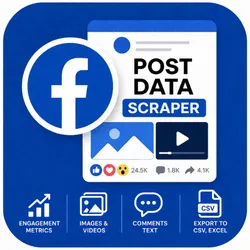
Scrape public Facebook post data without login. Extracts post text, engagement metrics (likes, comments, shares), publish date, media URLs, and page name. Supports posts, reels, photos, and permalink URLs. Fast and lightweight with residential proxy support.
Pricing
Pay per usage
Rating
0.0
(0)
Developer
ScrapySpider
Maintained by CommunityActor stats
1
Bookmarked
346
Total users
41
Monthly active users
5 months ago
Last modified
Categories
Share
Facebook Post Data Scraper
Extract detailed data from any public Facebook post — including text, engagement metrics, images, videos, and comments — without needing a Facebook account or cookies.
Key Highlights
- No login required — scrapes public Facebook posts without cookies, tokens, or a Facebook account
- Full engagement metrics — captures likes, comments, shares, and reactions in a single run
- Media extraction — retrieves image and video URLs attached to each post
- Comment text support — optionally extracts the text content of post comments
- Flexible export — download results as JSON, CSV, or Excel with one click
- Built on Puppeteer — reliable headless browser scraping that handles dynamic Facebook content
- Free to use — no Actor rental fee; you only pay for Apify platform usage
What Data You Get
Each scraped post returns the following fields:
- Post identifiers:
postId,url,permalink - Page info:
pageName - Content:
text,image(URL),video(URL) - Timestamps:
date(ISO 8601),timestamp(Unix epoch) - Engagement:
likes,comments,shares - Comments (optional):
commentsText(array of comment strings)
Export your results in JSON, CSV, or Excel directly from the Apify Console.
Use Cases
- Social media monitoring — track engagement metrics on specific Facebook posts over time to measure content performance
- Competitive analysis — collect post data from competitor pages to benchmark engagement and content strategy
- Market research — gather public sentiment and comment text from posts related to your brand or industry
- Content archiving — save post text, media, and metadata for compliance, reporting, or historical records
- Academic research — compile structured datasets of public Facebook posts for social science or media studies
How to Use
- Open the Facebook Post Data Scraper Actor page on Apify and click Start.
- In the Input tab, paste one or more direct Facebook post URLs into the Facebook Post URLs field.
- (Optional) Check the Include comment text box to also extract comment content.
- Review the Proxy configuration — Apify Proxy is enabled by default and recommended.
- Click Start and wait for the run to finish (typically under 1 minute per post).
- Open the Output tab to preview, filter, and download your data in JSON, CSV, or Excel.
Input Parameters
| Parameter | Type | Required | Description |
|---|---|---|---|
urls | array of strings | Yes | Direct Facebook post URLs to scrape. Example: https://www.facebook.com/NASA/posts/1036318498542498 |
includeCommentText | boolean | No | Set to true to include comment text in the output (default: false) |
proxy | object | No | Proxy configuration; defaults to Apify Proxy ({ "useApifyProxy": true }) |
Output Sample
Pricing
This Actor is free to use. You only pay for the Apify platform compute and proxy resources consumed during each run.
Estimated costs (Apify platform credits):
- ~10 posts → less than $0.01
- ~100 posts → approximately $0.05–$0.10
- ~1,000 posts → approximately $0.50–$1.00
Actual costs depend on the number of posts, whether comment text extraction is enabled, and proxy usage.
Technical Notes
- No account or cookies needed — the scraper works with publicly accessible Facebook posts only. Private or restricted posts cannot be scraped.
- Proxy recommended — Apify Proxy is enabled by default. Using residential proxies may improve reliability for large batches.
- Rate limits — Facebook may throttle requests during very large runs. If you experience issues, reduce the batch size or add delays between runs.
- Dynamic content — the scraper uses Puppeteer to render JavaScript-heavy Facebook pages, so results reflect fully loaded post content.
- Data accuracy — engagement counts (likes, comments, shares) represent the values at the time of scraping and may change as users interact with the post.
Integrations
Connect this Actor to your workflow using Apify's built-in integrations:
- Apify API — trigger runs and retrieve results programmatically via the REST API
- Apify Scheduler — set up recurring scraping runs on a daily, weekly, or custom schedule
- Apify Datasets — store and manage output data across multiple runs
Support
Having trouble or need help? Reach out through any of the following channels:
- Email: ScrapySpider@protonmail.com
- Website: ScrapySpider.com
- Apify: Open a support issue directly on this Actor's page
Response time: Within 24–48 hours on weekdays.


