

Google Maps Satellite Image
Under maintenancePricing
from $3.50 / 1,000 results
Go to Apify Store
Google Maps Satellite Image
Under maintenanceConvert a list of addresses into high-resolution satellite images using the Google Maps imagery.
Pricing
from $3.50 / 1,000 results
Rating
0.0
(0)
Developer
Andrew
Maintained by CommunityActor stats
0
Bookmarked
19
Total users
3
Monthly active users
a month ago
Last modified
Categories
Share
Convert any list of addresses into high-resolution satellite images — no scraping, no browser, just clean PNG files ready to download or export.
What you get
- 640 × 640 px PNG satellite image per address (configurable down to 256 px)
- Zoom level control from street level (zoom 21) to city-wide (zoom 10)
- Dataset row per address with status, image key, and a direct download URL
- Key-Value Store containing the raw PNG files, accessible via the Apify API or console
- Error-tolerant — bad addresses are logged and skipped, the run continues
Example output
| Address | Satellite image |
|---|---|
| Eiffel Tower, Paris, France | 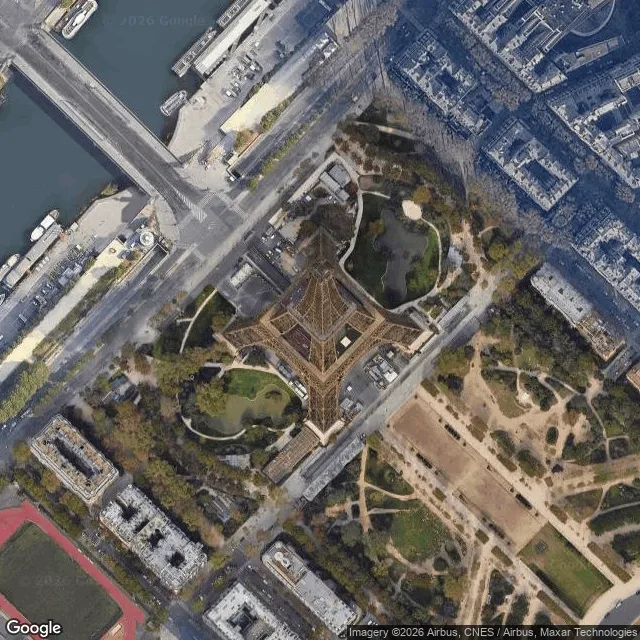 |
| Burj Khalifa, Dubai, UAE | 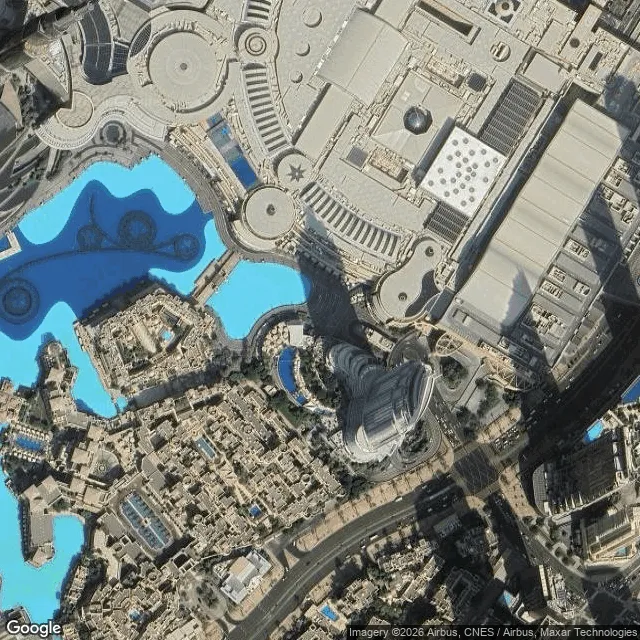 |
| Sydney Opera House, Sydney, Australia | 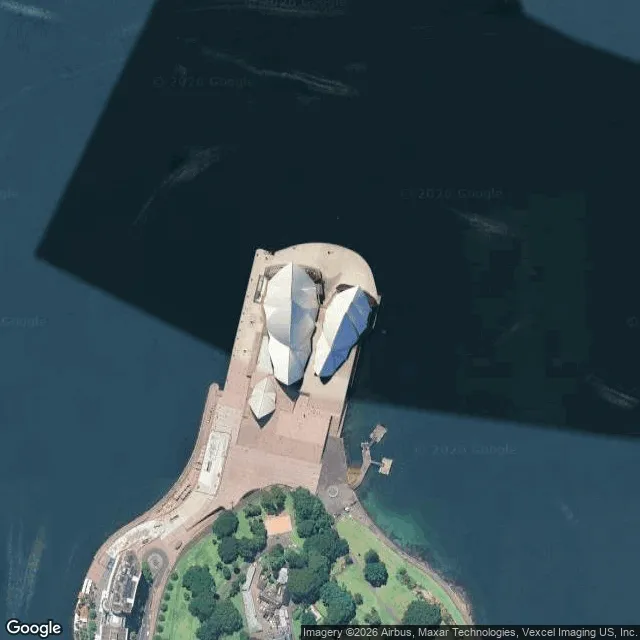 |
| Empire State Building, New York, NY | 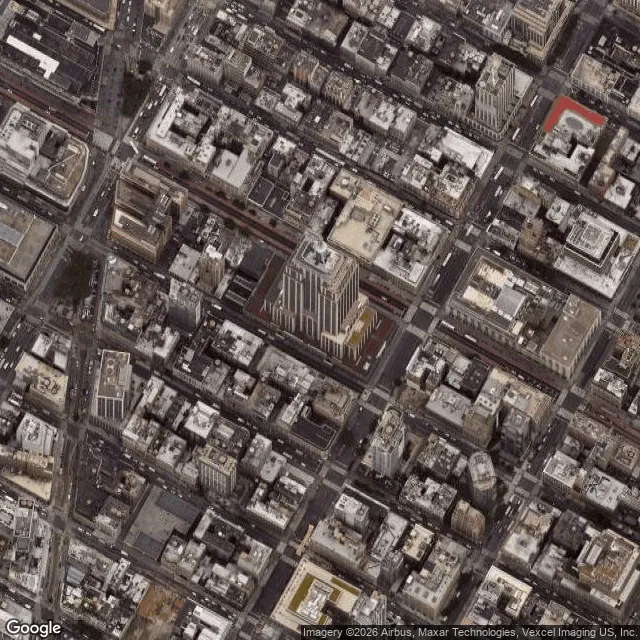 |
All images captured at zoom level 17. Zoom 19 gives building-level detail (~500 m altitude).
Use cases
- Real estate analysis — capture satellite views of properties, land parcels, or development sites at scale
- Business location verification — confirm physical locations match claimed addresses before onboarding
- Insurance underwriting — assess roof condition, lot size, and surrounding land use from aerial imagery
- Site scouting — evaluate candidate sites for solar, construction, or logistics without visiting in person
- Geospatial research — bulk-generate imagery datasets for ML training or academic analysis
- Competitor mapping — visualise the physical footprint of competitor locations across a region
How to use
- Paste your addresses into the Addresses field — one per entry
- Set Zoom Level (default 19 — good for individual buildings; lower for wider context)
- Set Image Size in pixels (default 640, max 640)
- Run the actor — images appear in the Key-Value Store tab, metadata in Dataset
- Download images individually or export the dataset as CSV/JSON for bulk URL access
Output format
Each dataset record:
If an address fails, status is "error" and error contains the reason — the run continues with the remaining addresses.
Zoom level guide
| Zoom | Approximate altitude | Best for |
|---|---|---|
| 21 | ~75 m | Individual vehicles, roof detail |
| 19 | ~500 m | Buildings, driveways, pools |
| 17 | ~2 km | City blocks, campuses |
| 14 | ~16 km | Neighbourhoods, towns |
| 10 | ~250 km | Regions, counties |


