FreePornXClips Video Downloader
Pricing
Pay per usage
FreePornXClips Video Downloader
Download FreePornXClips videos from the tab you already have open, and stay inside your browser while you do.
Pricing
Pay per usage
Rating
0.0
(0)
Developer

SERP Downloaders
Maintained by CommunityActor stats
0
Bookmarked
2
Total users
1
Monthly active users
14 days ago
Last modified
Categories
Features
Share
FreePornXClips Video Downloader | How to Download FreePornXClips Videos
Download FreePornXClips videos from the tab you already have open, and stay inside your browser while you do.
You won't have to copy links or turn to public converter sites. Everything stays within your browser, which keeps your activity private and the saved files compatible. The extension relies on playback-assisted detection to discover what the player offers.
Get it Here
👉 Get it here: FreePornXClips Downloader
- ✅ Files go straight to your device and never pass through our servers
- ✅ Free of ads, tracking and analytics
- ✅ Runs on Windows, Mac and Linux
- ✅ Support by email, handled by the team that made the tool
Preview
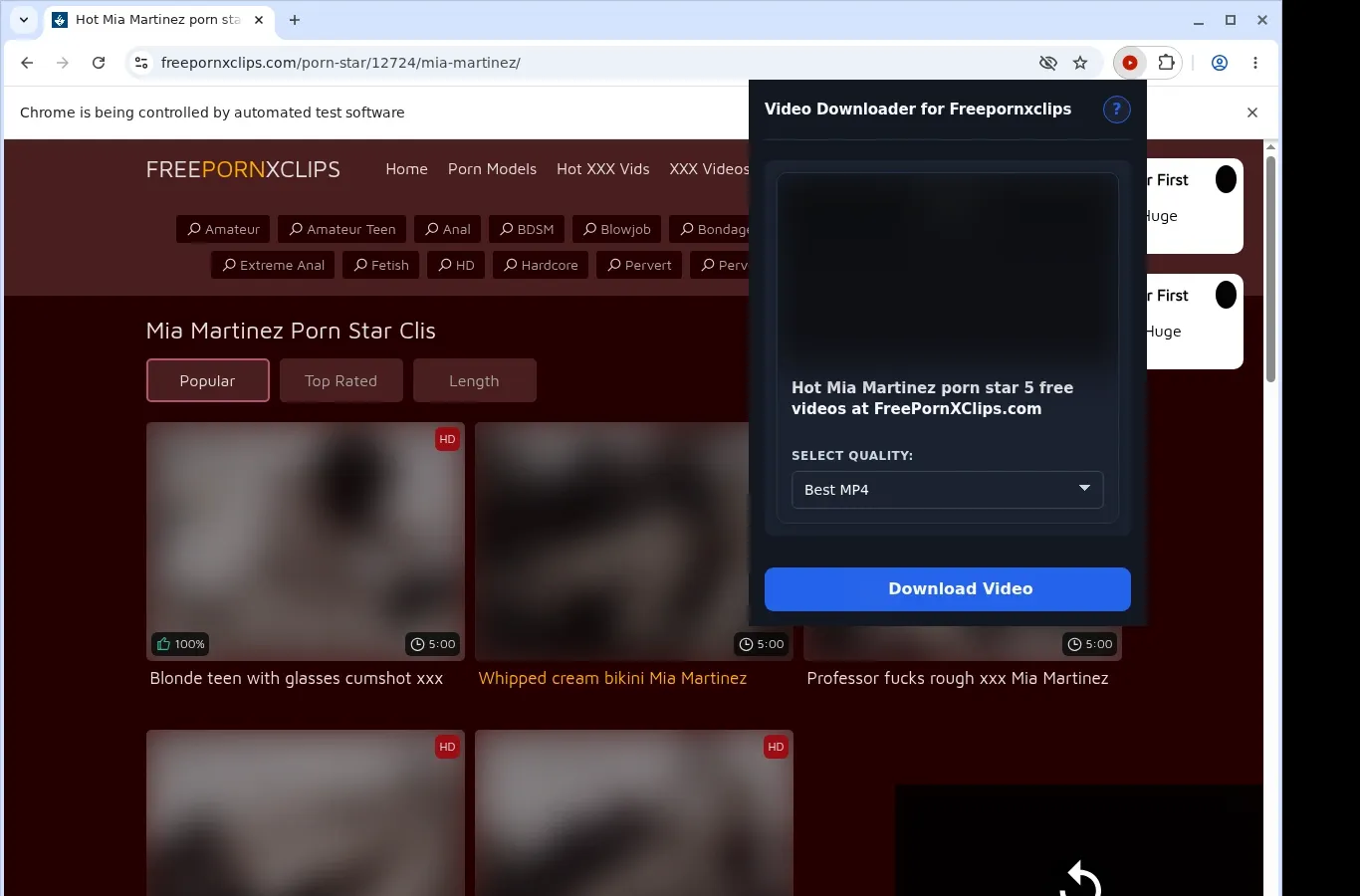
How It Works
- Load the video page: Browse to the FreePornXClips video you want and give the page time to finish loading as usual.
- Let the extension find it: Click the extension so it can locate the video source on the current page and surface a download choice.
- Pick a format, then save: Select the file option that suits you from the format menu, and the finished video is written to your device.
What It Does
- Saves FreePornXClips videos to your computer as MP4 files.
- Starts from the download button sitting on the video page you're watching.
- Provides another way to begin through the extension's toolbar popup.
- Works through a single download at a time, which keeps things neat.
- Leaves the file transfer to the standard download system in your browser.
- Lets you track progress in your browser's own download list.
FreePornXClips Downloader vs. Online Downloader Website
Save right from the video page you're on, with no trip away from FreePornXClips.
| FreePornXClips Downloader | Online Downloader Website |
|---|---|
| Operates directly on the FreePornXClips video page you have open. | You paste the page link into a different site. |
| Spots the video that's playing in your current tab. | Embedded players or session-specific video can be missed. |
| Saves an MP4 in the same format you're watching. | The output format is up to the outside site's processing. |
| The download button appears on the page you're watching. | You have to leave the video page and use another service. |
| Your FreePornXClips page address stays with you. | The video link goes to a third-party server. |
Compatibility
Browsers: Chrome, Edge, Brave, Opera, Whale, Yandex
Supported:
- FreePornXClips pages that offer video options
- Video options the active browser session can reach
- Chrome, Edge, Brave, Opera, Whale and Yandex on desktop
Not Supported:
- Getting around DRM or protected media
- Getting around private areas or account restrictions
- Bulk crawling or mirroring a site
- Safari and mobile browsers
- Pages lacking a supported source
FAQ
What's the way to begin a download on FreePornXClips? Press the download button on the video page you're viewing, or open the extension's toolbar popup and start there.
Which format will the saved file use? The original MP4 from FreePornXClips. Nothing is converted, so what you get is exactly what the page offers.
Is it possible to save several videos at once? No, one download runs at a time to keep things neat. When it finishes, you can start the next.
Where do saved videos end up? They're written to a dedicated Freepornxclips folder inside your browser's default download location, and you can watch progress in the browser's download list.
Know Before You Use It
- The active page has to offer video options
- The player might need to load before a source can be checked
- Protected delivery, account access and regional controls are not bypassed
- Works in desktop browsers only
Only download videos you own or have permission to save.