Feet9 Video Downloader | How to Download Feet9 Videos
Pricing
Pay per usage
Feet9 Video Downloader | How to Download Feet9 Videos
Keep a Feet9 video you're watching by saving it to your desktop, where it's filed in its own folder for later.
Pricing
Pay per usage
Rating
0.0
(0)
Developer

SERP XXX
Maintained by CommunityActor stats
0
Bookmarked
2
Total users
1
Monthly active users
14 days ago
Last modified
Categories
Features
Share
Keep a Feet9 video you're watching by saving it to your desktop, where it's filed in its own folder for later.
Say you're partway through a Feet9 video and want a copy. Open the extension. Once playback has started it finds the video source for you, so you don't have to copy links or go to other websites.
Get it Here
👉 Get it here: Feet9 Video Downloader
- ✅ Downloads bypass our servers
- ✅ No advertising, tracking, or analytics
- ✅ Supports Windows, Mac, and Linux
- ✅ Email support from the builders themselves
Preview
How It Works
- Visit Feet9: Open the Feet9 page holding the video you'd like to keep and wait for it to load in your browser.
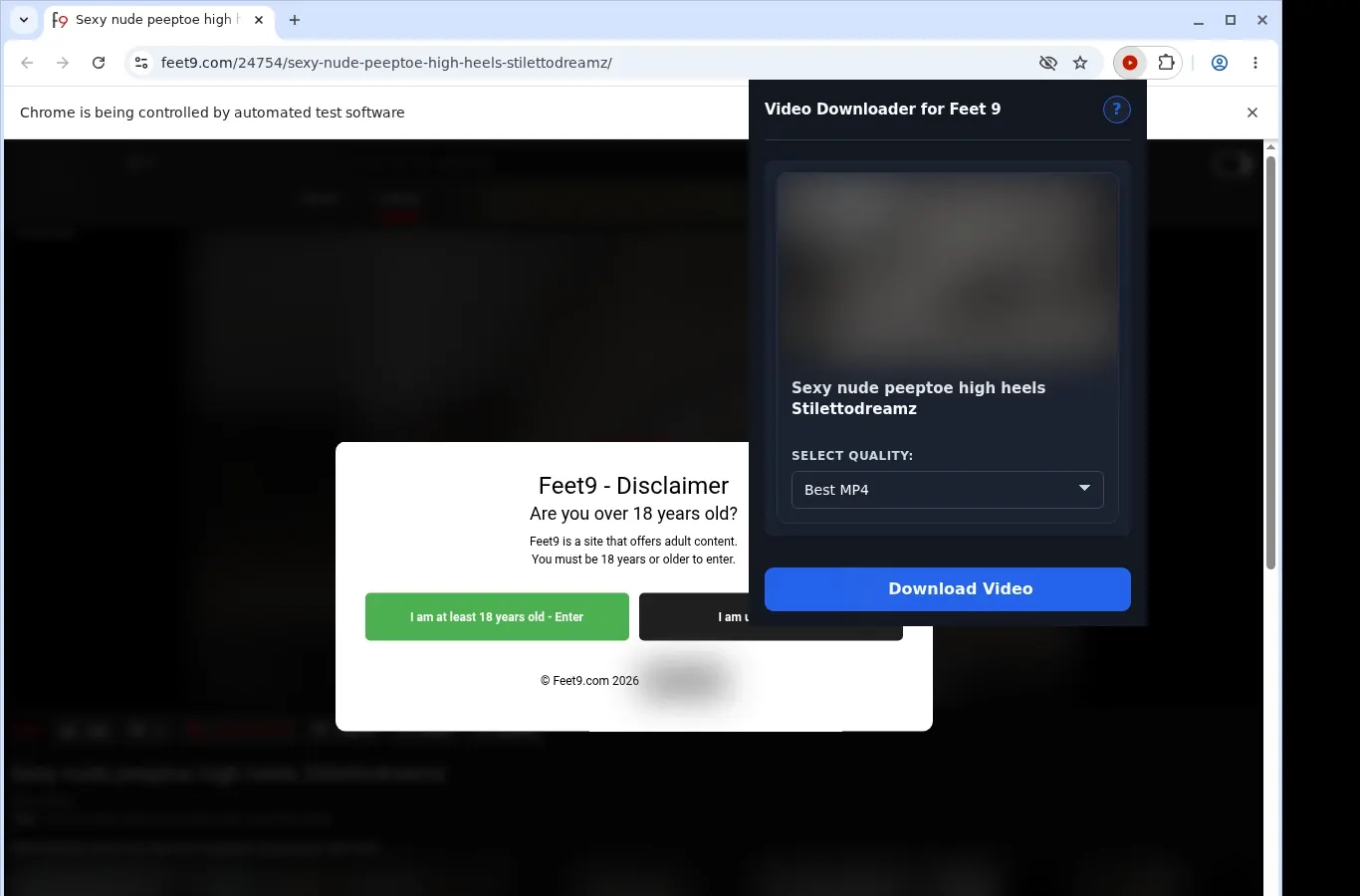
- Spot the source: Click the extension and it will detect the video source, then display a download option for the page you're on.
- Choose and save: Select a file option from the format menu, and the finished video is saved to your device.
What It Does
- Save Feet9 videos to your device with little effort.
- Click the button that shows up on the video page to begin.
- The toolbar popup offers a second way to start.
- One video is processed at a time, so nothing piles up.
- Your browser's standard download system does the work, with no setup.
- Track progress in the browser's download list.
Feet9 Video Downloader vs. Typical online downloader website
A look at how saved Feet9 videos are stored and organized, extension versus a separate online downloader.
| Feet9 Video Downloader extension | Typical online downloader website |
|---|---|
| Puts files in a dedicated Feet 9 folder | Files can end up in a general downloads folder under unclear names |
| Keeps the original MP4 format, no conversion | Some sites may change the format or re-encode the file |
| Videos stay on your device for later viewing | You might have to revisit the site if nothing was saved locally |
| Goes through your browser's usual download system | Depends on another site's download interface |
| Finished MP4 opens in the video player you normally use | Output could need a particular player or extra step |
Compatibility
Browsers: Chrome, Edge, Brave, Opera, Whale, Yandex
Works With:
- Feet9 video pages
- Desktop browsers that support extensions
- Videos your current browser session can open
- Pages with a usable video source
- Windows, macOS, and Linux
Not Designed For:
- Mobile browsers
- Safari
- Streams that are DRM-encrypted or protected
- Videos that have been removed or are unavailable
- Gallery scraping or bulk crawling
- Bypassing private, paid, regional, or age-gated restrictions
FAQ
How do I start saving a Feet9 video? Go to a Feet9 video page and start playback. The extension picks up the source and puts a download button on the page. Click that button and the file starts saving.
Is the toolbar another way to start a download? Yes. The toolbar popup is a second entry point. While you're on a Feet9 video page, open it to see the download option for that video.
How many videos are downloaded together? Just one at a time. That keeps things tidy and lets each file save properly through your browser's normal download system.
Where are saved Feet9 videos stored? In a dedicated Feet9 folder on your device. This keeps them organized and simple to locate when you want to watch.
Know Before You Use It
- The page must offer a video option that can be saved
- You need to be able to view the video in your browser already
- The extension may need playback to begin before it detects the active source
- Quality choices come from the current player or host
Only download videos you own or have permission to save.