
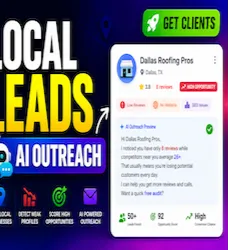
Local Business Lead Finder AI Outreach Engine API
Pricing
from $10.00 / 1,000 results
Local Business Lead Finder AI Outreach Engine API
Find local business leads and generate outreach messages that help you get clients, detect weak profiles like low reviews or missing websites, and generate ready-to-send outreach messages. Score opportunities, identify pain points, and contact high-converting leads faster with AI-powered outreach.
Pricing
from $10.00 / 1,000 results
Rating
0.0
(0)
Developer

Shahab Uddin
Maintained by CommunityActor stats
3
Bookmarked
15
Total users
0
Monthly active users
4 months ago
Last modified
Categories
Share
Local Business Lead Finder & AI Outreach Engine API
This Actor is a Google Maps lead finder, local business lead generation API, and AI outreach generator for agencies that sell local SEO, Google Business Profile optimization, website design, review growth, and technical SEO services.
It helps you find local businesses with visible gaps such as no website, low review count, weak rating, missing contact details, incomplete profiles, and basic website SEO issues. It also enriches leads with publicly visible business emails, contact pages, and social links so the output is stronger than a basic local scraper. The output is designed for agency prospecting, cold outreach preparation, CRM imports, and manual sales review.
No Coding Needed
You do not need to integrate this API into your website.
Just enter:
- Business keyword
- Location
- Number of leads
Then click Run.
The Actor gives you a ready dataset with:
- local business leads
- pain points
- opportunity scores
- emails when found
- outreach messages
- WhatsApp/call scripts
You can download the results as CSV, Excel, JSON, or use the Apify API only if you want automation.
Search-Friendly Positioning
The README is optimized around buyer-intent long-tail phrases that fit the product naturally:
google maps lead finderlocal business lead generation apilocal seo lead generationgoogle business profile audit toolai outreach generator for agencieswebsite design leads finderbusiness email finderlocal business email extractoremail discovery APIcontact enrichmentAI outreach leads
What This Actor Does
- Finds local businesses by
keyword,location,country,language, and result limit. - Collects public business data such as name, category, address, phone, website, rating, reviews, maps URL, status, and coordinates when available.
- Scans public business websites for visible emails, contact pages, and social links without paid enrichment APIs.
- Detects sales triggers like no website, low reviews, weak rating, missing HTTPS, missing title or meta description, missing schema, broken pages, slow sites, and incomplete public profiles.
- Scores each lead with
opportunityScore,leadQualityScore,priorityScore,opportunityLevel,contactReadiness, and email-quality signals. - Recommends the best offer angle: GBP optimization, local SEO, website design, review growth, citation building, technical SEO, or speed optimization.
- Recommends the best outreach channel and drafts outreach for email, follow-up email, WhatsApp, and cold calls.
- Saves a non-billable run summary to
OUTPUT.json.
Best Fit Users
- Local SEO agencies
- Google Business Profile agencies
- Web design freelancers
- Lead generation services
- Cold outreach teams
- Consultants selling marketing services to local businesses
Input Schema
Required inputs:
keyword: business niche such asroofing contractors,plumbers,dentists, orHVAC companieslocation: city, metro area, state, or region such asDallas, TX
Optional inputs:
country: expands the discovery query and fallback geocodinglanguage: language hint for public search requestsmaxResults: maximum billable leads to keep after scoring and deduplicationminOpportunityScore: filter out weak opportunitiesincludeWebsiteSeoCheck: run lightweight website checksincludeCompetitorGap: calculate nearby review and rating gapsincludeAiOutreach: try AI-written drafts before using rule-based templatesincludeEmailDiscovery: scan websites for public business emailsemailScanDepth: number of internal pages to scan per websitemaxWebsitesToEnrich: max websites to scan for email enrichment per runemailMxCheck: optionally validate extracted email domains with MX lookupsincludeSocialLinks: extract visible social profile linkspreferBusinessEmails: prioritize role-based business emails likeinfo@andcontact@outreachService: force the offer angle or leave it onautotone: outreach voice, such asfriendlyorprofessional
Example input:
Output Schema
The Actor now defines input, dataset, key-value store, and output schema files in .actor/ so the contract is explicit in Apify Console and API integrations.
Dataset output:
- Billable lead rows are pushed to the default dataset
- Row
typeis one oflocal_business_lead,high_opportunity_lead, oroutreach_ready_lead - Dataset views include
leads,email,outreach, andpainPoints
Key-value store output:
- The non-billable report is saved under the
OUTPUTkey - The report includes target context, summary counts, top pain points, top leads, recommendations, and limitations
Output schema links:
leadResults: default dataset with theleadsview selectedemailResults: default dataset with theemailview selectedoutreachResults: default dataset with theoutreachview selectedsummaryReport: theOUTPUTrecord in the default key-value store
Email Discovery & Contact Enrichment
The actor can scan publicly visible business websites to find business emails, contact pages, and social links. It scores email quality and recommends the best outreach channel for each lead.
What it adds to each lead row:
emailsprimaryEmailhasEmailemailQualitysocialscontactPagesenrichmentrecommendedOutreachChannelcontactAction
This helps position the actor as a:
business email finderlocal business email extractoremail discovery APIcontact enrichmenttoolAI outreach leadsworkflow
Example Dataset Row
Example OUTPUT.json
Opportunity Scoring
The actor builds an opportunityScore from common local-business sales triggers:
- no website
- low review count
- rating below 4.0
- broken or slow website
- missing basic SEO elements
- weak profile completeness
Opportunity labels:
highmediumlow
Outreach Generation
If GEMINI_API_KEY is available, the actor can lightly polish outreach tone while keeping the same core sales structure. If no Gemini key is configured or the request fails, it falls back to rule-based messaging.
Generated outreach fields:
emailSubjectshortEmailfollowUpEmailwhatsappMessagecoldCallOpener
Recommended contact-routing fields:
recommendedOutreachChannelcontactAction
The messaging is intentionally short, pain-point focused, opt-out friendly, and avoids deceptive claims or guaranteed ranking promises.
Billing Notes
- Only dataset lead rows are billable
- Email enrichment is included inside the same lead rows and does not create extra dataset rows
OUTPUT.jsonis non-billable- Summary and recommendation records stay in the default key-value store
Limitations
- Only publicly visible business information is collected
- No private personal data is collected
- Website checks are lightweight and not a replacement for a full SEO audit
- Email discovery only uses publicly visible website content and never hallucinates emails
- Public discovery sources can be rate-limited or incomplete
- If live discovery fails for the default QA input, rows may use
source: "sample_prefill_for_qa"only for Apify QA prefill
FAQ
Is this only a Google Maps scraper?
No. Discovery is only the first layer. The Actor also scores pain points, recommends services, checks website basics, estimates competitor gaps, and drafts outreach.
Can I use it without an AI key?
Yes. Rule-based outreach still works without GEMINI_API_KEY.
Where is the summary report stored?
The summary report is saved as OUTPUT.json in the default key-value store under the OUTPUT key.


![✨Leads Finder - $1.5/1k leads with Emails [Apollo Alternative] avatar](https://images.apifyusercontent.com/hQh95d2BMIK4aiNBVTAopmRKraOLFaDFmflsEsCTEKM/rs:fill:76:76/cb:1/aHR0cHM6Ly9hcGlmeS1pbWFnZS11cGxvYWRzLXByb2QuczMudXMtZWFzdC0xLmFtYXpvbmF3cy5jb20vaUpPU0hXZDl4ZmFoRzBTWm0tYWN0b3ItSW9TSHF3VFI5WUdoemNjZXotYmdMcjdPbmo0Qy1jb21wYW55X3NjcmFwZXIucG5n.webp)


