
Poland CRBR Beneficial Owners Scraper
Pricing
from $7.00 / 1,000 queries
Poland CRBR Beneficial Owners Scraper
oland Beneficial Owners Scraper is an Apify Actor for extracting structured beneficial ownership data from Poland’s Central Register of Beneficial Owners, also known as CRBR or Centralny Rejestr Beneficjentów Rzeczywistych.
Pricing
from $7.00 / 1,000 queries
Rating
5.0
(3)
Developer

Skyline Scrapers
Maintained by CommunityActor stats
0
Bookmarked
5
Total users
2
Monthly active users
3 months ago
Last modified
Categories
Share
🇵🇱 Poland Beneficial Owners Scraper
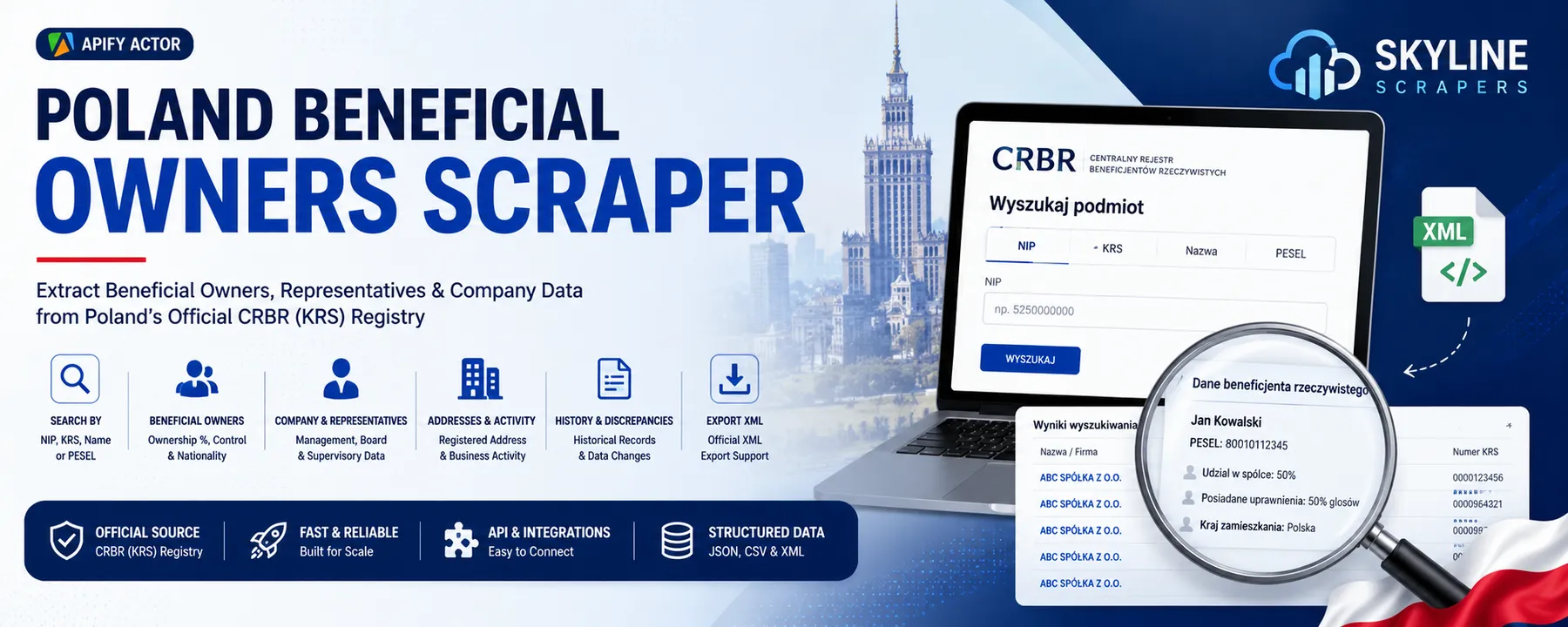
Search Poland’s Central Register of Beneficial Owners (CRBR) by NIP, KRS, company name, or PESEL and export structured company, beneficial ownership, control, representative, address, discrepancy, and historical registry data.
🔍 What This Actor Does
Poland Beneficial Owners Scraper is an Apify Actor for extracting structured beneficial ownership data from Poland’s Central Register of Beneficial Owners, also known as CRBR or Centralny Rejestr Beneficjentów Rzeczywistych.
The Actor lets you search the Polish beneficial ownership register using:
- Polish tax identification number (NIP)
- National Court Register number (KRS)
- Company name
- Beneficial owner PESEL
- Multiple identifiers in one batch
- Historical date ranges
For every conclusive registry response, the Actor returns a clean, automation-ready record containing company information, registered address, beneficial owners, nature of control, representatives, registry periods, correction status, and discrepancy indicators.
It is useful for:
- AML and KYC research
- UBO verification
- Corporate due diligence
- Compliance screening
- Company ownership research
- Polish business intelligence
- Registry data enrichment
- Risk and fraud investigations
- Legal and financial research
- Automated company onboarding
🚀 How to Use
1. Choose a Search Method
Enter one of the following:
- A 10-digit Polish NIP
- A Polish KRS number
- A company name
- A PESEL number
- A batch of mixed searches
2. Configure Optional Settings
You can also choose:
- A historical start date
- A historical end date
- Official XML export
- Apify Proxy settings
3. Run the Actor
The Actor automatically:
- Creates a CRBR registry session
- Sends the selected registry query
- Retries temporary transport or anti-bot failures
- Normalizes Polish registry fields
- Resolves beneficial-owner control descriptions
- Preserves batch query order
- Separates registry results from transport errors
- Saves each company or historical period as a dataset item
4. Export the Results
Download or integrate the dataset as:
- JSON
- CSV
- Excel
- XML
- RSS
- Apify API output
⚙️ Features
- Search CRBR by NIP
- Search CRBR by KRS
- Search CRBR by company name
- Reverse lookup by PESEL
- Process multiple companies in one run
- Accept mixed batch query types
- Auto-detect bare NIP, KRS, and company-name strings
- Query current CRBR records
- Query historical registry periods
- Extract complete company names
- Extract Polish company identifiers
- Extract legal form
- Extract registered office address
- Extract beneficial owners
- Extract PESEL values returned by the registry
- Extract citizenship
- Extract country of residence
- Extract nature-of-control descriptions
- Extract nature-of-control codes
- Extract control-basis codes
- Extract company representatives
- Extract representative roles
- Detect reported discrepancies
- Count discrepancy records
- Detect corrected registry entries
- Return conclusive not-found records
- Preserve batch input order
- Store transport-level errors separately
- Save run statistics to the key-value store
- Export official CRBR XML files optionally
- API-ready structured output
- Apify Pay-per-Event compatible
- Optimized for automation workflows
💡 Example Tasks
Search CRBR by NIP
Find a Polish company by its tax identification number and extract its registered beneficial owners.
Search CRBR by KRS
Look up a company using its National Court Register number and retrieve ownership and representative data.
Search Polish Companies by Name
Use a company name or prefix to discover matching companies and their CRBR records.
Find Companies by Beneficial Owner
Use a PESEL reverse lookup to search for companies associated with a registered beneficial owner.
Verify Ultimate Beneficial Owners
Confirm the natural persons registered as beneficial owners of a Polish legal entity.
Build a Polish UBO Database
Collect structured company and beneficial ownership records for analysis or internal compliance systems.
Run Batch Company Checks
Submit many NIP, KRS, company-name, or PESEL searches in a single Actor run.
Perform AML Due Diligence
Use CRBR records as one data source in anti-money-laundering and customer due-diligence workflows.
Support KYC and KYB Checks
Enrich business verification workflows with official company identifiers, ownership data, and representatives.
Research Company Control Structures
Extract legal descriptions and codes explaining how each beneficial owner controls the company.
Check Historical Ownership Records
Use a date range to retrieve registry entries covering earlier ownership periods.
Detect CRBR Discrepancies
Identify records containing reported discrepancies and return the number of discrepancy entries.
Export Official Registry XML
Store the official XML representation of successful CRBR records in the run’s key-value store.
Enrich CRM or Compliance Records
Add NIP, KRS, legal form, company address, owners, and representatives to internal databases.
Automate Polish Company Research
Connect the Actor to Python, Node.js, Make, Zapier, Google Sheets, Airtable, or your own application.
🛠 Input Parameters
| Parameter | Type | Description |
|---|---|---|
nip | String | Search one company by its 10-digit Polish tax identification number. |
krs | String | Search one company by its National Court Register number. |
companyName | String | Search by company name. Partial or prefix searches can return multiple companies. |
pesel | String | Reverse lookup for companies associated with a beneficial owner’s PESEL. |
queries | Array | Run multiple NIP, KRS, company-name, or PESEL searches in one batch. |
dateFrom | String | Beginning of the requested registry period in YYYY-MM-DD format. |
dateTo | String | End of the requested registry period in YYYY-MM-DD format. |
exportXml | Boolean | Save the official CRBR XML export for successful records. |
proxyConfiguration | Object | Configure Apify Proxy. Residential proxy usage is recommended for larger batches. |
At least one direct search field or one item in queries is required.
🧪 Input Examples
Search by NIP
Search by KRS
Search by Company Name
Search by PESEL
Mixed Batch Search
Bare strings are automatically interpreted as:
- Exactly 10 digits: NIP
- Exactly 9 digits: KRS
- Other text: company name
Historical Search with XML Export
📤 Output Example
A historical date range may create more than one dataset item for the same company when the registry returns multiple filing periods.
🧾 Extracted Fields
Company Information
requestIdnamenipkrslegalFormfoundsourceUrl
Registered Address
postalCodevoivodeshipcitystreethouseNumber
Registry Period and Status
periodStartperiodEndcorrectedhasDiscrepanciesdiscrepancyCountproceeding
Beneficial Owners
Each item in beneficialOwners can contain:
firstNamelastNamepeselcitizenshipcountryOfResidenceentitlements
Each entitlement can contain:
natureOfControlnatureOfControlCodecontrolBasisCode
Representatives
Each item in representatives can contain:
firstNamelastNamerole
📦 Dataset and Key-Value Store
Default Dataset
The default dataset contains one structured item per company and registry period.
Conclusive found: false responses are also saved so your workflow can distinguish a genuine no-entry result from a network or anti-bot failure.
Key-Value Store
The Actor can create the following records:
| Key | Description |
|---|---|
RUN_SUMMARY | Number of total, successful, and failed queries. |
ERRORS | Transport, proxy, blocked-request, or unexpected errors excluded from the main dataset. |
XML_<nip> | Official XML export for a successful record when exportXml is enabled. |
👥 Who Uses This Actor
Compliance Teams
Verify beneficial owners and enrich AML, KYC, and KYB reviews with structured CRBR information.
Financial Institutions
Support corporate onboarding, ownership checks, customer risk reviews, and ongoing due diligence.
Law Firms
Research registered company ownership, control structures, representatives, and historical records.
Accountants and Auditors
Validate company identifiers and review beneficial ownership information during audits and engagements.
Corporate Intelligence Teams
Build searchable datasets of Polish companies, beneficial owners, addresses, and control relationships.
Investigators and Journalists
Research public corporate ownership records and connections between registered individuals and companies.
Developers and SaaS Platforms
Integrate CRBR data into compliance software, company databases, dashboards, and automated workflows.
Sales and Data Teams
Enrich Polish company records with official identifiers, legal form, address, and management information.
⭐ Why This Actor Is Different
- Multiple CRBR search modes in one Actor
- Supports NIP, KRS, company name, and PESEL
- Mixed batch queries with automatic string detection
- One dataset item per company or historical filing period
- Structured beneficial-owner entitlement data
- Human-readable nature-of-control descriptions
- Registry discrepancy detection
- Conclusive not-found results retained in the dataset
- Transport and proxy errors excluded from billable result records
- Optional official XML export
- Order-preserving batch processing
- Designed for API and compliance automation
🔌 API Integration
The Actor can be used through:
- Apify API
- Apify JavaScript client
- Apify Python client
- REST API calls
- Webhooks
- Make
- Zapier
- Google Sheets
- Airtable
- n8n
- CRM systems
- AML and KYC platforms
- Internal compliance applications
API Input Example
Use scheduled Actor runs to repeat company checks, refresh internal records, or monitor selected registry entries over time.
💳 Billing
This Actor is prepared for Apify Pay per Event pricing.
The code uses these event names:
| Event | When it is charged |
|---|---|
actor-start | Once when the Actor run begins. |
record-found | For each conclusive registry record added to the dataset. |
A conclusive found: false registry response is still a valid completed lookup. Transport failures, proxy failures, anti-bot failures, and unexpected request errors are stored separately and are not pushed as normal dataset records.
Actual event prices must be configured in the Actor’s Monetization settings in the Apify Console.
⚠️ Important Notes
- This Actor processes information returned by the public CRBR registry.
- CRBR availability, response formats, and anti-bot protections can change.
- Residential proxies are recommended for larger batches.
- Company-name searches can return multiple matching companies.
- Historical searches can return multiple records for one company.
- PESEL reverse-lookup availability and returned fields depend on the registry response.
- XML exports are saved in the key-value store, not inside dataset items.
- A record with
found: falsemeans the registry returned a conclusive no-entry result. - Missing data can reflect an absent registry field rather than a scraper error.
- Users are responsible for complying with GDPR, Polish law, applicable data-protection rules, and the CRBR portal’s terms and permitted-use requirements.
- PESEL is personal data. Store, process, share, and retain it only when you have a lawful purpose and appropriate safeguards.
- This Actor does not provide legal, compliance, or financial advice.
❓ Frequently Asked Questions
What is CRBR?
CRBR is the Polish Central Register of Beneficial Owners. The Polish name is Centralny Rejestr Beneficjentów Rzeczywistych.
What is a beneficial owner?
A beneficial owner is a natural person identified in the registry as ultimately owning or controlling a legal entity through ownership, voting rights, other control rights, or another registered legal basis.
Can I search by NIP?
Yes. Enter a 10-digit NIP in the nip field or include it in the queries array.
Can I search by KRS?
Yes. Enter the company’s KRS number in the krs field or add it to a batch.
Can I search by company name?
Yes. Company-name searches support partial or prefix matching and may return multiple records.
Can I search by PESEL?
Yes. The Actor includes a PESEL reverse-lookup input for finding associated company records. Results depend on the registry response for that lookup mode.
Can I process many companies together?
Yes. Use the queries array to submit mixed NIP, KRS, company-name, and PESEL searches.
Can I retrieve historical records?
Yes. Set dateFrom and dateTo using YYYY-MM-DD values.
Can I download official XML records?
Yes. Set exportXml to true. Successful XML exports are saved in the run’s key-value store.
What happens when a company is not found?
The Actor saves a conclusive record with found: false. This is different from a failed request, which is written to the ERRORS key.
Why should I use a proxy?
The registry uses anti-bot protection. Apify Proxy, particularly residential proxy access, can improve reliability for repeated or batch searches.
Does the Actor expose raw internal API responses?
The public dataset contains normalized fields. Internal raw response data is removed before records are pushed to the dataset.
🌐 About Skyline Scrapers
Skyline Scrapers builds professional Apify Actors for:
- Company registry scraping
- Beneficial ownership research
- Business intelligence
- Real estate data extraction
- Lead generation
- Marketplace scraping
- CRM enrichment
- Compliance automation
- AI-ready datasets
Skyline Scrapers — Smart Data Extraction for Modern Businesses


