
Skool Api
Pricing
from $20.00 / 1,000 successful api calls
Skool Api
Complete Skool API for reading and managing communities, members, posts, comments, classroom, courses, events, files, notifications, and admin workflows. Supports 40+ actions for Skool automation. Use your authenticated Skool session to automate repetitive tasks and access data through one API.
Pricing
from $20.00 / 1,000 successful api calls
Rating
5.0
(1)
Developer

Skyline Scrapers
Maintained by CommunityActor stats
2
Bookmarked
7
Total users
3
Monthly active users
3 months ago
Last modified
Categories
Share
🚀 Skool API
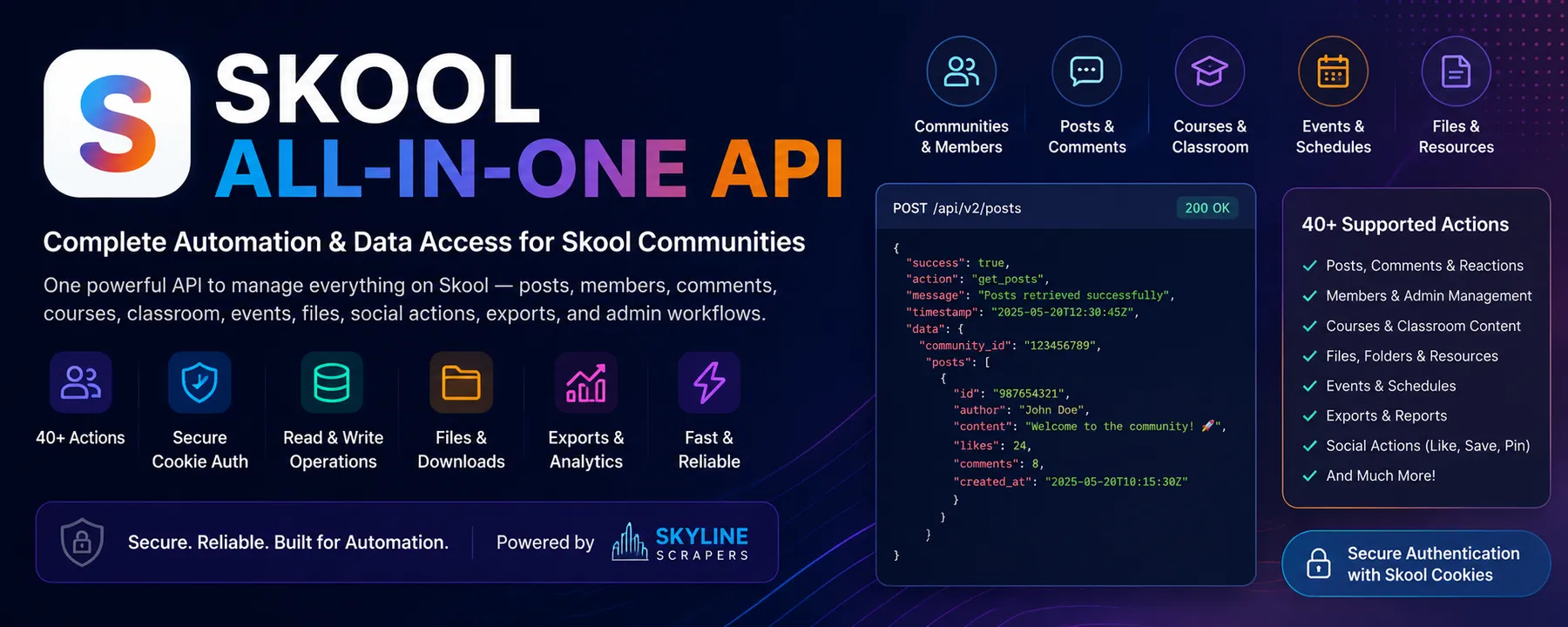 Automate Skool communities, posts, comments, members, courses, classroom content, events, files, social actions, and administrative workflows through one powerful Apify Actor.
Skool All-in-One API gives developers, community owners, course creators, agencies, and automation teams a structured interface for reading and managing Skool data without manually repeating actions in the Skool dashboard.
This is an independent, unofficial Skool automation tool. It is not affiliated with, endorsed by, or operated by Skool. The Actor uses authenticated access supplied by the user and can only perform actions that the authenticated Skool account is permitted to perform.
🔍 What This Actor Does
Skool All-in-One API is a multi-action Skool automation Actor built for community management, content publishing, member administration, classroom automation, data extraction, and workflow integration.
Instead of using a separate scraper or automation for every task, you can select an action and run it through a single Actor.
The Actor can help you:
- Log in to Skool and reuse authenticated cookies
- Read community posts and individual post data
- Create, edit, delete, pin, and unpin posts
- Create and manage comments and nested replies
- Like or unlike posts
- Read group information and category IDs
- List active members and pending join requests
- Approve, reject, ban, unban, or batch-approve members
- Export active members to CSV
- List Skool classroom courses and lesson trees
- Create courses, folders, and lesson pages
- Update course settings and lesson content
- Upload public images and private classroom files
- Replace classroom lesson resources
- Delete classroom units and mark lessons complete
- List calendar events
- Follow or unfollow Skool users
- Mark all notifications as read
- Complete sensitive-action email verification
Results are returned as structured dataset records that can be downloaded as JSON, CSV, Excel, or consumed through the Apify API.
🚀 How to Use
1. Run the Login Action
Select:
Enter your Skool account email and password.
A successful login returns a reusable cookie string similar to:
Save this cookie string securely.
2. Reuse Cookies for Later Actions
For faster runs, paste the saved cookie string into the cookies input field for future actions.
This avoids launching the browser login flow every time and is the recommended way to use the Actor in automations.
3. Enter the Community Slug
For group-specific actions, enter the community slug from the Skool URL.
For example:
The community slug is:
4. Select an Action
Choose the required action, such as:
5. Add Action Parameters
Enter the parameters required by the selected action in the params JSON field.
Example:
6. Run the Actor
The Actor authenticates the request, performs the selected Skool operation, and saves the response to the default dataset.
7. Export or Integrate the Results
Use the returned data through:
- JSON
- CSV
- Excel
- Apify API
- Webhooks
- Make
- Zapier
- n8n
- Custom applications
⚙️ Main Features
Authentication and Session Reuse
- Browser-based Skool login
- Reusable authenticated cookie output
- Cookie-based API calls for faster subsequent runs
- Support for Skool emailed login codes
- Sensitive-action email verification actions
- Debug artifacts for diagnosing login failures
Skool Posts API
- List community feed posts
- Get a single post by ID
- Create new community posts
- Edit existing posts
- Delete posts
- Pin and unpin posts
- Upload and attach public images
- Like and unlike posts
- Read post comments
Skool Comments API
- Create top-level comments
- Create nested replies
- Edit comments
- Delete comments
- Retrieve comment trees
Skool Members API
- List active community members
- List pending membership requests
- Approve members
- Reject members
- Ban members
- Optionally delete a banned member's recent posts
- Unban members
- Batch-approve pending members
- Export member data to CSV
Skool Groups API
- Retrieve group metadata
- Retrieve category names and category IDs
- Read group descriptions
- Read plugin and feature flags
- Read gamification levels
- Read community labels
Skool Classroom API
- List courses
- Retrieve complete course, folder, and lesson trees
- Create top-level courses
- Create folders inside courses
- Create lesson pages
- Set lesson titles and content
- Convert supported Markdown into Skool TipTap content
- Update course settings safely
- Add or replace lesson resources
- Upload private classroom files
- Delete courses, folders, or lessons
- Mark lesson pages as complete
Skool Events and Social API
- List group calendar events
- Return recurring event occurrences
- Follow users
- Unfollow users
- Mark all notifications as read
Developer and Automation Features
- One action-based input schema
- Structured JSON responses
- Apify dataset output
- API-ready workflows
- Health-check action for automated quality checks
- Error responses with categories, hints, and retry guidance
- Suitable for scheduled and event-driven automations
💡 Example Tasks
Automate Skool Community Management
Connect Skool community operations to an external dashboard and manage posts, members, comments, courses, and events through the Apify API.
Scrape Skool Community Posts
Read the latest posts from a Skool community feed for reporting, moderation, content analysis, archiving, or AI processing.
Export Skool Members
Create a CSV export of active Skool members for CRM enrichment, community reporting, membership analysis, or internal administration.
List Skool Community Members
Retrieve active members from a Skool group and use the data in dashboards, internal tools, or automation workflows.
Approve Skool Join Requests
List pending community applications and approve selected members automatically using an administrator or owner account.
Batch Approve Skool Members
Approve multiple pending membership requests in one Actor run using a list of membership IDs.
Moderate Skool Members
Reject, ban, or unban members and optionally remove recent posts when banning an account.
Publish Skool Posts Automatically
Create community posts from your CRM, content calendar, database, AI workflow, Google Sheet, or internal application.
Schedule Skool Content
Use Apify schedules to publish recurring announcements, lessons, prompts, reminders, or community updates.
Add Images to Skool Posts
Upload a public image or GIF, receive its file ID, and attach it to a newly created or updated Skool post.
Create Skool Comments and Replies
Post automated replies to community discussions or build approved support and engagement workflows.
Update or Delete Skool Content
Edit or remove posts and comments through a structured API request instead of managing each item manually.
Like Skool Posts
Automate post likes or remove an existing like using the post voting action.
Read Skool Post Comments
Retrieve a post's comment tree for moderation, analysis, customer research, sentiment workflows, or AI summarisation.
Retrieve Skool Group Categories
Get the real category labels and category IDs required when creating or updating posts.
Get Skool Group Metadata
Extract community descriptions, category labels, gamification levels, plugin settings, and related group information.
Build a Skool Community Dashboard
Combine posts, comments, members, courses, events, and group metadata into one reporting or administration dashboard.
Create Skool Courses Automatically
Generate new Skool classroom courses from templates, databases, onboarding workflows, or AI-generated curricula.
Build Skool Course Structures
Create courses, folders, and lesson pages programmatically for repeatable training, onboarding, coaching, or membership programmes.
Upload Skool Classroom Resources
Upload private documents and attach them to lesson pages as downloadable classroom resources.
Update Skool Lessons from Markdown
Send supported Markdown content and let the Actor convert it into Skool's TipTap-based lesson body format.
Manage Skool Course Settings
Update course titles, descriptions, cover images, privacy settings, access levels, tiers, free-trial locks, and other supported fields.
Replace Lesson Resources
Replace or clear a lesson's complete Resources list while preserving the lesson's other data.
Delete Skool Courses or Lessons
Remove a course, folder, or lesson using its unit ID. Deleting a parent unit can also delete its children.
Track Skool Lesson Completion
Mark a lesson page as completed for the authenticated account.
Extract Skool Calendar Events
Retrieve community calendar events and expanded recurring event occurrences for calendars, reminders, or reporting systems.
Automate Skool User Following
Follow or unfollow Skool users from an authenticated account using their username slug.
Mark Skool Notifications Read
Clear unread notifications across groups through a single automation action.
Connect Skool to a CRM
Send member and community activity data to HubSpot, Salesforce, Zoho, Pipedrive, Airtable, or a custom CRM.
Connect Skool to AI Agents
Use Skool posts, comments, members, and classroom data as structured context for AI assistants, moderation agents, reporting agents, or knowledge workflows.
Back Up Skool Community Data
Run scheduled exports of posts, members, group information, courses, and events for authorised internal records.
🛠 Input Parameters
| Field | Type | Required | Description |
|---|---|---|---|
action | string | Yes | The Skool operation to perform. Defaults to system:health. |
email | string | For login | Skool account email. Required for auth:login unless a valid authenticated session is already available. |
password | string | For login | Skool account password. Stored as a secret input. |
cookies | string | Recommended | Reusable cookies returned by a previous successful login. |
otpCode | string | Sometimes | One-time emailed login code used during supported login flows. |
interactiveOtp | boolean | Local only | Allows a local terminal run to pause and request the emailed login code in the same process. It does not provide interactive input on Apify cloud runs. |
groupSlug | string | Action-dependent | Community slug from skool.com/{groupSlug}. |
params | object | Action-dependent | JSON parameters required by the selected action. |
debug | boolean | No | Saves browser diagnostic artifacts during login debugging. |
📚 Supported Actions
System
| Action | Purpose | Access |
|---|---|---|
system:health | Confirm the Actor is running and return its version without contacting Skool | Public Actor check |
Authentication
| Action | Purpose | Access |
|---|---|---|
auth:login | Log in and return reusable cookies | Skool account |
auth:initEmailVerification | Request a sensitive-action verification code by email | Authenticated account |
auth:confirmEmailVerification | Confirm the emailed sensitive-action code | Authenticated account |
Posts and Comments
| Action | Purpose | Access |
|---|---|---|
posts:list | List community feed posts | Community access |
groups:getCategories | Get category names and IDs | Community access |
posts:get | Get one post by ID | Community access |
posts:create | Create a post | Posting permission |
posts:createComment | Reply to a post or comment | Commenting permission |
posts:update | Edit a post or comment | Authorised account |
posts:delete | Delete a post or comment | Authorised account |
posts:pin | Pin a feed post | Admin or owner |
posts:unpin | Unpin a feed post | Admin or owner |
posts:vote | Like or unlike a post | Community access |
posts:getComments | Retrieve a post's comment tree | Community access |
Groups, Members, and Events
| Action | Purpose | Access |
|---|---|---|
groups:get | Retrieve group metadata | Community access |
members:list | List active members | Community access |
members:pending | List pending join requests | Admin or owner |
members:approve | Approve a pending member | Admin or owner |
members:reject | Reject a pending member | Admin or owner |
members:ban | Ban a member | Admin or owner |
members:unban | Clear banned or declined status | Admin or owner |
members:batchApprove | Sequentially approve multiple members | Admin or owner |
members:export | Export active members to CSV | Admin/owner and verified client session |
events:list | List group calendar events | Community access |
Classroom
| Action | Purpose | Access |
|---|---|---|
classroom:listCourses | List top-level courses | Admin or owner |
classroom:getTree | Get a course's folder and lesson tree | Admin or owner |
classroom:createCourse | Create a course | Admin or owner |
classroom:createFolder | Create a folder inside a course | Admin or owner |
classroom:createPage | Create a lesson page | Admin or owner |
classroom:setBody | Set lesson content and optional resources | Admin or owner |
classroom:updateCourse | Safely update a course | Admin or owner |
classroom:deleteUnit | Delete a course, folder, or lesson | Admin or owner; verification may be required |
classroom:markDone | Mark a lesson complete | Authenticated account |
classroom:updateResources | Replace a lesson's complete resource list | Admin or owner |
Files and Social Actions
| Action | Purpose | Access |
|---|---|---|
files:uploadImage | Upload a public image or GIF for post attachments or supported covers | Authenticated account |
files:uploadFile | Upload a private classroom resource file | Admin or owner |
social:follow | Follow a user | Authenticated account |
social:unfollow | Unfollow a user | Authenticated account |
notifications:markAllRead | Mark all notifications as read | Authenticated account |
🧪 Input Examples
Health Check
Log In
List Community Posts
Get Community Categories
Run this before creating a categorised post so you can use a real category ID as labelId.
Create a Skool Post
Create a Comment
For a nested reply, use the target comment ID as parentId while keeping the original post ID as rootId.
Like a Post
Use an empty string for vote to remove the like.
List Active Members
List Pending Members
Approve a Pending Member
memberId must be the membership ID returned by the pending-members action, not the user's account ID.
Batch Approve Members
The Actor performs approvals sequentially because this workflow does not use a native bulk-approval endpoint.
Export Members to CSV
This action may require the current client_id session to complete sensitive-action email verification first.
List Courses
Get a Course Tree
Use the course's short name or slug value, not its internal ID.
Create a Course
Create a Course Folder
Create a Lesson Page
Set Lesson Content
Upload a Private Classroom File
Use the returned private file ID inside a lesson resource object.
Replace Lesson Resources
The resources array is a full replacement. Passing [] clears all existing resources.
List Events
Follow a User
Use the username slug from the user's Skool profile URL, not the hexadecimal user ID.
Mark All Notifications Read
📤 Output Examples
Output varies by action. Every run writes a structured result to the Apify dataset.
Health Check Output
Login Output
A successful login returns authentication information that includes reusable cookies.
Typical Action Output
The exact response structure depends on the selected Skool action and the data returned by the account and community.
Error Output
Error payloads are designed to provide useful troubleshooting information instead of returning only an unstructured failure message.
🧾 Data You Can Access or Manage
Depending on the selected action and the authenticated account's permissions, the Actor can work with the following data.
Community Data
- Community slug
- Internal group ID
- Group description
- Category labels and IDs
- Gamification levels
- Enabled plugins and group features
Post Data
- Post ID
- Post title
- Post content
- Category or label
- Post author data returned by Skool
- Attachments
- Voting information
- Feed metadata
Comment Data
- Comment IDs
- Root post ID
- Parent post or comment ID
- Comment content
- Nested comment relationships
- Author information returned by Skool
Member Data
- Active community members
- Pending memberships
- Membership IDs
- User IDs where returned
- Membership status
- Exportable CSV member records
Classroom Data
- Course IDs
- Course slugs
- Course titles and descriptions
- Course privacy and access settings
- Folder structures
- Lesson page IDs
- Lesson titles and bodies
- Video metadata where supplied
- Classroom resource files
- Completion actions
Event Data
- Calendar events
- Event timing and metadata returned by Skool
- Expanded recurring event occurrences
File Data
- Public image upload IDs
- Private classroom file IDs
- File names
- Content types
- Lesson resource references
👥 Who Uses This Actor
Skool Community Owners
Automate routine community administration, content publishing, membership approvals, course creation, and reporting.
Skool Community Managers
Manage posts, comments, pending members, events, classroom content, and daily operational workflows from one API.
Course Creators and Coaches
Build and update structured Skool classrooms, upload resources, publish lessons, and automate repeatable course setups.
Membership Businesses
Connect member exports, community activity, courses, and events to internal systems and customer operations.
Marketing Agencies
Manage authorised client communities, publish scheduled content, export member data, and build reporting workflows.
Automation Agencies
Connect Skool with CRMs, spreadsheets, databases, messaging tools, webhooks, and AI agents.
SaaS Developers
Use the Actor as an integration layer for authorised Skool community management features inside custom applications.
Data and Operations Teams
Create dashboards, community reports, backup workflows, member analytics, and operational automations.
⭐ Why This Actor Is Different
Many Skool tools focus on one narrow task, such as scraping posts or exporting members.
Skool All-in-One API combines a much broader set of read and write actions in one Actor:
- Authentication and cookie reuse
- Posts and comments
- Member administration
- Group metadata
- Classroom courses and lessons
- Public and private file uploads
- Events
- Social actions
- Notifications
- Email verification for sensitive operations
It is useful for both technical and non-technical workflows because it provides:
- A simple action selector
- JSON-based parameters
- Structured dataset output
- Reusable authenticated sessions
- Clear admin permission boundaries
- Detailed error payloads
- Apify API compatibility
🔌 API Integration
This Actor can be called through the Apify API from any application capable of making HTTP requests.
It works well with:
- Python
- Node.js
- JavaScript
- PHP
- cURL
- Make
- Zapier
- n8n
- Google Sheets
- Airtable
- HubSpot
- Salesforce
- Zoho CRM
- Pipedrive
- Notion workflows
- Internal dashboards
- AI agents
- Data warehouses
Example integrations:
- Publish Skool posts from a content calendar
- Approve members from an internal admin dashboard
- Export Skool members to a CRM
- Create courses from templates
- Add AI-generated lesson content
- Sync events with another calendar system
- Send post and comment data to an analysis pipeline
- Store authorised community backups
- Trigger webhooks after Actor runs
🔐 Authentication and Cookie Reuse
The recommended workflow is:
- Run
auth:loginonce. - Copy the returned
cookiesvalue. - Store it securely.
- Pass it to later runs.
- Log in again when the session expires or becomes invalid.
Cookies may provide access to the authenticated Skool account. Treat them like passwords or API keys.
Do not:
- Publish cookies in a public repository
- Share cookies in screenshots
- Include cookies in public Actor task inputs
- Store cookies in unsecured logs
- Use another person's account without permission
Use Apify secret inputs or another secure secrets manager whenever possible.
📧 Login Codes and Email Verification
Skool can use two different email-code flows.
Login Verification Code
During auth:login, Skool may email a one-time login code after accepting the email and password.
A newly started login run can trigger a new code and invalidate the previous code. Local interactive testing can keep the same browser session open and request the code through the terminal, but Apify cloud runs do not provide an interactive terminal.
Sensitive-Action Email Verification
Some administrative operations may require verification of the current client_id session.
Use:
Then submit the received code with:
After successful verification, retry the original sensitive action using the same authenticated session.
🎓 Classroom Content Notes
Course Slug vs Course ID
Some actions use the internal course ID, while others require the course's short name or slug value.
For example:
classroom:getTreerequirescourseSlugclassroom:updateCourserequires bothcourseIdandcourseSlugclassroom:createFolderrequiresparentCourseIdclassroom:createPagerequirescourseIdandparentId
Do not assume that a course ID and course slug are interchangeable.
Safe Course Updates
The Actor's course-update workflow retrieves the current course, merges only the supplied changes, and sends the complete updated object.
This reduces the risk of accidentally clearing fields that were not included in the Actor input.
Markdown Conversion
classroom:setBody can accept bodyMarkdown and convert supported content into Skool's TipTap-based body format.
Because Skool's editor uses a structured document model, not every Markdown feature is guaranteed to map exactly. Test formatting on a sample lesson before updating a large course library.
Lesson Resources Are Full-Replacement Arrays
Both classroom:setBody and classroom:updateResources treat the supplied resources array as the complete desired list.
- Include all resources that should remain
- Pass
[]to remove all resources - Use file IDs returned by
files:uploadFile - Do not use public image IDs returned by
files:uploadImageas private lesson resources
✅ Best Practices
- Run
system:healthbefore testing authentication. - Use a dedicated authorised Skool account for automation.
- Run
auth:loginonce and reuse cookies. - Store passwords and cookies as secrets.
- Test read actions before write actions.
- Retrieve category IDs before creating categorised posts.
- Confirm whether an action requires admin or owner permission.
- Use membership IDs, not user IDs, for membership-status actions.
- Test member moderation actions on a controlled community first.
- Keep course titles within supported limits.
- Retrieve the course tree before updating classroom units.
- Back up important course content before destructive actions.
- Remember that deleting a course or folder can cascade to child units.
- Treat lesson resource updates as full replacements.
- Complete email verification before retrying sensitive actions.
- Use reasonable request frequency to avoid account or platform restrictions.
- Review the returned error category and hint before retrying.
⚠️ Important Limitations
- This is an unofficial integration based on observed Skool web behaviour, not an official public Skool API.
- Skool can change internal endpoints, request formats, page structures, security checks, or authentication behaviour without notice.
- Available data depends on the authenticated account's access and the community's visibility.
- Administrative actions require the authenticated account to be an authorised group administrator or owner.
- Some sensitive actions require a verified
client_idsession. - Login verification can require an emailed one-time code.
- Apify cloud runs cannot pause for terminal-based OTP entry.
posts:getCommentsmay be limited by Skool's own response cap and may not return every comment in very large threads.- Batch member approval is performed sequentially rather than through a native bulk endpoint.
- Unbanning clears the declined or banned state but does not automatically restore active membership.
- Member-list pagination behaviour can depend on Skool's internal route implementation.
- Classroom resource arrays replace the complete existing list.
- Deleting classroom units may cascade to children.
- Results and action availability may change when Skool updates its platform.
🛡 Responsible Use
Use this Actor only with accounts, communities, and data you are authorised to access or manage.
You are responsible for:
- Following Skool's terms and community rules
- Obtaining required permissions
- Protecting account credentials and cookies
- Respecting member privacy
- Avoiding spam and abusive automation
- Complying with applicable privacy and data-protection laws
- Reviewing automated write actions before running them at scale
The Actor does not bypass the permissions of the authenticated account. An action can succeed only when the logged-in account has the required access.
🧰 Troubleshooting
Login Fails
Check:
- Email and password are correct
- The account is not blocked or challenged
- Skool has not requested an emailed login code
- The browser login flow has not changed
- The Actor has enough memory to launch Chromium
Enable debug to save diagnostic browser artifacts.
Cookies No Longer Work
The Skool session may have expired or been invalidated.
Run auth:login again and replace the stored cookie string.
Action Returns Permission Error
Confirm that the logged-in account has the required community role.
Actions such as member approval, banning, post pinning, course creation, and classroom deletion normally require admin or owner access.
Post Creation Fails
Retrieve categories using groups:getCategories and use a valid returned category ID as labelId.
Also confirm that the account has permission to post in the community.
Member Action Targets the Wrong ID
Member approval, rejection, unbanning, and related status actions use the membership ID, not necessarily the user's account ID.
Use the ID returned by the relevant pending-member or member response.
Course Tree Cannot Be Found
Confirm that courseSlug contains the course's short name value rather than its internal ID or display title.
Member Export Requires Verification
Run the sensitive-action email verification flow using the same client_id session, then retry the export.
Lesson Resources Disappear
The supplied resource array is a full replacement. Include every resource that should remain attached to the lesson.
❓ Frequently Asked Questions
Is this an official Skool API?
No. This is an independent, unofficial automation Actor and is not affiliated with Skool.
Do I need a Skool account?
Yes. Most actions require an authenticated Skool account and valid access to the target community.
Do I need to be a Skool admin?
Not for every action. Reading accessible posts, viewing group information, listing members, liking posts, following users, and some other actions can work with normal community access. Administrative and classroom management actions require the appropriate role.
Can I reuse the login session?
Yes. Reusing the cookie string returned by auth:login is the recommended workflow.
Can I create posts automatically?
Yes. Use posts:create, provide the community slug, and pass the required post parameters.
Can I upload images to posts?
Yes. Upload an image with files:uploadImage, then use the returned file ID in the post attachment parameters.
Can I export Skool members?
Yes. Use members:export. The current client session may need to complete email verification first.
Can I create complete Skool courses?
Yes. The Actor can create courses, folders, lesson pages, lesson content, and private lesson resources when the authenticated account has permission.
Can I scrape private Skool communities?
The Actor can access only content available to the authenticated account. It does not grant access to communities the account cannot view.
Can I run this Actor on a schedule?
Yes. Use Apify schedules to run supported read or write actions automatically. Review write actions carefully before enabling frequent schedules.
Can I connect it to Make, Zapier, or n8n?
Yes. You can call the Actor through Apify integrations, API requests, or webhooks.
Does unban restore the member automatically?
No. The implemented unban action clears the banned or declined state. It does not automatically restore active membership.
Does the comments action return every comment?
Not always. Skool's underlying response can cap the number of comments returned for a post.
🌐 About Skyline Scrapers
Skyline Scrapers builds professional Apify Actors, automation APIs, data extraction tools, lead-generation systems, and AI-ready workflow integrations.
Focused on:
- Community platform automation
- Social and membership data workflows
- Marketplace scraping
- Real estate data extraction
- CRM enrichment
- Business process automation
- AI-ready data pipelines
- Custom Apify Actors
Skyline Scrapers — Smart Data Extraction and Automation for Modern Businesses


