

Facebook Groups Search Scraper
Pricing
from $2.09 / 1,000 results
Facebook Groups Search Scraper
Facebook Groups Search Scraper — Search and extract Facebook Group data including names, descriptions, member counts, categories, privacy types, activity, locations, and group URLs. Useful for community research, lead generation, audience discovery, competitor analysis, and market research.
Pricing
from $2.09 / 1,000 results
Rating
0.0
(0)
Developer

Social Data API
Maintained by CommunityActor stats
0
Bookmarked
12
Total users
4
Monthly active users
21 hours ago
Last modified
Categories
Share
Facebook Groups Search Scraper — Members, Activity and Visibility
Facebook Groups Search Scraper finds public Facebook groups for any keyword, or reads groups from links you paste, and returns one row per group. Each row holds the group name, link, member count, posts per day and per month, visibility, description and who can find the group. Every response is structured JSON — ready to pass directly to an LLM, index into a vector store, or feed a market research pipeline. No Facebook account or cookies needed. Start with one keyword, then map every community in your niche.
What data can I extract with Facebook Groups Search Scraper?
Using this Facebook Group API, you will be able to extract the following Facebook group data:
| 👥 Group name | 🔗 Group link | 🆔 Group ID | 🔢 Member count |
|---|---|---|---|
| 💬 Member count as shown | 📈 Posts per day | 📅 Posts in the last month | 📝 Posting activity in words |
| 🔓 Visibility (Public or Private) | 📄 Group description | 🔍 Who can find the group | 🎨 Cover image |
| 🚪 Join state (logged-out visitor) | 🔑 Keyword that found the group | 🧭 Source (keyword or link) | ⏰ Time of collection |
| 📌 Type (always Group) |
How to use Facebook Groups Search Scraper
Marketers, community managers and researchers use it as a facebook group finder: one run gives a ready list of public groups with their size and activity.
Copy to your AI assistant:
Facebook Groups Search Scraper MCP Server: use these Actors from ChatGPT, Claude or Cursor
Point your AI assistant at the Apify MCP server with this Actor already loaded as a tool, and it can call it on its own. No glue code, no scraping logic in your prompts.
Step by step
- Create a free Apify account.
- Open Facebook Groups Search Scraper in the Apify Store.
- Type your keywords, or paste Facebook group links, into the keywords or group links field.
- Click Start.
- Download or stream your results in JSON, CSV or Excel.
How to scale Facebook Groups Search Scraper to bulk
The keywords or group links field takes a list, so one run can discover facebook groups for many keywords and read many group links at once. Keywords run side by side, each one collecting up to the max groups per keyword (1 to 500). Every pasted group link is read, whatever that number is. For recurring work, save the input as an Apify task and schedule it, or start runs from your own code with the Apify API and loop over keyword batches. Each group arrives in the dataset as soon as it is read, so you can export a facebook group list while the run is still going.
✨ Features
This actor fetches clean, structured groups from Facebook ⚡. It's ideal for a facebook group search before a campaign, building a facebook group directory for a niche, finding partners for outreach, and watching how active communities are.
It extracts, per group:
- Member count – the exact count as a number, plus the text Facebook shows
- Posts per day – average posts per day over the last month
- Posts in the last month – the raw monthly post count
- Visibility – Public or Private
- Group description – the group's own public description
- Who can find the group – Facebook's discoverability setting
- Group name, link and ID – to open or deduplicate groups
⚡ Groups that do not mention your keyword are filtered out, and groups that cannot be read are skipped, so you only get (and pay for) real, on-topic groups.
Use cases 💡
- Growth marketer — find facebook groups for a product niche and rank them by member count.
- Community manager — use it as an active facebook groups finder by sorting on posts per day.
- Market researcher — size a market by counting groups and members per keyword.
- Agency — keep a facebook group list export for each client, refreshed on a schedule.
- AI engineer — index group names and descriptions into a RAG pipeline for niche questions.
Building an AI agent? Connect Facebook Groups Search Scraper over MCP and let it call the actor on its own.
Why choose this actor?
- Up to 500 groups per keyword, links included. Keywords and group links mix in one list, and a recorded run read a group link into a full 17-field row in 0.7 seconds.
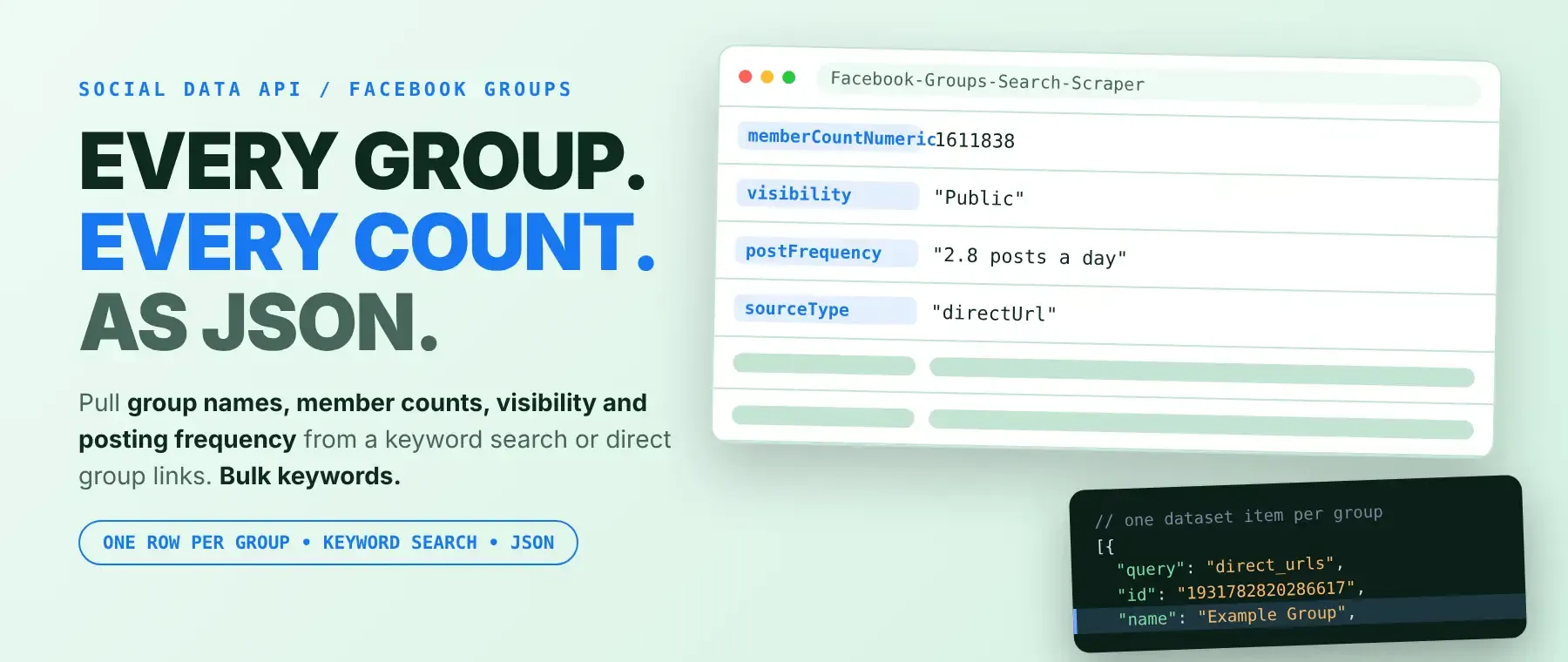
- The numbers behind each group. A recorded row for BMW Group came back with 1,611,838 members, 84 posts in the last month, 2.8 posts a day, Public visibility and "Anyone can find this group."
- 17 fields per group, one list for everything. Search facebook groups by keyword and read known groups by link in the same run, with the same 17 fields for each.
⬇️ Input
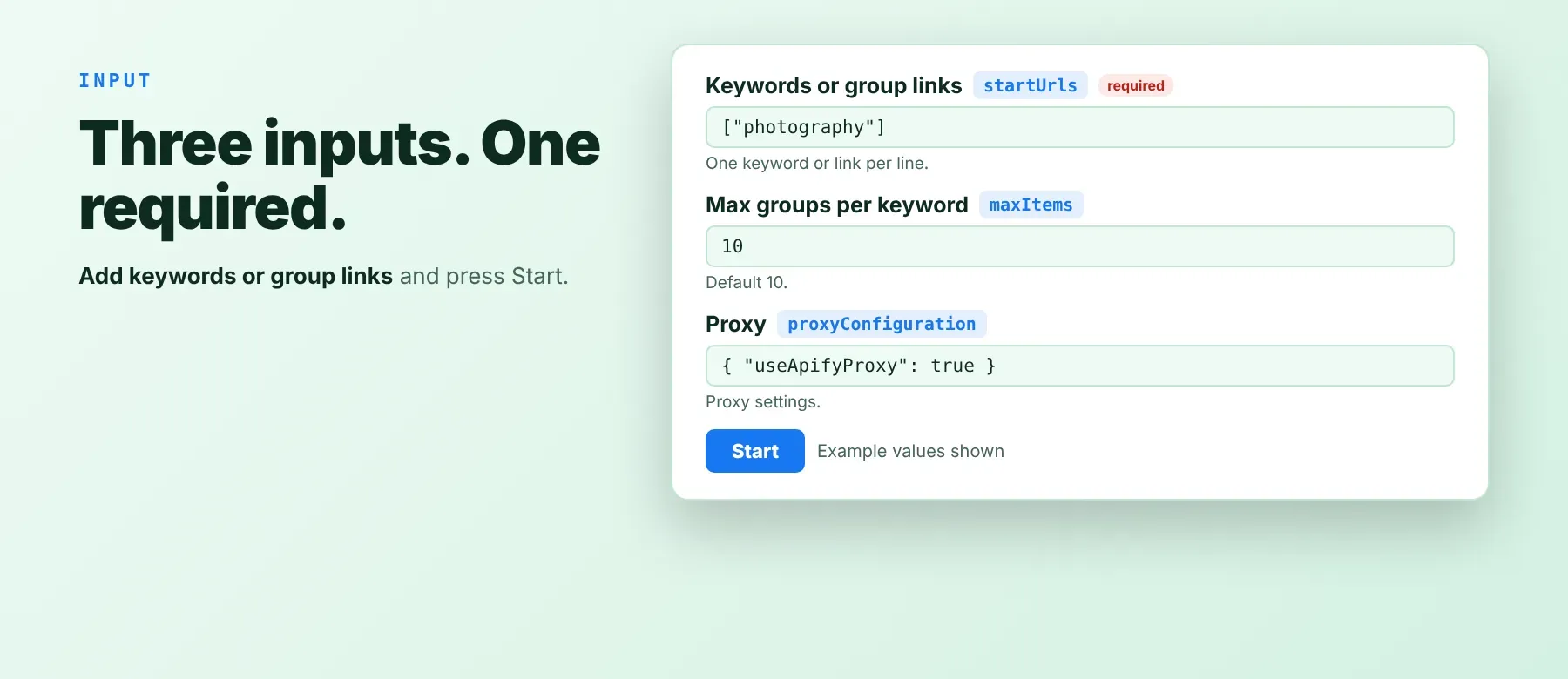
The actor accepts a list of keywords and/or Facebook group links. The keywords or group links field (startUrls) is required.
| Parameter | Required | Type | Description | Example value |
|---|---|---|---|---|
startUrls | Yes | array | Search keywords and/or Facebook group links (https://www.facebook.com/groups/...), mixed in one list. Keywords are searched; links are read directly. Prefill: ["bmw", "tesla"]. | ["photography", "https://www.facebook.com/groups/bmw.m.group/"] |
maxItems | No | integer | Groups to collect per keyword, 1 to 500. Default 100. Not applied to group links. | 20 |
proxyConfiguration | No | object | Apify proxy settings. Empty: Apify residential proxy from the first request. No proxy: direct connection, switching to a residential proxy only when blocked. | {"useApifyProxy": false} |
Accepted group link formats: https://www.facebook.com/groups/<name or ID>/, with or without www, m. or web., and with extra parts such as /about or /posts/... (they are cleaned to the group link).
Free plan limits
Users on the Apify free plan can fetch up to 20 groups per run (all keywords and group links together) and 200 groups per month. When the limit is reached, the run finishes successfully with a status message explaining the limit. Upgrade to any paid Apify plan to remove these limits.
Example input
⬆️ Output
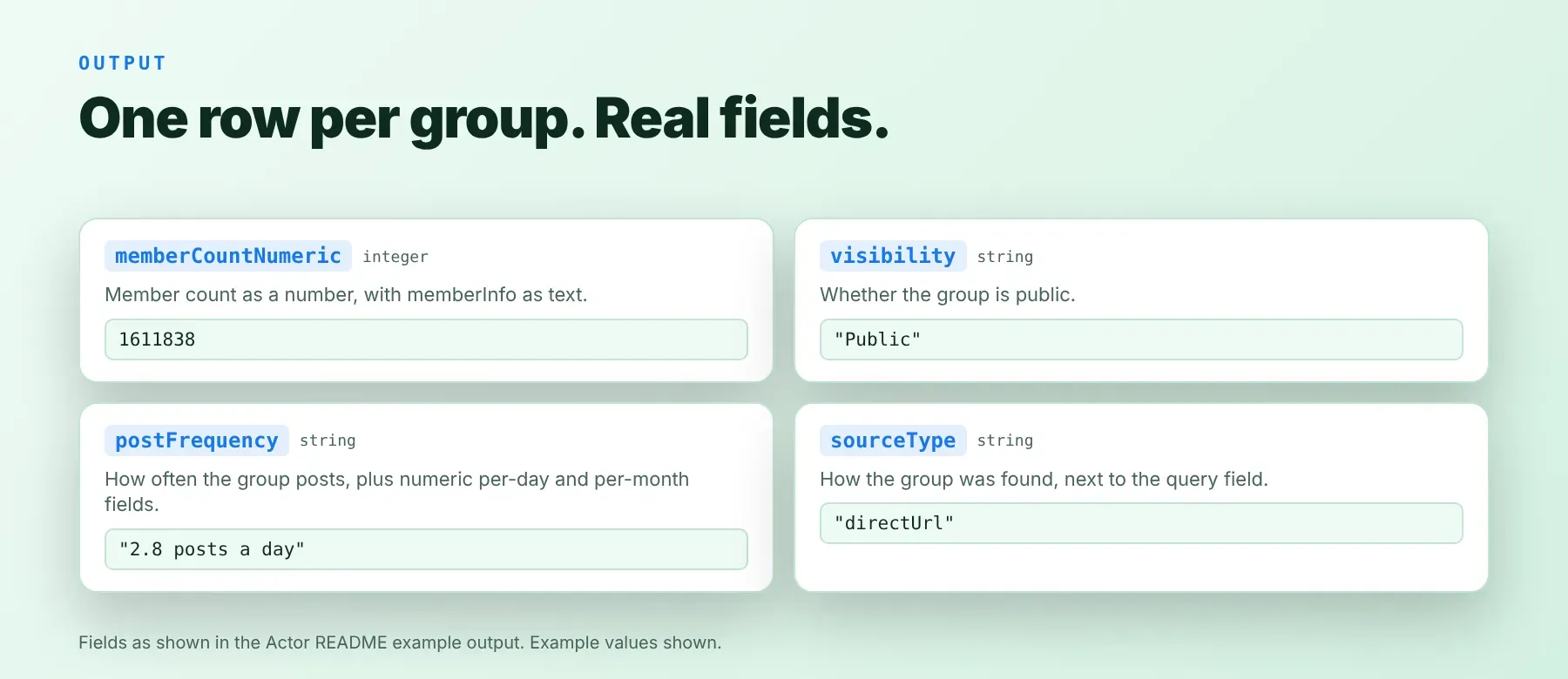
Every group is one typed, normalized JSON item with the same schema on every run. Export it as JSON (default), CSV or Excel.
Example output
How does it work?
For each keyword, you get a list of public Facebook groups about that topic, each group listed once even when it matches in several ways. The actor reads each group's public page the way a visitor who is not logged in sees it, with plain HTTP requests and no browser. Groups that do not mention the keyword are dropped, and pasted group links are read directly. Requests go through an Apify residential proxy by default; blocked requests are retried with fresh proxy sessions and short pauses before a group is given up. Only publicly visible data is collected, never members, posts or anything behind a login. The output keeps the same field names and types on every run, so your code does not change when Facebook changes its pages.
How do you integrate Facebook Groups Search Scraper into your stack?
It works with what you already use: the REST API from any language, MCP for AI agents, and no-code tools.
MCP integration for AI agents
Add the Apify MCP server to your agent with one command:
This registers Facebook Groups Search Scraper as a tool your agent can call directly. It works in Claude Code, Cursor and Windsurf, and in any other client that supports remote MCP servers over HTTP, with no extra setup.
No-code tools (n8n, Make, LangChain)
- n8n — add the Apify node and choose "Run an Actor" with this Actor's ID from its Apify Store page, or use the HTTP Request node pointed at the run-sync-get-dataset-items endpoint with your token.
- Make — use the Apify app's "Run an Actor" module, then "Get Dataset Items" to pass each group to the next module.
- LangChain — install
langchain-apifyand wrap this Actor withApifyActorsTool, using its ID from the Apify Store page.
Is it legal to scrape Facebook data?
Scraping publicly available Facebook data is generally legal, as long as you collect only what anyone can see. This actor returns only publicly available group information — what any visitor sees without logging in — and never members, posts or private content. Under GDPR, collecting public data is generally permissible, but storing and using it must still comply with your local data-protection law. Consult legal counsel if your use case involves bulk storage of personal data.
Frequently asked questions
What fields does Facebook Groups Search Scraper return?
It returns the group name, member count, posts per day, visibility and description, plus 12 more fields. See the data fields section.
Does Facebook Groups Search Scraper require a Facebook account or login?
No. Only public group data is extracted, and no credentials are needed.
How fast does Facebook Groups Search Scraper run?
A recorded run read one group link into a full row in 0.7 seconds. Data is live from Facebook, not cached. Keyword runs take longer because the actor first searches for matching groups.
What happens if a group is private or doesn't exist?
A row is returned whenever the group's public page shows its name; its visibility then says Public or Private. Groups that are removed, or whose page still cannot be read after every retry, are skipped: no row and no charge. If a run collects no group at all, it ends with a clear status message.
Can I scrape multiple Facebook groups at once?
Yes. Put many keywords and group links in one list; keywords run side by side, up to 500 groups each, and every link is read.
Does Facebook Groups Search Scraper work with Claude, ChatGPT, and other AI agent tools?
Yes — Facebook Groups Search Scraper is available as an MCP tool. Register the Apify MCP server in Claude Code, Cursor or Windsurf with claude mcp add --transport http apify "https://mcp.apify.com?tools=socialdataapi/facebook-groups-search-scraper". Any agent that can call an HTTP endpoint can also use the REST API directly.
Does Facebook Groups Search Scraper return data in a format LLMs can use directly?
Yes. Every group is typed, normalized JSON with consistent field names — no HTML parsing, no selectors. Pass it straight to an LLM, index it into a vector store, or feed it to an agent tool.
What happens when Facebook changes its layout or updates its anti-bot system?
The actor is maintained. When Facebook changes, the actor is updated, and your calls keep returning the same JSON schema with no changes on your end.
Can I use Facebook Groups Search Scraper without managing proxies or browser infrastructure?
Yes. Proxy use, retries and blocked requests are handled on the actor's side, and it needs no browser. You send one request and get structured JSON back.
Which Facebook group fields work best for AI training data and RAG indexing?
For RAG, use the group name and description, which carry the most text. For training data, use the member count, posts per day and posts in the last month, which are plain numbers. Fields are typed strings and numbers, so no normalization is needed.
Your feedback
Found a bug or missing a field? Let us know through the Issues tab on this Actor's page in Apify Console. Every report is read, and fixes ship as the actor is updated — a handy facebook community finder only stays useful when it keeps up with Facebook.


