

Instagram Profile Reels Scraper
Pricing
from $0.67 / 1,000 results
Instagram Profile Reels Scraper
Instagram Profile Reels Scraper scrapes reels from public Instagram profiles by username or URL: permalink, thumbnail, caption, owner username and full name, likes, comments, first comment and UTC timestamp. No login or cookie. Export JSON, CSV or Excel, or use the API.
Pricing
from $0.67 / 1,000 results
Rating
0.0
(0)
Developer

Social Data API
Maintained by CommunityActor stats
0
Bookmarked
2
Total users
0
Monthly active users
11 days ago
Last modified
Categories
Features
Share
Instagram Profile Reels Scraper — Captions, Likes, Comments and Owners
Instagram Profile Reels Scraper reads the Reels tab of public Instagram profiles and returns one row per reel: link, thumbnail, caption, real owner username and full name, like count, comment count, first comment and posting time in UTC. Every response is structured JSON — ready to pass directly to an LLM, index into a vector store, or feed a social listening pipeline. No Instagram account or cookies needed. Start with one creator you follow, then add every competitor profile you track.
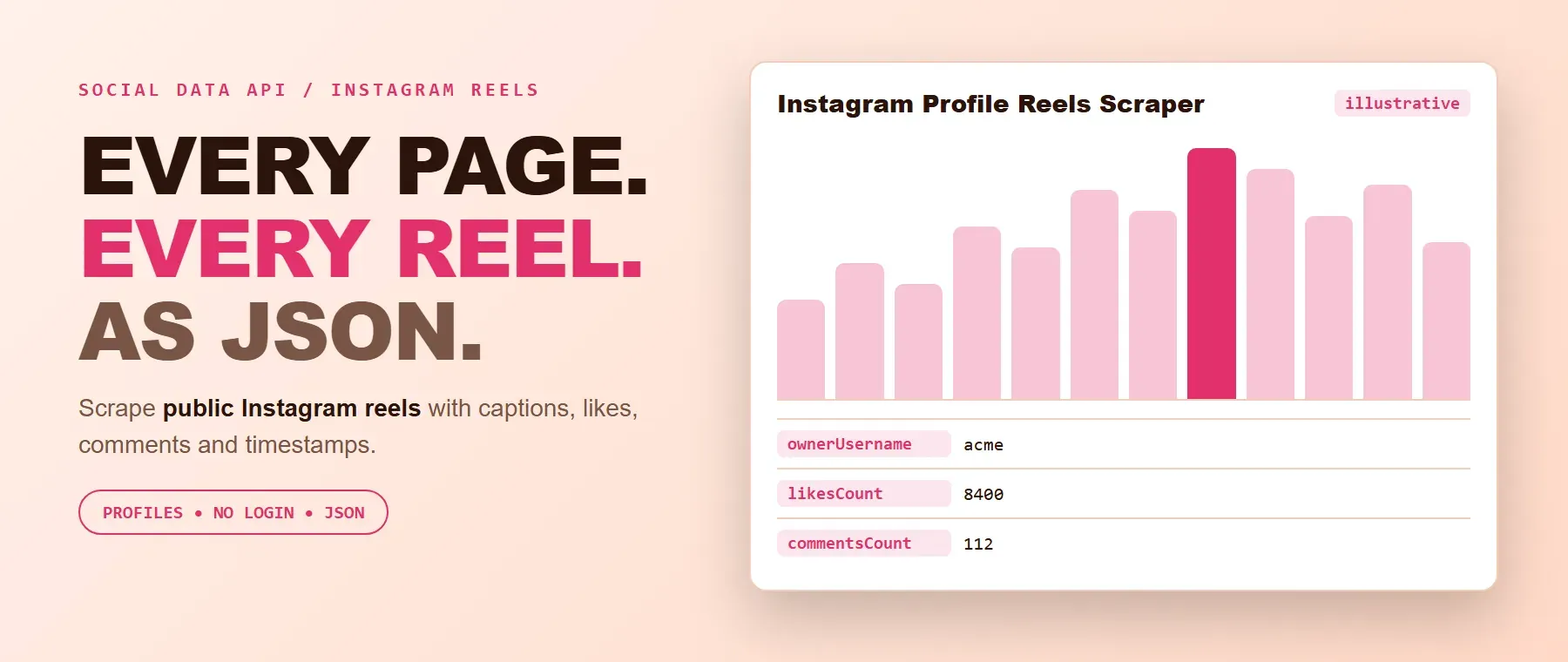
What data can I extract with Instagram Profile Reels Scraper?
Using this Instagram Profile Reels API, you will be able to extract the following Instagram reel data:
| 🔗 Reel URL | 📅 Posting time (UTC) | 👤 Owner username | 🪪 Owner full name |
|---|---|---|---|
| 📝 Caption | ❤️ Like count (if visible) | 💬 Comment count | 🗨️ First comment |
| 🖼️ Thumbnail image |
How to use Instagram Profile Reels Scraper
Social media managers, brand teams and researchers get every reel from the profiles they track, with engagement numbers, in one run.
Copy to your AI assistant:
Instagram Profile Reels Scraper MCP Server: use these Actors from ChatGPT, Claude or Cursor
Point your AI assistant at this Actor and it can read Instagram reels on its own: captions, owners, likes, comments and first comments from any public profile. No glue code, no scraping logic in your prompts.
Step by step
- Create a free Apify account.
- Open Instagram Profile Reels Scraper in the Apify Store.
- Enter the Instagram username, @handle or profile URL (one per line).
- Click Start (or send your API request).
- Download or stream your results in JSON, CSV or Excel.
How to scale Instagram Profile Reels Scraper to bulk
The urls field takes a list, so one run can cover many profiles: add one username or profile URL per line and set how many reels you want per profile. For bulk Instagram profile reels collection without a fixed limit, set the limit to 0 and the Actor reads each Reels tab to its end, up to 2,000 reels per profile, three profiles at a time. Rows appear in the dataset while the run is still going. For daily tracking, save the input as a task and schedule it, or call the API from your own loop.
✨ Features
Instagram Profile Reels Scraper fetches clean, structured reels from Instagram profiles ⚡. It pulls Instagram reel likes and comments together with captions and owners. It's ideal for creator benchmarking, brand monitoring, campaign reporting and caption research, and is a simple way to scrape Instagram profile reels at scale.
It extracts, per reel:
- Reel link – the permanent URL of the reel
- Owner – the username and full name of the account that really owns the reel, including collab reels
- Like and comment counts – the reel's engagement numbers, null when likes are hidden
- Caption – the full caption text with hashtags and mentions
- First comment – the top comment shown on the reel's page
- Posting time – when the reel went live, in UTC
- Thumbnail – the reel's cover image
⚡ No login and no cookies: it reads only what any visitor sees, so your own Instagram account is never at risk.
Use cases 💡
- Social media manager — track Instagram reel engagement data for every profile you manage.
- Brand team — spot Instagram collab reels where partners publish on your profile.
- Influencer marketer — compare instagram creator reels by like count before booking a campaign.
- Content researcher — collect reel captions and first comments to study what audiences react to.
- AI agent builder — feed reel captions and counts into a RAG pipeline for trend summaries.
Building an AI agent? Connect Instagram Profile Reels Scraper over MCP and let it call the actor on its own.
Why choose this actor?
- Many profiles in one run. A recorded run returned 120 reels from 4 profiles (30 each) in 81 seconds, every row with owner, caption, counts and first comment.
- Real engagement numbers. A recorded reel from @nasa came back with 95,121 likes and 1,113 comments; hidden like counts come back as null instead of a fake zero.
- 9 fields, 2 switches. Reel link, posting time, owner username and full name, caption, likes, comments, first comment and thumbnail, with on/off options for the first comment and the counts.
⬇️ Input
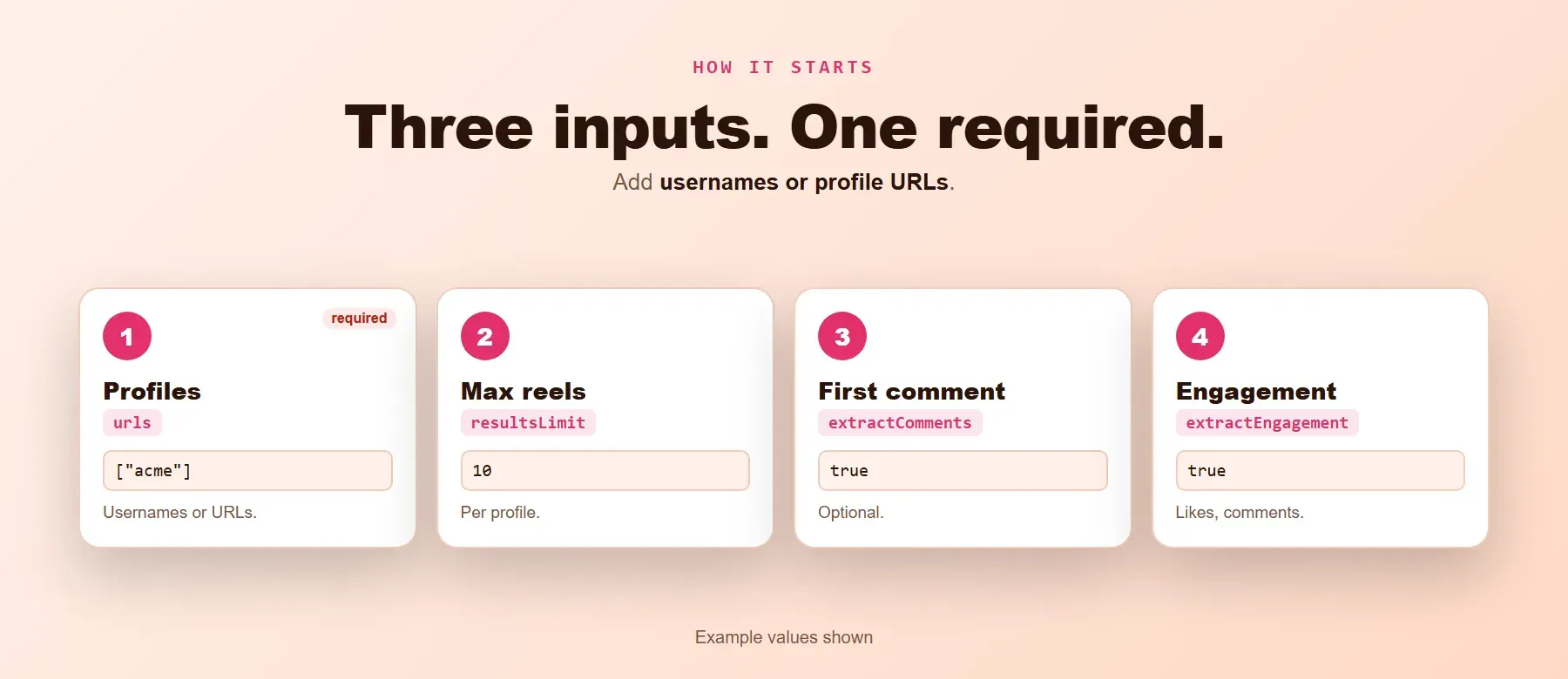
The Actor takes a list of Instagram profiles in the urls field (required): bare usernames, @handles or full profile URLs all work.
| Parameter | Required | Type | Description | Example value |
|---|---|---|---|---|
urls | Yes | array of strings | Public Instagram profiles to read: username, @handle or profile URL. Private or missing profiles are reported as failures. | ["natgeo", "@mrbeast"] |
resultsLimit | No | integer | Reels to save for each profile. Default 10, allowed 0–10000; 0 reads all reels up to 2000 per profile. | 10 |
extractComments | No | boolean | Fill the first comment of each reel. Default true. | true |
extractEngagement | No | boolean | Fill the like and comment counts. Default true; off leaves both null. | true |
proxyConfiguration | No | object | Apify Proxy settings, used exactly as set. Default: Apify Proxy on (prefill: residential). | {"useApifyProxy": true, "apifyProxyGroups": ["RESIDENTIAL"]} |
Accepted profile formats:
natgeo@mrbeasthttps://www.instagram.com/cristiano/
Free plan limits
Users on the Apify free plan can fetch up to 20 reels per run (all profiles together) and 200 reels per month. When the limit is reached, the run finishes successfully with a status message explaining the limit. Upgrade to any paid Apify plan to remove these limits.
Example input
⬆️ Output
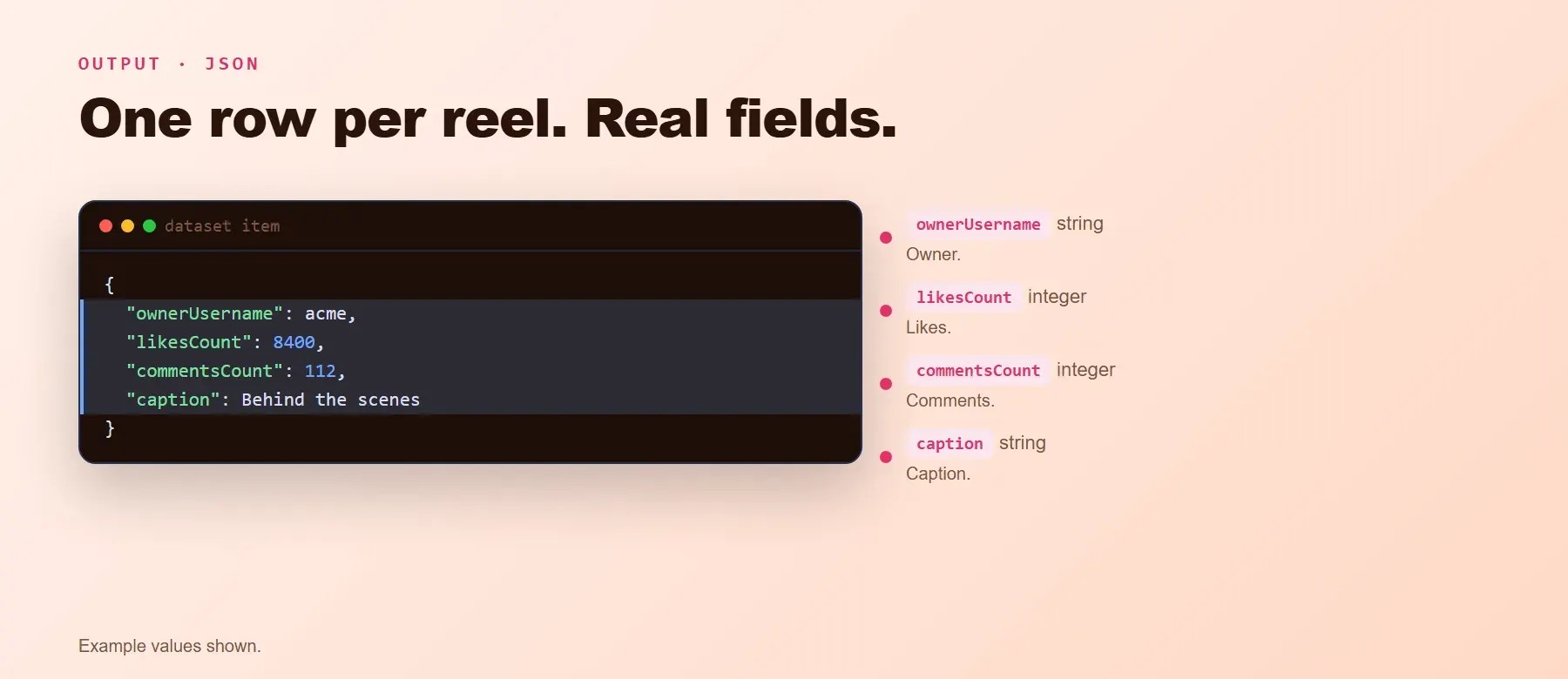
Every reel is one typed, normalized JSON item with the same 9 keys on every run. You can export the dataset as JSON (default), CSV or Excel.
Example output
How does it work?
Instagram Profile Reels Scraper opens each profile's public Reels tab the way a logged-out visitor does, pages through it 12 reels at a time, and reads each reel's own public page for the caption, owner, counts and first comment. It uses plain HTTP requests, no browser. Requests can go through Apify Proxy; when Instagram blocks a connection before any row is saved, the Actor retries that profile through residential proxies, and unreadable reels are skipped and replaced by the next one so your limit is still filled. It returns only publicly visible data — what any visitor sees without logging in — and never needs your Instagram account. The output schema is normalized and stays the same even when Instagram changes its pages.
How do you integrate Instagram Profile Reels Scraper into your stack?
It works with what you already use: the REST API from any language, MCP for AI agents, and no-code tools.
Using Instagram Profile Reels Scraper with the Apify API
Works in Go, Ruby, Node.js, cURL — any language that can make an HTTP request.
MCP integration for AI agents
Add the Apify MCP server with this Actor preloaded, then ask your agent for the latest reels of any public profile:
This registers Instagram Profile Reels Scraper as a tool your agent can call directly. It works in Claude Code, Cursor and Windsurf, and the agent gets the same JSON rows as the dataset.
No-code tools (n8n, Make, LangChain)
- n8n: use the Apify node with "Run an Actor" and the ID
socialdataapi/instagram-profile-reels-scraper, or the HTTP Request node pointed at the run-sync endpoint with your token. - Make: add the Apify app's "Run an Actor" module, then "Get Dataset Items" to pass each reel to the next step.
- LangChain: install
langchain-apifyand load the Actor withApifyActorsTool("socialdataapi/instagram-profile-reels-scraper").
Is it legal to scrape Instagram data?
Scraping publicly available Instagram data is generally legal when you collect only what any visitor can see. Instagram Profile Reels Scraper returns only public reel data from public profiles — what any user sees without logging in — and cannot read private accounts. Reels, captions and comments can still contain personal data, so storing and using them must comply with GDPR and other local data-protection laws. Consult legal counsel if your use case involves bulk storage of personal data.
Frequently asked questions
What fields does Instagram Profile Reels Scraper return?
It returns the reel link, posting time, owner username and full name, caption, like count, comment count, first comment and thumbnail. See the data fields section for the full list.
Does Instagram Profile Reels Scraper require an Instagram account or login?
No. Only public reel data is extracted, and no credentials or cookies are needed.
How fast does Instagram Profile Reels Scraper run?
A recorded run returned 15 reels from 3 profiles in about 14 seconds, and 120 reels from 4 profiles in 81 seconds. Data is read live from Instagram, not from a cache.
What happens if a profile is private or doesn't exist?
That profile produces no row and no charge; it is listed as a failed profile in the log and the run's status message, and the other profiles carry on. If no profile returns a reel at all, the run ends as failed with the reason, so your code can check the run status.
Can I scrape multiple Instagram profiles at once?
Yes. Put every username or profile URL in the urls list; runs without a free-plan cap read three profiles at a time.
Does Instagram Profile Reels Scraper work with Claude, ChatGPT, and other AI agent tools?
Yes — Instagram Profile Reels Scraper is available as an MCP tool. Register it in Claude Code, Cursor or Windsurf with claude mcp add --transport http apify "https://mcp.apify.com?tools=socialdataapi/instagram-profile-reels-scraper". Any agent that can call an HTTP endpoint can use the REST API directly.
Does Instagram Profile Reels Scraper return data in a format LLMs can use directly?
Yes. Rows are typed, normalized JSON with consistent field names, with no HTML parsing and no selectors. Pass them straight to an LLM, index them into a vector store, or feed them to an agent tool with no transformation step.
What happens when Instagram changes its layout or updates its anti-bot system?
The Actor is actively maintained. When Instagram changes, the Actor is updated, and your calls keep returning the same JSON schema with no changes on your end.
Can I use Instagram Profile Reels Scraper without managing proxies or browser infrastructure?
Yes. Apify Proxy and the retry through residential proxies run on the Actor's side, and no browser is used. You send one request and get structured JSON back, with no proxy accounts and no maintenance.
Which Instagram reel fields work best for AI training data and RAG indexing?
For RAG, use the caption, first comment and owner name. For training data, use the like count, comment count and posting time. All fields are plain strings or integers, so no normalization is needed.
Related scrapers
| Scraper | What it extracts |
|---|---|
| Instagram Reels Scraper | Instagram reels and their details |
| Instagram Single Reels Scraper | Details of individual Instagram reels by URL |
| Instagram Profile Post Scraper | Posts from Instagram profiles |
| Instagram Highlights Scraper | Story highlights from Instagram profiles |
| TikTok Profile Scraper | Videos and stats from TikTok profiles |
Your feedback
Found a bug or missing a field? Let us know through the Issues tab on this Actor's Apify Store page. Every report is read, and fixes ship as Actor updates.


