

B2B Leads Finder | Like Apollo
Pricing
from $3.00 / 1,000 b2b leads
B2B Leads Finder | Like Apollo
Name any company and get its people: LinkedIn profiles, business emails and phones. Searched live at run time, not resold from a shared database, so it finds the small and regional companies Apollo-style lists never indexed. Every email labelled with how it was obtained.
Pricing
from $3.00 / 1,000 b2b leads
Rating
5.0
(1)
Developer

The Mine Works
Maintained by CommunityActor stats
4
Bookmarked
376
Total users
87
Monthly active users
2 hours ago
Last modified
Categories
Share
From The Mine Works, makers of Foundit Jobs and Reddit Scraper, with nearly 139,000 runs across our actors. This actor ranks #2 for "b2b leads" in Apify Store search.
Name up to five companies. B2B Leads Finder searches the web at run time for the public LinkedIn profiles of people who work there, checks each one against the company you named, and adds a business email built from the company's own domain. It also reads the company's own website, and staff it names next to a published address come back as leads with that real address. There is no database behind it, so it works on small, regional and newly founded companies as well as on Stripe.
Why choose this actor?
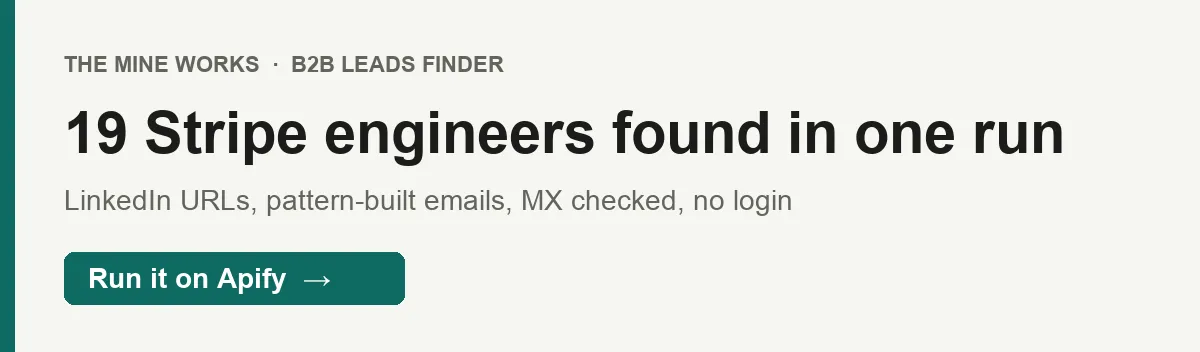
- People at the companies you name, found live. A test run on 30 September returned 19 Stripe engineers with LinkedIn URLs and business emails in 90 seconds. No Apollo seat, no subscription, no LinkedIn login or cookies.
- Every email tells you how it was made. Each address is labeled
found(published by the company, with the page inemail_source_url),pattern_matchedorguessed, and every built address carries anemail_notein plain words. An address is only built when the company's domain has live mail (MX) records. Nothing is stamped "verified" that was not checked. - You pay for people, not inboxes. A run returns at most 25 leads, so its cost is capped. Company inboxes such as
info@, refused searches, skipped inputs and the two report rows are never charged, and monitor mode never bills the same person twice. From 13 October 2026 a $0.005 run fee is added at the default memory.

Part of The Mine Works Leads and business directories family: Skip Trace Lookup, Google Maps Email Scraper, JustDial Scraper, 2GIS Places Scraper, IndiaMART Scraper, Yandex Maps Scraper.
Try it in one minute
Paste this into the JSON tab of the input form and press Start:
You can name a company four ways: a bare domain (stripe.com), a website URL (https://www.stripe.com), a plain name (Stripe, legal suffixes such as Pvt Ltd or GmbH are stripped), or a LinkedIn company URL (https://www.linkedin.com/company/stripe/). Emails are only built when the input gives the actor a domain, so use a domain or a website URL whenever you want addresses.
Apify's free plan includes $5 of credit every month, which covers about 1,000 leads at this actor's price today ($0.005 a lead on the Free plan, no run fee), and about 640 leads from 13 October 2026, when the Free plan price becomes $0.0075 a lead plus a $0.005 run fee at the default memory.
Copy to your AI assistant
Paste this block into ChatGPT, Claude, Cursor or any assistant that can write code, and it can run the actor for you.
Key features
- Up to 5 companies and 25 leads per run. Each company is searched in turn, title matches first, until the company's lead target or the run cap is reached. Longer lists go in several runs or a schedule.
- 17 fields per person row. Company, domain, name, job title, a
title_matchflag, LinkedIn URL, email, how the email was made, the email format, a note on the email, the page a found email came from, phone, where the phone came from, source, a live flag, achargedflag and a timestamp. - 3 job titles searched by name, all of them matched. The first three titles in
jobTitlesbecome their own searches; every lead is then labeledtitle_matchtrue or false against the whole list, and matches are delivered first. - The company's own pages read for published contacts. With
scrapeWebsiteon, the actor reads the home page, then the team, contact and about pages it links to (such as/meet_our_team.phpor/about-us/our-team/), then/team,/contactand similar paths: 7 pages and 20 seconds at most per company. It reads addresses inmailto:links and Cloudflare-protected addresses too, pairs each one with the name printed next to it when the address fits that name, and uses them to learn the company's email format. Phones are kept only when they are valid numbers for their country. - A company check on every profile. A person is kept only when their headline, search snippet or Google's summary line under the result ties them to the company you named as their current employer, so former staff ("x-Stripe"), people who list the company as a tool they use ("Canva Designer") and people who merely mention the company are rejected before you are charged. The summary row counts them in
candidates_rejected_wrong_company. - Monitor mode for schedules. With
monitorModeon, the actor remembers up to 50,000 people it has delivered to your account and returns only new ones on later runs.
How to use it
Basic: the people at one company
With no jobTitles, the actor returns every role it finds. maxLeadsPerCompany controls how far it searches: once it holds that many people it stops fetching new search pages, but a page it has already fetched is delivered in full, so a run can return more than this number (never more than 25). Those extra leads are charged like any other.
Several companies at once
Five is the limit per run. Put the accounts you care about most first, because the 25-lead run cap can be reached before the end of the list. Companies past the fifth are reported as skipped in the log and never charged.
Decision makers at small and regional accounts
This is where a live search earns its keep: firms with 5 to 50 people are often missing from subscription databases, but their owners have public LinkedIn profiles, and many list their staff with real addresses on a team page. In our 30 September test, three accounting firms whose people were not found on LinkedIn at all returned 4, 10 and 8 staff with the addresses printed on their own team pages. Give the domain when you have it so the actor can read the site and build emails, and keep the name short. Addresses and zip codes in a company name stop headlines from matching, so the actor strips a trailing location and legal suffix for you, and skips an input that is only a tax number, a street address or a sector word ("Bank", "IT") at no cost.
Weekly watch for new people at target accounts
Save this as a task and schedule it weekly (Apify Console, Schedules, cron 0 7 * * 1 for Mondays at 7:00). The first runs work through each company's roster; after that you receive only people you have not been sent before. A run with nothing new charges no leads; from 13 October 2026 it still carries the $0.005 run fee. Keep the company list and titles the same between runs.
Names and LinkedIn URLs only, as fast as possible
Plain names and LinkedIn company URLs give the actor no domain, so these rows carry name, title, title_match and LinkedIn URL but no email. Turning scrapeWebsite off skips the company site visit. Use this when you only need the org chart, or when you will run the addresses through your own email tool.
Push leads straight into your CRM or sheet
Run the actor from Make, Zapier or n8n (see Integrations below), keep rows where _type is empty and charged is true (those are the leads), and map name, job_title, email, email_confidence and linkedin_url to your CRM fields. Keeping email_confidence lets your sequencer send only to found and pattern_matched addresses, or to all three.
Input parameters
| Parameter | Type | Default | What it does |
|---|---|---|---|
companies | array of strings | none (required) | Company domains, website URLs, names or LinkedIn company URLs. Up to 5 per run; more are skipped and never charged. Emails need a domain or website URL. |
jobTitles | array of strings | none | Roles to target, such as CEO or Head of Marketing. The first 3 are searched by name; every lead gets title_match against all of them, and matches come first. Empty returns every role. |
maxLeadsPerCompany | integer | 10 | How many leads to search for per company, 1 to 100. Pages already fetched are delivered in full, so a company can return a few more. A run returns at most 25 leads in total. |
scrapeWebsite | boolean | true | Read the company's home page and the team, contact and about pages it links to (7 pages and 20 seconds at most) for published emails, the names next to them and valid phones, and to learn the email format. |
monitorMode | boolean | false | Deliver only people not delivered to your account by an earlier monitor mode run. |
proxy | object | Apify RESIDENTIAL | Proxy for the Brave backup search. Google searches always use the actor's own GOOGLE_SERP access and are not affected. The residential default is included in the price. A GOOGLE_SERP group is replaced with RESIDENTIAL. To use your own proxy, switch Apify proxy off and add your proxy URLs. Company websites are read without a proxy. |
What data do you get?
A run writes three kinds of rows to one dataset.
Person rows from LinkedIn search (one per lead, charged, charged: true):
- Who:
name,job_title(the LinkedIn headline),title_match(only when you gavejobTitles),linkedin_url - Company:
company,domain - Email:
email,email_confidence,email_pattern,email_note(on built addresses),email_source_url(on found addresses) - Phone:
phone,phone_source(alwayscompany-website) - Provenance:
source(linkedin-serp),retrieved_live(true),charged,scraped_at
Person rows from the company site (charged, charged: true): a person the company's own pages name next to their address, when the address fits the name (Joseph Zaino next to jzaino@). They carry name, job_title when the page prints one next to the name, title_match, email with email_confidence found, email_pattern, email_source_url, the phone fields, source set to website-scrape and no linkedin_url. People already delivered from LinkedIn are not repeated, and these rows fill the company's lead target after the LinkedIn rows.
Company address rows (free, charged: false): a general address such as info@ or sales@, or an address printed with no name that fits it, delivered with company, domain, email, email_confidence set to found, email_source_url, the phone fields, source set to website-scrape and scraped_at. At most 3 per company, and they do not count toward any lead limit.
Report rows (never charged): every run ends with a _type: "summary" row (leads delivered and charged, companies processed and skipped, invalid_company_inputs, candidates_rejected_wrong_company, already_delivered_in_earlier_run, search requests and refusals, per engine in google_search, brave_search and engine_pages, emails_by_confidence, free_company_address_rows, website page and address counts, lead_cap_reached, monitor) and a _type: "info" row with a short message. Filter on _type to drop both.
How email_confidence works:
found: the exact address appears on the company's own pages and fits the person's name;email_source_urlis the page.pattern_matched: the company publishes other staff addresses next to their owners' names (or for people found on LinkedIn), the actor learned the format from them (for exampleflastorfirst.last) and applied it.email_notesays how many addresses it learned from.guessed: no published staff address was available, so the most common format,first.last, was used.email_notestarts withGuess:.
An address of any kind is only built when the domain has DNS MX records, meaning it accepts mail. The actor does not open an SMTP connection to test the mailbox itself: that needs outbound port 25, which cloud platforms including Apify block. Large companies rarely publish staff addresses, so expect most rows there to be guessed. In our 30 September test of ten companies, 22 of 74 emails were found, all at three small firms that list their staff on the site; at the seven larger companies every email was still guessed. If you need mailbox level certainty, run the list through a verifier such as our Email Verifier & Validator before sending.
Fields with no value are left out of the row rather than sent as null.
Stable fields for automations
These fields were present in every person row we sampled, and their names will not change.
| Field | What it holds |
|---|---|
company | The company name as the actor searched it |
name | The person's full name from their public profile or the company's page |
source | linkedin-serp or website-scrape |
charged | true on person rows; false on free company address rows |
retrieved_live | Always true: found during this run, not read from a cache |
scraped_at | ISO 8601 timestamp of when the row was written |
domain | The company domain; in every row when your input was a domain or website URL |
title_match | true or false; in every row when you gave jobTitles |
job_title | In every linkedin-serp row: the LinkedIn headline, which may be a title or just the company name |
linkedin_url | In every linkedin-serp row: public profile URL, https://www.linkedin.com/in/... |
We will not rename these fields. New fields may be added, and optional ones such as email, email_note or phone are left out when there is no value.
Output examples
A person row from a domain input, from a local run of the current build on 30 September 2026. Stripe publishes no staff address, so the email is a labeled guess, and no valid phone number was found on the pages read:
A person row from the company's own team page, same day, an accounting firm with no staff found on LinkedIn (name and address masked here):
A free company address row from another firm's home page:
A person row from a LinkedIn company URL with jobTitles: ["CEO"]. No domain, so no email (run TDA0N1348DDUmLXgk):
Same run, a company given by name. The headline does not contain "CEO", so title_match is false even for Freshworks' chief executive, and the row is delivered after the matches:
The summary row from a 30 September run on another small firm, trimmed. The site's team page listed 23 addresses, 19 of them next to a name that fits the address; the run stopped at the 10 leads asked for and delivered 3 company addresses free:
Pricing
Pay per event: you pay for each lead written to your dataset, at the rate for your Apify plan. Proxy and compute are included. The price changes on 13 October 2026 at 00:00 UTC; both price lists are below.
Until 12 October 2026 (current price, no run fee)
| Event | Free | Bronze (Starter) | Silver (Scale) | Gold and above (Business) |
|---|---|---|---|---|
lead-scraped, per lead | $0.005 | $0.00375 | $0.0035 | $0.003 |
| per 1,000 leads | $5.00 | $3.75 | $3.50 | $3.00 |
| Run fee | none | none | none | none |
From 13 October 2026
| Event | Free | Bronze (Starter) | Silver (Scale) | Gold and above (Business) |
|---|---|---|---|---|
lead-scraped, per lead | $0.0075 | $0.0061 | $0.00495 | $0.004 |
| per 1,000 leads | $7.50 | $6.10 | $4.95 | $4.00 |
apify-actor-start, per run | $0.005 per GB of memory, minimum one event | same | same | same |
The run fee is Apify's standard start event: one event per GB of run memory, with a minimum of one. At the default 256 MB, and at anything up to 1 GB, it is one event, so $0.005 a run. At 2 GB it would be $0.01. This actor does not need more than the default.
What a real job costs. A full run of 25 leads costs $0.125 on the Free plan and $0.075 on Gold today. From 13 October the same run costs $0.1925 on Free (25 x $0.0075 plus $0.005) and $0.105 on Gold. A thousand leads takes at least 40 runs because of the 25 lead cap, so from 13 October add $0.20 of run fees to the lead price.
Never charged:
- the
_type: "summary"and_type: "info"report rows - companies past the fifth in your list, and inputs skipped as a tax number, street address or sector word
- searches an engine refused, and companies the run stopped before reaching
- people rejected because their profile names a different employer
- people already delivered by an earlier monitor mode run
- company address rows such as
info@orsales@, which carry no person (charged: false)
A run with zero leads charges no lead events. From 13 October 2026 such a run still carries the one $0.005 run fee.
The Pricing tab on this page always shows the exact rate for your own plan.
FAQ
What does B2B Leads Finder actually search? The public web. For each company it asks Google, through Apify's GOOGLE_SERP proxy, for public LinkedIn profiles that mention the company (Brave Search answers a search when Google fails on it), then reads the company's own website (home page, then the team, contact and about pages it links to) for published addresses and the names next to them. It holds no database and never opens linkedin.com itself.
How many leads can I get? Up to 25 per run across up to 5 companies. For a bigger list, split it across several runs or schedule the same task. How many people a company yields depends on how many public profiles the search engine has indexed for it and on whether its site lists its staff: a large company easily fills the cap from LinkedIn, and a small firm with a team page can fill it from the site.
How fresh is the data?
Every row is found during your run; retrieved_live is always true. A headline is only as current as the person's own profile and the search engine's copy of it, so a recent job change can take a few weeks to show.
Are the emails verified?
The domain is checked: an address is only built when the domain has MX records. The mailbox is not, because that needs an SMTP probe on port 25, which Apify blocks. email_confidence tells you whether the address was published on the company site (found, with the page in email_source_url), built from a format the company's site revealed (pattern_matched), or built from the most common format (guessed), and email_note says the same in words. Most rows at large companies are guessed.
Where do the phone numbers come from?
From tel: links and formatted numbers in the visible text of the company's own pages (scripts and styles are ignored). A number is kept only when it is a valid number for its country, read with the country of the company's domain (US for .com), and it is given in international format such as +1 914 468 0400. Before 30 September a Stripe row could carry 01332-010, which is not a phone number; that is now dropped. The same company number is attached to each row from that company, and phone_source says so. It is never a person's direct line, so check it before you dial.
Do I need a LinkedIn account, cookies or an API key? No. Nothing is logged in to, no cookies are used, and you need only your Apify account.
Do I need to set up a proxy?
No. Google searches run on the actor's own GOOGLE_SERP access, and the Brave backup over Apify's residential proxy by default; both are included in the price. If you prefer your own proxy for the Brave backup, switch Apify proxy off in the proxy field and add your proxy URLs.
Why did a run return no leads?
Three usual reasons: nobody at the company has an indexed public profile, its name is too generic (Google also fills a search for a company it cannot match with people from elsewhere; they are dropped, never charged, and counted in candidates_rejected_wrong_company), or the search engines refused the requests at that moment. A refusal is said plainly in the run log, the summary row shows engine_refused or companies_search_refused, and no lead is charged. Try again a little later.
Why did I get more leads than maxLeadsPerCompany?
Because a search page the actor has already fetched is delivered in full rather than thrown away. The 25 lead run cap still applies, and the summary row shows the extras in extra_leads_from_paid_pages.
What formats can I export? JSON, CSV, Excel, XML, RSS or an HTML table from the dataset tab, or through the Apify API.
Can I run it on a schedule?
Yes. Save your input as a task, then add a schedule in Apify Console. Turn on monitorMode so later runs return only people you have not received. Monitor mode remembers delivered people in a key value store named monitor-b2b-leads-finder in your own Apify account; if that store cannot be opened, the run delivers everything and says so in the log.
Can I use it from Claude, ChatGPT or another AI agent?
- Connector URL:
https://mcp.apify.com/?tools=themineworks/b2b-leads-finder. - Claude: Settings > Connectors > Add custom connector, paste the URL, sign in with Apify.
- ChatGPT: developer mode, add an MCP connector with the URL, sign in with Apify.
- Cursor or VS Code: add it as an HTTP MCP server with that URL.
- Claude Code:
claude mcp add -t http b2b-leads-finder "https://mcp.apify.com/?tools=themineworks/b2b-leads-finder".
Is it legal? The actor reads only public pages: profiles that search engines have indexed and the company's own public website. It does not log in or pass any access control. Names, job titles and business emails are still personal data in many places, so you are responsible for how you use them, including the site terms, data protection law such as GDPR and CCPA, and anti-spam rules for cold email. This is general information, not legal advice.
Integrations
- Google Sheets: send each run's dataset to a sheet with Apify's Google Sheets integration.
- Make, Zapier and n8n: start a run and pick up the leads in the same scenario, then push them to HubSpot, Pipedrive, Salesforce or a sequencer.
- Webhooks: have Apify call your URL when a run finishes.
- API: start runs and read datasets from any language with the Apify API or the Python and JavaScript clients.
- MCP clients: Claude, ChatGPT, Cursor and other MCP clients can call the actor as a tool through
https://mcp.apify.com.
More from The Mine Works
Leads and business directories
- Skip Trace Lookup
- Google Maps Email Scraper
- JustDial Scraper
- 2GIS Places Scraper
- IndiaMART Scraper
- Yandex Maps Scraper
- Contact Details Scraper
- US Business Registry
- Google Maps Scraper
- Yellow Pages Scraper
- Lead Generation MCP
- Google Maps Reviews Scraper
Social media and video
Marketing, SEO and reviews
Real estate
Science, health and government data
Jobs and hiring
E-commerce and marketplaces
Company and business data
Food and local services
Developer and AI tools
More tools
Support
Found a bug or a company that returns nothing when it should? Open an issue in the Issues tab on this page. To ask for a new data source, email dmineworks@gmail.com.
B2B Leads Finder finds the people at up to five named companies from live public search, labels how every business email was made, and charges only for leads that reach your dataset.


![B2B 🟢 Leads Finder [NO COOKIES] - like apollo, linkedIn avatar](https://images.apifyusercontent.com/pmNk2HVEQxnz9G6TI30r99fkbrtzL1pwMtXpGuv-Kjw/rs:fill:76:76/cb:1/aHR0cHM6Ly9hcGlmeS1pbWFnZS11cGxvYWRzLXByb2QuczMudXMtZWFzdC0xLmFtYXpvbmF3cy5jb20va2FzMWhZNXVSNFlvaUpRaXUtYWN0b3ItSkExZTVCWGIxNzR3S0NpcWotUWpza0JIb2Ziby1TY3JlZW5fU2hvdF8yMDI1LTA4LTE0X2F0XzIuMDAuNTRfUE0ucG5n.webp)


