
Google Maps Email Scraper: Verified Business Emails & Phones
Pricing
from $5.00 / 1,000 leads
Google Maps Email Scraper: Verified Business Emails & Phones
From $5 per 1,000 verified emails ($9 on the Free plan). Get business emails from Google Maps searches: each email's domain is checked for a live mail server, and you pay only for businesses that come back with a working email. Includes phone, website, rating and address.
Pricing
from $5.00 / 1,000 leads
Rating
5.0
(2)
Developer

The Mine Works
Maintained by CommunityActor stats
0
Bookmarked
115
Total users
48
Monthly active users
10 days ago
Last modified
Categories
Share
From The Mine Works, makers of Threads Scraper and B2B Leads Finder, with nearly 139,000 runs across our actors.
Type a Google Maps search such as dentists in Phoenix AZ or plumbers in Leeds. The actor returns each business with its phone, website, address, category, rating, coordinates and Google Maps link, then visits the business website, reads the email address from it and checks that the email's domain has a working mail server. You are charged only for businesses that come back with an email that passes that check.
Why choose this actor?
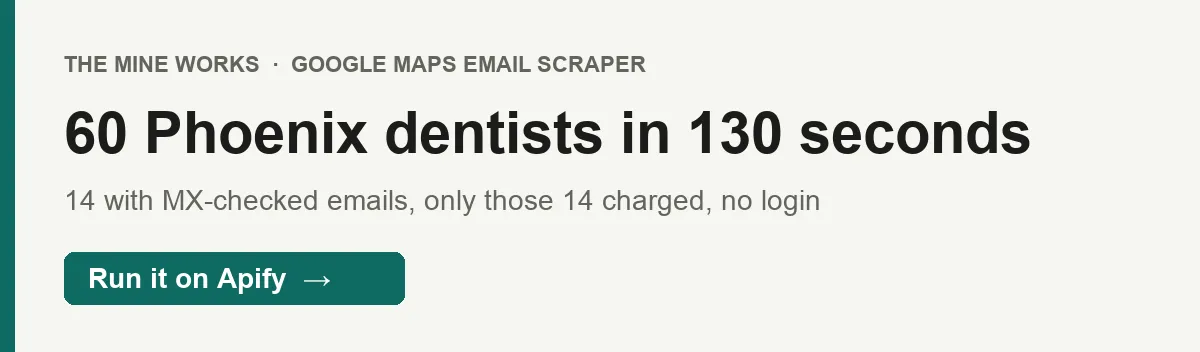
- Pay only for businesses with a working email. In our latest test, 60 Phoenix dentists came back and 14 had an email that passed the mail server check. Only those 14 would be charged; the other 46 rows were delivered free.
- Every email is checked, and the check is stated honestly. The domain of each address is looked up for DNS mail (MX) records, and domains with none, domains that do not exist and "null MX" domains fail. Each address in
all_emailscarries its own result, so you can see what failed and why. - Never pay twice for the same business. With
deduplicateAcrossRunson (the default), a business delivered to your account in an earlier run is skipped before its website is visited. No login, cookies or Places API key, and the datacenter proxy it needs is included.

Part of The Mine Works Leads and business directories family: B2B Leads Finder, Skip Trace Lookup, JustDial Scraper, 2GIS Places Scraper, IndiaMART Scraper, Yandex Maps Scraper.
Try it in one minute
Paste this into the JSON tab of the input form and press Start:
You get 10 businesses back; the ones with a working email are marked charged: true. Give searches in searchQueries, one per line, either complete (dentists in Boise ID) or as a business type with a location that is added to each one. Input copied from other Google Maps actors also works: searchStringsArray, queries or keywords for the searches, locationQuery or city for the place, and maxCrawledPlacesPerSearch for the limit.
Apify's free plan includes $5 of credit every month, which covers about 2,500 verified leads at this actor's Free plan price ($0.0019 a verified lead plus $0.005 a run, in runs of about 100 verified leads). Businesses without a working email are free, so they do not use up that credit.
Copy to your AI assistant
Paste this block into ChatGPT, Claude, Cursor or any assistant that can write code, and it can run the actor for you.
Key features
- Up to 200 places per search. Google Maps returns 20 places a page and stops paging at about 200, so that is the cap per search. Add one search per neighborhood or suburb for more.
- 14 business fields plus 3 status fields per row. Place ID, name, category, address, phone, website, rating, hours, coordinates, Google Maps link, the search that found it, the email, its status and every address found with its own result.
- 2 pages read per website, 8 websites at a time. The homepage first, then
/contactonly if the homepage had no address on the business's own domain. Up to 5 addresses per page are kept, from the visible text and frommailto:links; scripts and styles are ignored. - A result on every address, 3 of them billable.
valid,role_based(a shared inbox such as info@ or sales@) and the rarecatch_all_likelypass and are charged;invalid(no mail server) andunverifiable(the DNS lookup timed out) fail and are free, as is a malformed address (syntax_error). - Memory across runs, keyed on Google's place ID. Delivered places are stored by Google's place ID in a key value store named
maps-leads-seenin your account, so repeat runs of the same search move on to new businesses. - 9 fields you can switch off.
includeFieldstrims the row to what you need, for example just name, phone and email; the email, status and billing fields always stay.
How to use it
Basic: one trade in one city
maxLeadsPerQuery counts every new place the search processes, with or without an email. Only the ones with a working email are charged, so a search of 50 places in a trade where one business in four publishes an email costs you about 12 or 13 leads.
Several searches at once
Each line is its own search, and location is added to each as dentists in Austin, TX. A search that already names the place is left alone. A business that turns up in two searches of the same run is delivered once, and the summary row counts the repeats in duplicates_in_run.
Cover a whole city, neighborhood by neighborhood
One search stops at about 200 places, so a dense trade in a large metro needs several narrower searches. With deduplicateAcrossRuns on, you can run the list again next month and receive only businesses you have not had before.
Weekly prospect list for an agency
Save it as a task and add a weekly schedule (Apify Console, Schedules, cron 0 8 * * 1 for Mondays at 8:00). Each run skips businesses already delivered, so the list you receive is businesses you have not been sent before, such as new listings. A business delivered earlier without an email is skipped too, so switch deduplicateAcrossRuns off once in a while to recheck those. A run with nothing new charges no leads, only the $0.005 run fee.
Emails without the check
With verifyEmails off, the mail server check is skipped, every business with any extracted address is charged, and email_status is unverified. Use it only if you run your own verifier afterwards; with the check on, dead domains cost you nothing.
Input parameters
| Parameter | Type | Default | What it does |
|---|---|---|---|
searchQueries | array of strings | none (prefill coffee shops) | Google Maps searches, one per line, written the way you would type them into Maps. Each line is its own search. |
location | string | none (prefill Austin, TX) | A city, region or address. When set, in <location> is added to every search that does not already name it. |
maxLeadsPerQuery | integer | 5 | New places to process per search, 1 to 200. Places with and without an email both count; only places with a working email are charged. |
language | string | en | Google Maps interface language, for example de. Changes category names and hours labels. |
verifyEmails | boolean | true | Check each email's domain for a live mail server and charge only for businesses with a passing address. Off charges any extracted email. |
includeFields | array | all 9: name, address, phone, website, email, rating, hours, category, coordinates | Business fields to keep in each row. Email, status and billing fields are always kept. |
deduplicateAcrossRuns | boolean | true | Remember every place delivered to your account in the maps-leads-seen key value store and skip it in later runs. Turn off, or delete that store, to get them again. |
proxyConfig | object | Apify proxy (datacenter) | Proxy for Google Maps and the business websites. The datacenter default is enough and is included in the price. |
What data do you get?
Every place the search processes becomes one row, charged or not, and each run ends with report rows.
The business (from Google Maps): place_id, name, category, address, phone, website, rating, hours, coordinates (lat, lng), google_maps_url, query_used.
The email (from the business website): email (the best address that passed), email_status, and all_emails, a list of every address found, each with email, status, mx_found and confidence.
Billing and status: charged (true for a verified lead), enrichment_status (email_verified when an address passed, full when the check is off and an address was found, no_email or no_website for free rows) and scraped_at.
Report rows (never charged): a _type: "summary" row with queries_run, places_found, verified_email_leads, places_charged, places_no_email, skipped_already_delivered, duplicates_in_run, total_emails_verified and whether a guard stopped the run (profit_guard_tripped, yield_guard_tripped); and, when at least one lead was charged, a _type: "info" row with a short message.
A few things to know about the fields:
hoursis short. In every row of our recent runs it held one day only, the day of the run, for example{"Tuesday": ...}, not the full week.ratingis the star rating. The review count and open or closed status are not in the Google Maps feed this actor reads, so they are not returned; a permanently closed business with a live email can be charged.emailprefers an address on the business's own domain. A Gmail or Yahoo address the business publishes counts too: in our Phoenix test, 3 of the 6validaddresses were Gmail.- Fields with no value are left out of the row rather than sent as
null, so a place with no website on Google Maps has nowebsitekey.
Stable fields for automations
These fields were present in every place row of our latest test runs (63 rows across two runs, default includeFields), and their names will not change.
| Field | What it holds |
|---|---|
place_id | Google's identifier for the place, also the key for skipping it later |
name | Business name as shown on Google Maps |
category | Main Google Maps category, for example Dentist |
address | Street address, without the business name |
coordinates | { "lat": ..., "lng": ... } |
google_maps_url | A https://www.google.com/maps?cid=... link to the place |
query_used | The exact search that returned this place, with the location added |
all_emails | Every address found with its check result; an empty list when none |
charged | true if this row is a billed verified lead |
enrichment_status | email_verified, full, no_email or no_website |
scraped_at | ISO 8601 timestamp |
phone, website, rating, hours, email and email_status appear whenever there is a value. We may add fields, but we will not rename these.
Output examples
Real rows from our local test run of the live build, searchQueries: ["dentists in Phoenix AZ"], 60 places. hours is trimmed from each.
A charged lead with an address on the business's own domain:
A charged lead whose only address is a shared inbox. role_based addresses pass the check and are charged:
A free row: the website shows an address, but its domain has no mail server (it looks like a typo on the site), so it fails and nothing is charged:
A free row: the website shows no address at all:
The summary row from Apify run TilcKyClhXTijwqy6 (3 Boise dentists, 1 charged), trimmed:
Pricing
Pay per event. You pay for each verified lead written to your dataset, at the rate for your Apify plan, plus a small fee per run. Proxy and compute are included.
| Event | Free | Bronze (Starter) | Silver (Scale) | Gold and above (Business) |
|---|---|---|---|---|
lead-verified, per verified lead | $0.0019 | $0.0016 | $0.00135 | $0.00114 |
| per 1,000 verified leads | $1.90 | $1.60 | $1.35 | $1.14 |
apify-actor-start, per run | $0.005 | $0.005 | $0.005 | $0.005 |
These prices have applied since 14 September 2026, when the run fee was added; the per lead price has not changed since 27 July 2026. From 14 October 2026 (12:00 UTC) the price per verified lead rises to $0.009 on Free, $0.0075 on Bronze, $0.0062 on Silver and $0.005 on Gold and above, which is $9.00, $7.50, $6.20 and $5.00 per 1,000. The run fee stays $0.005. The Pricing tab shows this change with its start date. A price increase has to be announced at least 14 days ahead, and it then shows on the Pricing tab with its start date. The Pricing tab always shows the rate for your own plan.
The run fee is Apify's standard start event: one event per GB of run memory, with a minimum of one. At the default 512 MB, and at anything up to 1 GB, that is one event, $0.005 a run. At 2 GB it would be $0.01. The actor does not need more than the default.
What a real job costs. 100 verified leads in one run cost $0.195 on the Free plan ($0.19 plus the $0.005 run fee) and $0.119 on Gold. 1,000 verified leads in ten runs cost $1.95 on Free and $1.19 on Gold. How many places you search to get there depends on the trade: in our tests 14 of 60 Phoenix dentists, 9 of 20 Portland bakeries and 5 of 25 Denver florists had a working email, and you pay nothing for the rest.
Never charged:
- places with no website, no email on the website, or only emails that fail the check (
no_website,no_email) - businesses skipped because they were delivered to your account in an earlier run
- a business returned twice by searches in the same run
- a row that fails to save; the charge is made only after the row is in your dataset
- the
_type: "summary"and_type: "info"report rows
A run that finds no verified lead charges no lead events, only the $0.005 run fee.
FAQ
What does this actor search? Google Maps, through the same results feed the Maps web page uses, read over plain HTTP. Then each business's own website, for the email. It does not use the Google Places API, so you need no API key.
How many businesses can I get?
Up to 200 new places per search, set with maxLeadsPerQuery (default 5, so raise it). A narrow search often has fewer. For a large city, add one search per neighborhood or suburb; there is no limit on the number of searches in a run. The default run timeout is 10 minutes; at the pace of our tests (60 places in 94 to 130 seconds) that fits a few hundred places, so split bigger jobs across runs or raise the timeout. A run that reaches its timeout keeps everything delivered and ends with its summary row.
How fresh is the data? Everything is read live during your run: the Google Maps listing as it is today and the business website as it is today. Nothing comes from a stored database.
Are the emails verified?
The domain is. Each address is checked for correct syntax, then its domain is looked up for DNS mail (MX) records. No mail server, a domain that does not exist, a "null MX" record that says the domain takes no mail, or a lookup that times out after 3 seconds all fail. The actor does not open an SMTP connection to test the mailbox itself, because that needs outbound port 25, which Apify and other cloud platforms block. So an address on a live domain can still bounce if that one mailbox was closed. Filter on email_status for valid only if you want to leave out shared inboxes.
Why do so many businesses come back without an email?
Many small businesses list only a phone number, hide their address behind a contact form, or show it in an image or a script. The actor reads the visible text and mailto: links of the homepage and, when needed, /contact. If neither shows an address, the row comes back free as no_email. Businesses with no website on Google Maps come back free as no_website.
Will I be charged twice for the same business?
No, while deduplicateAcrossRuns is on (the default). Delivered places are remembered in the maps-leads-seen key value store in your Apify account and skipped in later runs; the summary row counts them in skipped_already_delivered. If that store cannot be opened, the run says so in the log and delivers everything. Delete the store in Apify Storage to start fresh.
Do I need a Google account, cookies or a proxy? No account, no cookies, no API key. The default Apify datacenter proxy is enough for this feed and for business websites, and it is included in the price.
What if Google blocks a request?
A rate limited page is retried, and the actor moves on to the next search after repeated refusals. Three blocked requests in a row stop the run, the summary row shows yield_guard_tripped, and nothing is charged for places never processed. The run also stops itself if it costs far more than it earns, for example when almost no business in a trade publishes an email; everything delivered so far stays in your dataset.
What formats can I export? JSON, CSV, Excel, XML, RSS or an HTML table from the dataset tab, or through the Apify API.
Can I run it on a schedule?
Yes. Save your input as a task, then add a schedule in Apify Console. Keep deduplicateAcrossRuns on so each run returns only businesses you have not received.
Can I use it from Claude, ChatGPT or another AI agent?
- Connector URL:
https://mcp.apify.com/?tools=themineworks/maps-leads. - Claude: Settings > Connectors > Add custom connector, paste the URL, sign in with Apify.
- ChatGPT: developer mode, add an MCP connector with the URL, sign in with Apify.
- Cursor or VS Code: add it as an HTTP MCP server with that URL.
- Claude Code:
claude mcp add -t http maps-leads "https://mcp.apify.com/?tools=themineworks/maps-leads".
Is it legal? The actor reads public Google Maps results and public business websites, the same pages anyone can open without an account, and the mail check reads public DNS records without contacting the mailbox. A business email can still be personal data when it names a person, for example a sole trader's own address. You are responsible for how you use the data, including Google's and the websites' terms, data protection law such as GDPR and CCPA, and anti-spam rules such as CAN-SPAM for outreach. This is general information, not legal advice.
Integrations
- Google Sheets: send each run's verified leads to a sheet with Apify's Google Sheets integration.
- Make, Zapier and n8n: start a run, keep rows where
chargedistrue, and push them to your CRM or email tool. - Webhooks: have Apify call your URL when a run finishes.
- API: start runs and read datasets from any language with the Apify API or the Python and JavaScript clients.
- MCP clients: Claude, ChatGPT, Cursor and other MCP clients can call the actor as a tool through
https://mcp.apify.com.
More from The Mine Works
Leads and business directories
- B2B Leads Finder
- Skip Trace Lookup
- JustDial Scraper
- 2GIS Places Scraper
- IndiaMART Scraper
- Yandex Maps Scraper
- Contact Details Scraper
- US Business Registry
- Google Maps Scraper
- Yellow Pages Scraper
- Lead Generation MCP
- Google Maps Reviews Scraper
Social media and video
Marketing, SEO and reviews
Real estate
Science, health and government data
Jobs and hiring
E-commerce and marketplaces
Company and business data
Food and local services
Developer and AI tools
More tools
Support
Found a bug or a search that returns nothing when it should? Open an issue in the Issues tab on this page. To ask for a new data source, email dmineworks@gmail.com.
Google and Google Maps are trademarks of Google LLC. This actor is not affiliated with or endorsed by Google.
Google Maps Email Scraper turns a Maps search into a list of local businesses with emails checked against live mail servers, and charges only for the ones that pass.


